Search
-
Re: Hominid Project

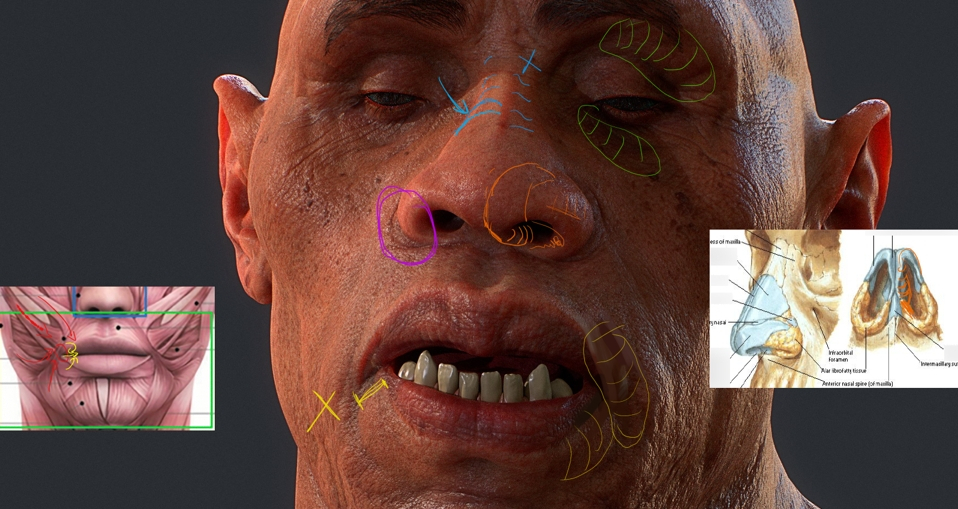 Okay! First I want to compliment you again on how good it looks! I wouldn't be writing a critique this if your work wasn't this nice, and I'm looking forward your to next pieces. I've got pretty much only anatomy pointers. I tried to color-code so they're easier to read but the text colors are changing once posted, haha.…
 -
Re: Zbrush - Is it possible to pose after this?

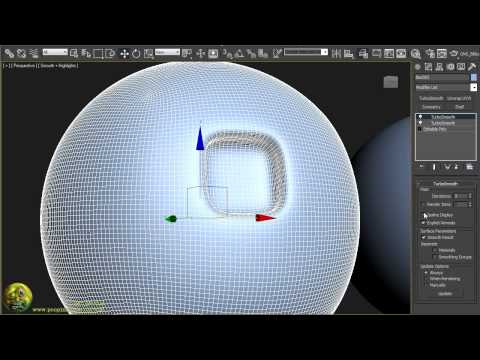 Hello - no problem, always happy to help :) A few more things : - - - - - "Something else I clearly never knew up to this point is that...a model can be lowpoly like Sdiv lvl 1 and for the render only to go highpoly like Sdiv 4-5, is that right? Sorry for being so noob, but I never really needed to use this for my cubic…
 -
Re: 3DS MAX 2017- ART Renderer

 I've been using it almost exclusively since 2017 hit. There's very little settings to worry about. The quality setting is "Signal to Noise Ratio", so if you set it to 20.0 db, you are basically asking to get "20 part clear, 1 part noise". Choose Fast Path Tracing instead of Advanced. Advanced may have some benefits, but…
 -
Re: Trying to bake very seemingly simple Normals in SP2, weird notches and lines on edges appearing??
 @Shrike "Now thinking about it, Max only has smoothing groups but no smoothing splits right? So can you split this properly at all in max?" Yeah absolutely, you could split it with a single button click in Max. Also, I do remember seeing your previous thread. Regardless of syncing tangents and having it shade correctly…
 -
Re: making normal maps and texture for a tileset?
Depends. It's a tradeoff between better texture resolution with having 4 times repeated same texture (forces you to be more subtle with details, unless you want it to be visible) and lower polycount with lower-res less repetitive textures. For smoothness? If you meant smoothing groups (smooth/ flat shading in blender), you… -
Re: [WIP] District 9 inspired weapon
The messed up edges in the picture you linked are when you have two different smoothing groups that aren't on seperate UV islands. The one way I know to fix that if you want to use those smoothing groups is to just break them apart on the UV. Most people seem to prefer using as few smoothing groups as possible however… -
Re: Tangent Normal map issues
 It looks like your edges are at or above 90 degrees. these will need to be lessened, (like 80 degrees or less) or they'll need to be hardened and the uvs split along those edges. If you look below, the boxes on the far right have a similar issue to what you have, smoothing issues because the angle of the low poly's edges…
 -
Re: XNormal Normal map issues!
 First off, you'll need to break up your mesh smoothing wherever you have a UV seam or hard edge. That's where those nasty gradients are coming from on both your low poly model and normal map bake. Generally wherever there is a 45 degree angle you'll want a hard edge and split UVs, use your discretion; if you're seeing…
 -
Re: [WIP] 3D Desert-punk Sci-fi Character
Heya! Great work so far! I really like the concept too. In terms of adhering to it, I see some differences in proportions, but I actually prefer your rendition for 3D. The super skinny legs and small helmet / head are more stylized in the concept art, whereas yours feels more grounded in reality. On the modelling side,… -
Landscape seams
 I've been stuck on this for a while, there are seams that running down parts of my landscape that I can't get rid of no matter what I do. So far I have tried: Changing the amount of light bounces in the lightmass settings. Deleting the landscape and trying again. Deleting the dominant directional light and creating a new…
>15011 results