Search
-
Re: Baking lighting-Normal mapped object (maya 6)
 actually another trick is to run your normal map through an rgb>luminance node and apply the output of that as a bump map which would work with convert to file texture. . .or you could just use the out alpha of the normal map's file node as a bump map too, not sure if the results would be that much different.
 -
Unity 3D Character Shader Tutorial - Shader Forge
 Just uploaded my first tutorial contribution, open to suggestions / feedback. It covers creating a custom lit character shader in Unity using a node based system. In this case shader forge but could just as easily be applied to Strumpy or UDK's node system. [ame=" https://www.youtube.com/watch?v=kSfHFApl6PI"]Unity…
 -
[WIP] Overwatch Widowmaker Fanart Skin
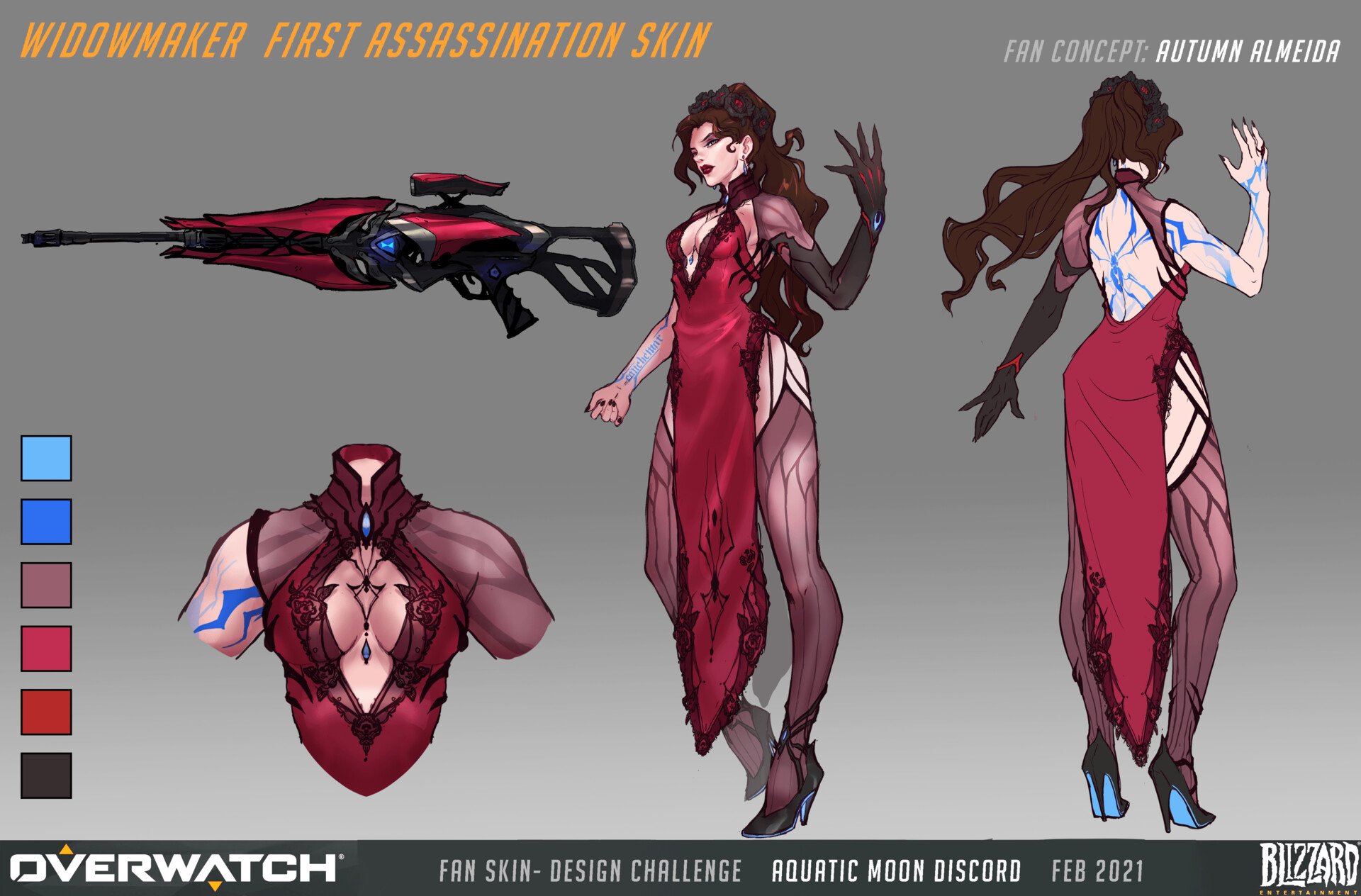 Hello to my fellow polycounters! I’ve been working on a character in the evenings after my day-job, in hopes of pushing my portfolio forwards. In the past I’ve either had a fairly generalist portfolio, or the chosen designs were not visually strong. I’ve reflected a lot lately, and decided to push forwards with a stylized…
 -
Request - High resolution screenshot option for SD?
 I'm not sure if there is a way to do this already, if not; would it be possible to implement a high resolution screen shot option for the Substance Designer node area? I see a lot of screencaps of people's workflows, however, they're always too small to see what actual nodes are being implemented. Maybe an option that just…
 -
Re: Gothic 2 monastery remake

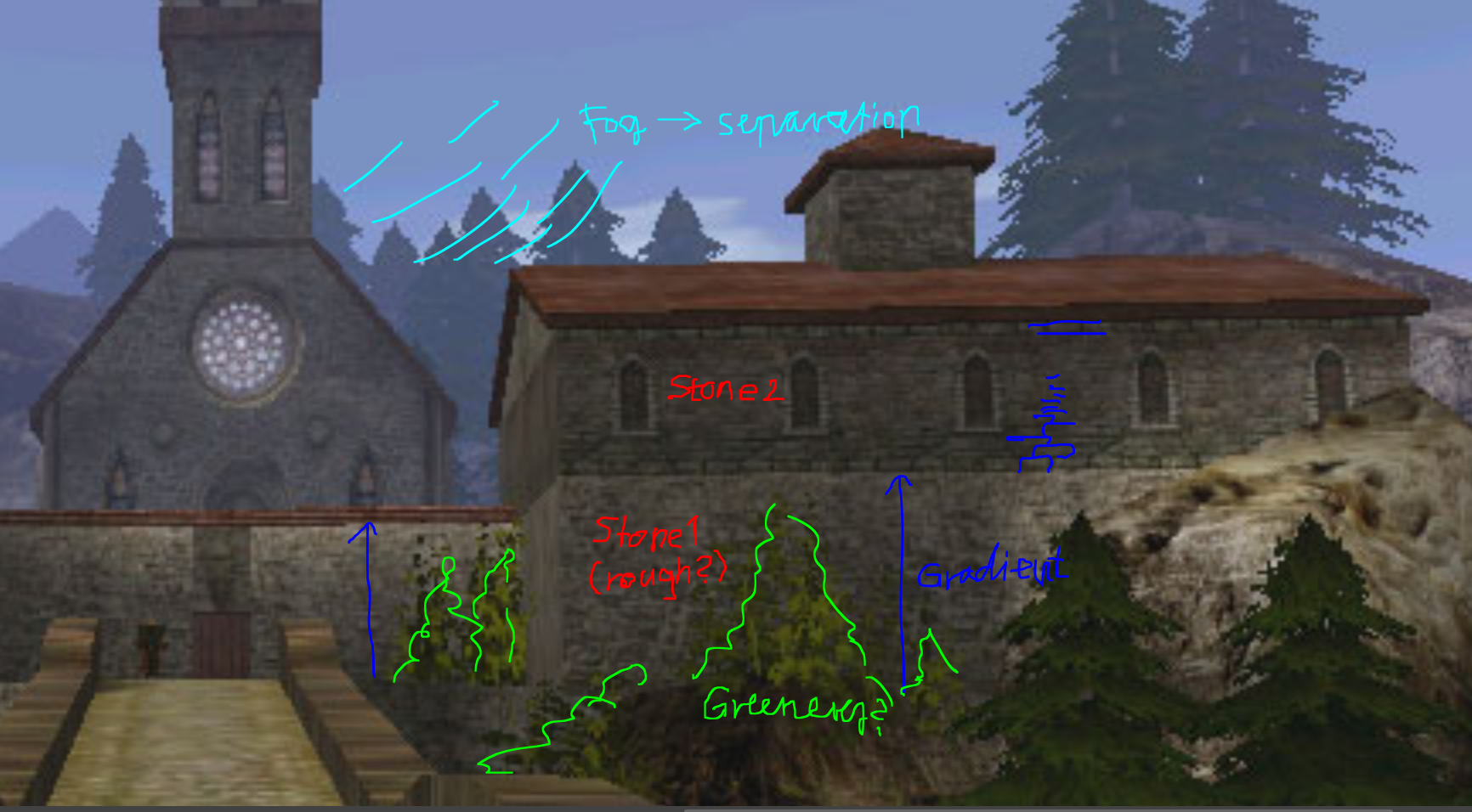 Hi! I think ziz makes a good point, the environment would benefit from some more geometric detail. I would look at the silhouette of things, that those don't read overly low res/ facetted. Situations that silhouette the most would be probably edges/ corners. I think generally having more geometric detail around camera/…
 -
Re: A few questions about normal maps
As far as i know. "My (limited) understanding is that when you are painting "normals" you are actually painting grayscale height maps, and that information is being converted on the fly to normal maps. Is that correct?" -Yes specifically in substance painter we are painting in height channel because its easy to work in… -
Re: Mortal Kombat: Dead Pool Remake
 It looks pretty solid. My first question - how is the area lit? I see a lot of torches in the scene, but it doesn't look like they are contributing to the lighting at all. It also looks like you have a single, cold-white directional light instead. Try adding warm orange to magnolia spot lights (hold 'L' and click) at the…
 -
Re: Partial transparent geo in Maya????
 For me it happens when you use a PNG as a diffuse. At times Maya will attach transparency to the material making it turn out really weird. Removing the node in the hypershade fixes it for me. Why it shows it differently in different angles, I don't know. But when I see that I know Maya attached a transparency node again.
 -
Re: (Solved, sort of) [Blender] Unpack normal map
 What's with this complex node setup for your normal map before the "Normal Map" node, and odd channel organizing? Why not just plugging a regular normal map (RGB) as an image texture and set it to use "Non-Color Data"? :D It's simple as that. Or am I missing something, since I don't get what's the reason behind this...
 -
Re: ArvinMoses Substance Freebies!
 Thanks! I've updated with a new node: This I called the amMaterialColorBlend It works just like the standard allegorithmic node but it allows more control over the normal map. With it you can change the direction of the normal noise - up or down, adjust the blur/bevel, and increase or decrease intensity. You can get it…
>37262 results