Search
-
What tool would do this?
 Hey there, I need help finding a tool to do what I want. There is probably something out there that does this. I want the flat geo I've created to conform to the shape of the mesh below. Is there an easy way to do this within ZBrush or any other software? It would be like maya's make live, but each vert would follow…
 -
Re: Maya UV Tools?
 I use a tonne of custom hot keys and xform and get by just fine really, the only thing I would really like is a pelt tool like max has. I will try out the UVdelux though as I'm always looking for newer tools to work with.
 -
Maya Scale tool off pivot
 OK everyone I have an easy one for you (hopefully). Suddenly, when choosing the scale tool in Maya the thing is off the X and Y axis for some reason, causing any scaling I do to slowly bend and warp. I'm not sure how it became this way. Modify > Center Pivot doesn't fix the problem. Anyone?
 -
Re: NEX modeling tools for Maya
 I tried it out and liked what I saw before the free trial ended. The soft selection tools were much better than the sculpt / paint tools in Maya.
 -
[Maxscript] Freeform Tool Active States?
 Hey guys! I was looking for a way to basically check the state of, for example, the chamfer tool. I have been looking for a bit and can't seem to find anything but how to toggle them with $.EditablePoly.ToggleCommandMode #ExtrudeEdge Any point in a direction would be greatly appreciated! :) JJB
 -
Re: Shield of the Undevout (Baldur's Gate fan art)
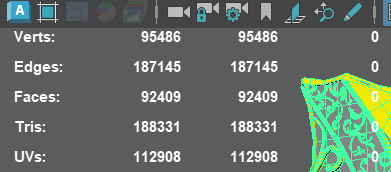 Here is my blockout in Maya. I’m going to take it into ZBrush and refine it further. My plan is to only do retopology on the more prominent pieces, such as the side decorations and the middle section, and bake the rest to keep the polycount as low as possible, because right now it’s far too high, as you guys can see. I…
 -
MagicSquire 2.0 - new way to organize brushes & tools in Photoshop, long-awaited features!

 Hello guys! I just updated MagicSquire by users' feedback (includes Polycount users too!) Supports large collection of brushes (1000+/4GB+), adds new view modes and thumbnail sizing: You can see more detailed video of MagicSquire's new features here. Brief list of new features: – New horizontal layout! First of a kind in…
 -
3ds max flatten mesh/ morph tool?
 hello all I'm trying to find a work flow or a tool that will allow me to duplicate a mesh flatten it then morph it to it's original shape. I've searching around and found some techniques but once I flatten the mesh I cant morph it back.
 -
Re: Zbrush: Topology tool
 Once you're done editing the topology, use Tool:Adaptive Skin:Make Adaptive Skin. It'll throw the skin on the list of tools (probably named Skin_Zsphere_#), at which point you can switch back to your main tool and append the result as a new subtool. There should be no need to export :S
 -
nMaker Tools - Create textures with one click!

 The NMAKER is a tool packge for creating textures in photoshop and use in 3d software in a simple way, quick and agile using it for just 1 click. nMaker is free! http://www.nmaker.com.br
>63129 results