Search
-
Tip about uv-sets and retopo in 3Dcoat
 I had a bit of issue in 3D-coat. imported retopology part was grayed out, even though it was same retopology object, and I couldn't touch it.I figured out what the issue washttps://www.youtube.com/watch?v=hHdWQVjw1JUIt seems retopology in 3D coat depends on objects being in same UV-set. Or one can have alternative uv-sets…
 -
Answered: How do you save 3DO Settings?
 Every time i check my texture i have to rotate my model into the light and select the plane model. I tried hitting save next to the camera button but it never saves my 3DO settings. Is there a hotkey to save the settings or something?
 -
Photoshop CS6 brush setting in CS4
 Does anyone have an idea how I would be able to reproduce this effect in photoshop CS4 (which I own) that is in CS6? It's the ability to apply color settings on your brush per tip. (3D Coat has something similar for reference.) *Please note in this image the person who made it has the labels backwards! The only thing I've…
 -
Re: Biorganic Kamen Rider — WIP
Thanks for the resource and sorry for late reply! I am using Multires for the sculpting workflow is that what you mean by subdivision workflow or something different? Also i checked you work, was very cool to see it, can i see the your wireframe for study purpose? just a screenshot is fine. -
Unty 6.3 HDRP Character Controller + Package Setup Issue
 Hi all, New Unity user here. I’m coming with experience predominantly in Unreal so Unity is new for me. * I’m having issues getting Unity 6.3 with HDRP to use packages. Whenever I install a new package I get the following error message and not sure how to resolve it. My Unity hub version is at the latest version (as of…
 -
Re: Setting default in/out tangents in 3dsmax7?
 Fordy is correct. Defaults are set there. Only need to set one TCB and one Bezier, all the rest in the list use the same settings. Then when you add a new key, it uses those defaults, depending on which controller type you're using.
 -
Hello Ive come seeking help for my project
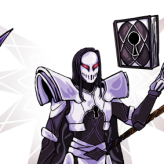 I am looking for someone who can make 3d models of Touhou characters and simply does it for fun! Do not worry, I am not expecting Ultra 3k PS5 graphics, so tbh even PS1 or Nintendo 64 level at best is perfectly fine! I will gladly credit you Promote you 2 if you want This is for 3d touhou fan game. Feel free to ask more if…
 -
Re: Marmor set Vs Cgfx shader
 Yeah, i think before think too much about shaders, you need to improve that texture. Also keep in mind that a shader isn't an afterthought. All shaders can be a little different, and you should create your texture content specifically for your given shader. This means previewing your work in the shader while you're…
 -
Maya UV sets confusion
 Hi everyone, I have a question about Maya UV and UV sets (not sure if this is the proper terminology). I have a scene that consists of separate buildings and each building is uved on it's own in the 0 to 1 texture space. Now I packed each building's uv separate to occupy all the 0 to 1 space and saved the UV layout image.…
 -
Re: How to get rid of Zbrush Model;s black "wet" Marks
try: Turn off polypaint. It's in the menus on the right in default UI. You can also turn rgb on in the brush settings, set color to white and go to color>fillobject. It might be mrgb and you painted a different material in that streak, but it's usually just poly paint.
>122257 results