Search
-
Re: Max to Maya, preserving UVs?
 You can get the Max6 .obj exporter from www.habware.at , it's free. In the export dialog, make sure you put the "number of digits" up as high as it'll go, lower numbers sometimes break the UVs. Maya imports .obj natively (as does Max7, but not 6).
 -
Re: importing into zbrush?
 You can do it with an .obj by clicking on 'import' in the top right and then navigate to the file. (You will need to export from your traditional modeling software as an .obj) or you can use goz If you are still having trouble maybe mention exactly what software and file types you are dealing with.
 -
Re: Baking issue on character model
 If you share the model in FBX or OBJ format, others might help by examining it for errors. (to upload a model, put it into a ZIP file, then drag-and-drop into your reply)
 -
Re: Blender - Paint &Texture problem
 I finally got it, i took the mesh from blender and sent it Modo and from there i created a *.obj instead of a *.fbx (fbx --to--> obj). Did a few paint-over test with random meshes. I can now paint over my highpoly. Thanks everyone
 -
Re: Mayweather WIP

 Guys, im having problems with bake NM of the model in Substance painter with the .OBJ from Zbrush... The result is it I think the problem is Zbrush because when i use GoZ To import the model to 3dsmax and after that i export the 3ds OBJ to painter the NM looks well...
 -
Re: [WIP] The Northman interior Environment - Cult

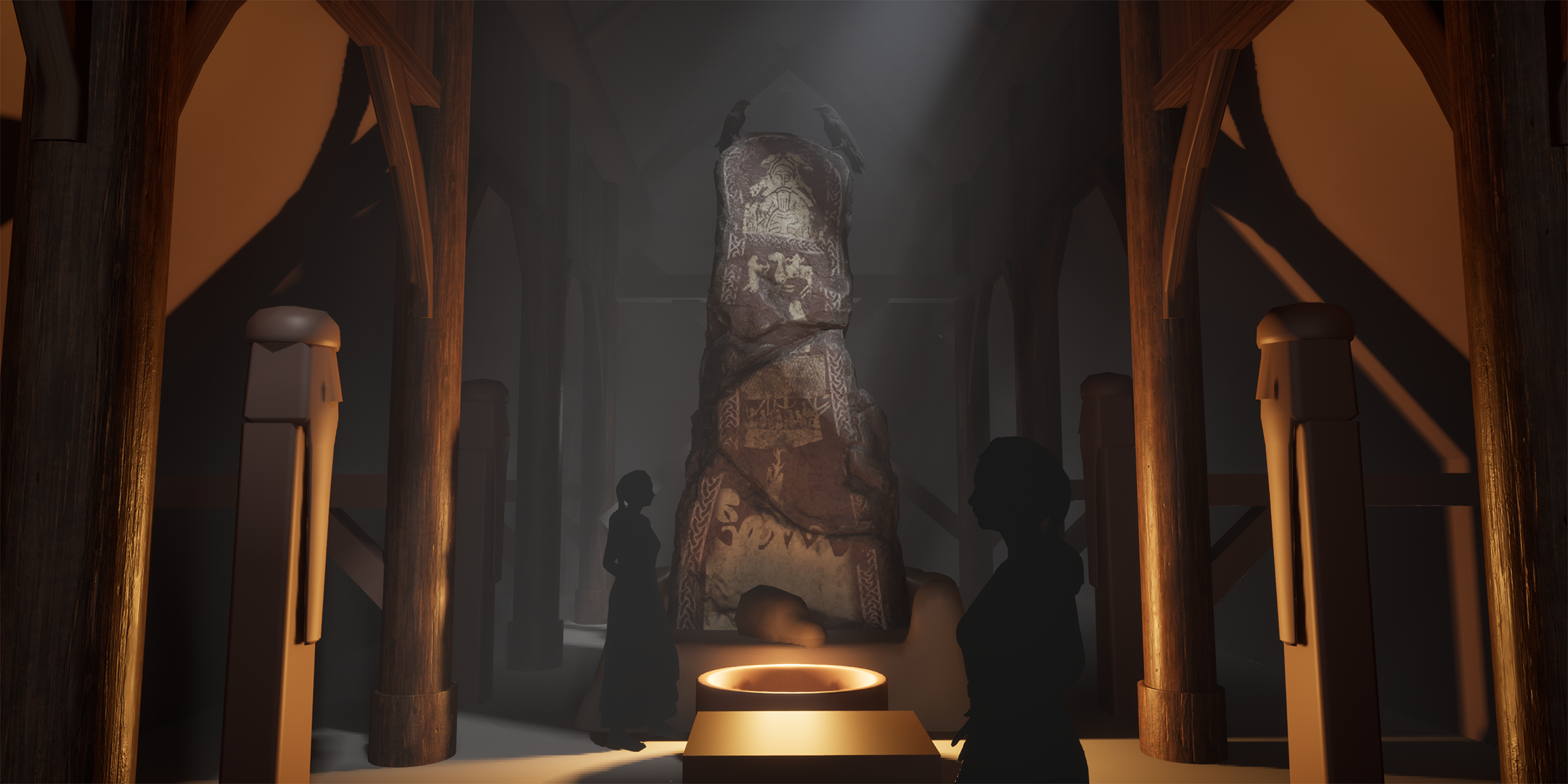 Back again with another update to this one. This time I've: - Pushed the lighting. I liked the godray shining onto the runestone to attract the eye a bit more and thought I could get some storytelling going there with the ravens having flown in to sit menacingly on our little runestone. - Moved around some pillars and…
 -
Re: xNormal Baking issue
 It could be your exporter is messing up your smoothing groups..are you using Obj's ? Try Guruware's exporter/importer .It is miles better than the 3dsmax native WF Obj exporter with loads of options. Make sure to check smoothing groups in the exporter. Also are the artifacts showing up in Xnormals viewer?
 -
Re: .-| Week 8 - The Weekly Hard Surface Challenge |-.
 Alright, finished the second model. I know the bottom part isn't correct, but it was a bit difficult to get an idea of how the whole shape was. Edit: Also, I'm not a big fan of having to upload an OBJ file somewhere. Uploading the images takes a couple seconds, but having to add an OBJ to the mess and all that... :/
 -
Re: map looks normal in 3ds max and uvs seem ok but in marmoset toolbag it looks messed up
 anyone wants to have a look you can here, i uploaded the fbx file, also is it better to export fbx for games or obj? they will be used in unity but i notice fbx files are significantly larger than just a obj and the texture maps https://www.dropbox.com/sh/xalwz1bhocf42fp/AAALr236onZyYmaQ11iE82nOa?dl=0
 -
Re: help tutorial on simple rock?
 tyhe uvmapping are precise and fine are a perfect squared image qith quads I imported with this uvmap and when I exported the thig didnt look good , may be the obj conversion messed it up ? but after I imported the obj in max it still hade the right uvmappign , but the cavity map do not coincide...
>28981 results