Search
-
Re: How The F*#% Do I Model This? - Reply for help with specific shapes - (Post attempt before asking)

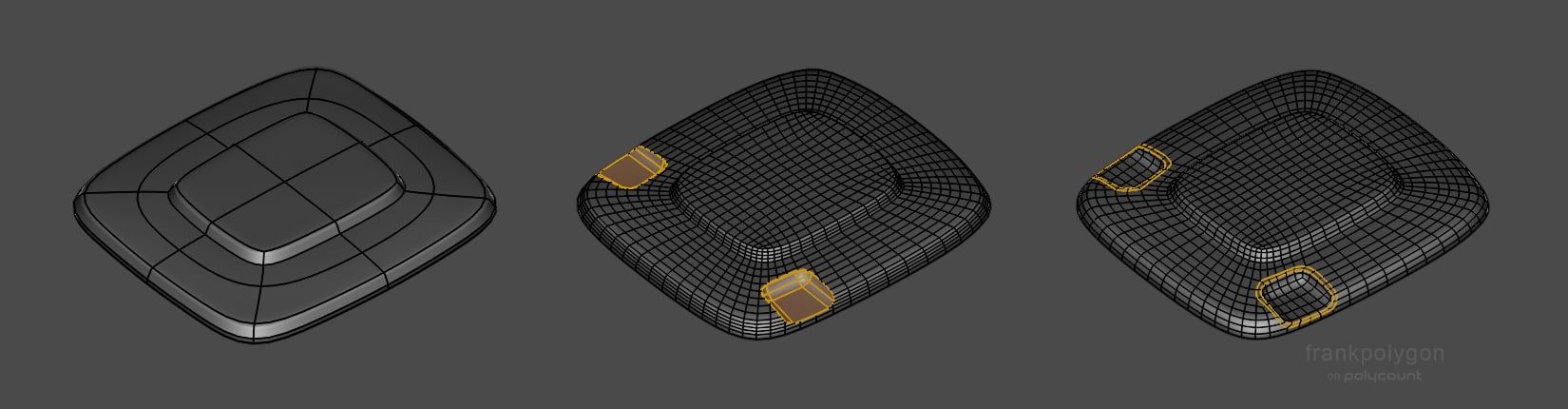 @christrom It looks like you're headed in the right direction. Like Eric already mentioned, what you have would be fine for baking in most high to low game art workflows. As far as a light technical critique of the model and topology: if the goal is to create accurate, detailed high poly assets with a relatively even…
 -
Re: Can you bake and texture in 1024x2048?
 To flip individual channels, hit the lil cogs icon next to "Normals" in your last screenshot. Y should be green unless you're mistaken. Please be patient while I practice my gas lighting effects. As for the idea itself of using non-square textures generally, TIL it's no longer a bad idea to do as long as you stick with…
 -
Need Help Merging Theses Two Shapes
 Hi everyone, I need help merging those two shapes while having a good topology. I just don't know how to set up my two shapes for the merge. I tried many techniques, but there's always something wrong when I switch to smooth preview. Thank you ! Here's the image :
 -
SOLVED: Bug: dDo texel density power-of-two problem
 Hello I´ve discovered something really odd in the latest version of dDo. My photoshop version is CC 2014 summer edition (latest). The bug is as follows: When creating a new project, you HAVE to set the TD to a value that is power of two. If it isn´t power of two, then smart materials get really, REALLY miniscule tiling on…
 -
Re: how to blend two fbx animations? help needed!
 The two poses in your screenshot don't look very different. Is the 5 frame in between not a good enough blend? So this might be over kill, but you can use the Motion Mixer to blend the two anims. Just create two XAF, then mix them together. It's a quick process when you know how, but can seem very tedious to setup on your…
 -
Alpha Planes, two Materials?
 Hey there! I'm currently working on a prop which is a crate with hay in it. And I'm going to use alpha planes with hay and would like to know the best way to do this performance wise. If I have understood it correct, materials with alpha is heavier to render and therefore should use it as little as possible. So what is the…
 -
Is there a way to merge two displacement maps in Arnold/Maya?
I have a piece of clothing. I have some medium and small details sculpted on it in Zbrush. I also want fine fabric details on top of all. The easiest way would be to add them in Zbrush with the Surface noise and export just one single displacement map. However, my height map is too fine to read well with the surface noise.… -
Re: Zombie number two
 thanks much for the comments guy achmed - I thought about doing that, I still might... luckily thats something I can add later without adding too much extra work for myself. I had the highpoly about 50% done in mudbox when I realized that I don't really have anything in my portfolio that's "applicable" in the games…
 -
Re: Does having five edges meet here work for this product? What’s a better alternative?
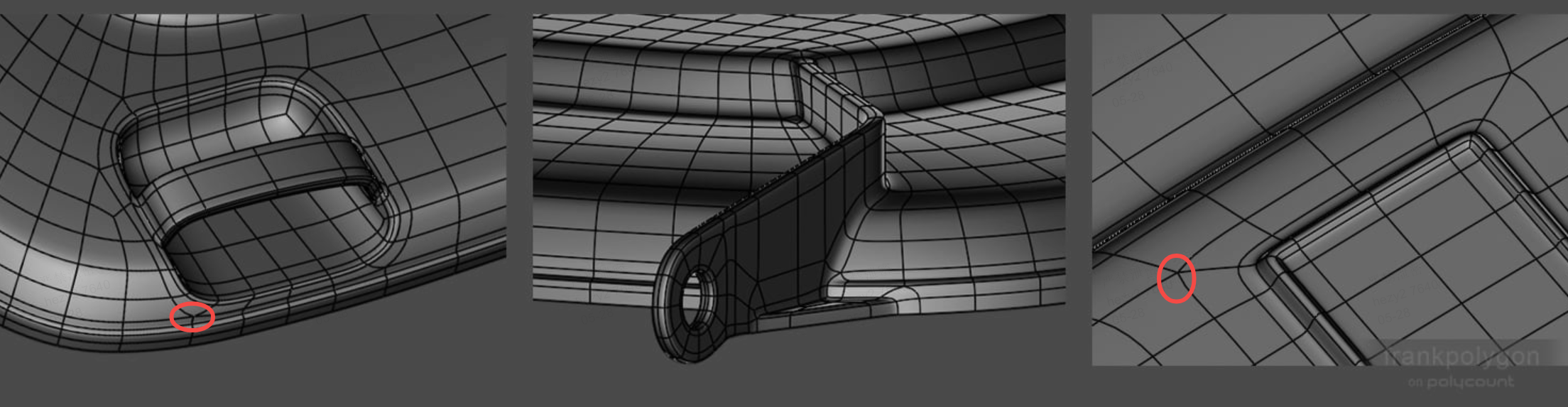 Is it a necessary compromise that multiple lines converge on the arc at these two positions?
 -
Maya Transform tool - two axis & scaling
 Howdy! I got tired trying to search this one so thought I'd just ask. Simple question; In Maya in order to transform along two axises you ctrl+click the axis you don't want. However I can't do it with the scale tool, am I missing something? Also, if anyone knows something that turns Maya's transform tool into Max/XSI style…
>73505 results