Search
-
Image to PBR Texture Generation Software -Download Link

 Download Link: https://store.steampowered.com/app/1140360/TextureWorks/
 -
Automatically generate a low poly for this
 Sadly I have lost all evidence of a low poly file for this shirt, and Im not sure how I managed to that. But I have this shirt. Its quadded and its pretty simple in topology and I was wondering if there was any way I could make a low poly for this? I would retopo but the one thing stopping my is the collar
 -
Re: Gene Kelly's dance sequence...(with a TWIST)
 [ QUOTE ] The Golf GTI has been heralded as a timeless classic, making it a perfect tie-in for Singin in the Rain. This film and Gene Kellys performance really made a mark on his era and the latest Golf GTI is set to have a similar impact on todays generation. [/ QUOTE ] This car will have an impact on the entire world…
 -
Just a generic drawing..
just doing some drawing at 1am again.. seems to be the only time i can focus my energies. anyhow, heres a picture.. unfinished but i might just give up.. i like the concept.. the shapes.. but the feet and face are not liking me.. any tips? im sure hands and arms arent going to be easy either.. prolly would help for me to… -
Houdini - Vector Field Generation
I've looked all over, can't find any information about how to make vector fields in Houdini. All I've got is an impression and a couple of tools for exporting and the documentation about a SOP Vector Field Node. The impression is that I make particles in Houdini and then export as FGA, but what information carries over?… -
Re: [WIP] Wildcats Characters

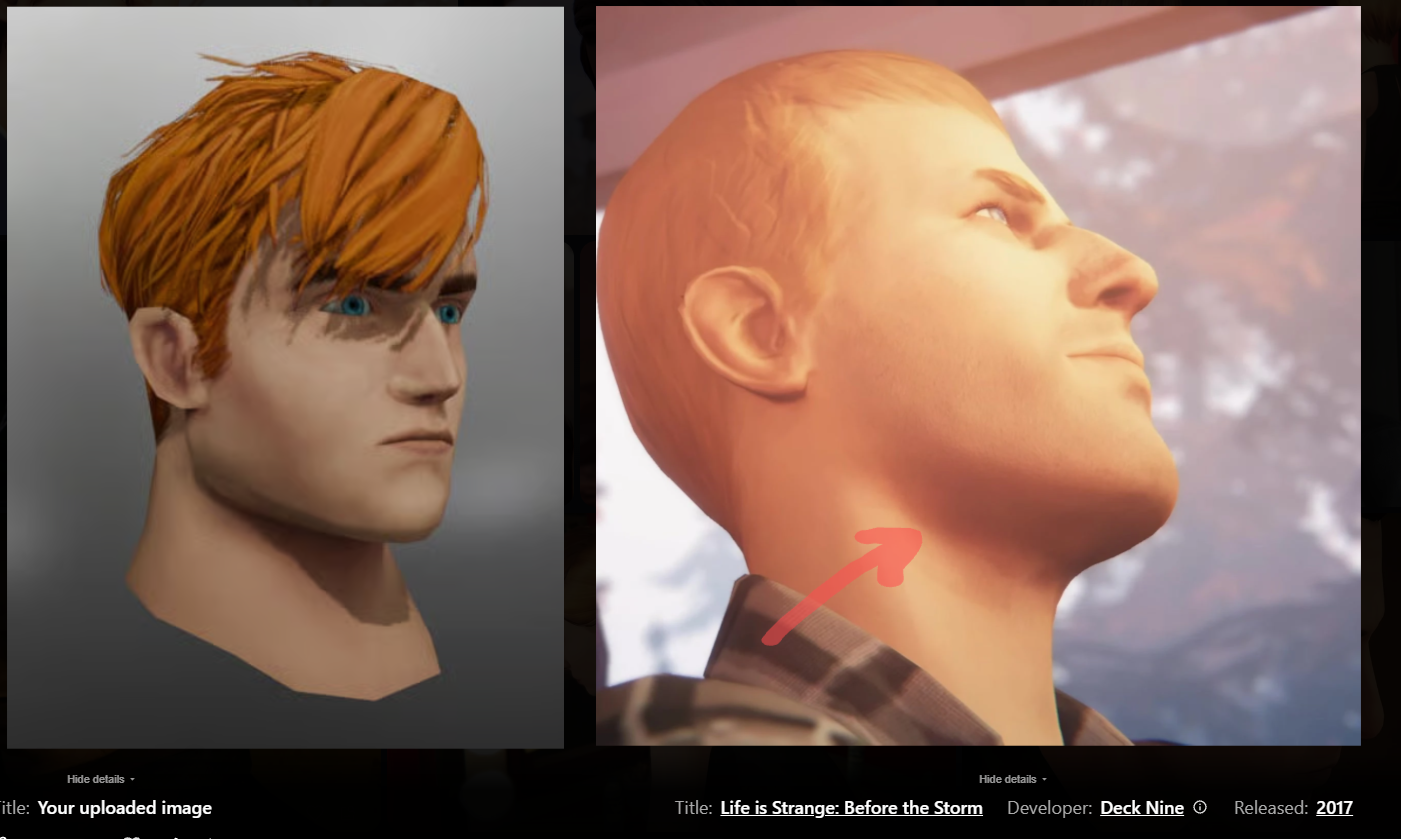 I would push it further than life is strange did it, but still notice how the shadow beneath his chin is reddish hue instead of the darker brown: Even here - the red from the cheek is almost the same hue as around her jawline: You can see it a lot more pronounced here in Spiderman. Especially the ears, but also nostrils…
 -
[Maya] Tile pattern Generator
 Hi!I'm making a tool that makes patterns from tiles that can be customized with different attributes In the near future I'm thinking in making more patterns or attributes to customize more the tool and maybe a quick texturing tool to make variations in each tile texture. Here are some tests playing with the different…
 -
Dagger (General feedback wanted)

 Wanted to try out doing some sculpting in zBrush and then baking the details to a lowpoly i have trouble exporting the textures from Substance to Marmoset Toolbag 3 This is how i want the Materials to look (Screen shot from Substance viewport) But no matter how i export them (Metal Roughness) or (SpecGloss) it doesn't turn…
 -
Is there a way to mask full tiles in tile generator
 Like i only want the tiles to appear on the masked area, but i dont want any tiles to be cut (so either a tile appears fully or not at all) Is there a way to do this?
 -
Substance Designer - 'Modern Art' generator
 These were some experimental explorations into minimalist, 'modern art' pieces within Substance Designer. Feel free to hang these up on your walls and act like you're high brow. Link to Artstation with more renders: https://www.artstation.com/artwork/XBAYgw Hope you enjoy.
>35321 results