Search
-
3DS Max Editable Poly Rollout Memory (Soft Selection/Edit Geometry)
 I'm in 3DS Max 2013, and when in Editable Poly mode, it seems to have a terrible memory for which rollouts should be open. When I switch from one subobject mode to another, it seems to constantly close the "Edit Geometry" rollout (which I use constantly) and open the "Soft Selection" rollout, (which I use very…
 -
Re: 3ds max being able to hide in view port what you have selected in the UVW map.
 Here is one for you that I actually just learned today. You can assign a hotkey to select a loop between seams. The command is TV Loop Select. You can find it in the Unwrap UVW group.
 -
Re: Blender - how to copy uv map to other selected object?
 you can something that you should probably have done anyway: use an array modifier for the steps. add an empty at the center point of your staircase and rotate it on the z axis as much as the difference in rotation from one step to the next. then take your bottom step and make it a unique object (select all vertices of the…
 -
3DSMAX: select a loop across vertices with more or less than 4 edges like Angle Loop script?
 I want to select a loop across vertices with more or less than four edges. I found this script/plugin. It works, but the interface is not practical. This script can not be used with a macro/shortcut. Is there something similar? http://www.scriptspot.com/3ds-max/scripts/angle-loop https://vimeo.com/114909229
 -
Marmoset Freezez/Crashes when selecting the lowpoly bake folder (specific mesh)
Hey! I love the Marmoset baker but I've ran into this problem multiple times and would love to find a solution for it. I can't remember if I solved it the last time or if I just baked it with another software. Anyway the problem is with some meshes Marmoset crashes when adding the mesh to the lowpoly folder in the baker… -
Re: Tech Artist - What are you working on: FOREVER Edition!
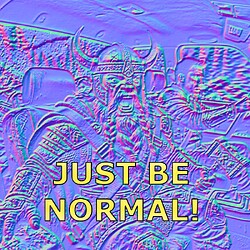 Working on a free quick and dirty normal map tool for Photoshop. (it's free, and yes I'm very proud of the name) justbenormal800×800 263 KB Features * Normal Map Creation * Normal Map Combine * Normal Map Utils like Converting/Flipping * Height to Normal and Normal to Height * Presets Just select a layer, tweak your…
 -
A way to fill in syncing texture color and depth info within certain selection only in Zbrush?
I stopped to use Zbrush couple years ago and it starts to evaporate from my memory. Did new versions got some way to fill in matching displacement and color from a pair of color/height textures in selected areas only ? Use projective painting or noise dialog to paint color and depth from a texture in sync? I recall I did… -
Maya 2010 64-bit Windows 7: Lag with viewport and component selection. :(
I've been having this error for the past few months since installing maya 2010. I'm running on: 8gb ram Windows 7 Home Premium 64-bit Intel i7 Cpu AMD Radeon HD 6950. I've had multiple complete system crashes, and face selection has been slow ever since I installed maya. It doesn't seem to be a graphics card issue, because… -
[3DS Max] UI lag when switching between sub selection modes and duplicates of objects
Hey guys, Been having this issue since I switched to Max 2018 and have kind of lived with it but its starting to become a bit of a pain. I have added some gifs below to show what is happening but pretty much when I make a copy of an object or switch selection mode say from vertex to edge the UV lag up for a second.… -
Re: Nvidia Control Panel
The settings I generally used it for (eg, selecting the gpu to use etc.) are handled properly by windows now but the control panel does appear to still be present on win11 - perhaps they got pushback and left it there or perhaps i misread something. I'm probably not on latest but im likely on the one before that
>15387 results