Search
-
Re: Max 2010 / 2009 icons, Main Toolbar
 I have turned on the AME Dark Custom UI scheme since the black background of the UI is better on my eyes but all the icons are ugly and grey. Its very hard to tell the diff. Is there anyway to get the toolbar to use the default colored icons while using that UI scheme? loading any of the cui's from the toolbar menu dosnt…
 -
Re: Damn, Rendering Editors Suck in Maya...Texture?
 OK the 'normal' placement of texture worked! Thanks, but now I have to determine if what is happening is normal, or just a goof up.....hardware problem? ATI 9500 Video Card. It seems the UV Editor displays the default ShaderGlow texture instead of the Checker Pattern. I tried clicking the Image - Display Image off and on…
 -
Re: Mostly black AO from XNormal
 I was having some strange bake problems just last night after installing the latest version of xNormal. They weren't the same problems you are having however the fix might be worth mentioning. I went to "Settings and examples" then used the "Restore default settings" button. After that all was well. Good luck, I hope you…
 -
Re: Enzo - 3d paint for PS
 Its a bit annoying really. i gave up pretty quick. Its doesn't seem to place obj files at the default 0,0,0 even after a reset xform in max. Perhaps its geared more for the maya obj/fbx exporter. if you paint near edges, it bleeds and stretches like zapplink. Be nice if it had 'local' rotations like in zbrush.
 -
Re: Vertex Normals Massacre
 In case of strange black magic behavior in Maya incinerate Maya's \prefs\ folder :) Found in C:\Documents & Settings\User\Maya\<MayaVersionNumber>\prefs This will revert Maya back to default setting, but also usually "fixes" strange unexplainable issues like this. If you have any custom shelves you might want to extract…
 -
Re: Fire Lady WIP
 The 2-sided material option will show to any faces that have the material applied. So if your face mesh has "Head" material applied and the hair planes have "Hair" material applied, and only "Hair" has 2-sided checked, then only the polys with the "Hair" material will be rendered 2-sided. The rest will default to 1-sided,…
 -
Re: Substance painter does not bake ID colour map properly
The issue is material importing into substance is broken, it's not you importing a collision mesh with the HP or doing anything wrong, you simply ran into a bug in the software, that afaik there is no fix for as of yet. Physical material is just what autodesk calls their normal default material type, why its called that is… -
3DS MAX - Loop Straighten with Constraints

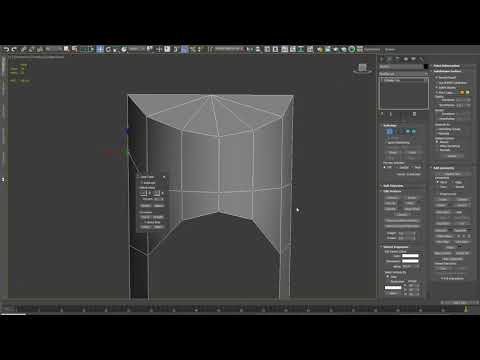 I just released a script for 3D Studio Max which lets you straiten edge loops while using geometry constraints. The default loop tools one doesn't work with constraints, and none of the scripts I've seen support all of them either. You can grab it here: https://gumroad.com/products/VCuog/ or watch a video about it here:…
 -
Hotkey for bottom of stack in 3dStudio?
 Any of you guys know if theres a hotkey i can bind that lets me jump past all the modifiers in the stack and go right to "Editable Poly"? By default MAX selects the highest item in the stack and i find myself having to manually select edit poly in the right hand menu when I have something like symmetry applied over top.…
 -
MAXscript -- merge external .max file
 A simple question guys; is it possible to merge (load) a max file into an opened scene using a MAXscript? The idea is to bind it to a keyboard shortcut to call up a generic human scale mesh (example; scale_mesh.max that i keep somewhere on my C\drive) to check a proportion of a building/ doors/ props/ etc compare to…
>10520 results