Search
-
Re: game art college graduate success rate....
 The fairest way of doing this data is to ask the graduates themselves, here is a thread on our UH student forum. If you don't trust me ask any of our alumni if the list is true and what they think of the course :) now where is my flogging whip http://3dhit.co.uk/index.php?showtopic=14971&st=0 Also just to add, we are not…
 -
Re: Why is my spline not extruding the way I want it to?
 I've had this problem in the past and it is usually because of the reason Mark mentioned, but it's hard to spot the gap sometimes. Try weld it all up, then split a new vert and make that the first knot, then weld up the old gap. I think sometimes Max just gets confused with the end knot position and then fails to extrude.…
 -
Re: Vi New Skin: Stealth Rocket Animations
 Reply by jarvin88 · · Home› Contests & Challenges Archives› Riot Art Contest› Riot Art Contest - AnimationCool character, Great start! Her hips feel a bit rigid, maybe a slight increase in the X axis rotation could help. Lookin forward to updates!
 -
Re: n/a
 You can use the layer displace Z slider in the layer panel. Just make sure you have the right layer selected and you can displace it in the depth axis. Sadly there's no way to just "average" them all out, AFAIK.
 -
Re: Switch to Maya for Job? is max less used in the game industry?
ive found mayas duplicate special and subdiv proxy to be somewhat annoying/limited to deal with. for one example, whenever use the sculpt geometry tool extensively with half of my mesh instanced, i usually have to re-attach the center verticies whenever i sculpt near the center which is an annoying part. (so far the only… -
Re: Maya ShaderFX Question

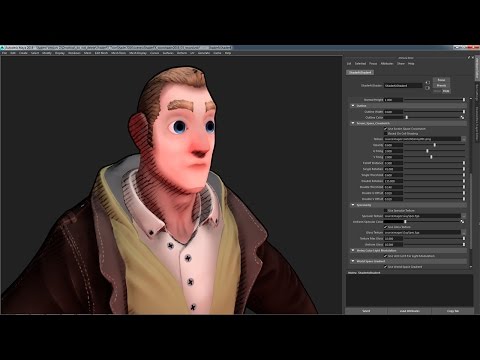 What a lovely video you linked to earlier ;) Anyway, can't you get away with using the "Pixel Screen Position" node? It gives you screenspace coordinates. If you try it out you will probably want to invert the vertical axis and probably also compensate for the aspect ratio of your current viewport setup. I've used it…
 -
Re: What to do with very small uv island?
 if you have a hard edge there and use normalmaps thats not a good idea Axis5..
 -
Re: precisely scaling uv coords
 When you hold ctrl, you will constrain proportions on both axis, this is handy for the free form tool (the one that does everything depending on the handle you use in the orange box it displays around your selection). When you hold shift, it will try to stay snapped in the sense that, holding shift and dragging the scale…
 -
Re: World machine, advanced coloring macro
 Spherical? Do you mean circular? Remember, world machine works only in the z axis so you can't make a terrain shaped like a football. However, if you need to make a terrain that looks like a circular island then this is achievable by masking a perlin generator with a layer shape.
 -
Re: Just a simple wrench
 Thanks for the comment. I went lazy on it and just mirrored all 3 axis and didn't do the twist at the end later. I know it would make more sense to first model the basic wrench and then add the detail, but I wanted to try to get something just out of a cube, haha. Anyway, this is the reference (for what it's worth):…
>5460 results