Search
-
Re: New Character. I heart Tauren
 I think that is mostly due to the UV's. I use Roadkill to lay out my UV's and it really does a great job of minimizing stretching and shrinking. To create the normal map on this guy I used Zmapper in Zbrush. I created the low poly first and laid out the UV's and brought it into Zbrush to sculpt. Then I took it back down to…
 -
Re: Modular design within games.
 ScottJ that paper was a great read, thanks :poly142: If you're going to revise it maybe replace all commas with periods? Epic sentence: "Using these parts the model can be created from using extrude, cut, bevel and other tools to give this flat plane depth and 3D shape, while most of the UV map will be good, after altering…
 -
Re: "Use Pivot Point Center" in Maya equivalent
 i dunno if everyone just skipped over claydough's solution or what. :poly121: for many issues this is pretty fantastic, claydough! I think you may be trying to get something that will work in all cases, though. For me, the biggest issue is scaling from a local pivot on each contiguous selection of faces/edges, moving or…
 -
Re: What to do when practice doesn't make perfect?
 Great points, Two Listen! Trying to analyze everything, whether in the real world or within works of art; break them down into their component parts before reassembling them from your memory is really a worthwhile habit to get into. It certainly makes the world a more interesting place too! I think we all fall into the…
 -
Re: Half naked armored chick
 I didnt want to say it really, im no authority, but since you say it yourself. Man I think you could really excel at environments! Your pieces are great. If you cut out the characters and spent that time perfecting your environment craft you could be a total master I bet. When I viewed your site earlier today, I tried…
 -
Blizzard seeks Character Artist - Overwatch
 Tracer, Reaper, Widowmaker, and Winston these are just a few of the epic new characters created for the world of Overwatch. Each one is as iconic and unforgettable as the last, and each one was brought to life by the hand of a talented artist. And now its your turn As a character artist for Blizzards next amazing game,…
 -
Blender Hotkey Help
 Hi all! Max/Maya user finally working up the nerve to switch over to Blender. I'm hitting a snag with getting a hotkey setup, that is sorta my bread and butter when it comes to modeling. The function I'm trying to emulate is the 'Connect' command from Maya, the way it works is if you select two verts on a face an edge will…
 -
Re: Anime hair/connected hair geometry

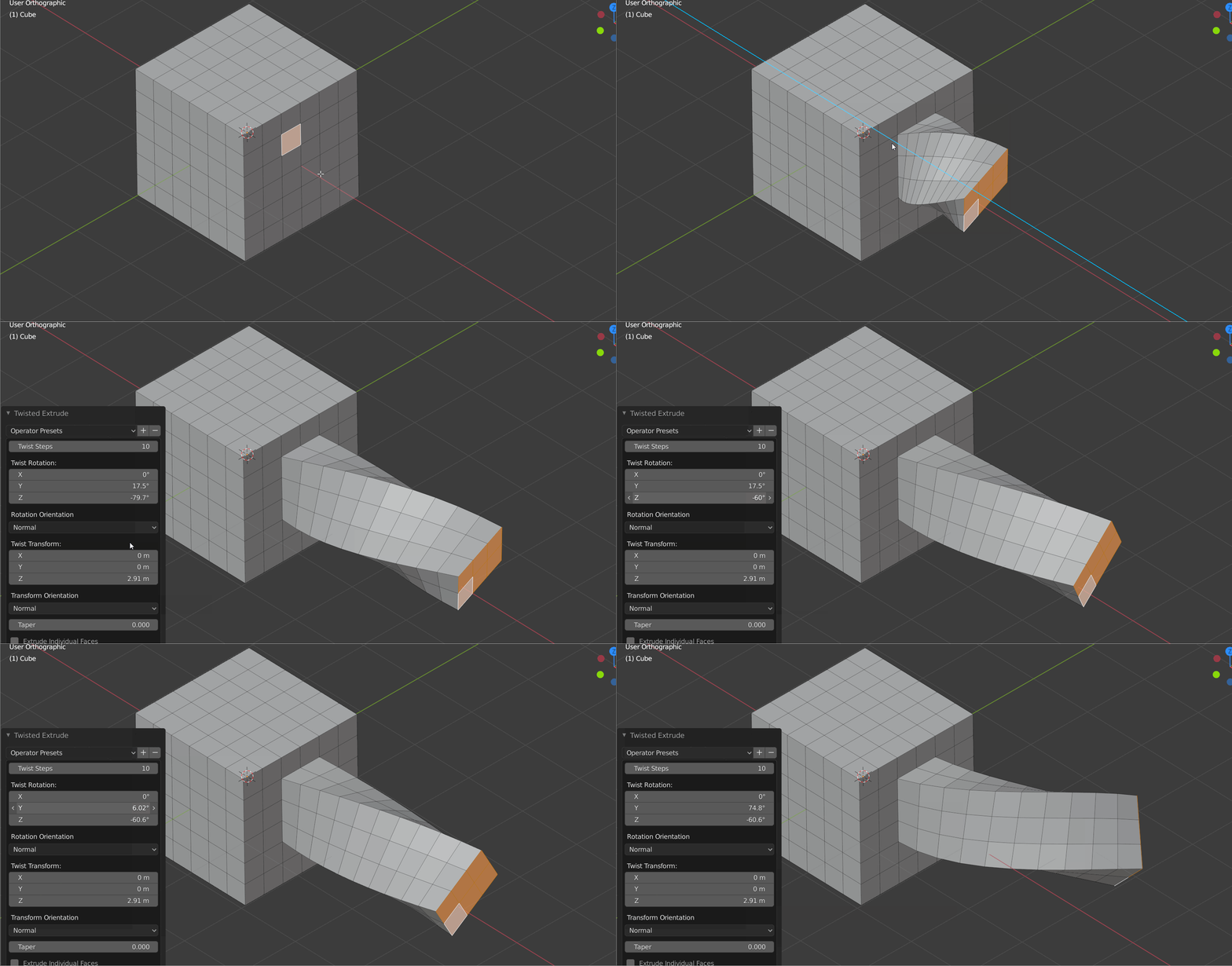 Another trick here is to realize these models were created mostly in quads, with edge-loop modeling tools. Then converted into triangles before export to the game, and edited further to improve the new triangle edges. One of a gazillion "blender extrude" search results:
 -
Re: A stab at Hand painted textures
 looking great! now lets look at those stones. they are feeling kinda flat. how about doing this: -create a layer, and set it to "screen" -with a medium SOFT brush, poke the surface a few times with a color that is the same as the stone, but with some warm color added to it. like an orange/grey. -It is gonna look way too…
>88650 results