Search
-
Re: Pinching after displacement
 The texture tiles "mostly" ok by the look of it (i checked in designer) there's a couple of areas where I'd expect to see some sort of spike but nothing that would cause the sort of gap seen in the last image assuming a 1:1 ratio of faces:pixels - unless one of the meshes was rotated relative to the others. I'd put this…
 -
awsome pixel art site
 http://www.armyoftrolls.co.uk/website/html/pixel_art.htm love this stuff, particularly the mighty boosh characters
 -
Moved: Pixelation with Bump Map in Maya
 This discussion has been moved.
 -
The Pixel Crush -Sketchbook
 theres a breakdown of the sculpt process here: http://www.thepixelcrush.com/blog/astr0naught/23/8/2014 and the formatted post on my blog: http://www.thepixelcrush.com/blog/astr0naught2
 -
Gameloft Montreal - 2D Pixel Artist
 this position has been filled. thank you
 -
Re: PC-CSGO | Pixel Invasion

 the pixel blending is done
 -
Re: Zbrush camera navigation
 It's going to feel quirky and different if you want it to behave like a 3D program. This is because its designed as a painting program that can have more in common with Photoshop or MS Paint than it will a 3D program like Max or Maya. Since you're completely new, I would suggest taking a few minutes to learn the following…
 -
dino run, awesome pixel game
 click this super awesome running from explosion action
 -
Pixel Patron Speed Sculpts dump

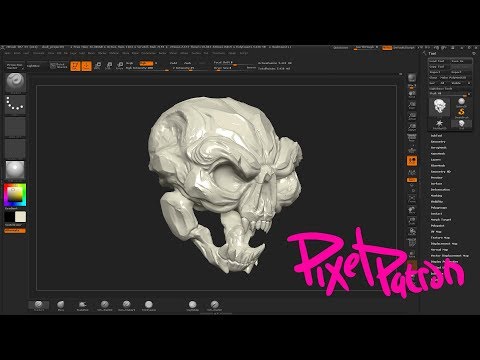 Jus tryin to improve...gonna get in the habit of sculpting more. https://youtu.be/RGl9VQJViF8 More to come....hopefully
 -
Re: Don’t use gamma on normal maps

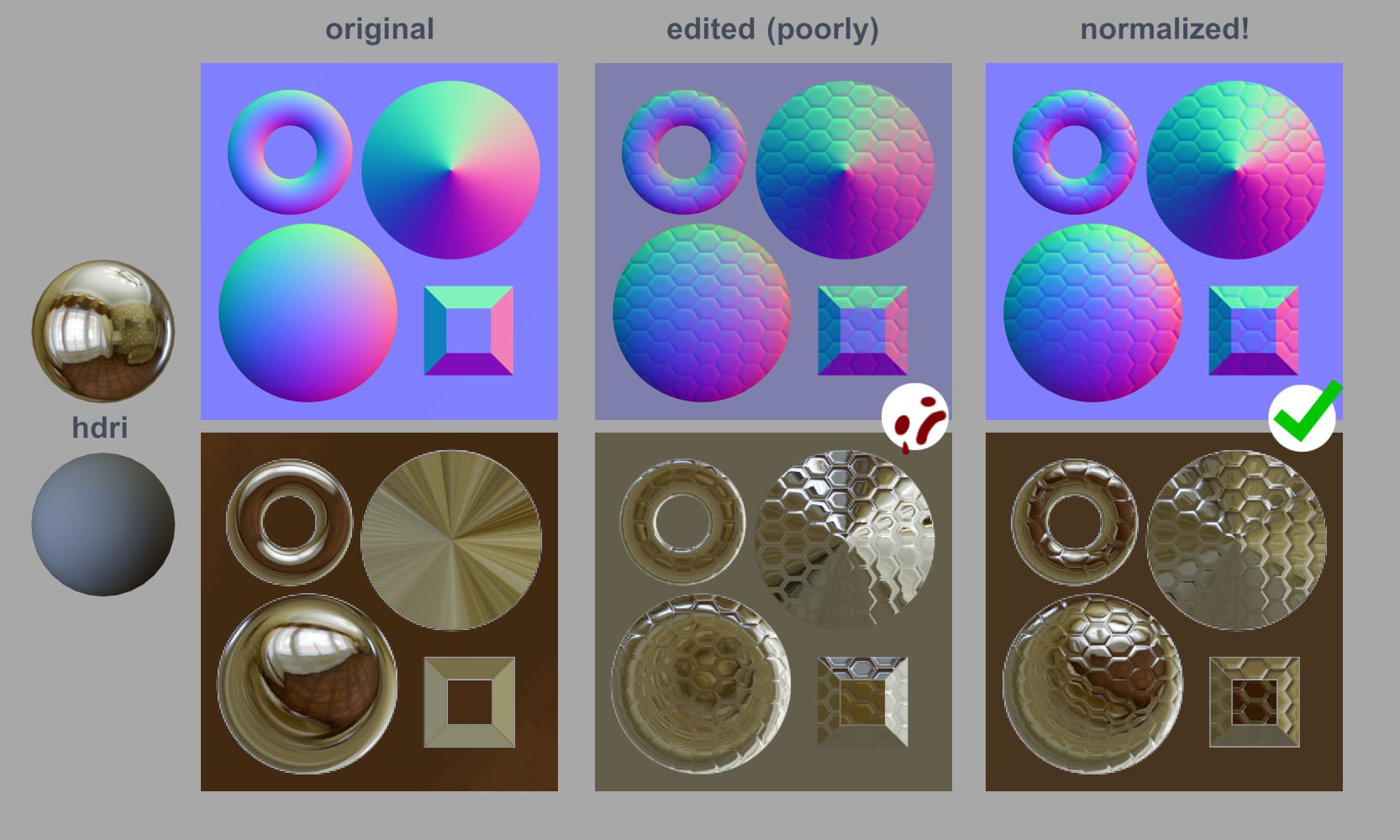 Why do we have to "normalize" our normal maps? Here's an example that hopefully helps illustrate it! Notice how the lighting is messed up in the edited normal map. You can't see the windows anymore on the dome and donut, and even the flat background is reflecting the wrong colors. This came up in my last post; I shared…
>8814 results