Search
-
Re: SSS For skin in 3ds max?
 Read Max's help file on Mental Ray's Fast SSS shader. It's very easy to set up in the material editor, you just have to switch your renderer from default scanline to Mental Ray.
 -
Re: maya 2008: bake gradient into vert colour
 Use Color > Prelight Maya. I like to use volume lights when I just need an area of color and no light direction. It has a fall off from the center by default, you can change this.
 -
Re: Bruges, Belgium Environment
 Looking better Keen. And yea, tweaking camera settings such as FOV is pretty easy in UE3. You could even drop in a custom camera actor and look through that and not mess up the default cams. Keep it coming!
 -
Re: Max 9... Object selected that's not selected?
Sure you don't have Selection Lock on? (The little padlock icon near the centre of the toolbar at the bottom of the screen). Default key for that is Space so it seems likely you might have hit that then saved the file. -
Re: Triplaner pixlate
 You need to make sure that the input maps are set to 16 bit. The default is 'relative to parent' set this to '16 bit' There's a thread about it here: https://polycount.com/discussion/225225/blurry-result-from-using-triplanar-node-in-proceedural-sbsar
 -
Rotate an HDRI Blender 2.8 addon

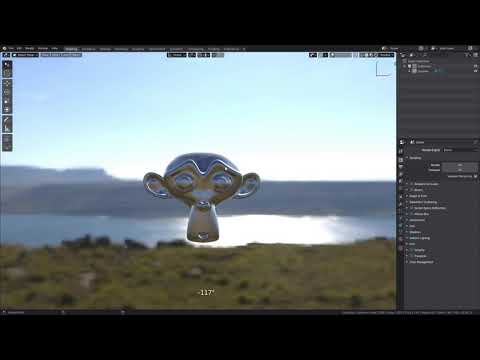 Addon allows you to rotate HDRI with the mouse in the style of “Marmoset toolbag” . Supports LookDev HDRI and World Environment Texture. Default hotkey <Ctrl+Alt+Left Mouse Button> it can be changed in the addon settings. https://youtu.be/MgPN7rsq-uE Download: https://gum.co/XQYEl
 -
Rendering Help
 Hey I was wondering if anyone had any tutorials or if anyone could just help me with quick renders. Im using maya 2008. Ive been working on my modelling, but the default lighting with black background are just HORRIBLE renders... Any help would be greatly appreciated. Stefan Lipsius
 -
Answered: Grey values of brush alpha disappear

 Hi, Maybe someone already had this problem. Grey values of brush alpha disappears and it seems only white values remain. I have this problem with default and custom alphas. And it does effect painting. Thank you for any tips how to fix it or to go around it.
 -
Solved: Quixel SUITE doesn't start anymore
 Hey, I runned Quixel fine for a couple of months then later on every time I tried to start ndo or dddo it crashed so I re-installed it. Now the whole suite doesn't even start anymore anyone that knows why? It's installed on the default location.
 -
Re: Expose blending modes
 I got the similar issue and made a simple node to reuse this feature. Just like the default blending mode but the dropdown list is exposable. Hope it can help if anyone need it (free for personal use of course): https://www.artstation.com/marketplace/p/bbP5y/exposable-blending-node-for-substance-designer
>10219 results