Search
-
Re: Faulty obj
 Uninstall Max from your Control Panel, go to the folders which keep Max data (like where you installed it, and My Documents) and delete those. Finally, use a program like CCleaner to cleanup anything left behind both in files and registry. Install Max again, and give it a go.
 -
Re: [UE4] SciFi Deck
 @Billy - I did not think of adding lighting to the scene or some basic mats. I will have that for the next update. @Plastix - Thank you for the thread. Really nice to see a breakdown like that. @Nintendo46 - I started with the 3rd person example level with the example assets. In my game folder > character > HeroTPP
 -
Re: Ernhardt, Gunslinger - Well Dressed Merc for Swagger [VR]
 Depending on what i work on i always try to keep my tree organized(i suck at naming, so folders basically save my ass) -Part name --Material type ---Base material ----Scratches and miscolouration -----Text and decals ------Roughness variation -------Dirt --------Additional detail pass ---------Extras
 -
Re: Maya - Slow Launch, takes forever to start up. 10+ minutes.
 Do you have anything in Documents\Maya\Scripts\? (just scripts\ not the 20xx\scripts folder). Or any plugins shared between the versions? After Maya is done with startup, do you see any errors in the script editor? And is this a new computer/do other 3d apps or games have issues?
 -
Re: Why use underescores for naming things in 3d industry?
 Yeah, it's not just an old thing, even now spaces are kind of a special case character that'll get you in trouble in most scripting languages and operating systems due to their tendency to break folder links, not to mention there's actually a bunch of different characters that look like spaces but aren't, further adding to…
 -
Re: Scatter objects over a plane with texture map?
 Found this by Peter Watje: http://www.maxplugins.de/max2014.php?search=scatter&sort=Author I followed the instructions and moved the file to the plugin folder, I don't know how to start the plugin in 3dsmax. I searched the customise interface window, can't find it. Any one here tried using it?
 -
Re: How do I permanently switch the statistics I am seeing in Max
 The settings are stored per file. So do a file Reset then change your statistic, unit, and anything else you want to be default. Finally save it as MaxStart.max in your default project folder. We actually use a MaxStart.max per project here at work. Since the unit setup is a little different.
 -
Re: [CE3] Fantasy portal environment
 The sky looks beautiful, too bad it's in the dof :p Really amazing environment anyway, the thing that would make it perfect for me, would be if you added some more colorful foliages (like flowers & stuff, or maybe, just duplicate that nice mushroom with a hue variation) Straight into my inspiration folder !
 -
Re: Solved: Color ID map - recommended colors?

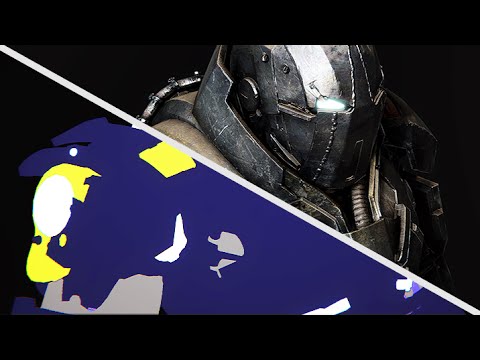 ok, from comments under this video "DDO Painter: Color ID Primer pt.2" https://www.youtube.com/watch?v=45YCkPmTXnU I got this reply by Quixel: "Yes! In the /swatches folder you will find both an FBX containing all material swatches, and a Ps swatch file :) " The thread is solved! :)
 -
Re: Can't run Roadkill script from Maya 2009?
 I thought the Roadkill installer came with a readme saying where to install the MEL file? I think you put it just in the regular "My Documents/maya/scripts" folder. Also make sure you're not typing the command name wrongly, be aware that it is case sensitive so "myCmd" is not the same as "mycmd".
>11647 results