Search
-
Maya 2016 Can you bake shading into a texture
 Hello im trying to export some shading effects within Maya into a texture so that i can use it in a game engine. Everytime i try and export it it doesnt create the same effect. Possible problem could be that it only exports the "Raw" version and not the "sRGB gamma version". Please help
 -
Re: Changing UVs after polypainting and sculpting in Zbrush 4r6
 Just to append to what Thomasp said, when you export your sculpt from zbrush you either need to do so as a single polygroup, or with polygroup export turned off. Otherwise the export will not have the same vertex order.
 -
Re: Blender + xNormal = normalmap issue
It's better to use fbx export for baking with XNormal, since that format can carry exported vertex normals (and in 2.71, tangents and bitangents) that XNormal can read. You shouldn't use objs to export to XNormal unless you're using ZBrush. -
Re: Ornatrix (3ds Max) to UE5 - Alembic import problem
 I also started a completely new scene in Max, merged the eyelash hair object into it and exported it... and it somehow imports the eyebrow hair into UE5. How does this make ANY sense? It's exporting data that isn't even in the scene that it's being exported from... My mind is just frazzled.
 -
Photoshop: Alternatives to the vTools script ?
Hi, I wanted to do some texturing for non-pbr spec/ glossy shaders in Photoshop again and i miss this script a lot. It basically exported layer groups marked with a ~ sign as corresponding files (diffuse, spec, glossy etc) and allowed for single hotkey export. Does anyone know of a similarly easy export script? -
Re: Early-Late 2000s CGI/Game Models

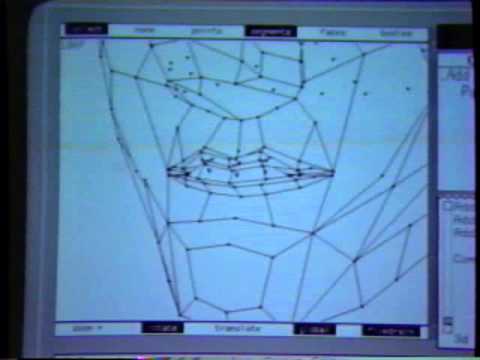 Editable Poly is what made Meshtools et al possible in the first place. So we are both talking functionality, not the technical underpinnings (of which I have no clue of), correct? Because Meshtools brought all the poly modelling goodies: Connect/Divide/Push/Pull/Relax/Inset and so on as well as selection functions like…
 -
Re: Normal map seams everywhere except maya?
 happens all the time on meshes coming from zbrush with crude UVs going on. we have export settings for our HPs which turn off export texture coordinates for all meshes before export, just to avoid these hard edges.
 -
Re: Hardsurface Normal map problems
 yeah, xforms have been reset before exporting to OBJ using these settings, in xNormal, i use ray distance. iv tried with both exported normals, avarage, and hard (setting the corresponding in max8, as exported, 1 smoothing group, no smoothing group)
 -
Re: Marmoset toolbag gone wild
This still doesn't mean that you will not encounter this problem. Today I exported model from Zbrush (with UVs), imported it to Houdini and exported again and it was messed up. Then I took it back to Modo and just exported it again (I didn't changed anything) and it worked. -
Re: Using target rigs for characters in Unity
 Unity will end up making game objects for everything you export to FBX and it'll just create empty ones for stuff that's controllers or rigging helpers. I'd just export the mesh itself and the bones that it's weighted to. Just select 'em and Export Selected.
>17872 results