Search
-
WIP – Chemical / Paint Waste Disposal Bin (Practice Prop)

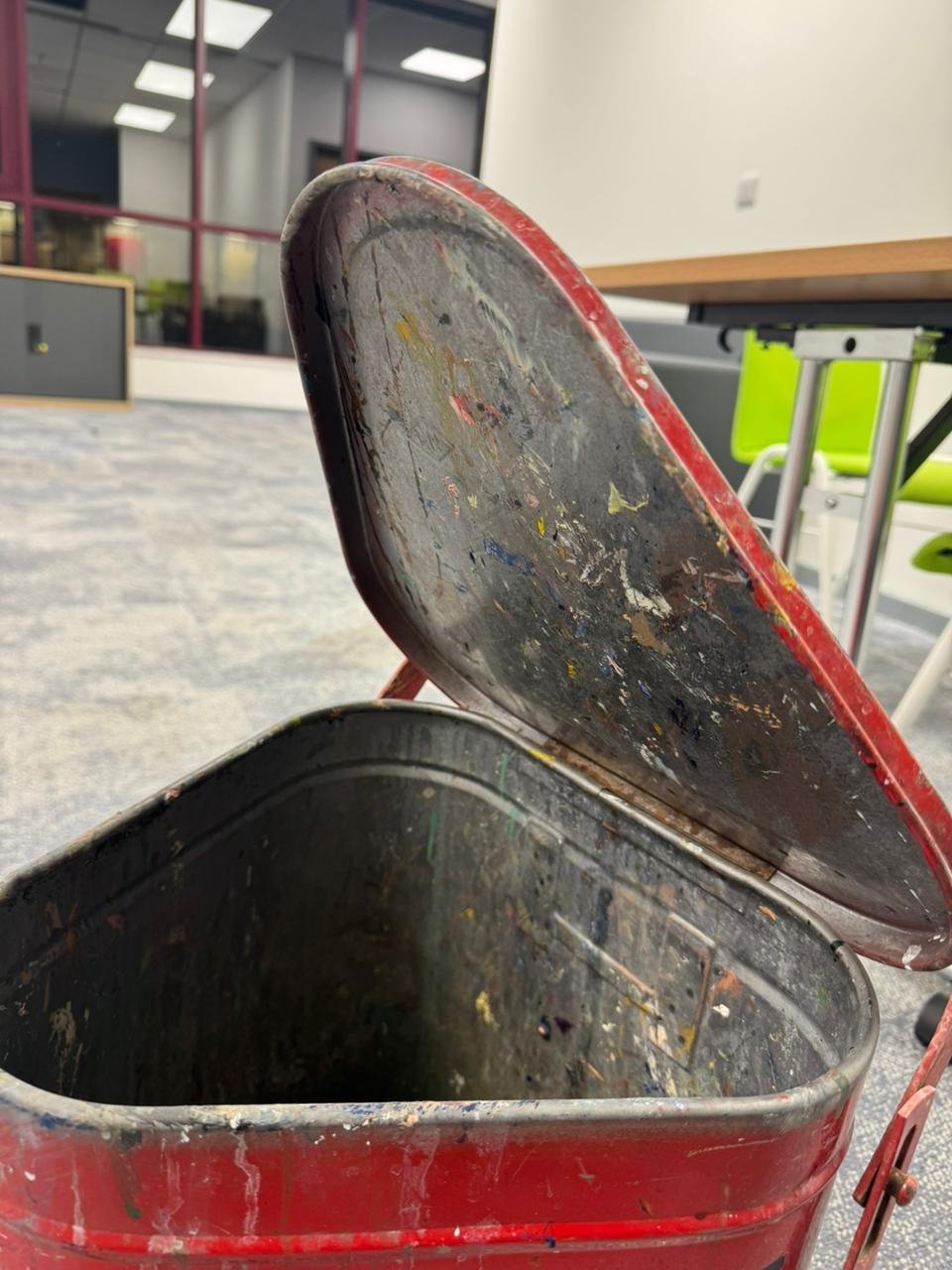 Hey everyone, I’ve started working on a new practice prop. Its a chemical/paint waste disposal bin. I found this one and thought it would be a great study piece because it has a lot of subtle form changes, surface damage, and material storytelling. My goal with this project is to: * Keep as much real-world detail as…
 -
Edgies Edinburgh Office
 Hey, Does anybody know where they are located? I tried the last address I found which was 24 Broughton Street today but they aren't there... any ideas guys? Thanks
 -
Re: Having a problem extruding segments on Maya
 I think you have what is known as non-manifold geometry. It's a fancy term for "impossible" geometry. Edges should never be connected to more than 2 adjacent polygons. It's physically impossible if you think of how that shape would exist as one piece in the real world. Above image: Left mesh has non-manifold geo. You can…
 -
Re: Fusion Grenade
 the sharpness is due to the fact your painting trying to make light look like you have a bevel when in fact your low poly edge is 90 degrees...this wouldnt be such a bad thing if your hard edge wasnt a silohette egdge but since it is....you loose all that coolstuff in your highpoly....i would suggest putting a bevel or…
 -
Re: [3dsmax] EdgeSmooth - Free, open source smoothing plugin
 Actually, the functionality isn't quite the same. In textools it simply sets each uv island to its own smoothing group. When I run my script in Maya, it sets every uv border edge too hard. This may seem like the same thing but its not, with the Maya type you actually get more hard edges. Think of a box with its back face…
 -
Re: Watch tower in the forest (UE5.4)
I'll simply answer in here and not in the Kiki thread as I assume MBauer17 won't mind. I think there might have been some confusion regarding the various AI tools used. As I understand it, there is Promethean for content management / assisted set dressing*, the Feedback/Inspiration tool, and then whatever tool(s) was/were… -
Re: RadCity: UE5 mid-poly assets
 Agree on the grass and would include a lot of the edges where buildings/objects meet the pavement or ground. Managing transitions helps a whole lot in selling an environment. Some grime decals or vertex painting in those areas will help tie everything together and add interest. Having some texture transitions around your…
 -
Re: Create a plank between two other planks
 The edges have to be open. If you have an edge that has a polygon on one side and nothing on the other side then you can bridge. When you come up against problems like a tool not working, Googling e.g. "3DS Max Bridge" will give you pages and video tutorials teaching you how it works properly. It's a great skill to have…
 -
Re: ProUV - UV plugin for zbrush
 one could determine convex and concave areas and at the highest contrast (e.g a edge) it could then apply a edge marking. But even modern pelt mapping can be quite easy - just loop select the seams and then hit the pelt / relax button. Even in zBrush that would be more efficient and not really that much work to do. So…
 -
Re: Experiencing technical difficulties with Maya 2012
Not sure if this is the cause of the problem, but here's the rationale behind why it might be... How blendshaping works is that the blendshape node matches the list of the corresponding vertex (or points) of the blendshape and the target. How they find their "partner" points is through the name of the vertices. Every…
>27984 results