Search
-
Zbrush- Group as Dynamesh Sub
 Hey I am having a bitch of a time with group as dynamesh sub in Z. I am doing the straight up method that is shown but whenever I set it correctly it inversely removes the part that I want to keep and keeps the part that I want to remove from the other. I have tried layer order and other methods to try to fix it but to no…
 -
Z_brush fun
 Hey folks . I have been exploring Z_brush and I have to say I am impresed.The interface is abit clumsy , but once you get use to it , it is not that hard . So much cool stuff you can do so quickly . This is my old model from max I just import it into Z brush and went nuts with it . Here is what I came up with after a few…
 -
Zombieesss! Low poly hand painted personal project for fun!

 Hey all, Thought I`ll post a shot now and then about my latest hand painted models I`m working on. Decided to make a pack of modular pieces building a zombie kit, few body pieces and a good deal of costumes etc. Hope you like it! :) Feel free to comment / crit, it`s all much appreciated! Cheers Z
 -
Help with flipped/mirrored objects
 So I've encountered a problem in Unity, and have been unable to find a fix for this. You would think it'd be pretty simple, but maybe not... On the left half of that structure, the scaling of the object is X=-1 Y=1 Z=1 The right half is scaled normally, X=1 Y=1 Z=1 The shading of the object basically falls apart when…
 -
Normal Maps and the CryENGINE
 [I've posted this on the Crydev site, but I'm pretty desperate to figure this out as it's really starting to hold up my environment now.] After watching the free video from Simon Fuchs on Eat3D, I've been baking normal maps using xNormal with the X+ Y- Z+ settings. But these normal maps actually appear incorrect in the…
 -
Shortcut list-3Dsmax and some tips
Hello folks. First of all I'm most likely not a member with a big name on here but i wanna change that and most of all i wanna help newbies to learn 3Dsmax since i know how hard it was for me-so i made this ''most Importand 3dsmax shortcuts cheat sheet'' with the default hotkeys of 3Dsmax. I will write it down here and… -
Re: 3DS Max Zoom Issues with a Wacom Tablet
I have and didn't see anything. I did find that by hitting ctrl/shift/z it resets the viewports so the objects are fully in view but it also made the zoom with a tablet work a little better. I also noticed that zoom works more smoothly if you're zooming on something that's at the world center and less so if you're farther… -
Re: ZBrush Panning Problem
 I had the same problem while giving a training session. You have to hold the nav key then release the click otherwise you get that stutter. Somehow its the other way around from standard apps. For instance max is hotkey press/ release/ mouse around. You get this behaviour from Z when the scene gets a bit heavier.
 -
Re: Real quick ZBrush question
 i saw that you posted on the zbrush central forums.. but you posted it in the z scripting forums.. probably not the best place and i see how your question might not get answered there.. i would try putting it in the help troubleshooting forum.. i usually get my questions answered in a few hours... here…
 -
Re: Sketchbook: Celosia

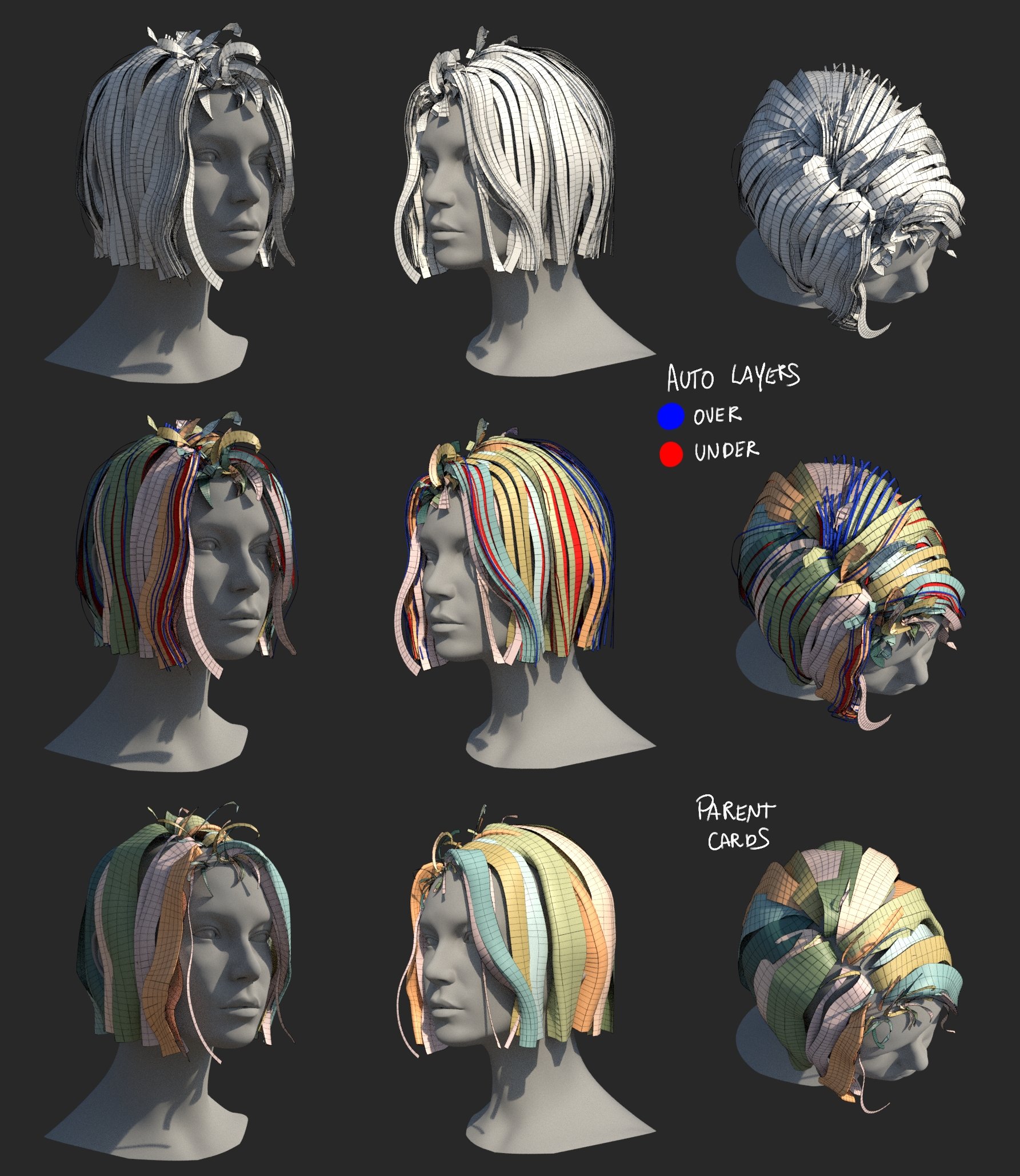 Eric Chadwick said: Turning it into a gifv is a clever workaround, thanks! I edited the post with the new link. ------ I'm doing the nodes equivalent of refactoring code, still a work in progress, but I got a few interesting things to show. Technically I already can easily create hair with them, I just want to wrap up some…
>45502 results