Search
-
Character Model/Texture Artist @ Crystal Dynamics
 Crystal Dynamics, a leading developer of video games and a subsidiary of Eidos, Inc., is currently looking to fill a Character Model/Texture Artist. We offer extensive benefits packages and a great work environment. If you are looking for a challenging and exciting place to work, apply now. Artist, Character Model/Texture…
 -
Re: 3D and casual games
 True - the bulk of what I see is 3D illustration or flash-based work. Would you classify the mobile market in the same space as the "casual" market - I imagine the mobile market skews much younger. Of course, you're still constrained by hardware.
 -
Re: Need Help With Normal Maps in Maya
 @Bartalon, Why does the 3 key not work like that, I mean of course you can't use it directly you have to convert from smooth mesh preview to polys. But if modeled right, with retaining edge loops to constrain the smoothing shouldn't be fine?
 -
Re: [Riot Creative Contest 2017] - Callum Faulkner

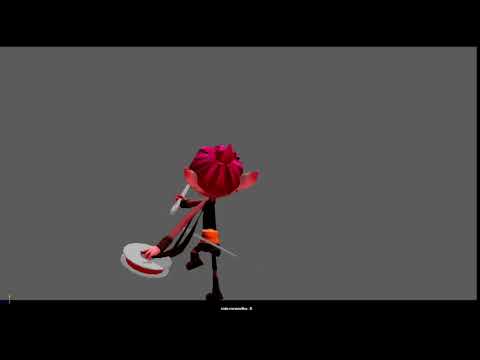 Reply by calllum · · Home› Contests & Challenges Archives› Riot Creative Contest 2017› Riot Creative Contest 2017 - AnimationQuick Update, Changed the initial lunge to a arc, started cleaning up some of it. added in a quick constrain to the thread to show it attaches to the enemies, though this doesn't look to good. https://syncsketch.com/sketch/17d009553a74/#322302 https://www.youtube.com/watch?v=5DlLF0N_nfg
 -
Re: Most useful shortcuts nobody knows
 maya ctrl click one of the arrow to constrain the axis when moving, for example ctrl click y axis will change the 'yellow box' in the middle to xz plane, so it will always stay on the ground when you move something from perspective view.
 -
Re: Maya like camera movements in 3D Max?
 those buttons are all I use to move the cam in max, middle mouse: grab and move view up/down left/right ctrl+alt+middle: zoom in/out alt+ middle: rotate shift+rotate/move cam- constrain to first axis you move on are there any other controls you refer to?
 -
Re: Modeling with just a few specific polygon shapes (so they keep their proportions)
 For the brute force approach. I would make a rough camel-shaped model, and N "mirror" thin-box pieces, then constrain them to the camel surface, duplicating and sliding them around as needed. Then just select all the inner faces of the boxes and make the lowpoly from that.
 -
Re: Site styling
The OP icon thing is a bit more involved. Do you folks want the site to be wider in general? Right now the readable part of threads is constrained to somewhere around 934 pixels maximum. It;s dynamic though, it changes if you resize your window down smaller. At around 750 pixels the side gutters are eliminated entirely, so… -
Re: Can do Edge Slide & Clamp in 3ds max ?

 Yes, you can Edge Slide in max. You need to use Constrain to edge and move the edge around. I am pretty sure you can also clamp but not sure where, haven't used Max since I moved to blender last year.
 -
Re: Crits please! Uberren's portfolio.
 I think it is super solid! It is very constrained to that art style, but it seems like it is what you want to do :) Start applying, you aint gonna have problems ;) Awesome work man! Maybe consider doing some character art in the same style?
>8076 results