Search
-
Re: 3DsMax: UV along Splines.
 There's a spline option in the unwrap. you need to generate a new spline from your mesh though. Maybe with the pelt ? textools has some useful tools too http://www.renderhjs.net/textools/ Now the dirty way i do it quickly : planar mapping select one uv edge loop break relax select one horizontal uv egde, ring+loop, align…
 -
Re: Sharp Edge (a game character) [finished]

 Today I made a super quick rig test in order to get a better idea of how is the sheath going to look in motion and which hinge points do I need to model. Plus, I want to know how much of the rig will have to be computed in realtime by the engine. I'm not too happy about how the vertical strap is clearly stretchy. That's…
 -
Re: Guedin's sketchbook
 try to keep your hair all vertical flowing and enable soft alpha test :) alpha test is better with picking up shadows/lighting and transparency sorting and looks smooth when you enable the soft alpha test. the problem it introduces is a directional blur (hence the all elements vertical) but you can also create a flowmap…
 -
Re: straight lines in zbrush

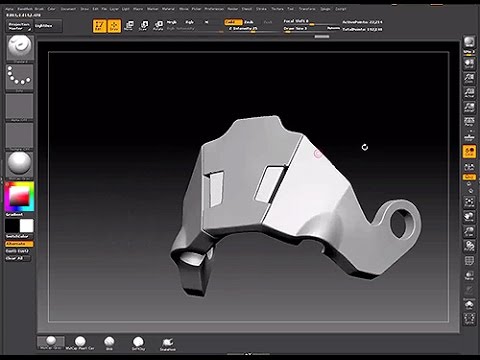 Yep 1. Click to start your sculpt and then hold down shift. This will constrain it to drawing horizontal or vertical lines, depending on what direction you're sculpting. If you have say, a diagonal line to draw then you will need to use the transpose line to orientate your model to a vertical or horizontal. Michael…
 -
Re: No more 65k triangle limit?
 I don't, actually. I saw that F32 exporting is available since 3.5.4, but it may have been a bit buggy. I think the Export dialog gives you the ability to check F32 to -hopefully- allow for a higher vertex count, but I don't know of an exact number right now. I'm pretty sure the vertex limit isn't also just about the mesh…
 -
Re: Maya uv map question - mapping
 Thats great thanks alot!! And I think I can give a tip back. Instead of a perfect grid (not great for non-uniform polys). If you split the vertices of the object. Then do an automatic mapping. That will separate all the polys uv into individual shells with the correct aspect. Then merge the vertices back, and do your step…
 -
Re: Max: drawing primitives in screen space
 You can also turn on grid snap and draw on the grid. Which will also snap to the vertical grid when you drag out shapes in the pers viewport. You can also create helper grid objects and position those grids anywhere in the scene, even rotated or aligned any way you like. You can only have one grid object active at a time…
 -
Re: My first human model
 Yea the shoulders/arms are further out than they should be (causes that wide space under both arm pits). In the front view the length from the knees to the foot seem shorter than the view from the side profile. You might need to scale the vertices (in the front view) under the knee in towards each other a bit. The vertices…
 -
Re: maya boolean problems
 Post the scrn grabs anyways...also did you also merge the vertices before hand? One thing to keep in mind when I was doing mine was 1. No open spaces. 2. Merge vertices 3. Delete History 4. Proximity matters, check to see if the geometry you're trying to boolean is sticking out elsewhere. 5. Make sure you have split the…
 -
Issue with Maya
 Greetings Polycount; I am having an issue with removing edges from the mesh in Maya2011. It allows you to remove the edges from the mesh that I am working on perfectly but when it comes to continuing on editing the mesh that I am working on it shows that I have vertices left behind from the places I deleted the edges from.…
>7636 results