Search
-
Re: Solved: Separate baked maps for all the item materials
 There have been some significant changes since Suite 1.8, certainly. The way mesh groups are handled now is more logical as well, since you can have an entire project as a single *.OBJ imported with all of the relevant maps - allowing you to fine tune it all at once. Let me know if you need anything else! :smile:
 -
Re: My first step in 3D modelling
 I'm not sure how much geo you have there, but less is more! May I suggest starting with a 128 Dynamesh or something pretty low res. Less geo will force you to focus on the large shapes and plane changes in the face (or whatever your modeling). At this stage you don't want to get caught up in all the details. Keep going:)
 -
Re: Challenge idea?
 [ QUOTE ] texture challenges: themed 5 pack 128x128 single theme floor / wall textures that could be released as a PC texture pack [/ QUOTE ] I LOVE THAT IDEA GO GO GO GO GO. Seriously that would be pimpin. I'd be in for at least one, but probably a 256 would be a better idea, what would you use the 128's for?
 -
Re: Tzeentch Pillar Dohickey
 Hey man, the texture is killing your sculpt and normal info. What res texture are you using it looks like a 128 or maybe a 256, extremely blury and dirty feeling. I would just apply the normal and AO to the model and see how it looks and then a simple flat color to let the details shine through and the maps do their jobs.
 -
Re: Cocks and critters!
 just got the okay to post more of the ambiant life for the game. so here's some fish! blue gill red snapper black drum rainbow trout polycounts vary from 160-171 each has a 128x128 texture i think the trout sucks, and think i'll redo the texture. I'm told it will look better with an irredencence shader on it.
 -
(Unreal Engine) Starlamp Assetpack

 This Asset Pack features detailed realistic and modular Lamp Assets for usage in game, archviz and cinematic rendering. The mix between modern and whimsy designs permits versitile use for any kind of project. Modularity is simplified by using Component Meshes. Just copy-paste the Component Meshes from the Overview Level…
 -
Re: ANSWERED: How to use 'use custom painted edge'?
 I will need to get back to you on the Ddo Legacy part, i should have an answer for you in the next days. Of course my suggestion is to use 1.8 rather than legacy, since there are tremendous improvements in the newer version. One of them being pbr support. But i will definitely get you your answer !
 -
Re: Monthly Environment Art Challenge - May & June 2017 (48)

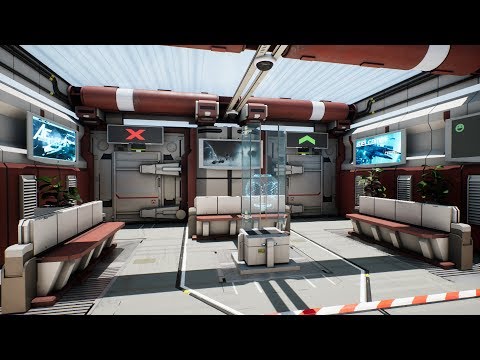 Just realized I never posted the stoopid ingame footage I made for my scene :smiley: https://youtu.be/AeXy9KEzI3E And, for posterity, a couple of renders: https://cdna.artstation.com/p/assets/images/images/006/139/148/large/claudio-piccinni-01.jpg?1496308367 See you guys at the next challenge!
 -
Re: help with compatible hardware
 which one is the best? http://www.newegg.com/Product/Product.aspx?Item=N82E16820104148&cm_re=so_dimm_ddr2_800_kingston-_-20-104-148-_-Product http://www.newegg.com/Product/Product.aspx?Item=N82E16820134671&cm_re=so_dimm_ddr2_800_kingston-_-20-134-671-_-Product…
 -
Re: Render to texture preview not the same as saved file.
 looks like gamma and something else, what map are yozu baking? you can revert the gamma in photoshop, by setting it to 0.45 (if saved in gamma 2.2) or 0.55 (gamma 1.8 ) dependent on which gamme you saved it, however it is still slightly off, has less contrast so its is not purely a gamma issue
>2384 results