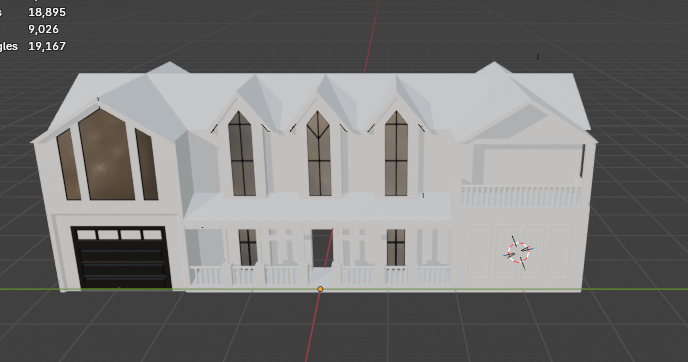
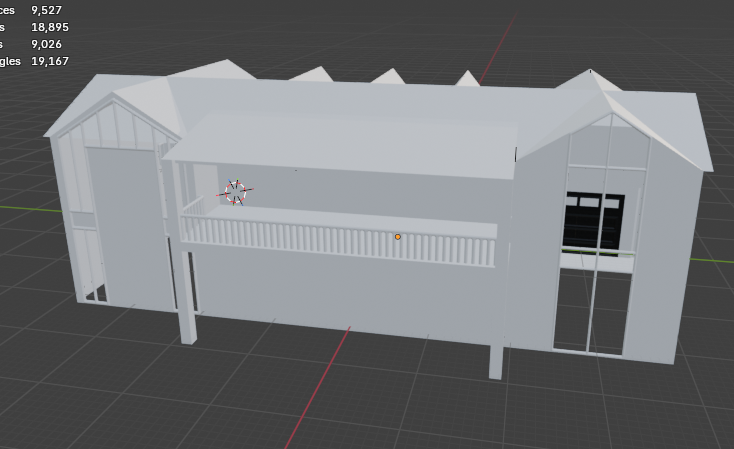
Please help me gett better, Im 15 and trying to get better at blender. Thoughts, Question Concerns, anything new exterior details to add or delete? Any thing you want to see?
This looks great so far. I think it would help to share your references, what images are you looking at while you work?
Also, what's your target for this, is it meant to be an asset in a game (then real-time constraints become important), or are you planning to render it with Cycles (then for offline rendering pretty much anything goes)?
This is just supposed to be a nice render of an Exterior of the House, with hopefully details and the background like trees, fencing, maybe chairs. I only have a couple reference images for details, not the basic shapes of the house, some details and structure come from my building styles when I play games like Ark Survival or Minecraft. I don't know if that is good or bad, but thanks alot
Gathering comprehensive references is a good habit to get into, helps you learn how things are built, and lets you dig deep into how things look. Farm houses in the U.S. have specific details, it could be good to get some good photos to go by. This is pretty good read, might help you: Motivation is Bull
A tip: you can save your reference images to your computer, then drag-and-drop them into a post.
I'm seeing a bunch of broken/empty image tags in your post. It looks like you tried to copy addresses from a Bing search, which will usually break the images. It's better to save them, then drag them into the post.
I can see four images, but if you click on the 2nd image, then click the Next arrow, you hit a few blanks. This is because there are extra img tags in your post. If you click the gear icon, then Edit, then </> Toggle HTML View, you'll see a bunch of empty <img alt=""> tags, plus some weird bing.com addresses. It's not a big deal, just hopefully you see why it's better to use drag-and-drop to add images.
Also, external image addresses tend to die quickly, so the images will be lost. It's usually better to host them here.
Basically, you create a texture first, then you create meshes for small repeatable building parts, and UV them to the texture. Then you duplicate them to build the building. It's a really smart approach. We have more examples and tutorials about it here: http://wiki.polycount.com/wiki/Modular_environments

Replies
This looks great so far. I think it would help to share your references, what images are you looking at while you work?
Also, what's your target for this, is it meant to be an asset in a game (then real-time constraints become important), or are you planning to render it with Cycles (then for offline rendering pretty much anything goes)?
theses are some details I want to incorporate into my render
I'm seeing a bunch of broken/empty image tags in your post. It looks like you tried to copy addresses from a Bing search, which will usually break the images. It's better to save them, then drag them into the post.
Also, external image addresses tend to die quickly, so the images will be lost. It's usually better to host them here.
Basically, you create a texture first, then you create meshes for small repeatable building parts, and UV them to the texture. Then you duplicate them to build the building. It's a really smart approach. We have more examples and tutorials about it here: http://wiki.polycount.com/wiki/Modular_environments