You're introducing a square-ish cut to a cylinder. No matter what you do there's gonna be artifacts. maaboo's example above creates the most miniscule artifacts. Use the cylinder's natural edges as support loops for the cuts you wanna make. If the cylinder's natural edges are where you wanna cut, double the cylinder's segment count. If your edges aren't sharp enough, double the cylinder's segment count again.

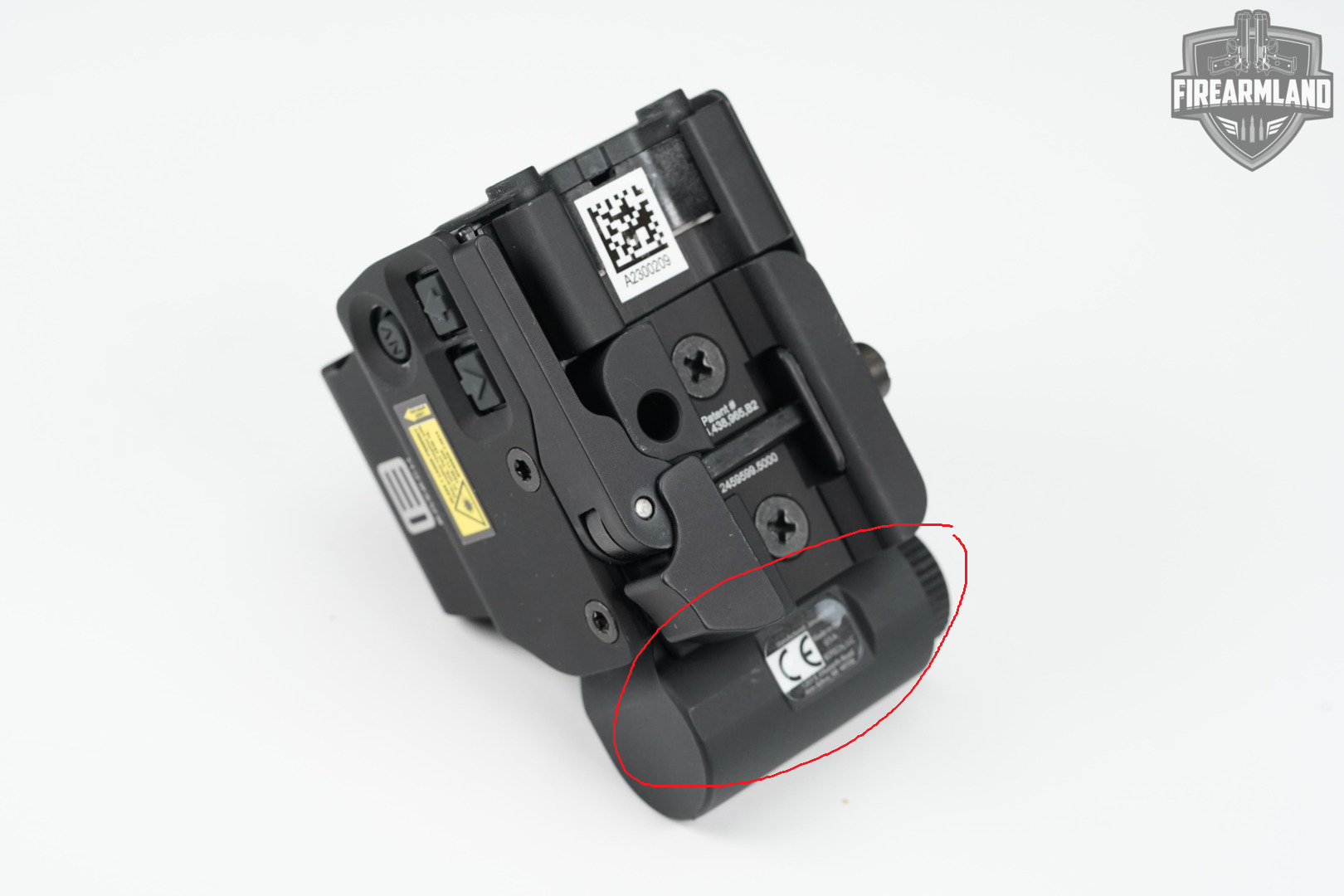
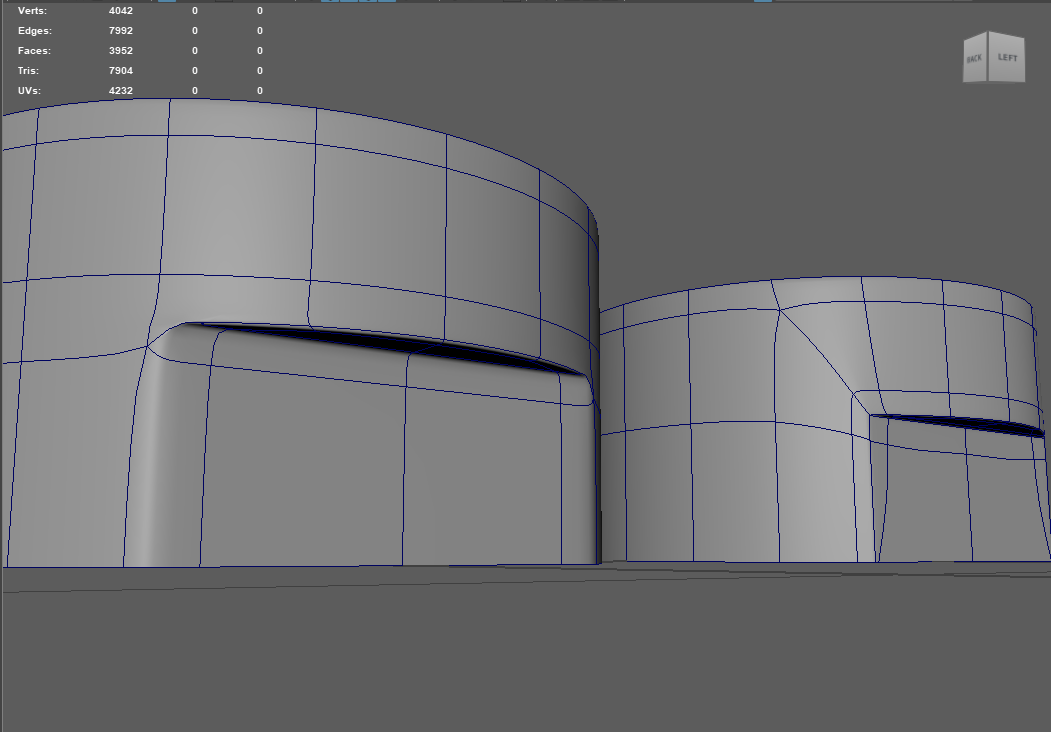
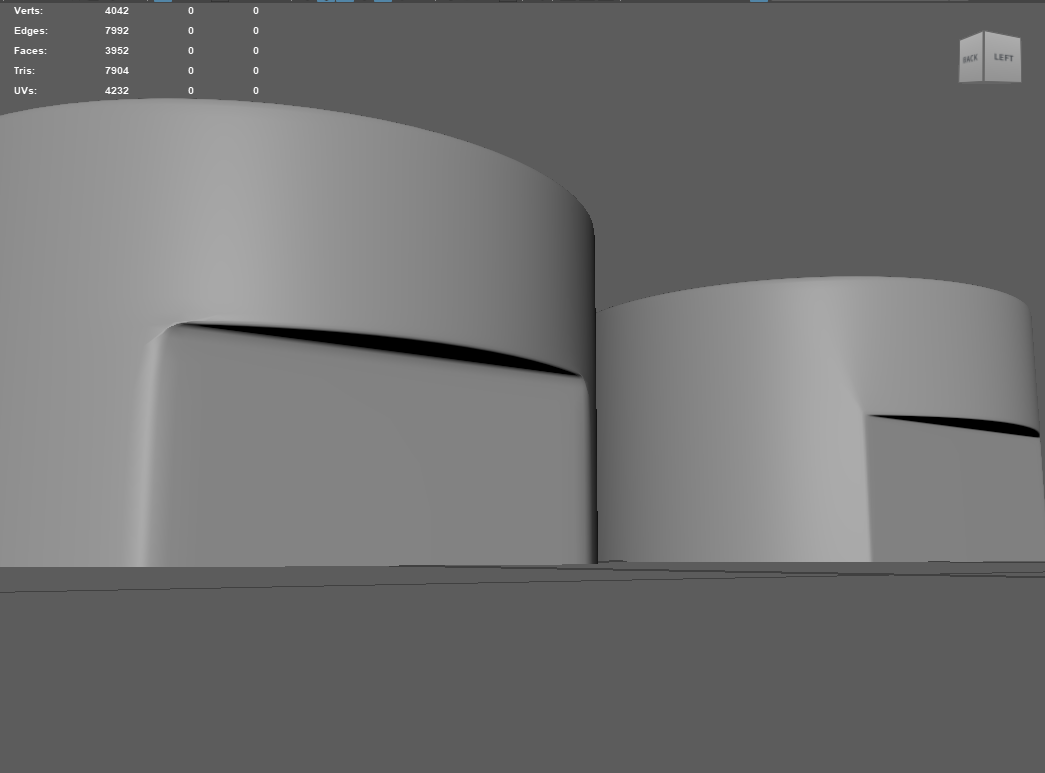 I've been trying to solve this for weeks but no matter what I do, there will be artifacts.
Replies
https://polycount.com/discussion/56014/how-the-f-do-i-model-this-reply-for-help-with-specific-shapes-post-attempt-before-asking#latest
TLDR: you need more geometry and religiously sticking to quads can cause you problems
First of all, you should never-ever-ever touch (move, add, delete) edges that create a curved surface. You alter ONLY perpendicular cuts.
Second, I made something like this before:
Steps:
- Create a low poly and add cuts to form the edges of the future flat surface (in my case there was only 3 faces tall).
- Delete faces and fill the gaps.
To get the high poly version:- Separate flattened surface into another object
- Delete faces that form the flattened surface
- Heal the cylinder by filling the gaps
- Apply subdivision (better to temporary delete the bottom and top faces to prevent curving the cylinder) and adjust vertices
- Extrude the face you separate previously and make a boolean cut
- Delete faces made by the cut and fill the gaps
You can also get the principle here:No matter what you do there's gonna be artifacts.
maaboo's example above creates the most miniscule artifacts.
Use the cylinder's natural edges as support loops for the cuts you wanna make.
If the cylinder's natural edges are where you wanna cut, double the cylinder's segment count.
If your edges aren't sharp enough, double the cylinder's segment count again.