You're introducing a square-ish cut to a cylinder. No matter what you do there's gonna be artifacts. maaboo's example above creates the most miniscule artifacts. Use the cylinder's natural edges as support loops for the cuts you wanna make. If the cylinder's natural edges are where you wanna cut, double the cylinder's segment count. If your edges aren't sharp enough, double the cylinder's segment count again.
It's probably worth using all this feedback to create a few samples then compare the results, from a typical player's point of view, to see what works and what doesn't.
Though it's also worth asking: How sharp is sharp enough and how good is good enough? As an example: Here's three cylinders with the same size slot. One has 32 segments, another has 24 segments, and the third one has 48 segments. Which is which?
Which one is all quads? Which one has inconsistent segment spacing? Which one was created with manual loop cuts? Which one was created with non-destructive modifier based loop placement?
Which one performs best up close and at a glancing angle?
Is there even enough textel density to pick up these subtle artifacts
when everything is baked down and the high frequency noise from the wear
in the material layers blends everything together?
Most importantly: Will players ever look at it this closely? It's a small part that's on the underside and it faces away from the player's point of view. Even if this part is visible in a configurator it's very unlikely that will be much bigger than what's shown on screen in these examples.
So avoid overthinking some of this stuff and instead optimize for the typical player's experience.
Also, over sharpening the high poly can make the shapes difficult to read and can cause normal artifacting when there isn't enough textel density during baking or when the textures mip down at lower quality settings. For most game art stuff, as long as the mesh smooths cleanly enough to bake down without generating any visually significant artifacts then it's more than likely going to be passable.
Below is what the wires look like from the examples above, in the order they appear.
24 segments. Manual loop placement and some destructive edits to relax the vert positions so everything smooths cleanly.
32 segments. Non-destructive modifier based support loops. Easy to create and works pretty well in most situations.
48 segments. Same non-destructive modifier based support loops but the loops bunch up because of the increased geometry density.
(The artifacting on the 48 segment cylinder was reduced by deleting the outer loop around the slot then moving the remaining support loops closer to the inside edge but this does tend to soften the highlight slightly.)
Adding more geometry works but there's diminishing returns. Same with manually compensating for smoothing stress by editing the base mesh. So it's generally considered best practice to match the segments in the intersecting shapes and use the minimum amount of geometry required to accurately hold the desired sharpness level at the typical view distance.
What those technical constraints actually look like will vary depending on the project. If something doesn't add to the overall visual impact or the player's
experience then it's worth thinking about whether or not it's worth
chasing perfection there. What makes sense for a third person game is different from what makes sense for a first person game and that's different from what makes sense for typical VFX shots that have to work at various camera angles, etc.
With subdivision modeling the trick is to either constrain any potential artifacts to the space between the inner and outer support loops or average out the differences between surfaces over a wider area that's well supported. So it's more about better use of the existing geometry and routing the loops around the shapes to average out or reduce unwanted surface deformation.

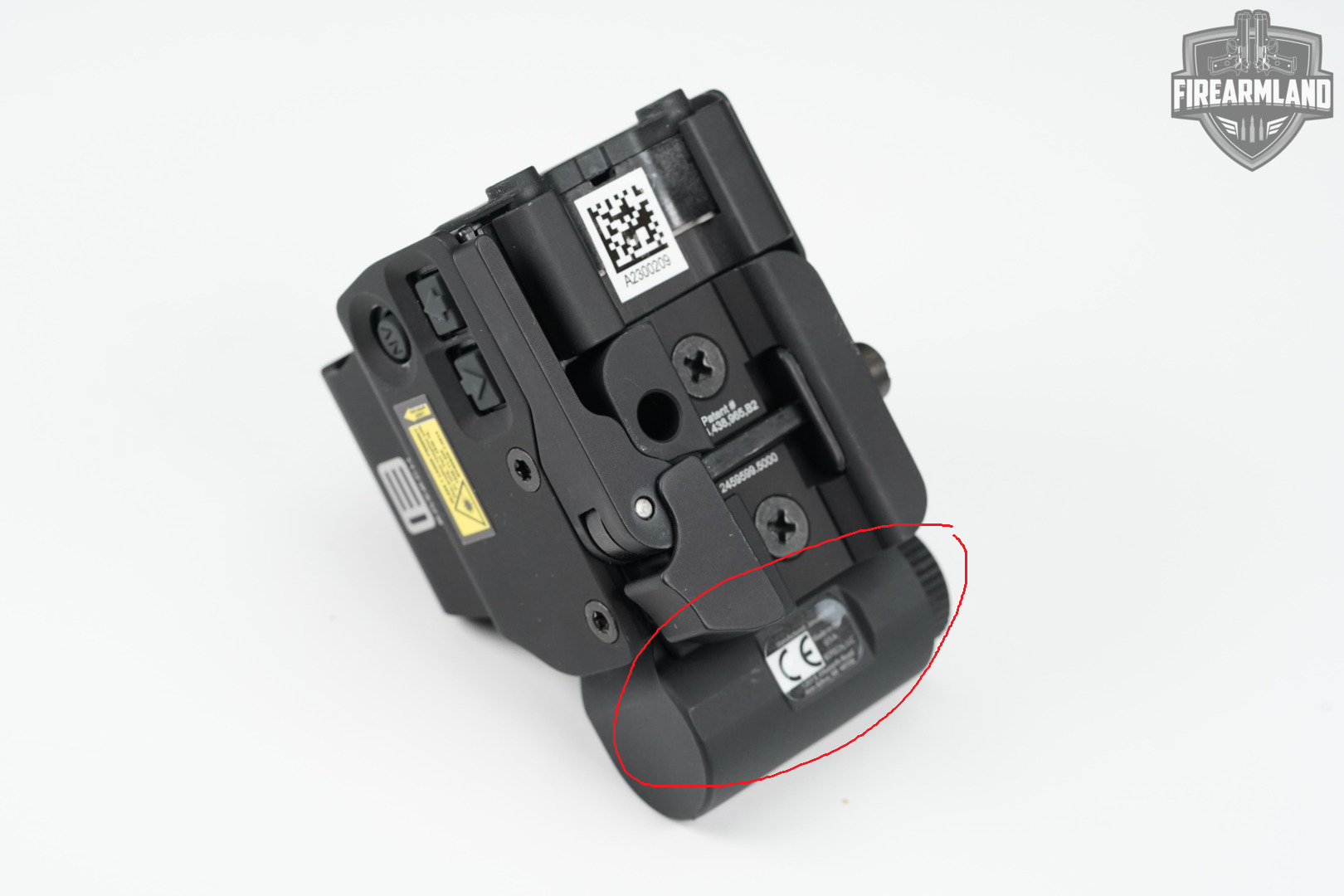
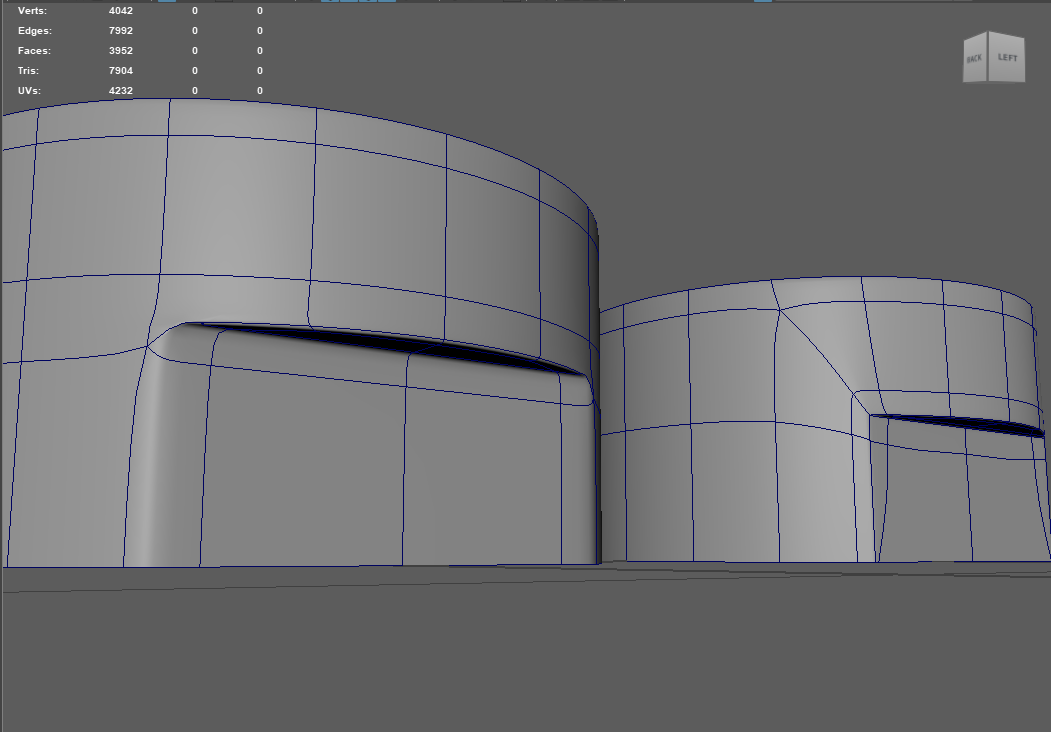
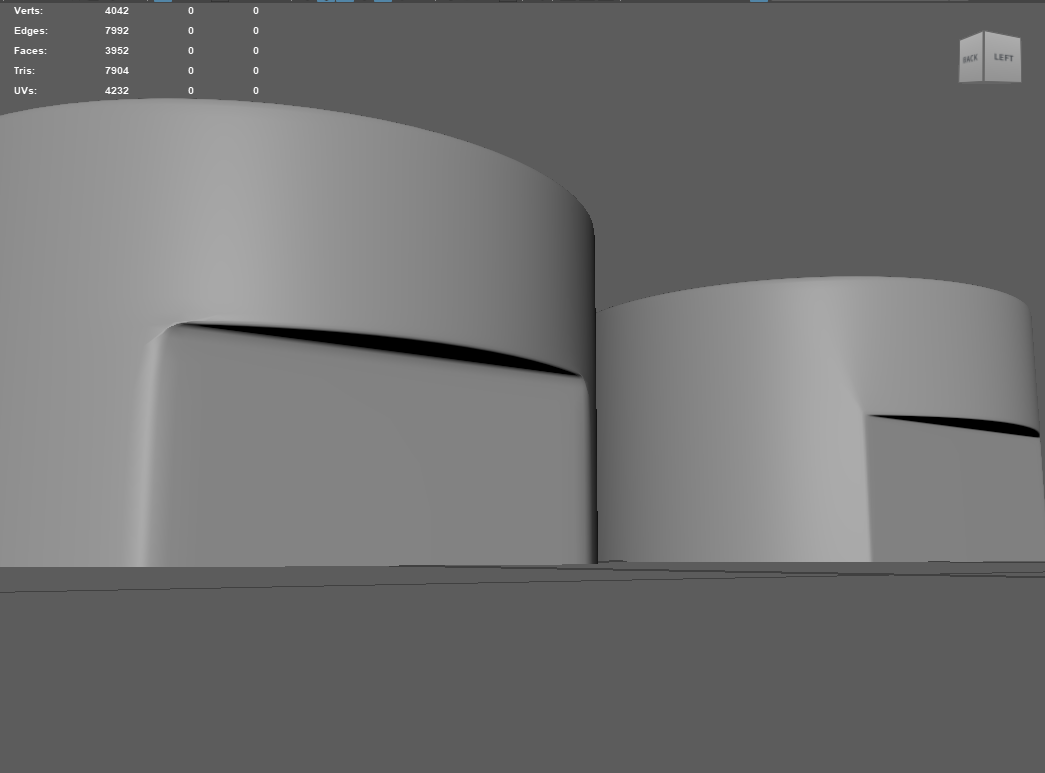 I've been trying to solve this for weeks but no matter what I do, there will be artifacts.
Replies
https://polycount.com/discussion/56014/how-the-f-do-i-model-this-reply-for-help-with-specific-shapes-post-attempt-before-asking#latest
TLDR: you need more geometry and religiously sticking to quads can cause you problems
First of all, you should never-ever-ever touch (move, add, delete) edges that create a curved surface. You alter ONLY perpendicular cuts.
Second, I made something like this before:
Steps:
- Create a low poly and add cuts to form the edges of the future flat surface (in my case there was only 3 faces tall).
- Delete faces and fill the gaps.
To get the high poly version:- Separate flattened surface into another object
- Delete faces that form the flattened surface
- Heal the cylinder by filling the gaps
- Apply subdivision (better to temporary delete the bottom and top faces to prevent curving the cylinder) and adjust vertices
- Extrude the face you separate previously and make a boolean cut
- Delete faces made by the cut and fill the gaps
You can also get the principle here:No matter what you do there's gonna be artifacts.
maaboo's example above creates the most miniscule artifacts.
Use the cylinder's natural edges as support loops for the cuts you wanna make.
If the cylinder's natural edges are where you wanna cut, double the cylinder's segment count.
If your edges aren't sharp enough, double the cylinder's segment count again.
It's probably worth using all this feedback to create a few samples then compare the results, from a typical player's point of view, to see what works and what doesn't.
Though it's also worth asking: How sharp is sharp enough and how good is good enough? As an example: Here's three cylinders with the same size slot. One has 32 segments, another has 24 segments, and the third one has 48 segments. Which is which?
Which one is all quads? Which one has inconsistent segment spacing? Which one was created with manual loop cuts? Which one was created with non-destructive modifier based loop placement?
So avoid overthinking some of this stuff and instead optimize for the typical player's experience.
Manual loop placement and some destructive edits to relax the vert positions so everything smooths cleanly.
Non-destructive modifier based support loops. Easy to create and works pretty well in most situations.
Same non-destructive modifier based support loops but the loops bunch up because of the increased geometry density.