UE5.6 stylized portal shader help — Ratchet & Clank inspired

Hi!
I’m a first-year game development student working on an Unreal Engine 5.6 project, and I’m trying to create a stylized portal shader inspired by Ratchet & Clank: Rift Apart .
My goal is to achieve:
- a glowing outer ring,
- animated radial lines/filaments,
- a deep inner portal/tunnel look,
- subtle movement so it doesn’t feel like a static texture,
- a result that still looks good from the side, not only from the front.
I already have a basic material and mesh setup. The portal is made with separate elements for the ring and the inner center/tunnel, but I’m struggling to make it feel deep, dynamic, and close to the reference .
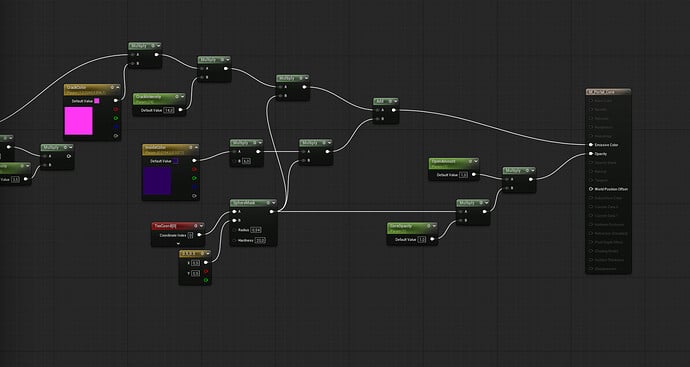
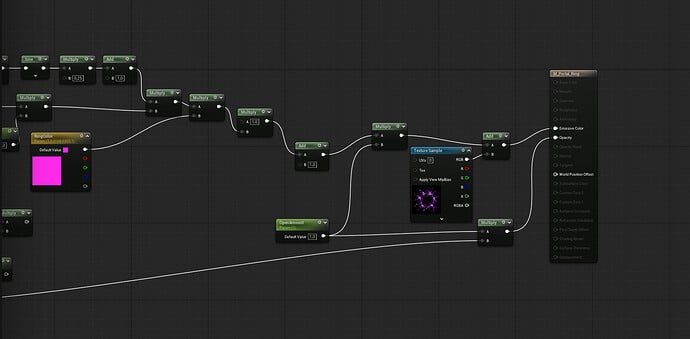
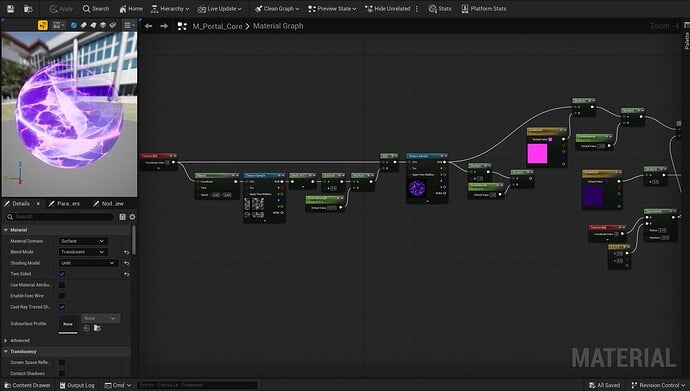
Here are my current screenshots: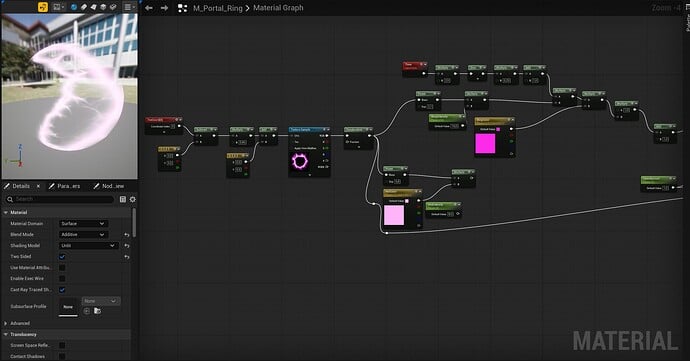
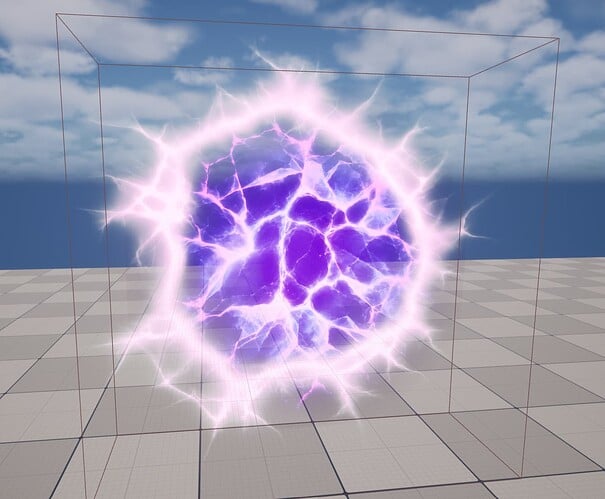
And here is the kind of reference/look I’m trying to approach: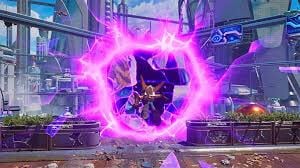
I would really appreciate some guidance on the shader/material setup.
More specifically, I’m wondering:
- Should the depth effect be done mostly with the material, the mesh shape, or both?
- What kind of nodes/techniques should I focus on for the animated filaments?
- Would polar coordinates, noise, panning textures, Fresnel, depth fade, or emissive masks be useful here?
- How would you structure the material to separate the outer glow, the radial lines, and the inner tunnel effect?
I’m not asking someone to make the whole shader for me, but I’d really like to understand the right direction and techniques to use.
Thanks a lot!
Replies
This uses a mask inside the "portal" to blend with a cubemap, or if you want to get more advanced and have a "live" view of the next level then you can render the next level to an offscreen texture and use that dynamic texture inside your portal.
Thanks! That makes sense.
For now I’m not trying to make a fully functional live portal to another level. I mainly want to fake the visual depth and make it look closer to the reference.
My current setup is pretty simple:
one separate plane/material for the outer ring,
one plane/material for the inner core,
both are unlit emissive materials,
the ring uses an electric ring texture with pulse/emissive,
the core uses a dark/purple crack texture + moving noise/distortion.
The main problems I’m having right now are:
the center still feels too flat/transparent,
the portal does not really feel like it has depth,
from the side it still feels like flat planes,
I’m not sure if the inner part should be a cubemap, a fake tunnel mesh, or just a better material.
Would a good approach be:
use a thicker 3D mesh/torus or layered planes for the outer ring,
use a circular mask on the core,
put a cubemap or fake tunnel texture inside the core,
animate UVs/noise in polar coordinates for the motion,
keep the bright filaments as a separate emissive mask?
I’m trying to keep it achievable for a student project, so I’m mainly looking for the best fake/optimized approach rather than a full real-time portal system.
https://dev.epicgames.com/community/learning/tutorials/dBj6/unreal-engine-create-stunning-portal-effect-vfx-with-niagara-particles-complete-tutorial
Thanks! I checked the tutorial.
It seems very useful for the Niagara/particle part of the portal, especially for the outer energy rays and the dynamic feeling. I think I’ll use it more as inspiration for an extra VFX layer around the portal, rather than rebuilding my whole effect from scratch.
For now I’m going to first clean up my existing setup: separate ring and core meshes/materials, fix the inner core opacity/mask, and make the outer ring read better. Then, once that base is stable, I’ll maybe add a small Niagara layer on top.
Thanks for the link!
Small update / extra question:
Thanks again for the suggestions. I looked at a few portal VFX tutorials, but most of them are more focused on Niagara particles or gameplay portals. What I’m still struggling with is mainly the material/shader structure itself.
Right now, my biggest issue is that the portal still feels too flat. The outer ring is readable, but the inner core doesn’t really give the illusion of depth, and from the side it still looks like simple planes.
I’m not trying to build a real-time portal with a render target or a fully functional view into another level. I’m mainly trying to fake the look in a believable way for a stylized student project.
Would anyone have advice on a simple but solid material setup for this kind of effect?
For example, I’m wondering if the best approach would be something like:
a torus/thicker mesh for the outer ring,
a separate masked plane or slightly curved surface for the inner portal,
a fake cubemap or tunnel-like texture for the center,
polar coordinates or radial UV distortion for the animated movement,
separate emissive masks for the bright filaments/rays,
maybe a Fresnel or Depth Fade to help blend the edges.
If someone has experience with this kind of stylized portal shader, I’d really appreciate some guidance on how to structure the material or what nodes/techniques I should focus on first.
I’m not looking for a full finished shader, but even a rough breakdown of the material layers would help me a lot.
Thanks, that makes sense!
I’ll look into the parallax/cubemap approach for the inner portal.
If it’s easier to explain with screenshots or a quick back-and-forth, would you be okay with adding me on Discord? I think it would be easier for me to show my current material graph and understand the steps that way.
My Discord is: daimos12
No worries if you prefer to keep the discussion here.