[ZBrush] Editing topology with SubDivision Levels
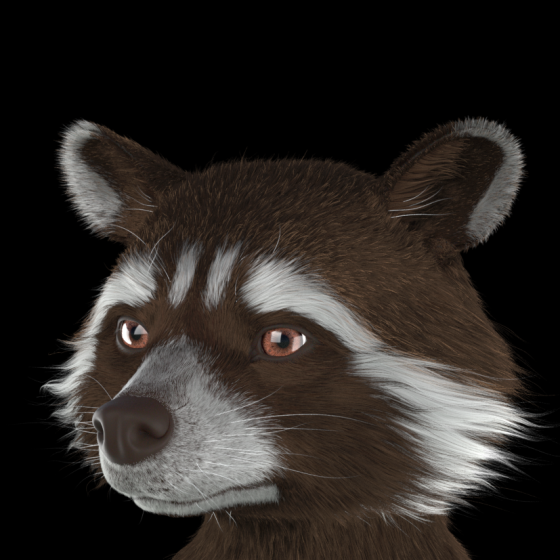
Hello!
I'm in the process of making my second character model. Taken a lot of mistakes and learning to get to this point. I've been stuck on something the past few days though, and I'm unsure whether I'm doing something wrong or if I misunderstand the process.
After a chaotic time trying to understand Scale Master and getting the GoB script to work, I had a retopologised mesh.
I moved back to ZBrush, projected detail back, continued sculpting..
At some point I noticed the claws got messed up. Some vertices got merged, others were tangled, etc. Additionally, I realised I needed to add another edge loop around the mouth.
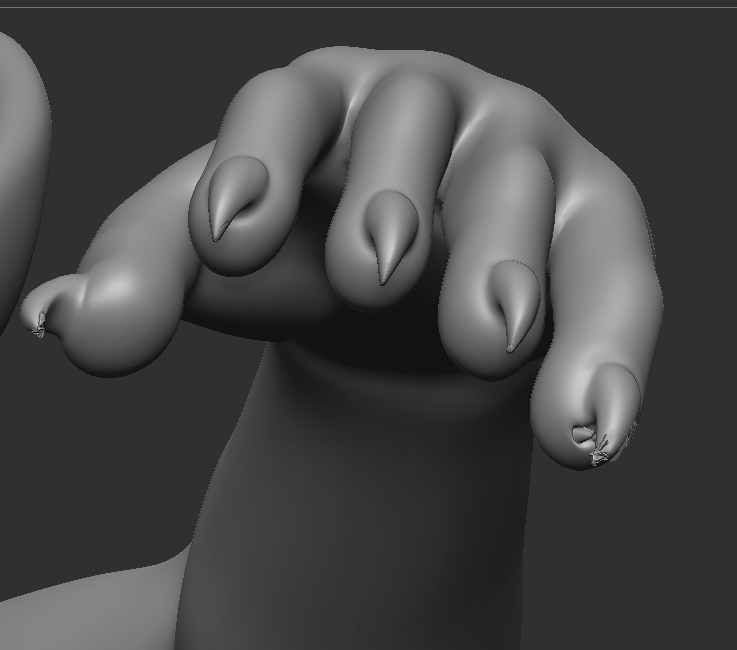
So I thought the solution would be to go back to Blender and fix these things. I tried:
Finally, I gave up on the SubD levels. I imported the fresh mesh, subdivided back up, and have projected detail back everywhere except the fingers and toes, as that always seems to cause some issues there.

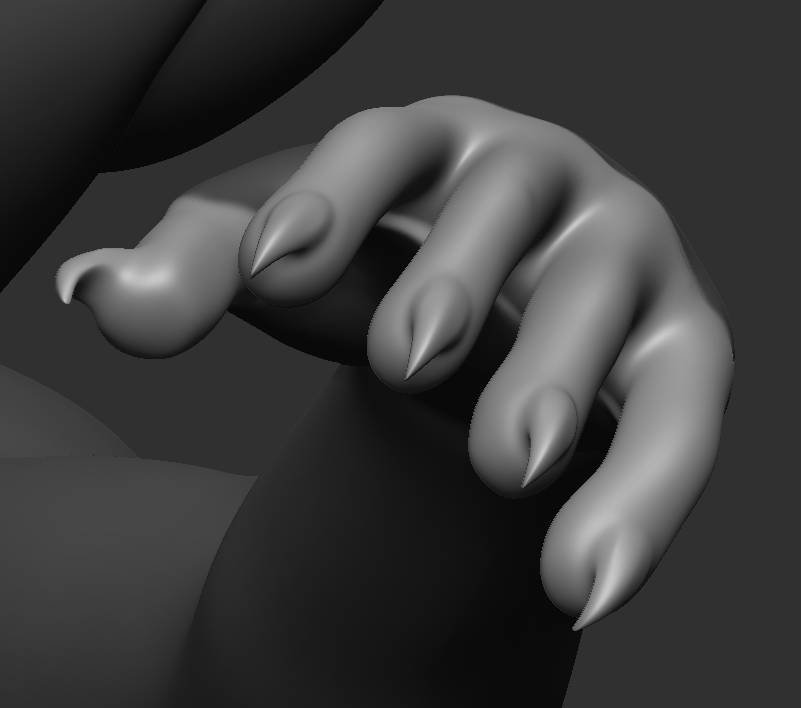
The topology problems are fixed! But this approach means I'll have to re-sculpt things that I'd already done before.
Question:
I'm in the process of making my second character model. Taken a lot of mistakes and learning to get to this point. I've been stuck on something the past few days though, and I'm unsure whether I'm doing something wrong or if I misunderstand the process.
I got a sculpt close enough, then moved to Blender for Retopology.
I moved back to ZBrush, projected detail back, continued sculpting..
At some point I noticed the claws got messed up. Some vertices got merged, others were tangled, etc. Additionally, I realised I needed to add another edge loop around the mouth.
So I thought the solution would be to go back to Blender and fix these things. I tried:
- Store Morph Target -> Freeze SubDivision Levels -> GoZ to make the changes, but it seems GoZ wipes out the first two steps.
- Next I tried Freeze SubDivision Levels, then using ZModeler. They didn't look great, but at least the topology was correct again! Until I toggled off freeze. Which is when the entire mesh exploded into jagged fragments, instead of restoring details.
- I also tried just Inflating, Smoothing, Projecting Detail at the highest SubD level.. but each of those just made the claws fall apart even more.
Finally, I gave up on the SubD levels. I imported the fresh mesh, subdivided back up, and have projected detail back everywhere except the fingers and toes, as that always seems to cause some issues there.

The topology problems are fixed! But this approach means I'll have to re-sculpt things that I'd already done before.
Question:
Is there something I'm missing? I've been told it's usual in the creation process to go back and forth between ZBrush and other 3D software, but with the amount of time it's taken, and the errors I've experienced, I think I must be doing something wrong.
Would really like to understand the process going forward! 3 days in I feel like I'm pressing buttons and praying 
Thank you!
Replies
Depending on what you want the end model for, the first thing is to set up scale between Z and yr 3D package. You do that with the start cube. Just GoZ the start cube to yr 3D prog and play with the export settings till it is exactly perfect. If GoZ isn't working just .obj export to the 3D pack. Do this for import into Z as well. Just in case write the import export values down on a notepad file and save it to yr desktop.
Sculpt the model to the max detail you need in Z. Make a duplicate and delete sub levels. Send to the 3D package. If the rez is too high decimate the Z copy and then send to 3D package. Try different decimation values till the copy behaves well in yr 3D pack. Retopo. Uv. No muss no fuss.
Cheerio