Home Adobe Substance

Designer Filter to Painter. Exposed bool parameter appear as integer selector. Why?

polycounter lvl 8
Offline / Send Message
AlexandrL polycounter lvl 8
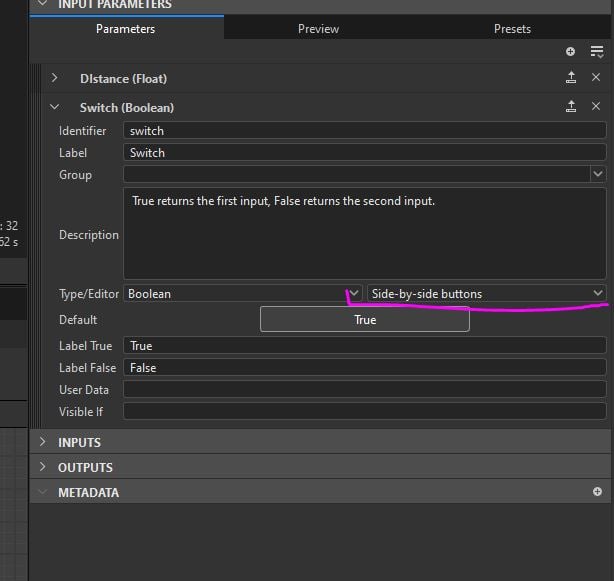
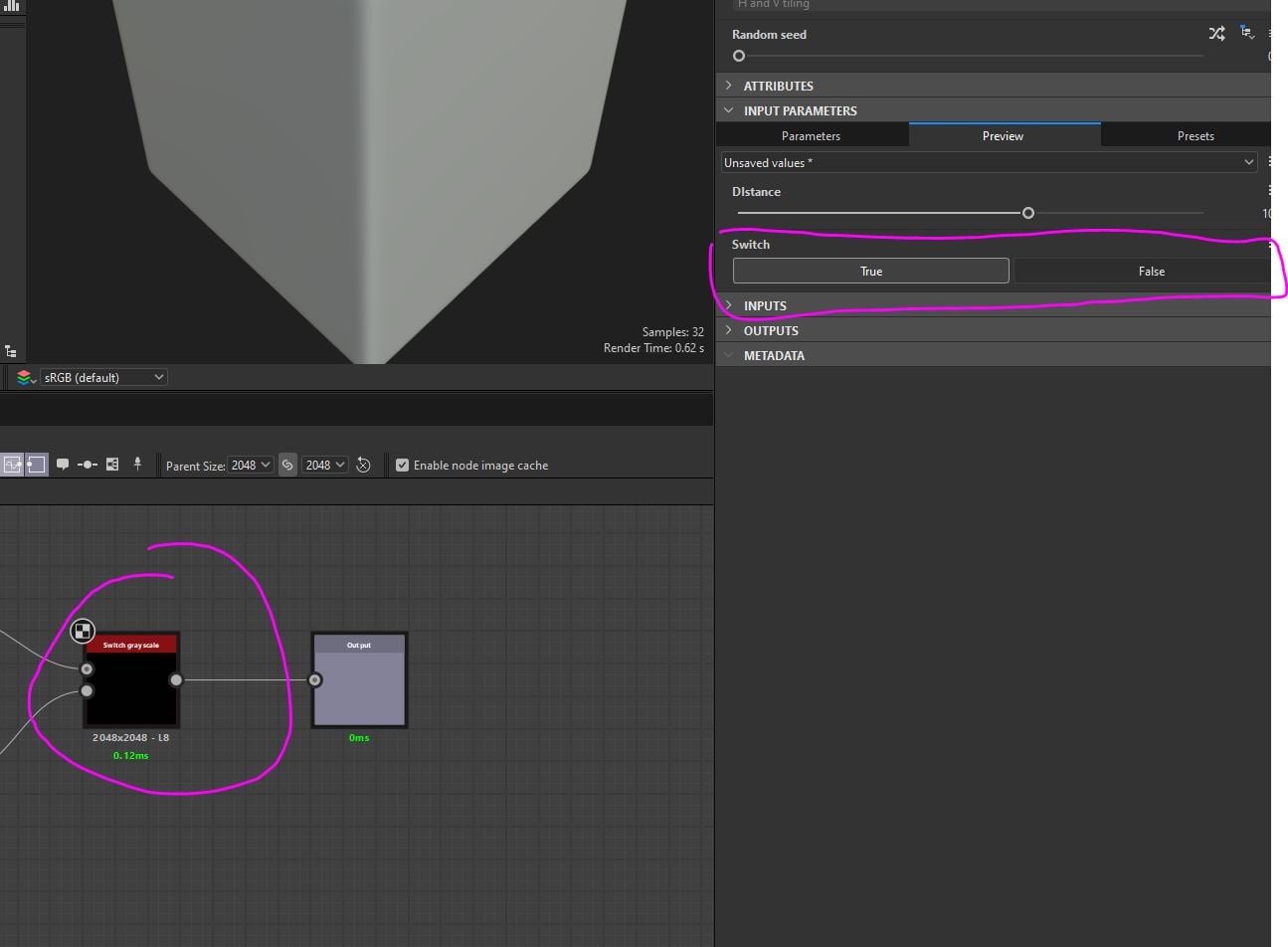
So this is how it looks like in Designer:
Switch is set to "Side-by-side button". Designer Preview section also looks correct.
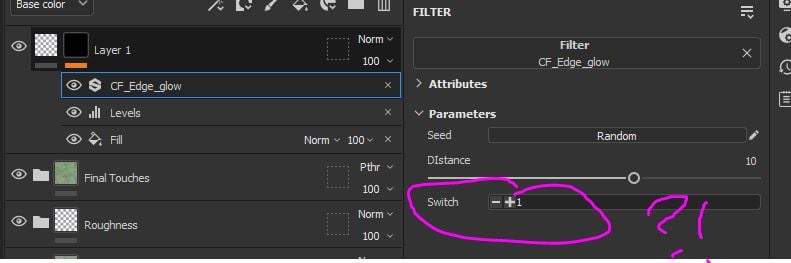
But as soon as I import this to Painter that bool variable for some reason appear as integer selector instead of expected 2 buttons
Replies

  • gnoop
    Offline / Send Message
    gnoop sublime tool
    Does it work  as  bool values?  
     For a while I am trying to do svbsars for photoshop and its  pure luck there
  • AlexandrL
    Offline / Send Message
    AlexandrL polycounter lvl 8
    gnoop said:
    Does it work  as  bool values?  
     For a while I am trying to do svbsars for photoshop and its  pure luck there
    Im not sure i get your question correctly. It does work technically, i.e. if I set those "Switch" integer value to 0 it will be for sure interpreted as "false" and integer 1 will gives "true". 
    So technically - it works, but from UI point of view it doesnt make any sence since in designer the variable are clearly declared as type = boolean, but for wierd reason painter take it as integer and create those ugly numerical switch.
  • gnoop
    Offline / Send Message
    gnoop sublime tool
    AlexandrL     Thanks   ,its exactly what I asked about   because I often can't make it work  at all   or even export from Designer.  Only  something very basic . Any custom node, pixel  or value processor and its almost zero chance .     For your case  it just follows basic logic :  zero in no, one is yes.  The rest is UI decoration.   
Sign In or Register to comment.