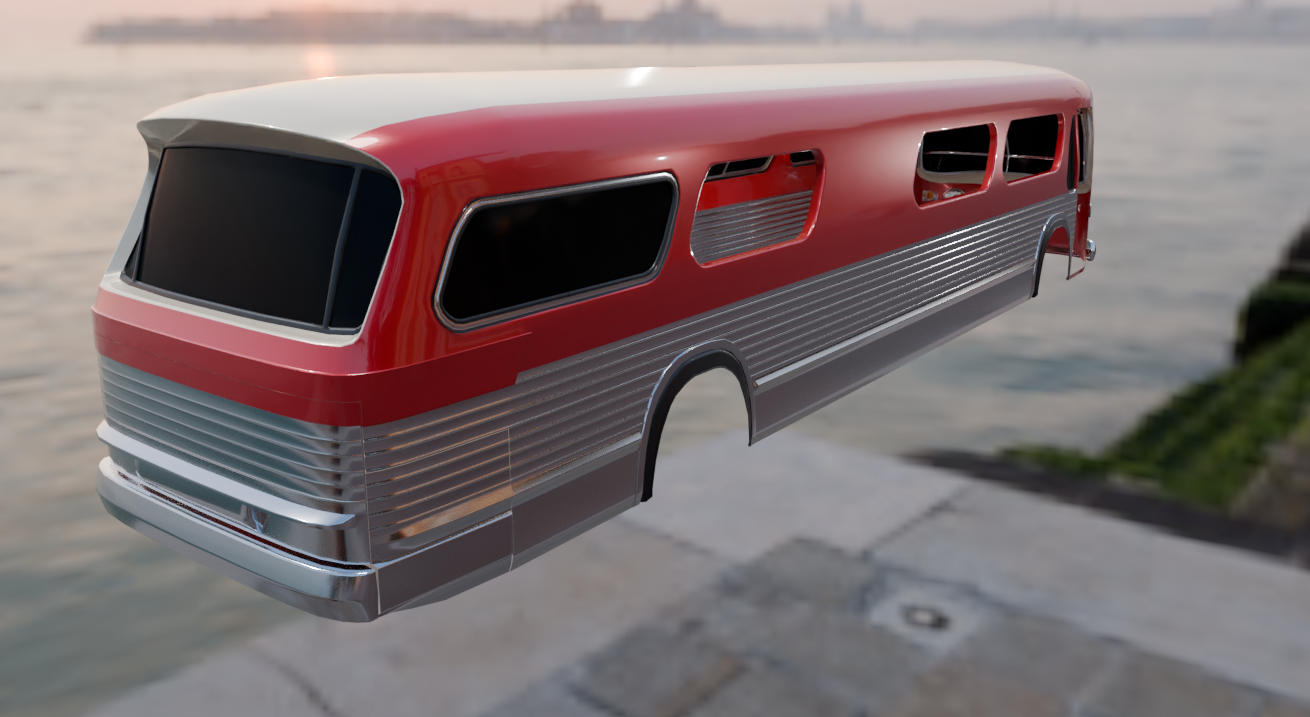
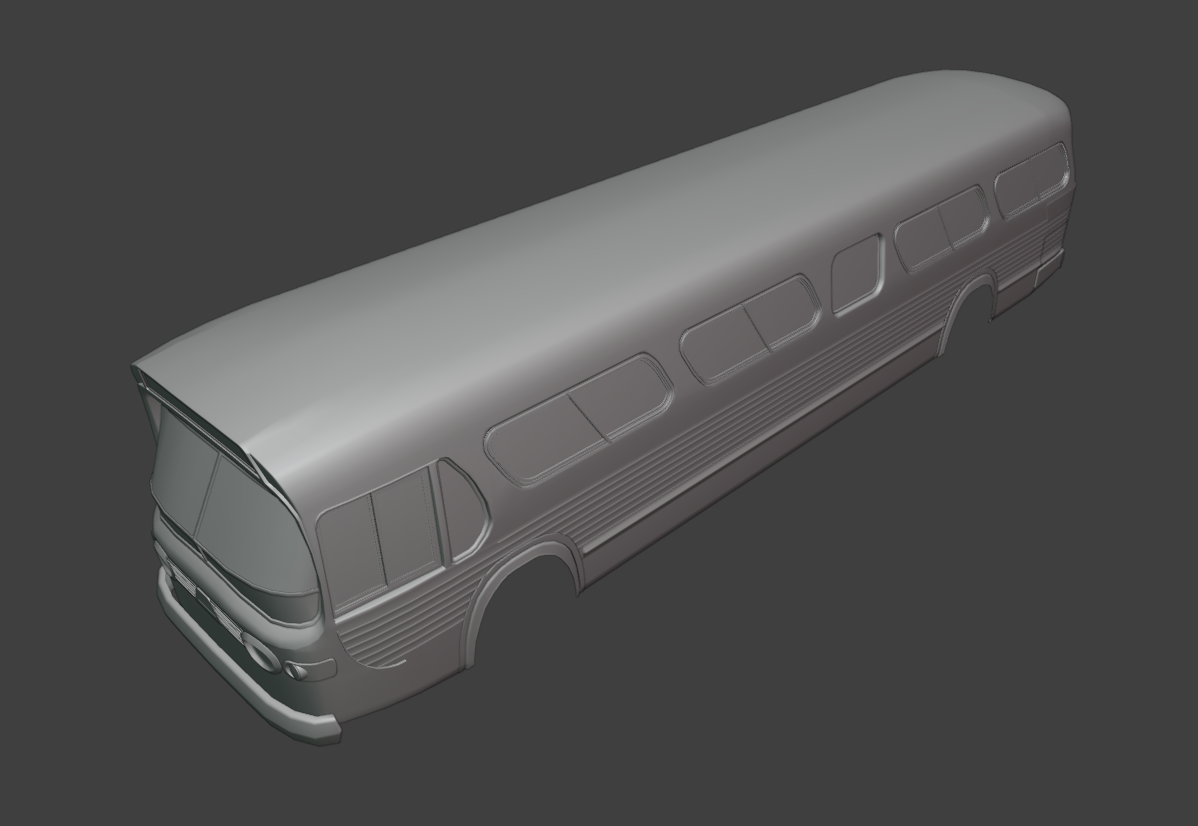
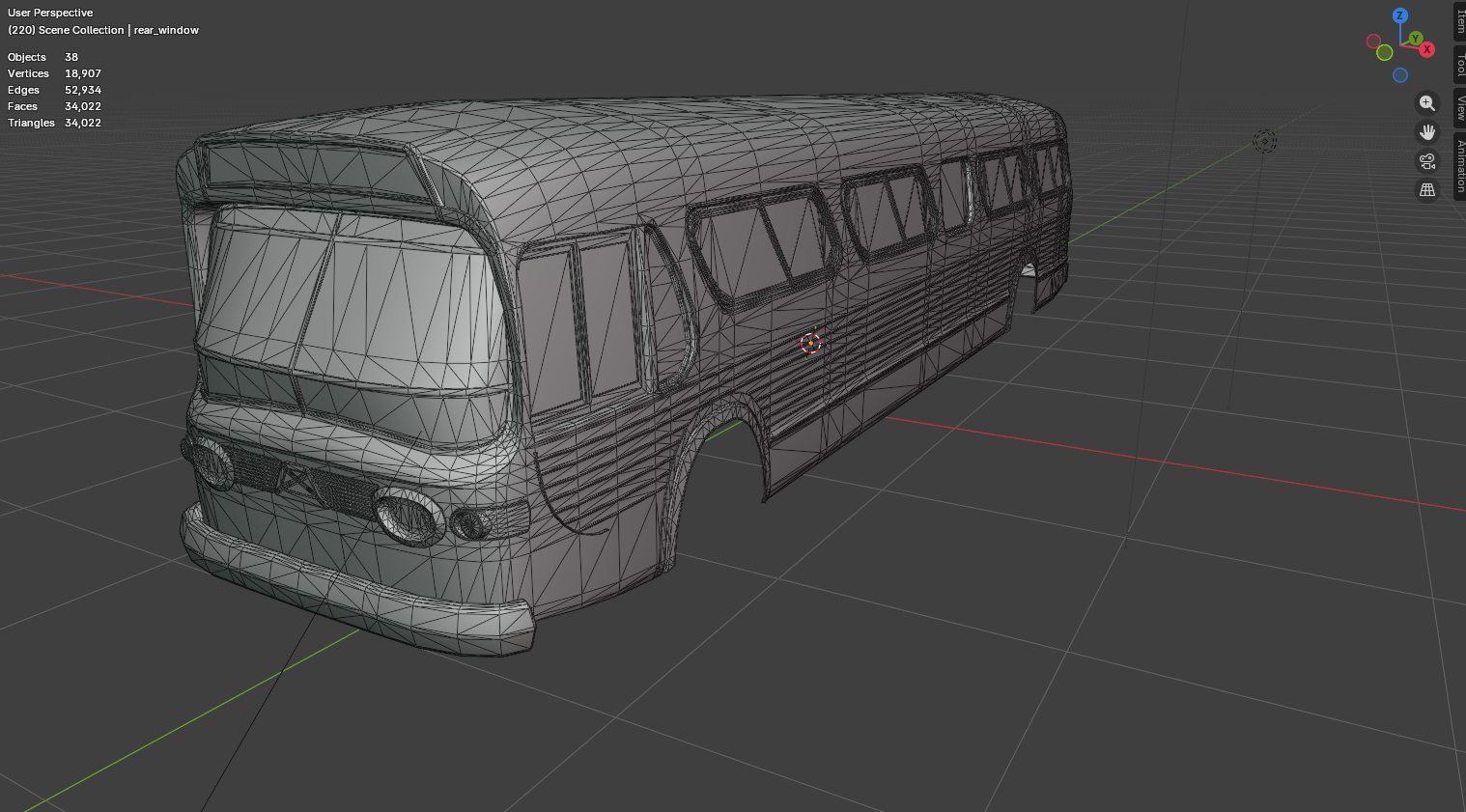
Hello. I've been working on this model of a classic GM New Look bus also known as the "Fishbowl", I intend to keep it roughly around 100k polygons for the finished model while maintaining as accurate looking proportions as I can. When the model is done (hopefully soon) I intend to make some renders of it with a heavy emphasize on nice artificial lighting like HPS and Mercury lights.
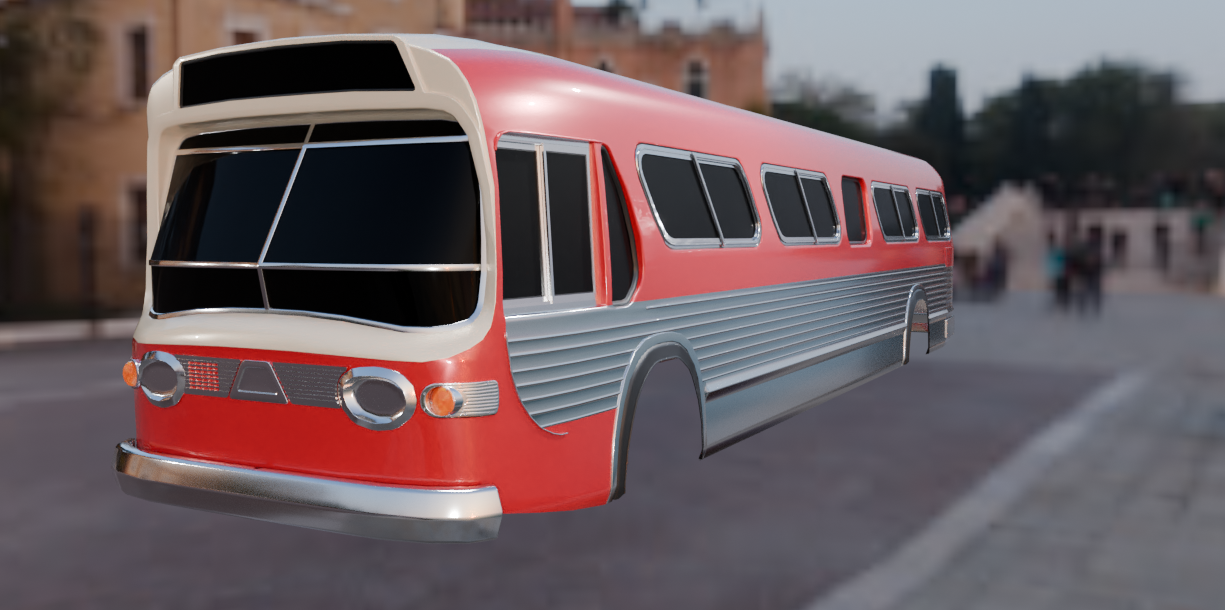
Thanks for checking out my model let me know what you think of it so far!
To elaborate, I'm only curious because at a glance your topology in my opinion had indicated either 'high flow' (high to low) or probable midpoly (hybrid trim sheets) baking methodology and as an aside personal preference nowadays I tend to lean toward the latter, when generating mostly static large scale HS vehicular content as well. So currently this object's body shell alone at 34k triangles is fairly low, hence the query/interest.
@sacboi I honestly don't even really know the first thing about baking anything in Blender. For the most part I am just self taught from trial and error and some basic guides to solve specific problems. I have heard of high poly to low poly baking where I assume you model a high poly version and bake the shading and such from that to a low poly counterpart. And I have also heard of baking the dynamically created textures onto actual images to be used outside of Blender but I have yet to learn how to do that so I just make the textures entirely in Gimp (besides occasional temp edits just for visualization in Blender of course). At the moment I pretty much just try to model it with whatever poly count I find appropriate like 50k for a car or in this case 100k since it's much larger and more detailed than my previous models.
"I just make the textures entirely in Gimp (besides occasional temp edits just for visualization in Blender of course)."
Ok well my compliments!
I've been a member here since 2015, now if memory serves it's a first for myself replying to a thread where an artist is actually using an image editor to texture their work so kudos man, that's massive 'old school' indeed Anyhow far beit for me to critique your workflow, there's no hard and fast rules what pipeline one chooses to implement, with that said I'm gonna keep an eagle eye on progress and possibly learn a thing or two.
Edit:
If interested, for future reference to start off with I'd recommend Polycounts wiki, there's a ton of info on conventional texturing, baking + other relevant techniques:
@sacboi Lol I didn't know my methods were that badly dated but I guess it's no surprise to myself given I mainly take inspiration from old games. On the other hand I actually did have some desire to learn some of the more advanced texturing stuff I see like procedural materials and such. I would love to learn how to do something like the "crap it" tool in Wreckfest 2 if that's possible. Anyway thanks for the links I'll be sure to check all this stuff out.
Replies
I honestly don't even really know the first thing about baking anything in Blender. For the most part I am just self taught from trial and error and some basic guides to solve specific problems. I have heard of high poly to low poly baking where I assume you model a high poly version and bake the shading and such from that to a low poly counterpart. And I have also heard of baking the dynamically created textures onto actual images to be used outside of Blender but I have yet to learn how to do that so I just make the textures entirely in Gimp (besides occasional temp edits just for visualization in Blender of course).
At the moment I pretty much just try to model it with whatever poly count I find appropriate like 50k for a car or in this case 100k since it's much larger and more detailed than my previous models.
Lol I didn't know my methods were that badly dated but I guess it's no surprise to myself given I mainly take inspiration from old games. On the other hand I actually did have some desire to learn some of the more advanced texturing stuff I see like procedural materials and such. I would love to learn how to do something like the "crap it" tool in Wreckfest 2 if that's possible. Anyway thanks for the links I'll be sure to check all this stuff out.