(WIP) Research Outpost - Unreal Engine 5 Environment

I have started a new environment project.
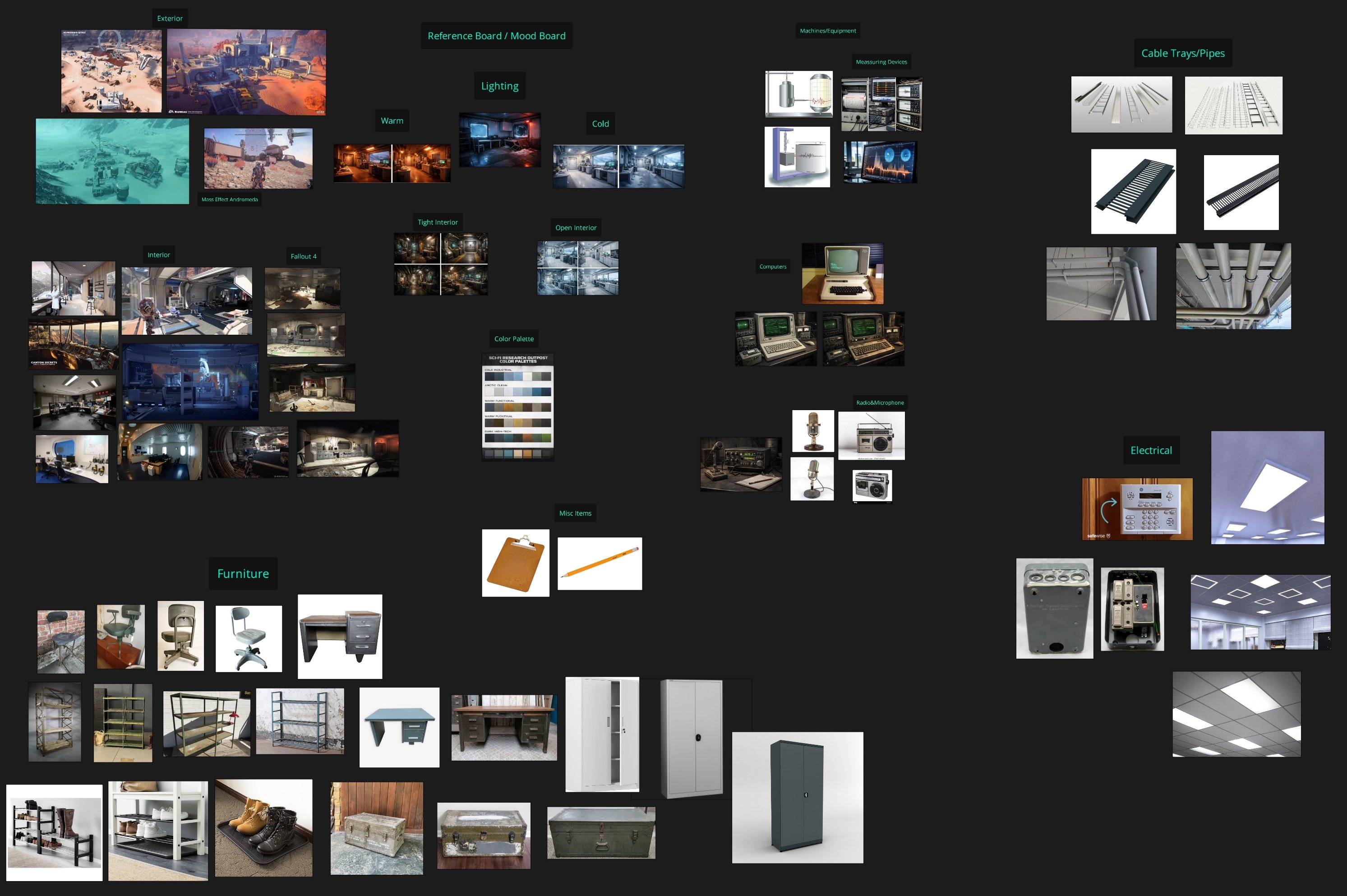
The setting is a research outpost, with visual inspiration drawn from Mass Effect: Andromeda and Fallout 4. Combining sci-fi structures with signs of decay and long-term exposure.
Goals for this project:
- Create a wide range of modular assets and props to support a believable space
- Spend more time working in Substance Painter to push materials further. Focusing on believable wear, frost buildup, subtle surface variation, and storytelling through texture.
- Focus on environmental storytelling to make the outpost feel lived in and abandoned
I have used AI to generate early concept images, which has been quite useful.
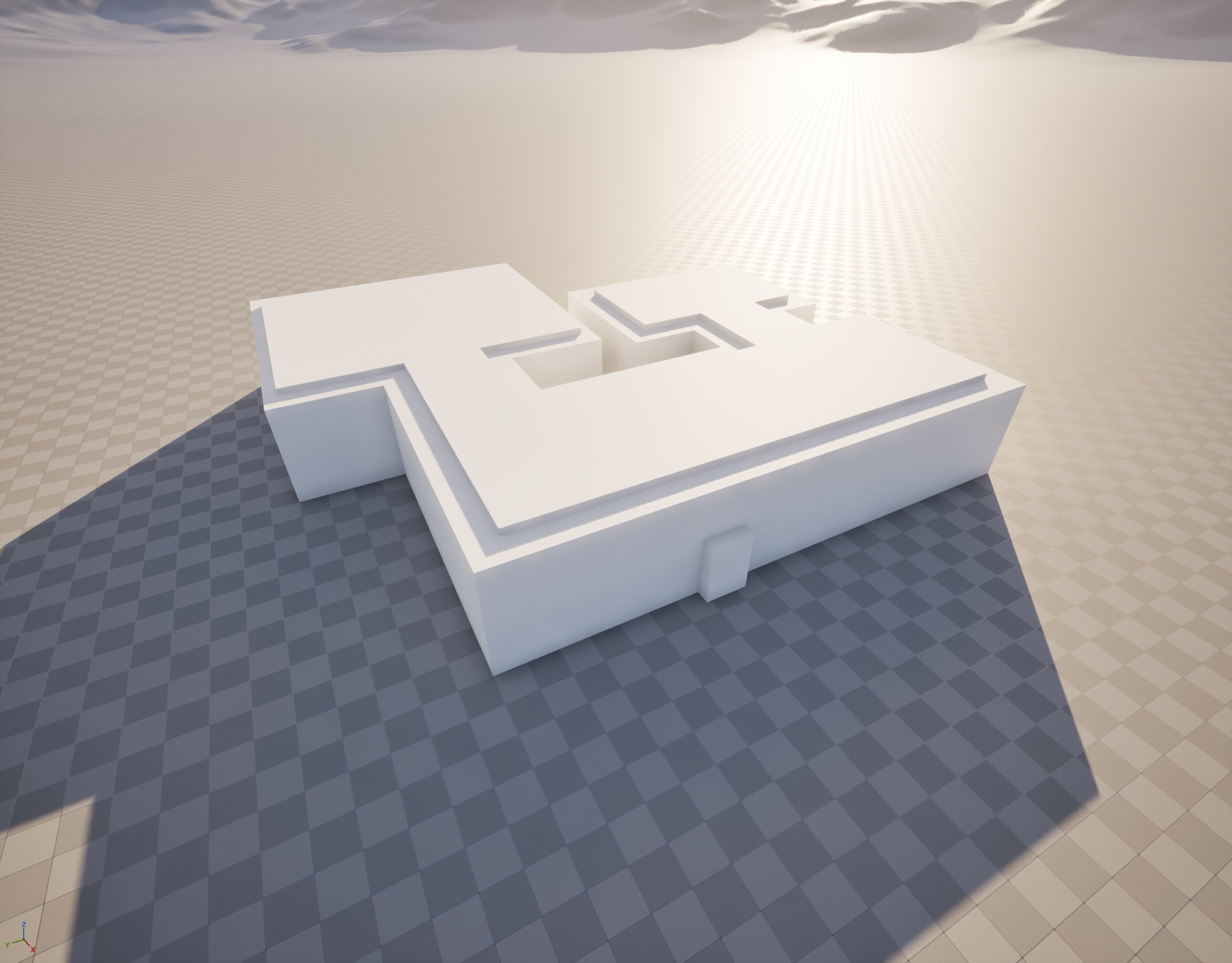
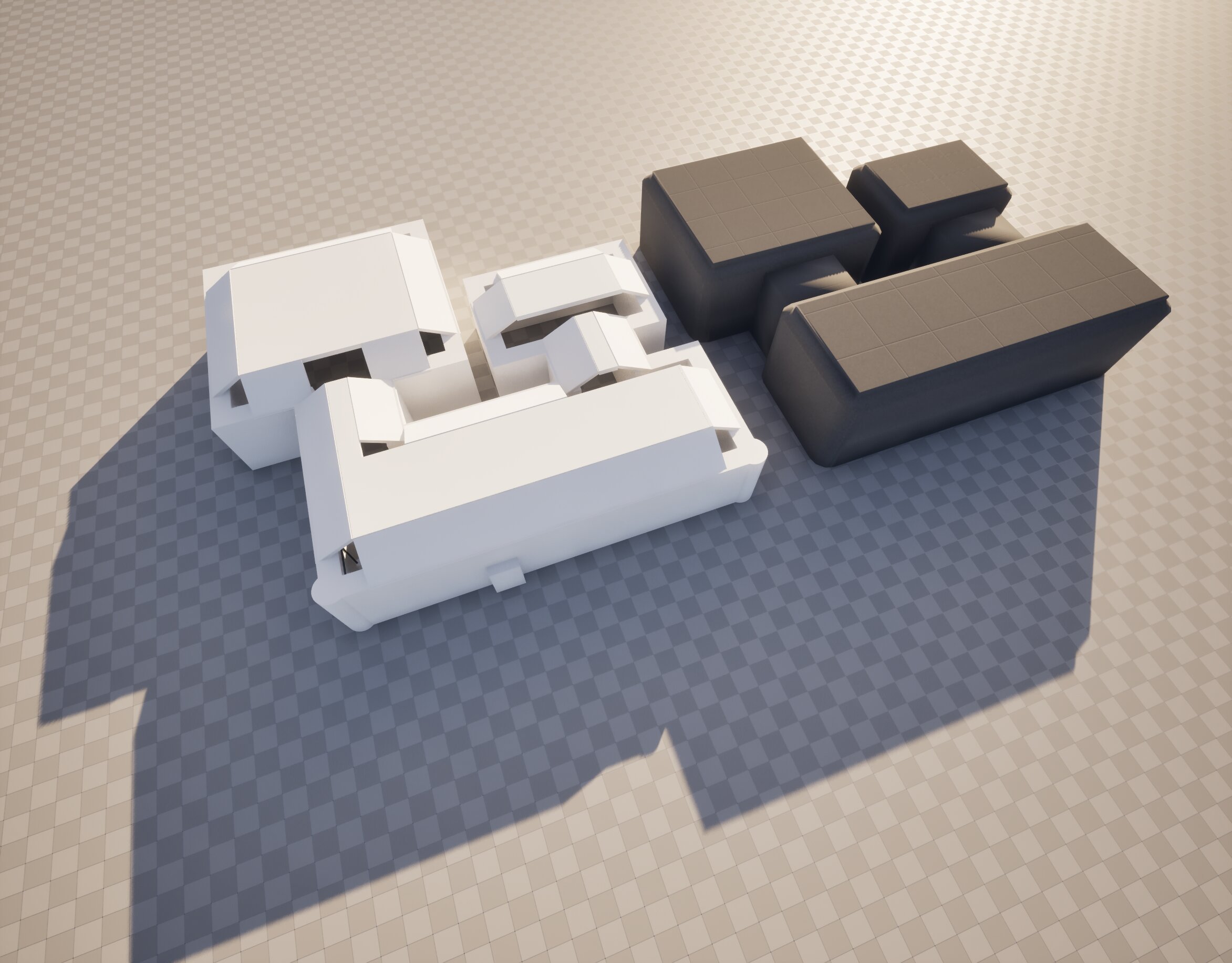
I began with a simple blockout in Unreal Engine to lock in scale and proportions, then used that as a foundation to build the main structures more carefully in Blender. The structure is made up of three connected modules, and I’m currently in the asset creation phase.
I’ve also leaned heavily into reference gathering. It’s been a huge help for maintaining direction and consistency as the scene evolves.
My workflow so far:
• Blockout and scale pass to define the layout
• Structural modelling for the main modules
• Initial prop pass for basic shapes and placement
• Second pass to refine forms and add detail
Right now I’m focused on filling the space with assets: windows, electrical elements, interior structures, and general set dressing. Right now I am working only in graybox, so I can focus on form, readability, and composition without getting distracted by materials too early.
The end goal is an abandoned outpost set in a snowy landscape. I’m planning to add damage and environmental storytelling later on, such as broken windows, snow drifting into the rooms, frost buildup, and signs of long-term exposure to wind and cold.
Still early, but happy with the direction so far. More updates as the scene develops. 
Reference board:
Early Unreal blockout:
Unreal Blockout & Blender build.
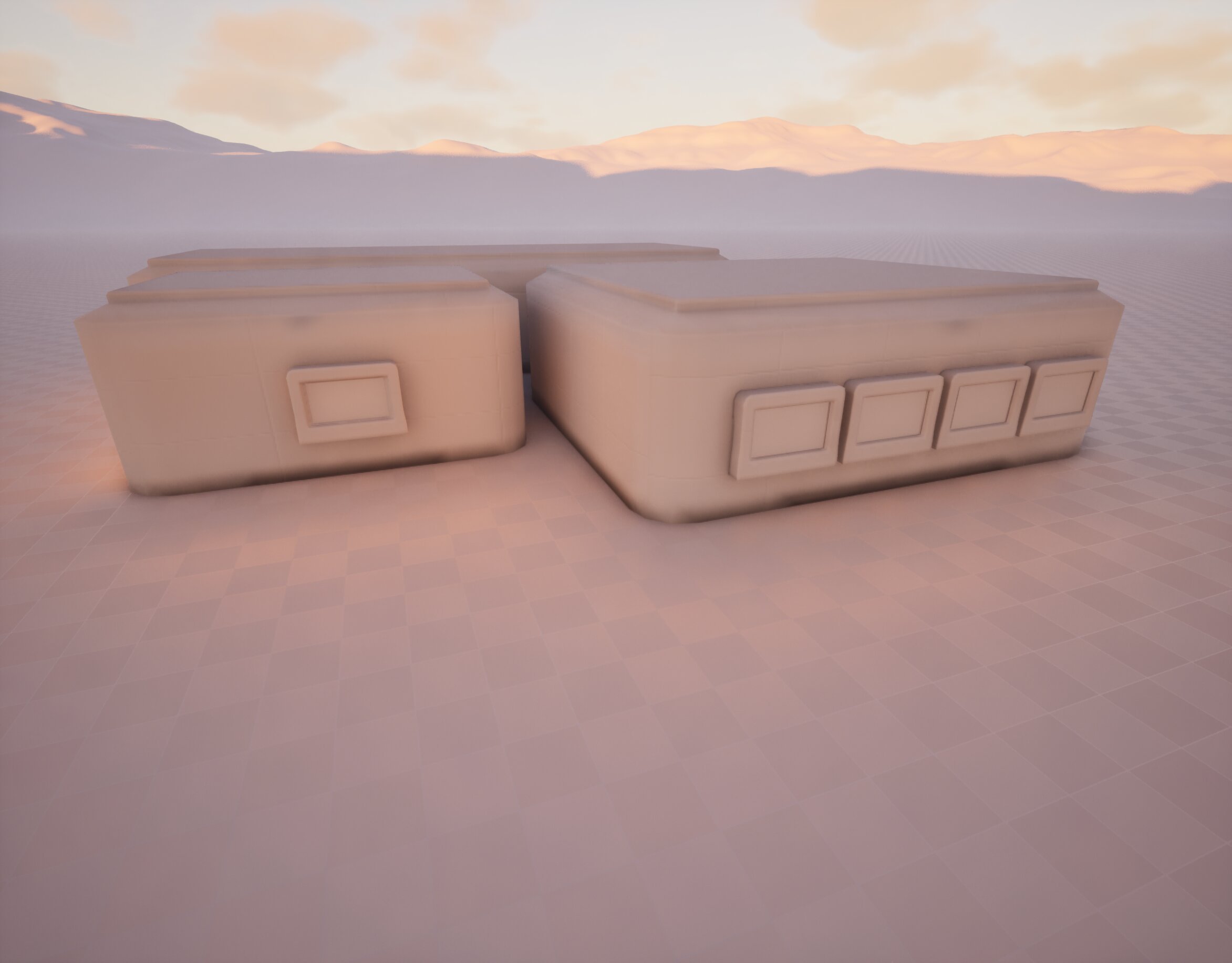
View from the back with windows:
Science/tech room:
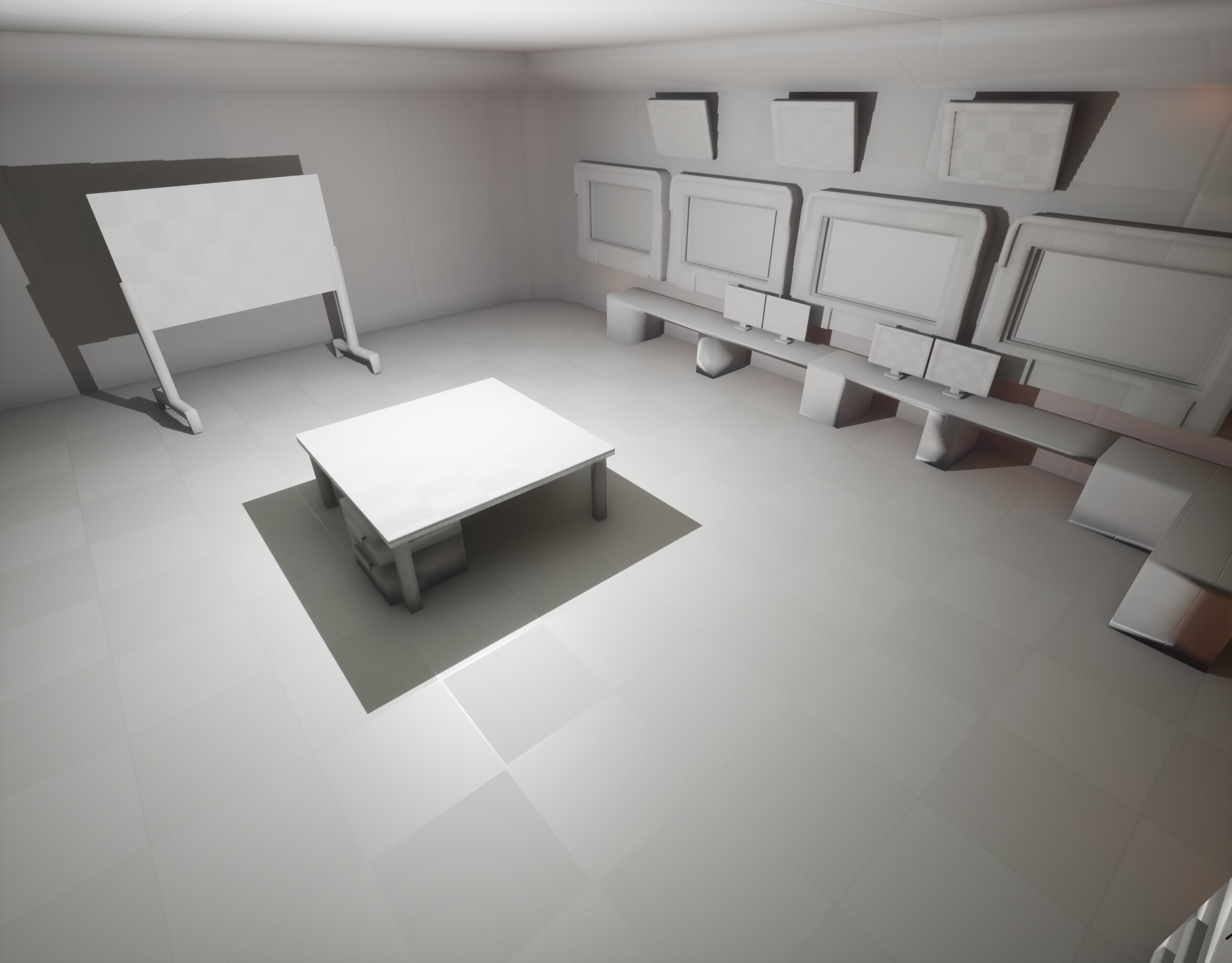
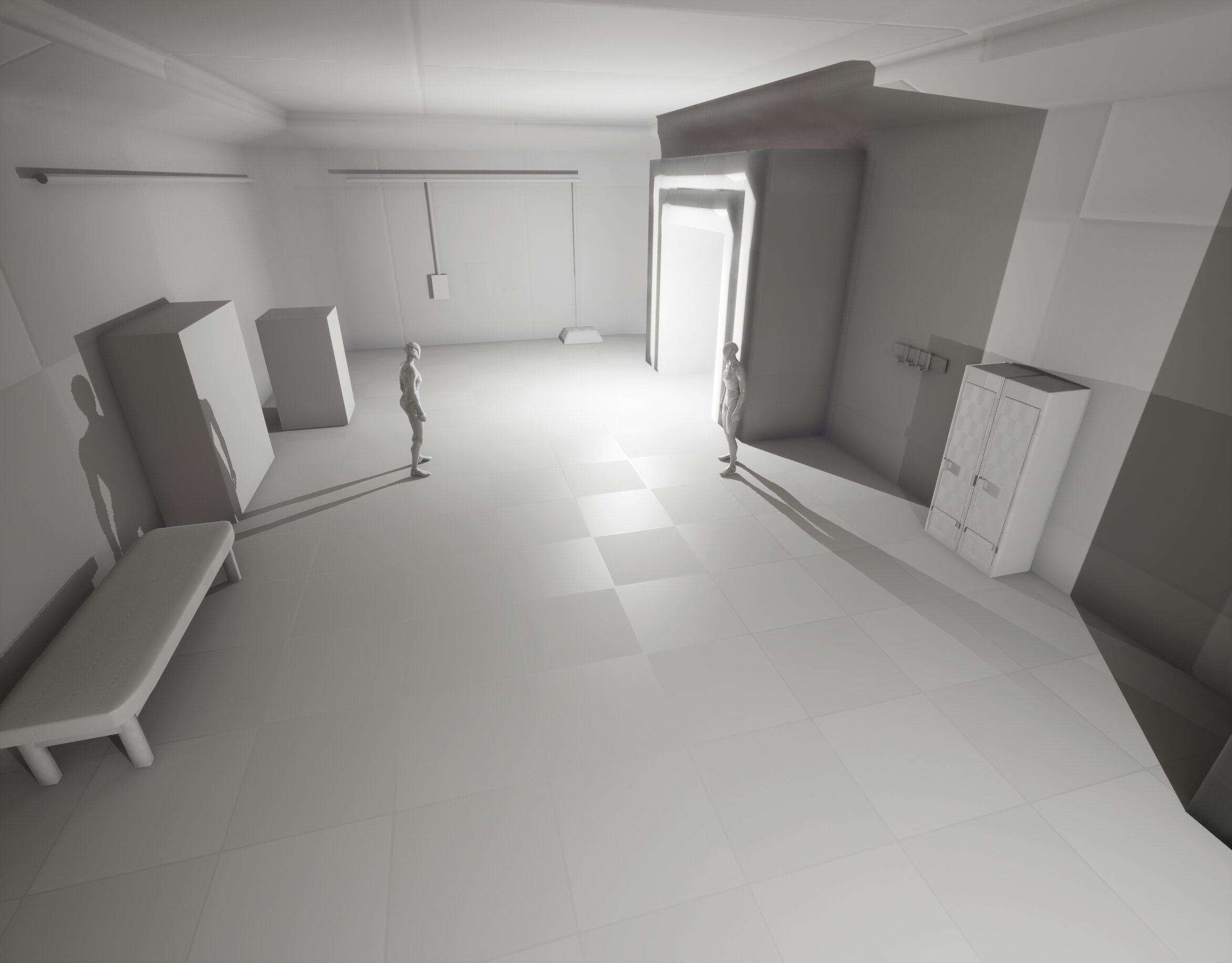
Entrance & main electrical.
Storage/gear storage: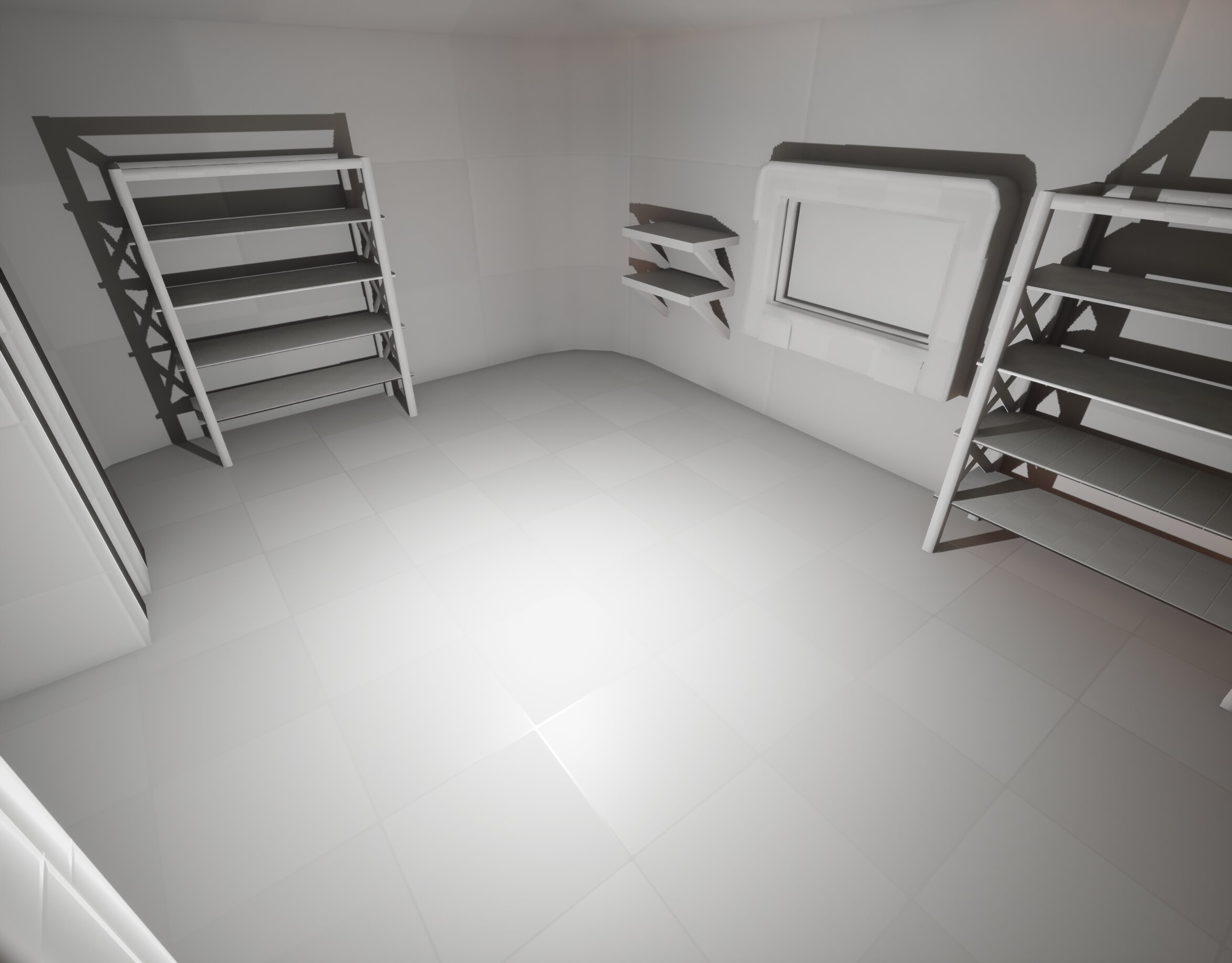
Replies
I would recommend to reduce the scope as much as possible and to focus on getting a corner or a room up to the quality you aim for. Once happy with it, you can still expand scope, applying the learnings and assets created. Could even use stock assets as filler props, stand-ins or as a quality benchmark (obviously if they stay in, point that out). If you don't have this on your radar already, I'd look into surfacing using trim sheets and texture blending in engine. Likely you find some related pages in the Polycount wiki. It also doesn't hurt to get a sample project doing something similar and inspect its content, possibly even re-use things like shaders/ materials or level tools.
Much success!
Thanks for the thoughtful feedback, I really appreciate you taking the time.
I took your advice and reduced the scope quite a bit. Originally I planned for three rooms, but after stepping back and asking myself “does this space really serve a purpose?”, the smallest room didn’t justify its existence. Removing it helped tighten the layout and made the project feel more focused.
The assets that were in that room now live in more meaningful places instead. The entrance area has become a clear functional space with power/electrical to the left and storage/gear to the right, which leads into the main science room through the hallway. That central room is now the primary focus, with equipment, computers, and other storytelling elements.
Shrinking the scope has already made it easier to concentrate on quality, composition, and asset reuse rather than just filling space. My plan is to push one area to a higher level of polish first, then only expand if it makes sense using the same assets.
Thanks again for the suggestion, it helped me rethink the structure in a good way.
Update on the project.
I made one major change to the layout, I removed the smallest room. As it was unnecessary, and frankly it looks better without. Now I can clearly divide the first room into sections for separate uses and functionalities.
Lately I’ve been focusing heavily on asset creation and building up a library of reusable props. I’m trying to avoid one-off pieces where possible, so things like boxes, lockers, chairs, and small equipment can appear in multiple places to help the space feel more grounded and believable.
Right now everything is still placed in a clean, intact state. The plan is to start breaking that up soon. I want to introduce damage and scattered elements in a way that feels logical rather than random. Influenced by weather, time, and how the outpost might have been abandoned. With broken windows and long-term exposure to wind and snow, certain areas would naturally collect debris, while others stay more intact.
Next step will be shifting some focus to the exterior and terrain. The outpost is meant to sit in a snow-covered plain at the base of a mountain range, so I’ll start building up the landscape around it. I’m aiming for natural snow buildup around the structure, with heavier accumulation on the wind-exposed sides and less in sheltered areas to help support the story of the environment.
Still early in that phase, but the scene is starting to feel more lived-in.
As always, feedback and any ideas are very welcome!
Does each room has it's purpose yet, like what happens where? What tasks does the crew perform? I suppose that could inform layout and props as well. An easy way to give the impression of a larger base could be having sealed off doors. Perhaps you find a well documented film set (The Thing?) or an actual outpost/ research station, you can pull ideas from and compare against.
I think adding an exterior has the potential to significantly increase scope! You'll add elements like skybox, landscape, weather vfx and environment models. Each element that lacks in execution, will be a weak-spot in the presentation. If it's just the interior, windows could be covered with snow and ice and diffuse or refract the outside, allowing to fake things and keep it simple. For breakthroughs you could have the outside over-exposed or create a chunk that works from that viewing point. Just my thoughts (as someone who has struggled with scope lol). Then again, doing ambitious things and having fun is cool too. Suppose it's always possible to take a step back and, if necessary, adjust scope.
Keep it up!
I agree with @Fabi_G feedback. It will help to really nail the blockout so we can see function, purpose and design at a first glance. It will also help you a lot further down the line as you don't have to think about the general structure anymore (so you avoid reworking things).
My main feedback is to reduce scope even more. Making the inside work, the outside and then also all the terrain, surroundings etc. It's a lot of work!
To help you learn quality and really push your art skills it's great to just make one room for example. But you really hone in on that room. You make sure things work, sit nicely and try interesting compositions. It will let you focus on these art fundamentals without overwhelming you.
That is a suggestion of course! It's up to you what scope you want to do. You need to enjoy it and have fun with it, that is the most important!
Another suggestion I have is to make a generic material that is just "grey" rather than using the grid material. It can help during blockout so you don't get different square tiles all over the place. It can be a bit distracting visually and a generic grey (or whatever color you like) will really help bring the focus to your ideas and blockout.
Keep at it!
Thank you both for the thoughtful feedback @Fabi_G @Peyd3d, I really appreciate the time you took to write this.
You’re absolutely right about refining the blockout and clarifying function and purpose. I’ve spent the last couple of days tightening up the interior shapes and making sure each space has a clearer role within the facility. I also moved away from the grid material and switched to a neutral grey, which helped a lot with readability and cohesion.
Regarding scope, I initially considered building a full exterior as well. However, after evaluating the workload, I decided to focus on making this a strong interior-only environment and aim to complete it within a month. That timeline isn’t meant to rush things, but rather to keep myself focused and efficient. A full exterior with terrain, skybox, and weather systems would significantly increase scope, and as you both mentioned, it’s easy for things to grow quickly and perhaps get out of hand.
Instead, I’m handling the exterior context through broken/cracked windows, with snow and wind interacting with the interior. Snow enters the facility and accumulates naturally based on exposure, helping tell the story while keeping the project controlled.
The blockout is now locked in, and I’m moving into the detailing and I am nearing the material phase. I did modify the exterior, but only to create a snow buildup by the windows.
As for the room purposes:
The first room is where you enter and power up the facility, with gear storage and equipment along the opposite side.
The second room is the heart of the outpost, terminals, communications, archives, and monitoring equipment. It’s been abandoned for some time, which is why snow and ice have begun reclaiming the space.
Thanks again for the constructive input, it genuinely helped refine the direction of the project.
Here are some new screenshots showing the work that has been done the past couple of days.
Note: The windows glass is hidden here since that isn't finished, lighting is also work in progress.
There are still a few assets that haven't been placed yet, as I am finishing them up in Blender.
And an updated board, as well as a little sketch for guidance on how to build up the snow:
One thing that currently sticks out to me is the camera positions. I don't know where exactly the viewer is standing. Highly recommend you set on fixed camera positions soon as it will help you with composition and lighting.
Since there's a lot of snow, it's more tricky to get a sense for the rooms. Maybe place the cameras where we can get a good sense of the overall interior and then more zoomed in shots for individual parts of the rooms. Hope that makes sense.
I like the direction changes you're making! Keep it up!
Thanks a lot, I really appreciate that. @Peyd3d
You make a very good point about the camera positions. I haven’t fully committed to fixed cameras yet, and I can see how that makes it harder to read the space clearly. Locking in a few key viewpoints soon will definitely help with composition and lighting, especially with all the snow softening edges and reducing contrast. That makes a lot of sense.
This past week I’ve been finishing and adding more assets to the scene, and I’ve now officially moved into the material phase in Substance Painter. In one way it’s relatively straightforward since the environment is heavily snowed-in and frosted over. But at the same time, making the snow, ice, and wear feel believable without everything blending together is proving to be an interesting challenge.
I’ll start thinking more deliberately about camera placement as I continue refining the scene. Thanks again for the thoughtful input, it’s really helpful at this stage.
Here are some new screenshots. Some different angles to show more the layout of each room. Lighting is still in progress. Once the frosted windows are fully in place, I’ll move into properly locking the lighting. Since the outpost no longer has power, the scene will rely primarily on natural light coming through the frosted windows.One of my hero props/assets from Substance Painter, not finished just early material pass.
Hi everyone, brief update for the week.
I’ve continued refining shapes and making adjustments to improve cohesion and readability throughout the interior. Some proportions and transitions between assets felt a bit too simple before, so I’ve been tightening those up and pushing toward a more consistent shape language.
I’m now fully in the material phase. I’ve started building out the core materials in Substance Painter, focusing heavily on frost, ice buildup, and surface wear. While much of the scene is snow-covered, I’m being careful to avoid everything blending together. Working on subtle variation in roughness, breakup, and edge definition to keep forms readable.
Making solid progress and starting to see the environment come together more convincingly.
Next up is continuing the material pass and preparing to lock in the final lighting once everything is established.
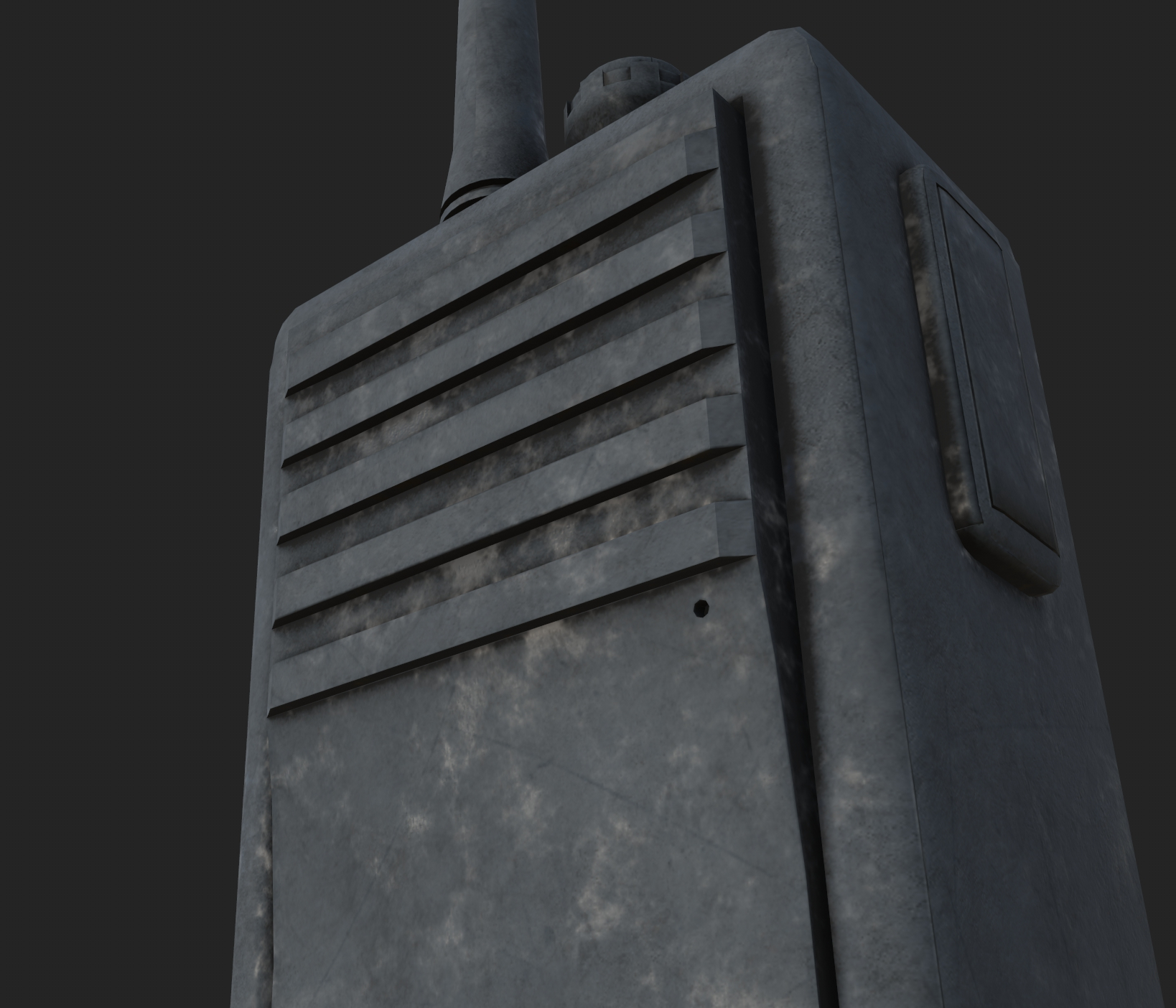
Some screenshots directly from Substance Painter:
I’m very happy with especially the toolbox so far. The shelf and screwdriver still need some tweaking.
One thing I’m keeping in mind is how the weather affects placement. How close are items to the broken windows with constant wind and snow? Are they partially buried, or further into the room and less exposed? Those kinds of environmental considerations are helping guide the material and storytelling decisions.
Thanks for pointing that out, I appreciate the feedback. @sacboi
I’ve gone back and softened those UV borders and adjusted the seams so they sit on more appropriate edges. That definitely helped clean up the transitions on those assets.
Small update otherwise: I’m continuing the material pass and spending time refining surfaces in Substance Painter. At the same time I’m keeping an eye on topology and UVs to make sure everything holds up well once the materials and frost buildup are pushed further.
Slowly but surely the assets are coming together. The material phase is quite exciting, watching models really come to life.
A couple more screenshots from Substance Painter: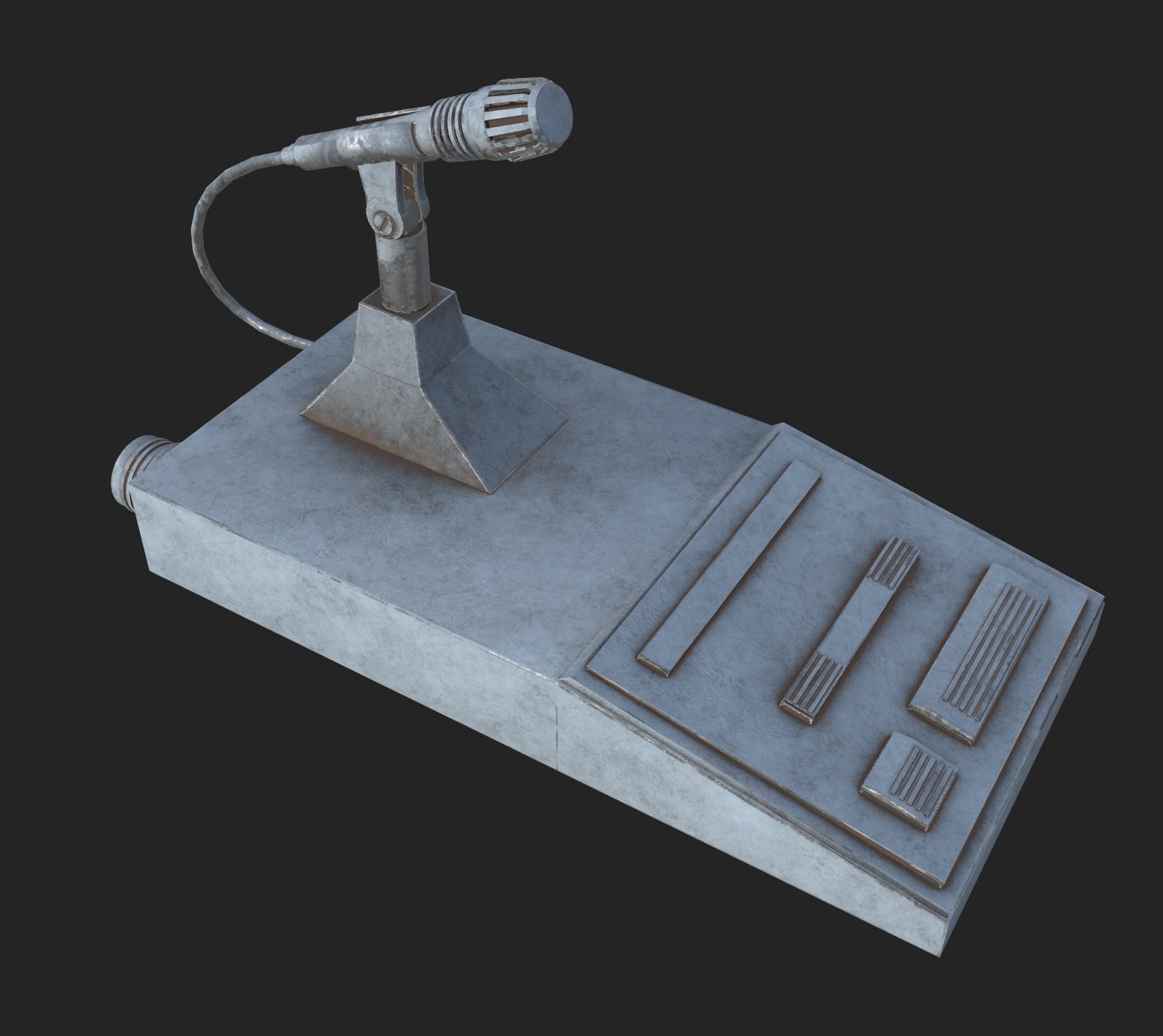
Currently it feels like all your props and assets are made of 1 piece and are a similar colour. I know you're going for a frozen aesthetic. I really recommend you look at some reference on how frozen assets look. Usually they still read clearly, maybe have some snow/ice on it. Here a random interior as an example:
Notice how there's snow/ice buildup but the assets below pretty much stay the same. I'm not saying you have to put snow and ice on top of everything of course. But I feel like you can bring your assets to life a bit more.
Another thing that jumps out to me is how everything looks like 1 piece. Usually things are constructed with multiple pieces. If you look at your reference you should see different pieces for all the assets you're making. Either screwed onto each other, insets, cuts, different materials etc. This will level up your assets overall a lot. Here a very quick paintover. Notice how this already feels more constructued by adding some different material definitions, cutlines and screws. Again, feel free to add frozen elements etc on top of it, but keep in mind that this also builds up on top, not covering the whole asset.
A big recommendation I have for you is to really study reference with everything you're making. Especially when you're learning. You don't have to be an engineer or understand "exactly" how things work. But the main things, how they are put together and what components they feature. This can really help build your visual library and understanding.
When you model/texture things, always think about: "How is this made? How was it constructed? What materials does it feature? Is it bare metal? Painted Metal? Wood? What type of wood? How does it behave when you leave it outside for a year and it's exposed to the elements?". Questions like these are great to keep in the back of your mind when you're working.
Really like to see your future updates, keep it up!
Thank you for the detailed feedback @Peyd3d, I really appreciate the time you took to write this and even provide the paintover. It’s very helpful.
You’re absolutely right about studying reference and thinking more about how assets are actually constructed. The point about assets reading as single pieces is something I am paying more attention to. Thinking about how objects are assembled, seams, screws, panels, and different material definitions, definitely helps make things feel more believable. I’ll keep pushing in that direction as I continue refining the assets.
The note about the frozen aesthetic is also a great point. My intention is definitely not to have everything fully covered in snow and ice, but rather to show buildup and exposure depending on where objects are placed in the room. Studying more reference has helped with that, and I’ve updated my mood/reference board to focus specifically on frost, snow, and ice inside interior environments.
Updated ref/mood board:
I did run into a couple of technical setbacks recently as well. First Unreal stopped working properly, and shortly after that I had issues with Substance Painter. My original goal was to finish this project in February, or at the very latest the first week of March, but those problems slowed things down a bit.
Because of the Unreal issue I wasn’t able to work in the engine for a while, which is why there haven’t been many screenshots from there lately. The good news is that everything is now resolved.
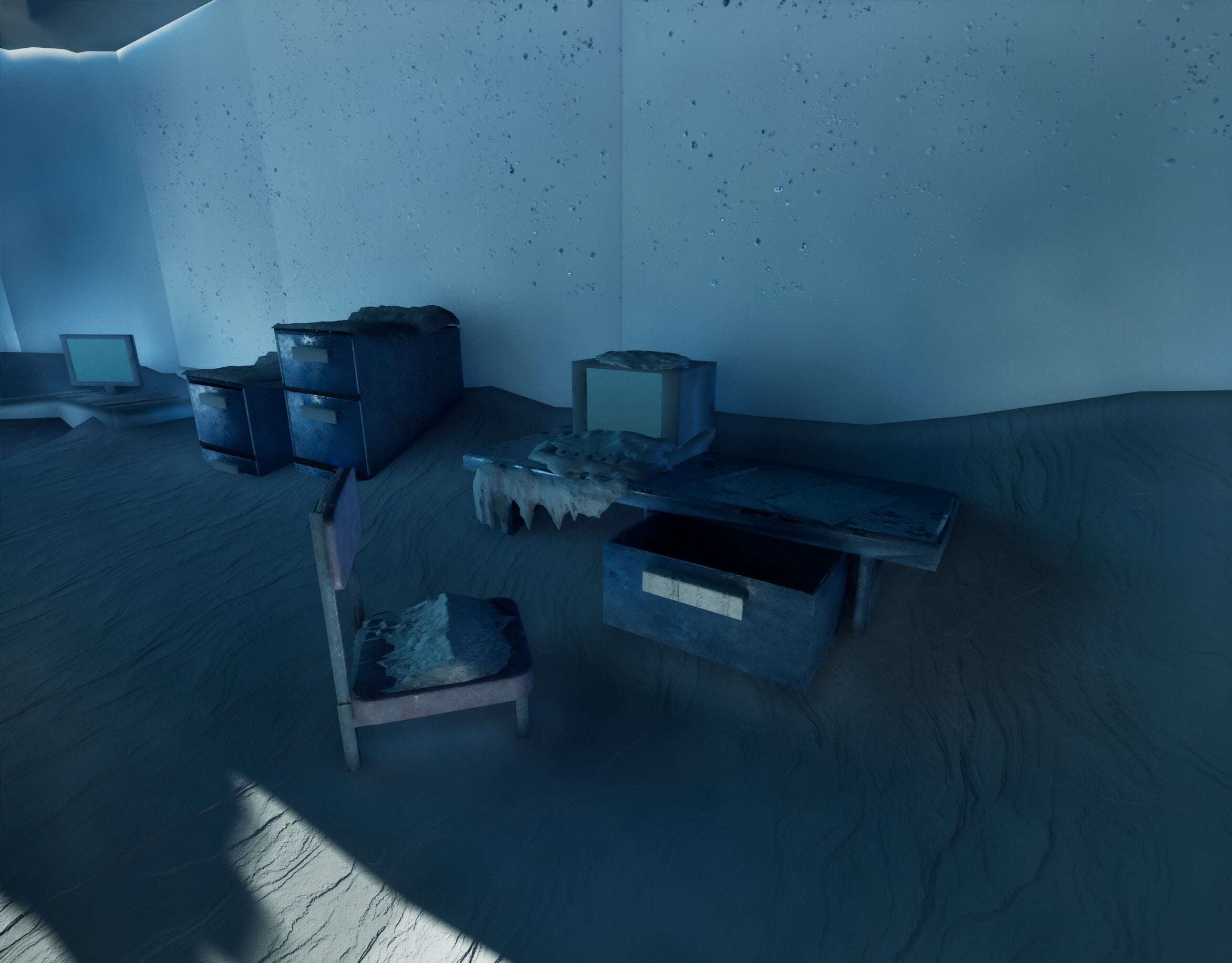
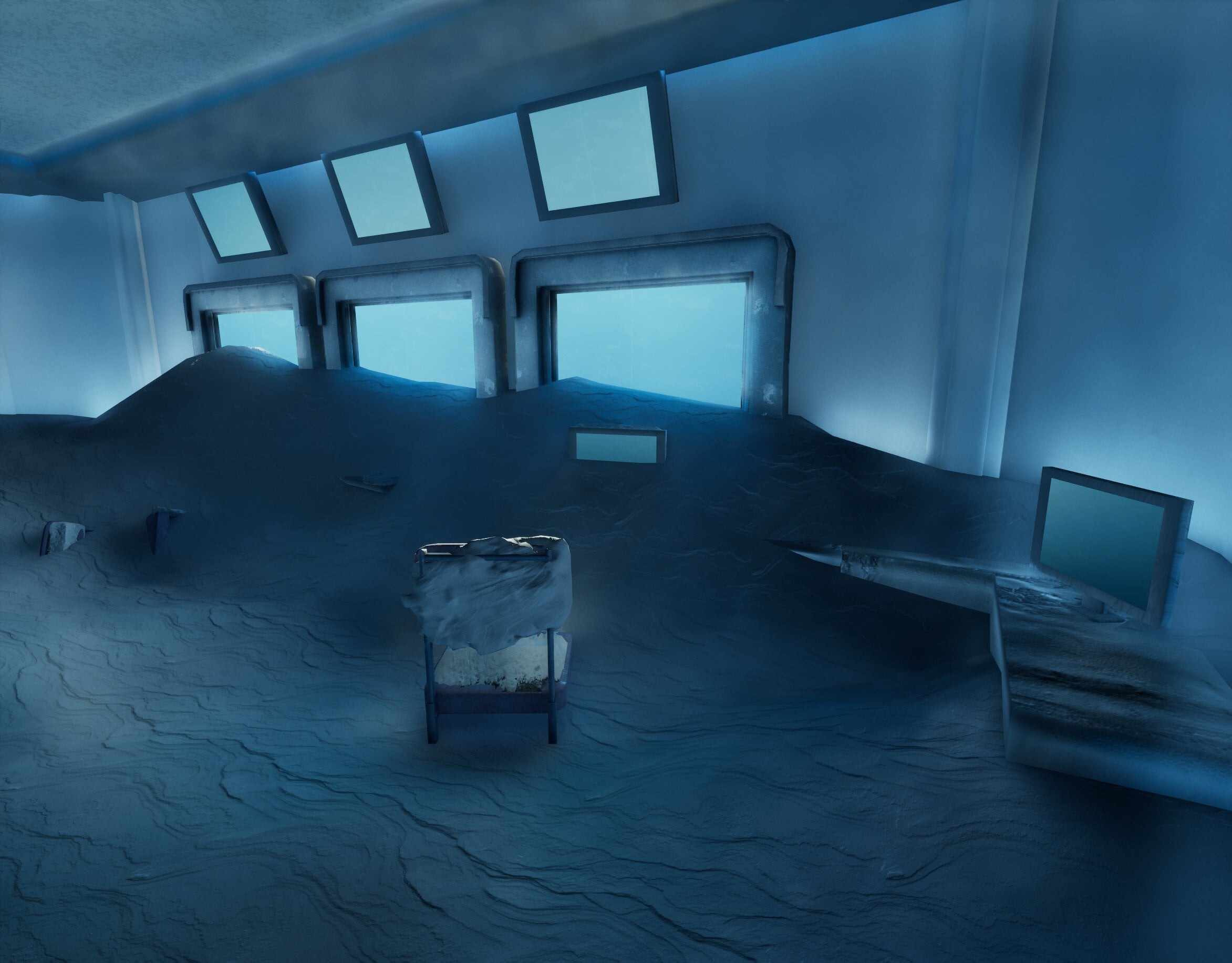
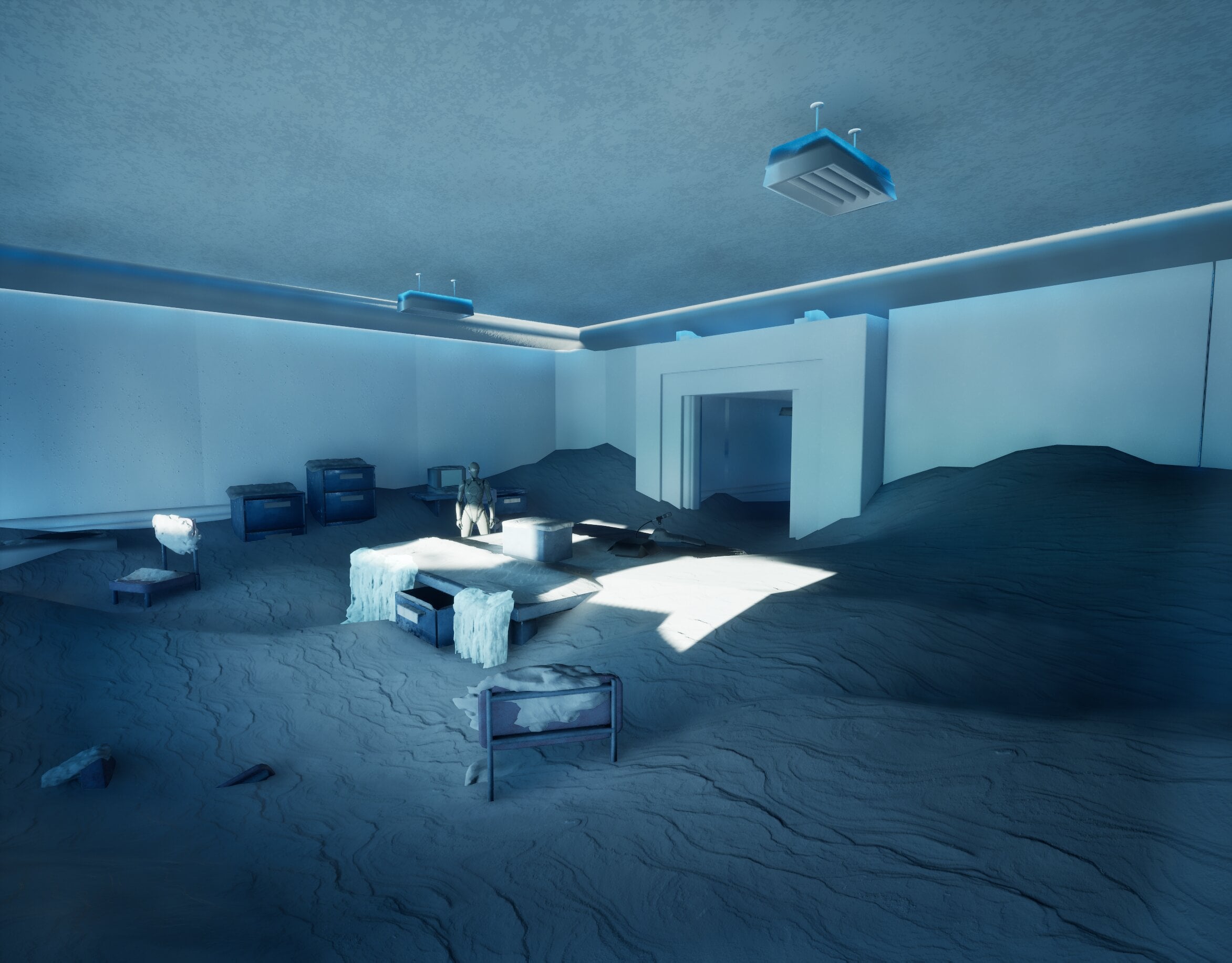
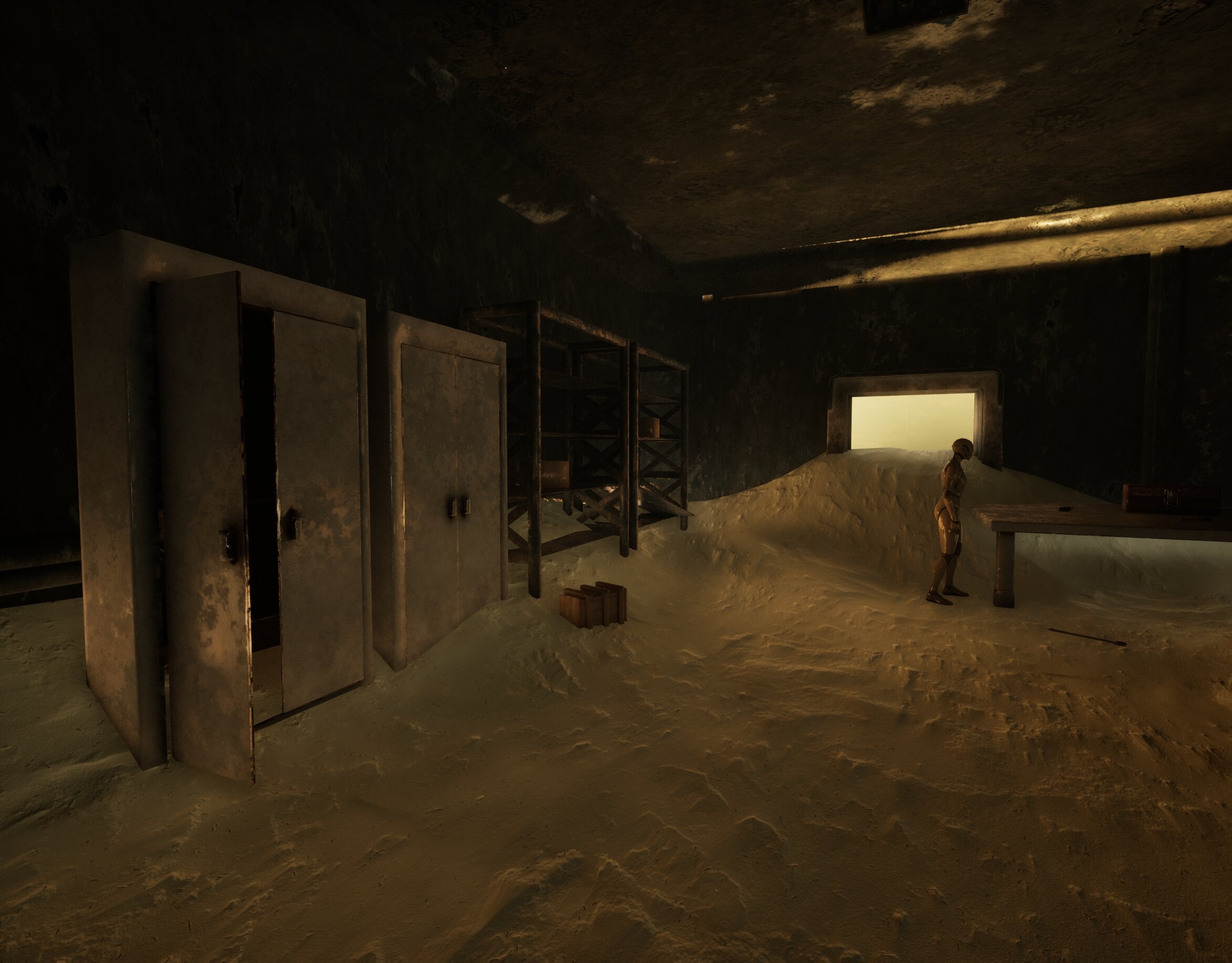
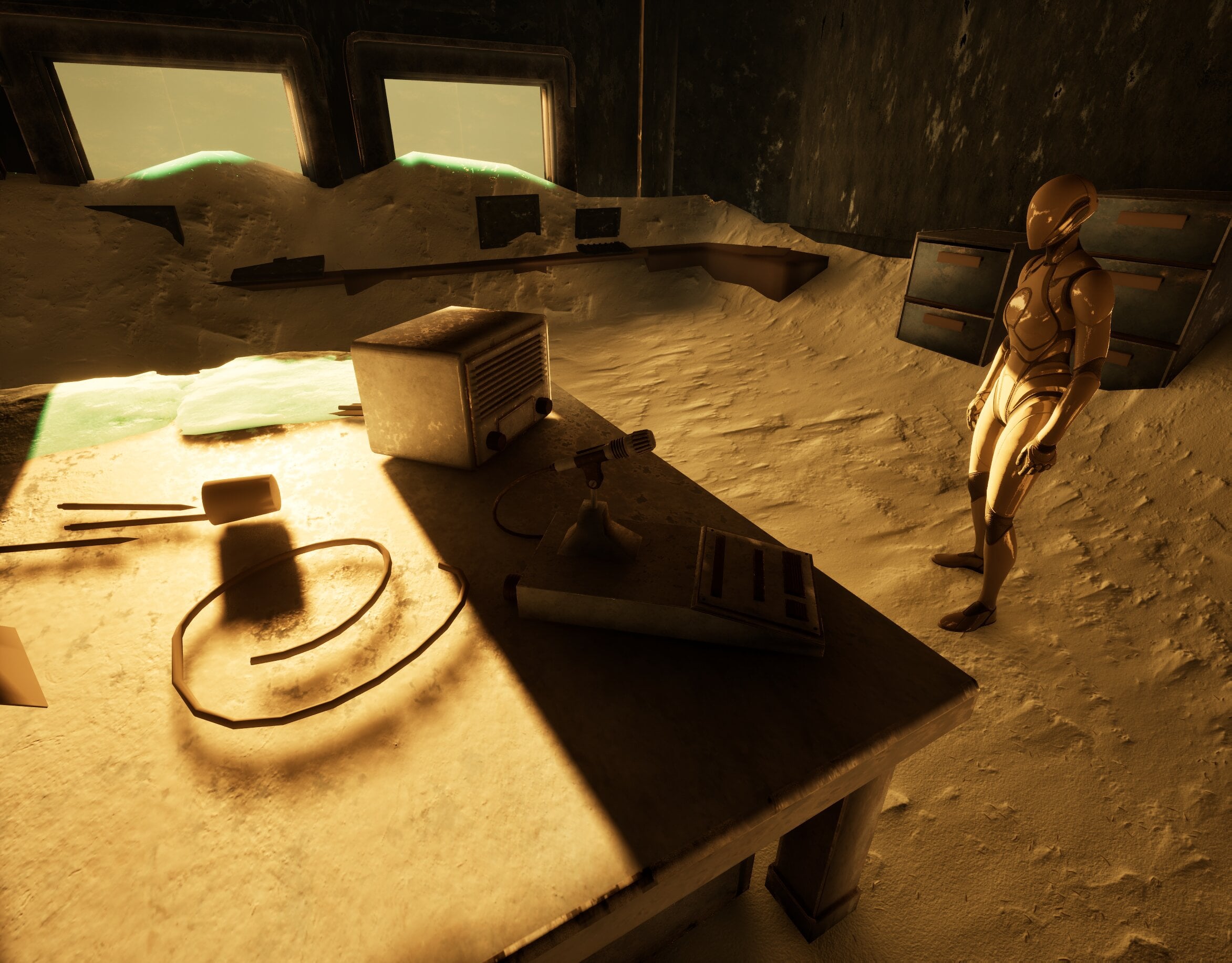
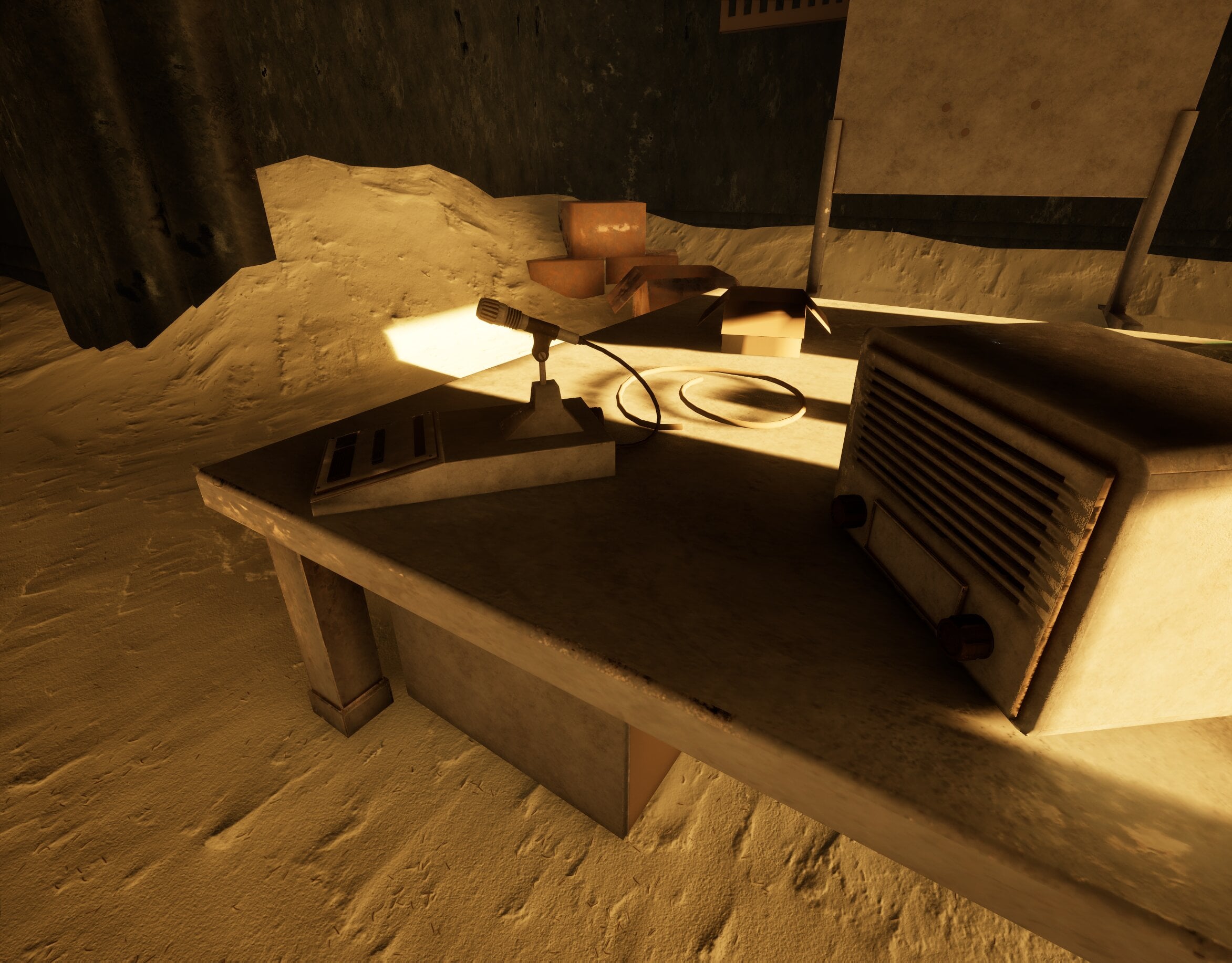
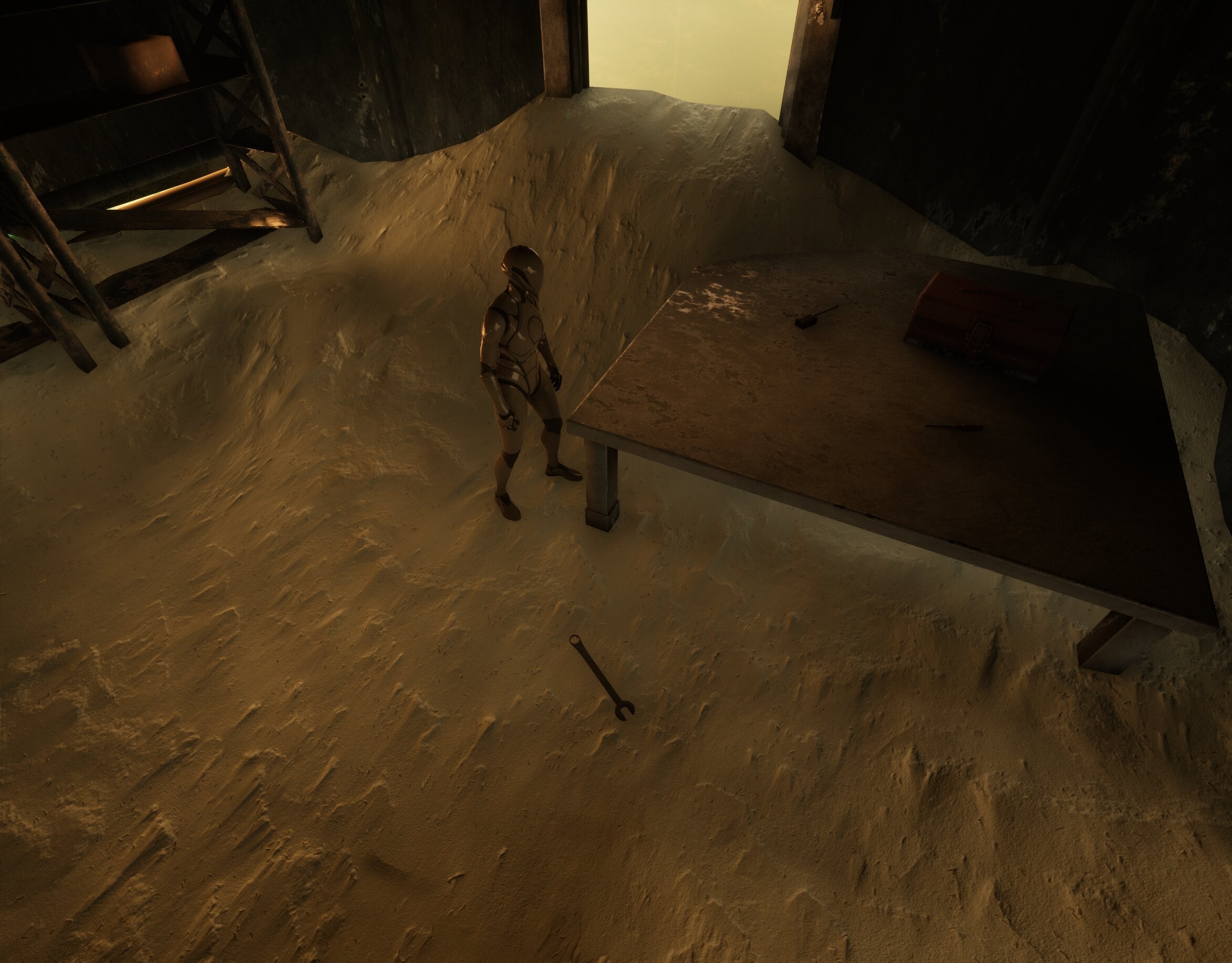
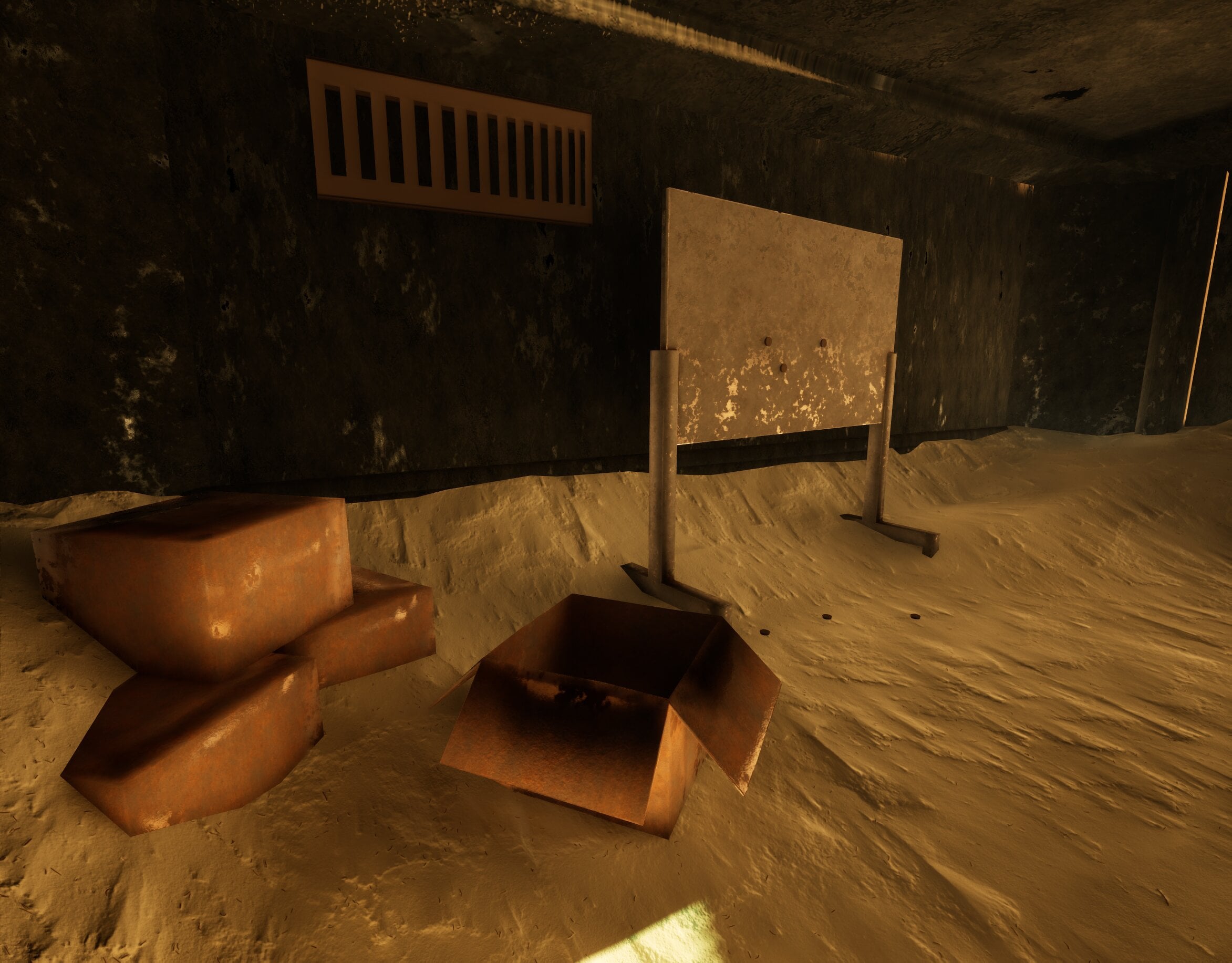
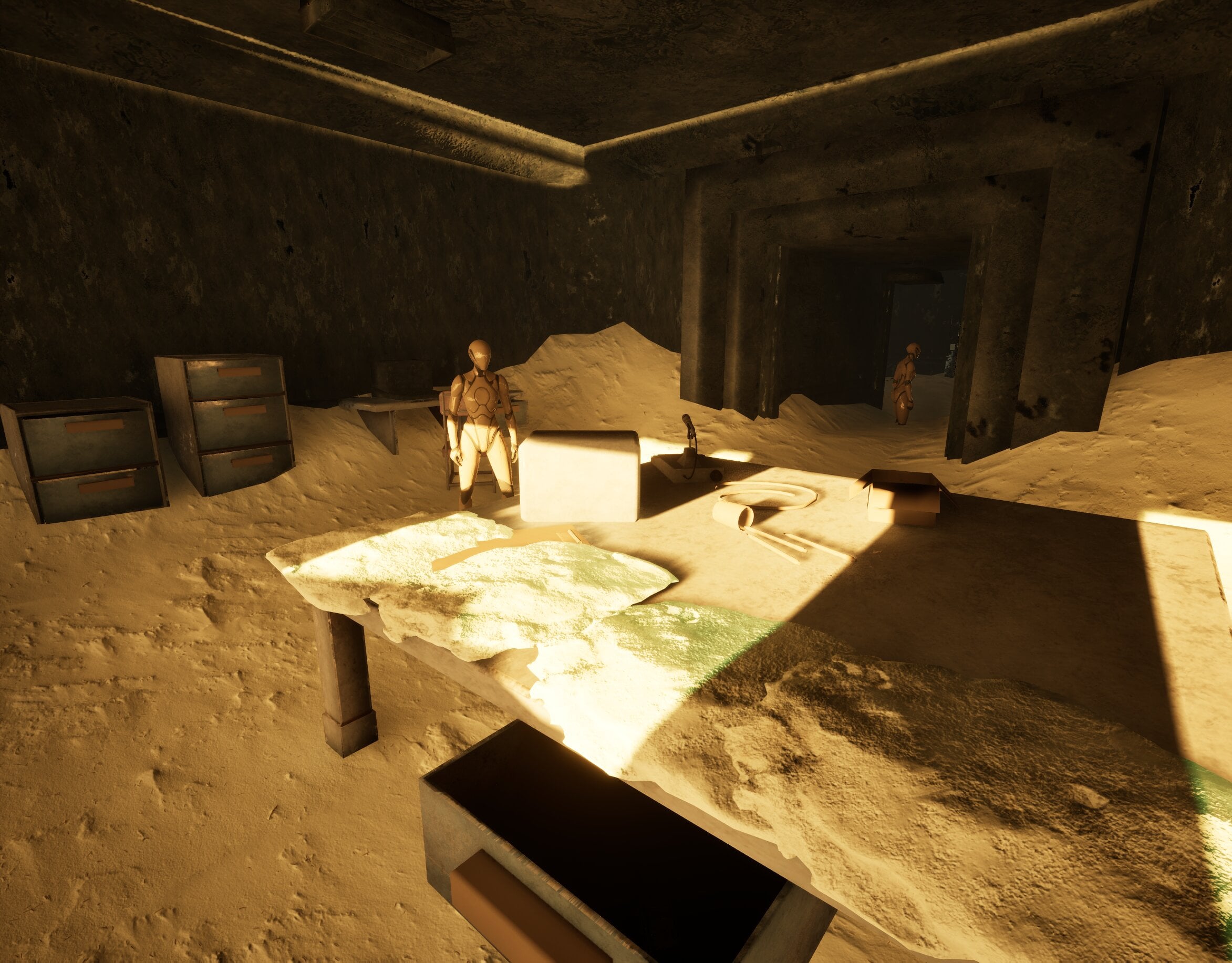
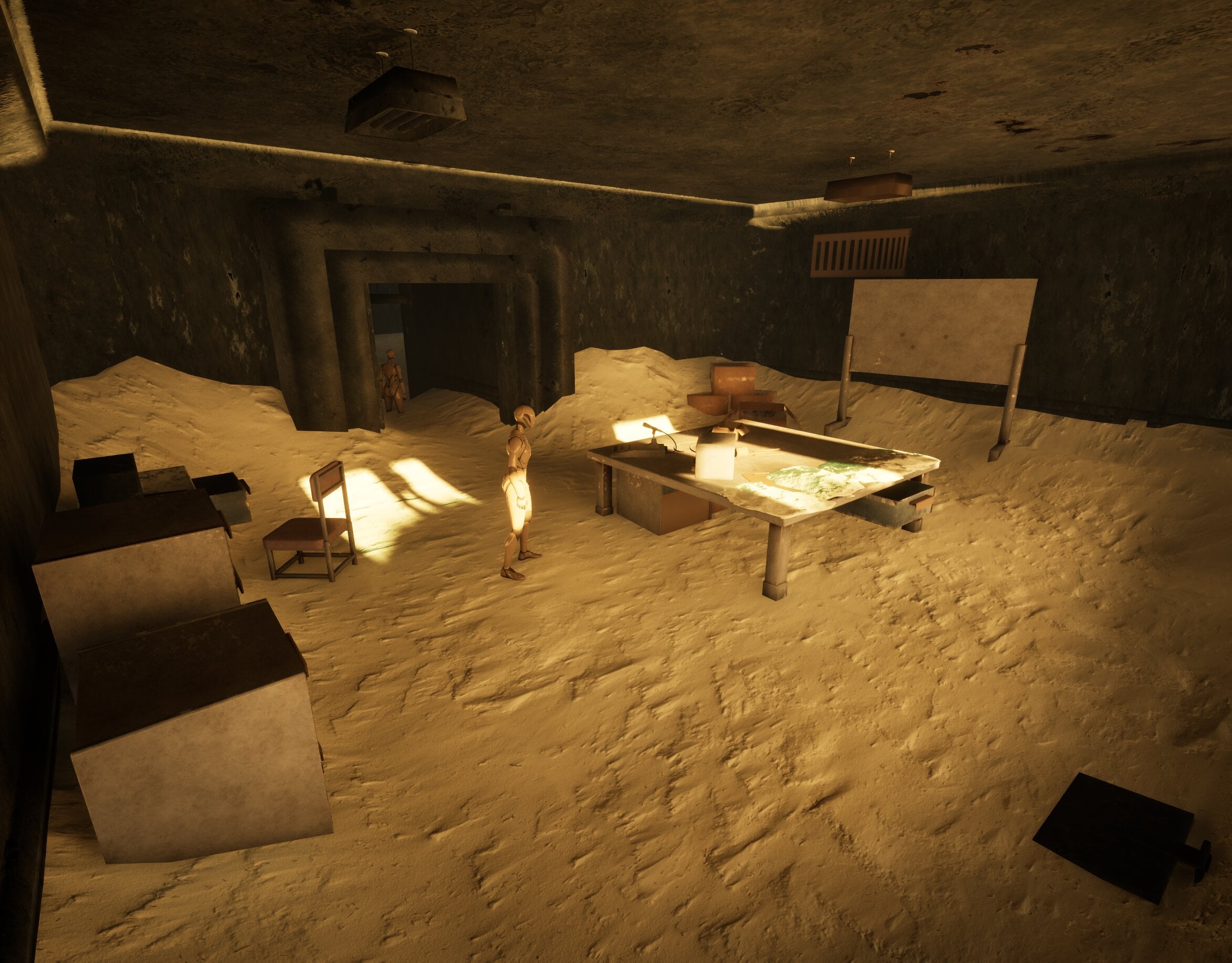
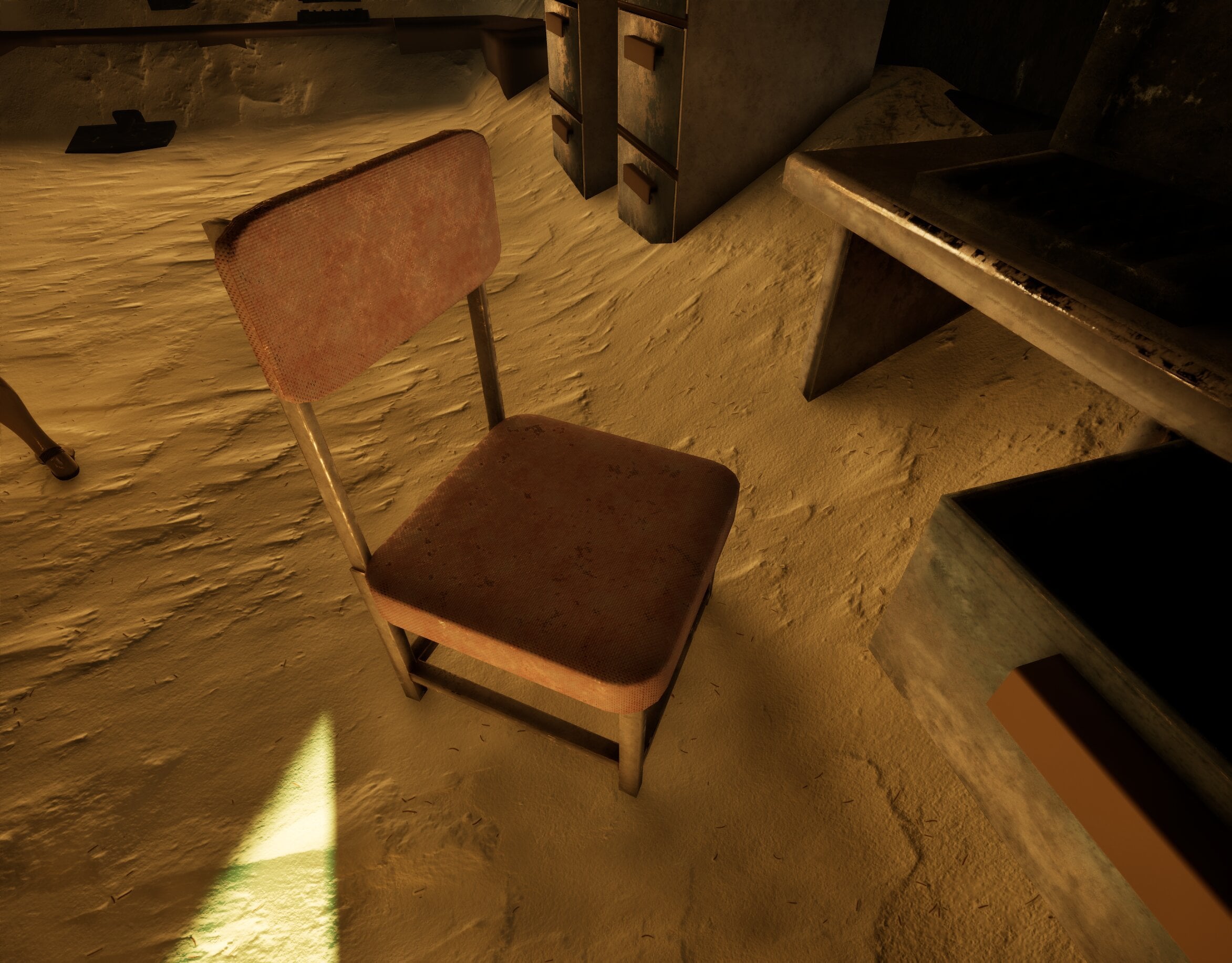
Here are some new screenshots from Unreal. I’ve made some solid progress, most materials are now placed in the scene, though some still need adjusting. I’ve also started placing and adjusting decals, and the lighting is beginning to come together as well.
Screenshots from Unreal Engine 5:
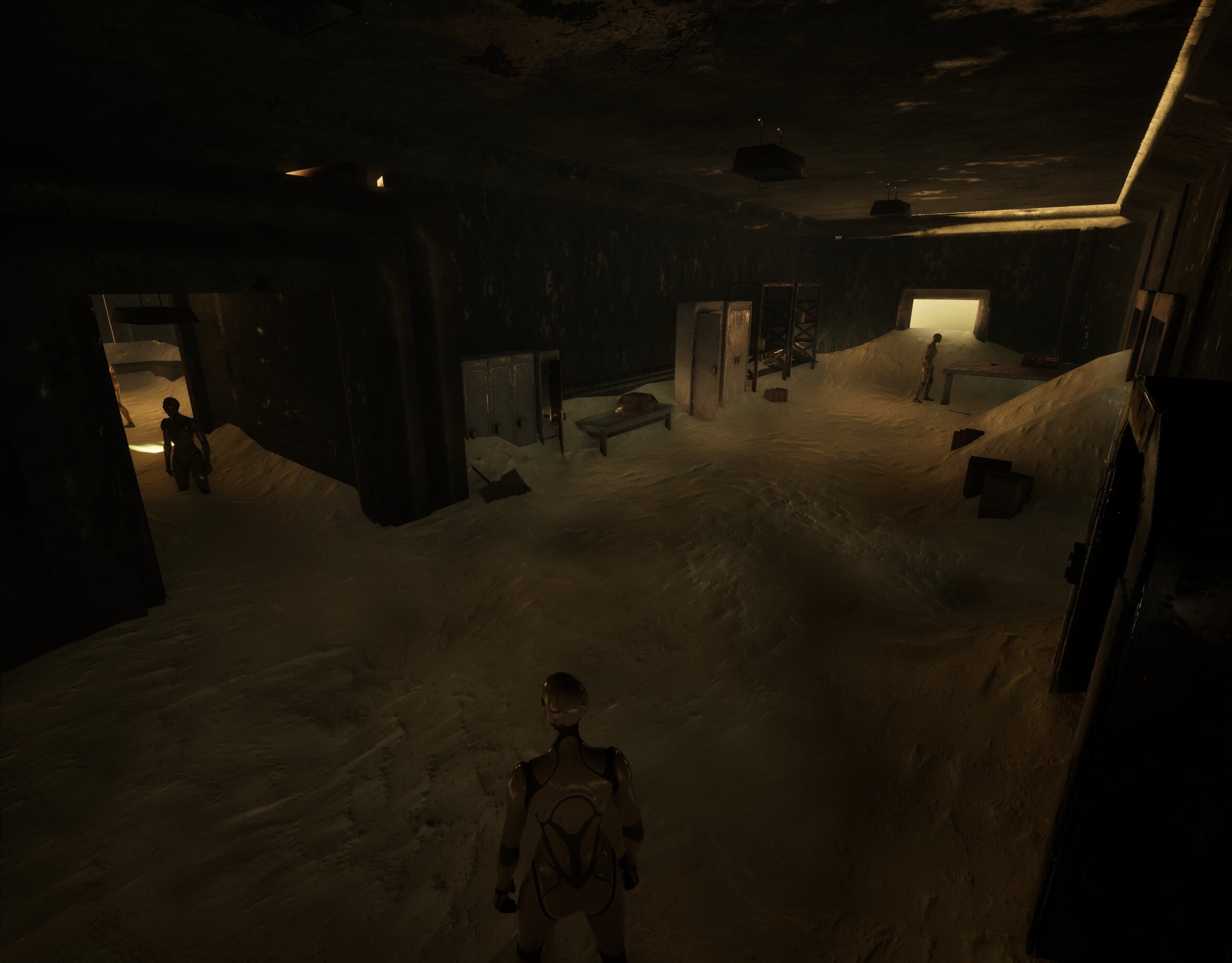
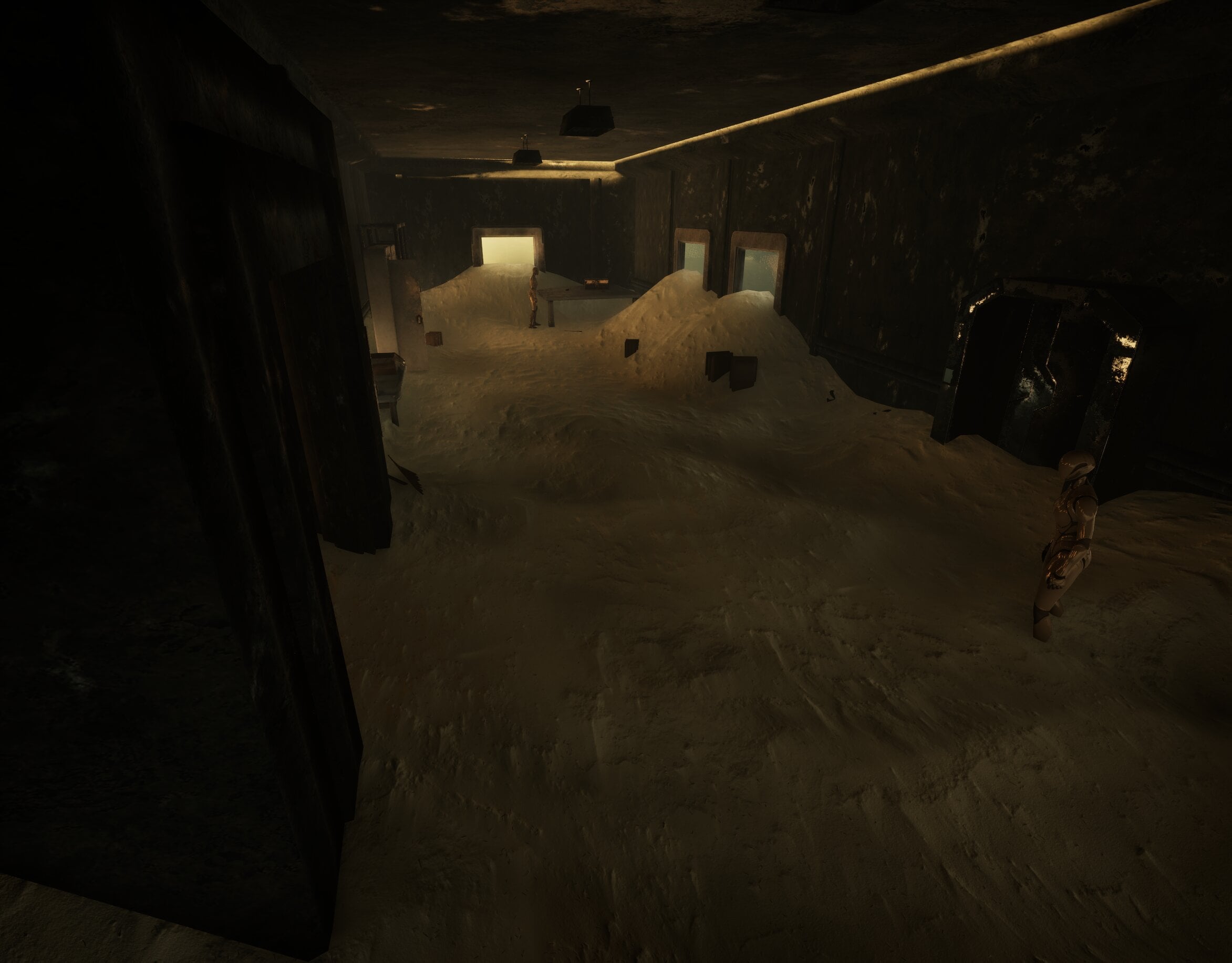
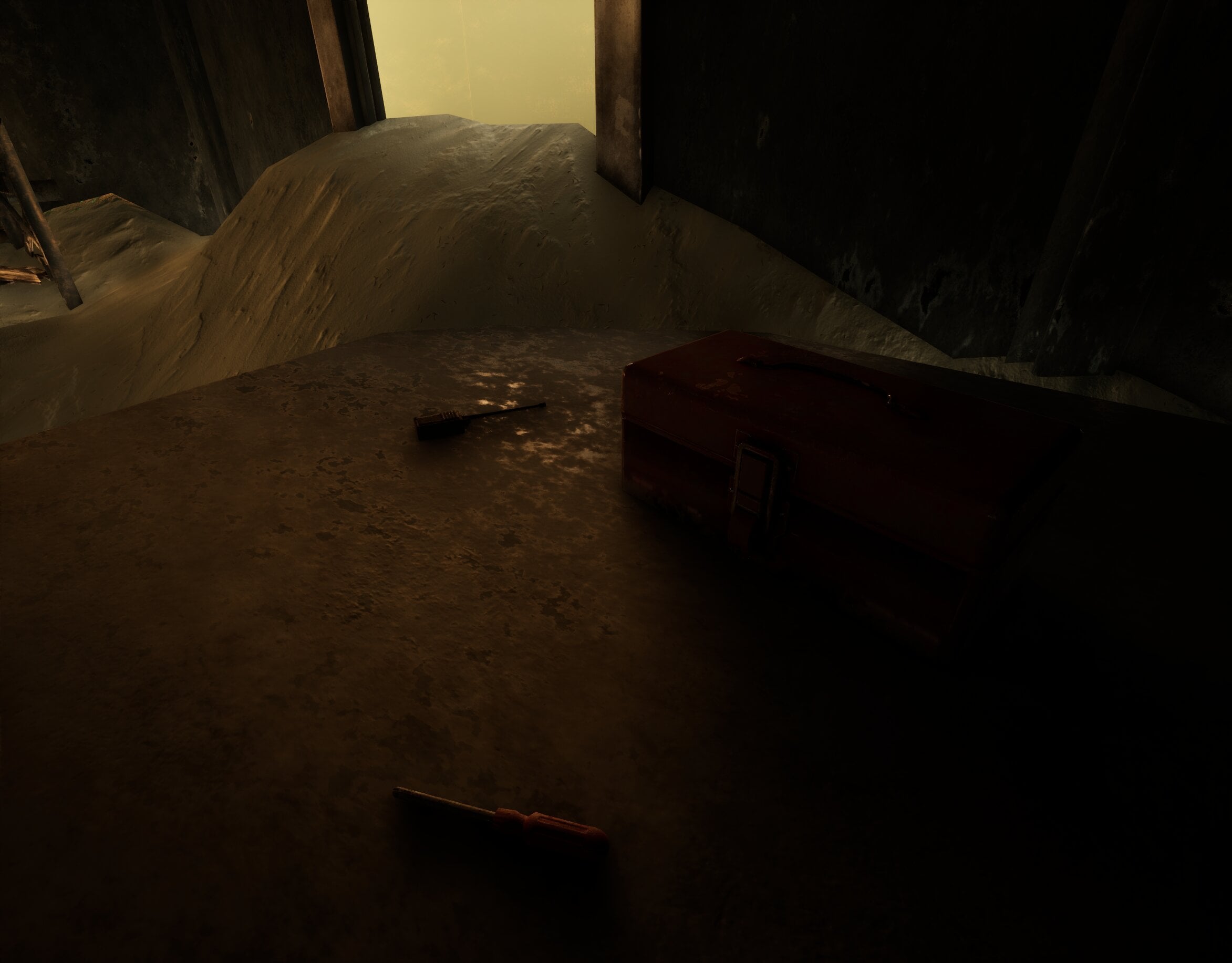
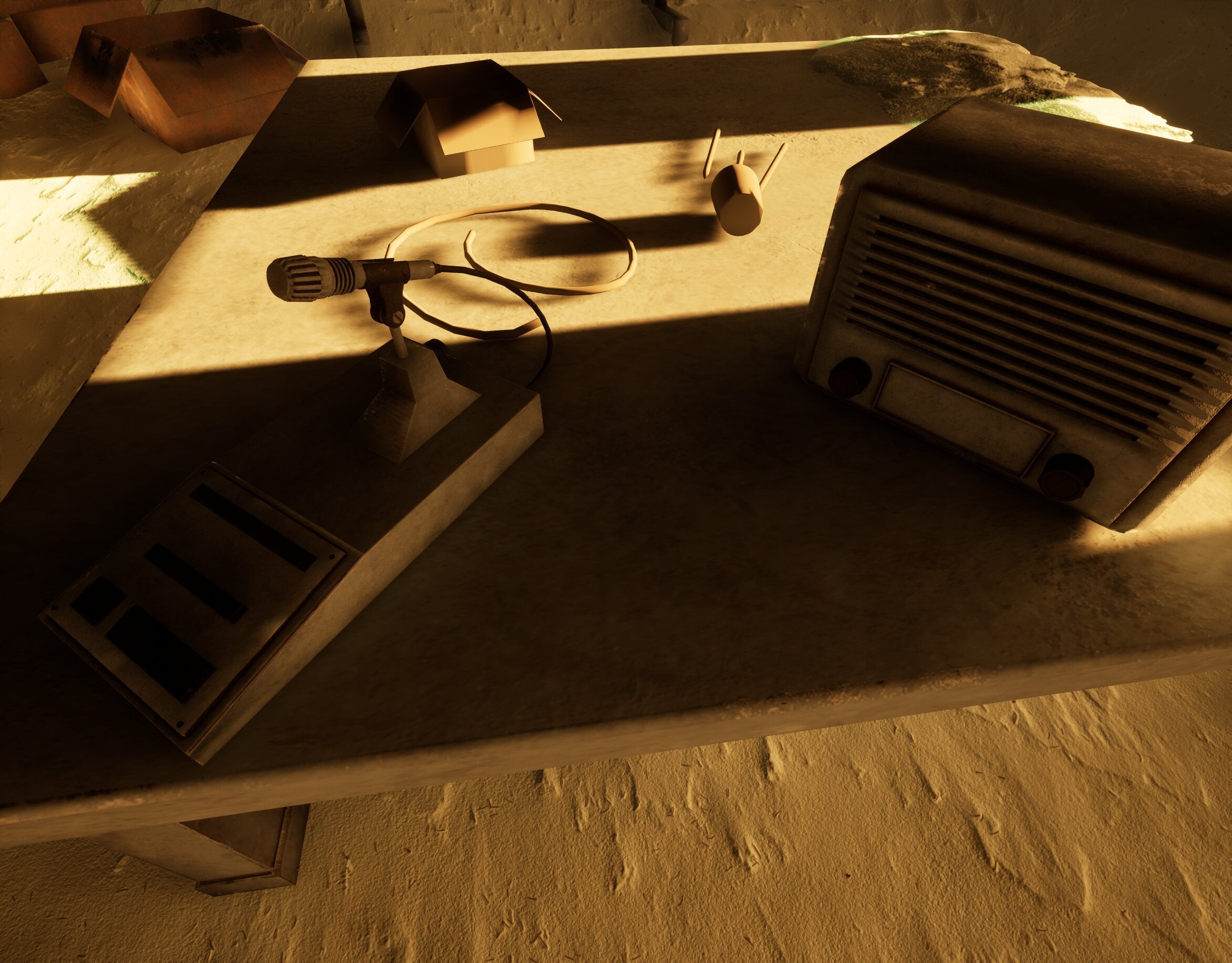
Definitely starting to feel like the project is entering the final stretch.
Thanks again for the thoughtful comments, it genuinely helps push the project forward.
One note (possibly mentioned before): shading of some elements has very strong gradients making them look blobby/ undefined:
Is it supposed to look like that, does it look different in your modeling software, like hard edges? I would always double check that the shading looks correct in engine.
Thanks for the suggestions and feedback, much appreciated! @Eric Chadwick @Fabi_G
The recommendation to check out The Thing (1982) is a great one. That abandoned Norwegian station sequence really captures the kind of atmosphere I’m aiming for with this project, snow and ice slowly reclaiming an interior space. I’ve also been looking at Alien vs. Predator (2004) for reference, particularly the base environments, which have a similar frozen outpost feel.
Regarding the shading issue you pointed out, good catch. I went back and checked the asset in-engine and it turned out to be a shading/normal issue that needed correcting. I've since adjusted the geometry and normals, and the asset is now reading much cleaner in Unreal.
Right now my main focus is continuing to refine the materials, especially the snow. Getting the snow buildup to feel believable without completely losing the underlying forms of the assets has been one of the trickier parts, so I’m spending some time studying reference and iterating there.
Tried out different methods to achieve that accurate snow layer on top of objects. It's a bit tricky, but making improvements.
I also went back and adjusted the lighting. Before it felt a bit too warm and yellow, so the idea now is that the scene is lit by moonlight coming through the windows, possibly even a very bright full moon. The cooler, whiter light interacting with the snow feels much more convincing and helps push the cold, frozen atmosphere I’m aiming for.
Some new screenshots: