Home Unity

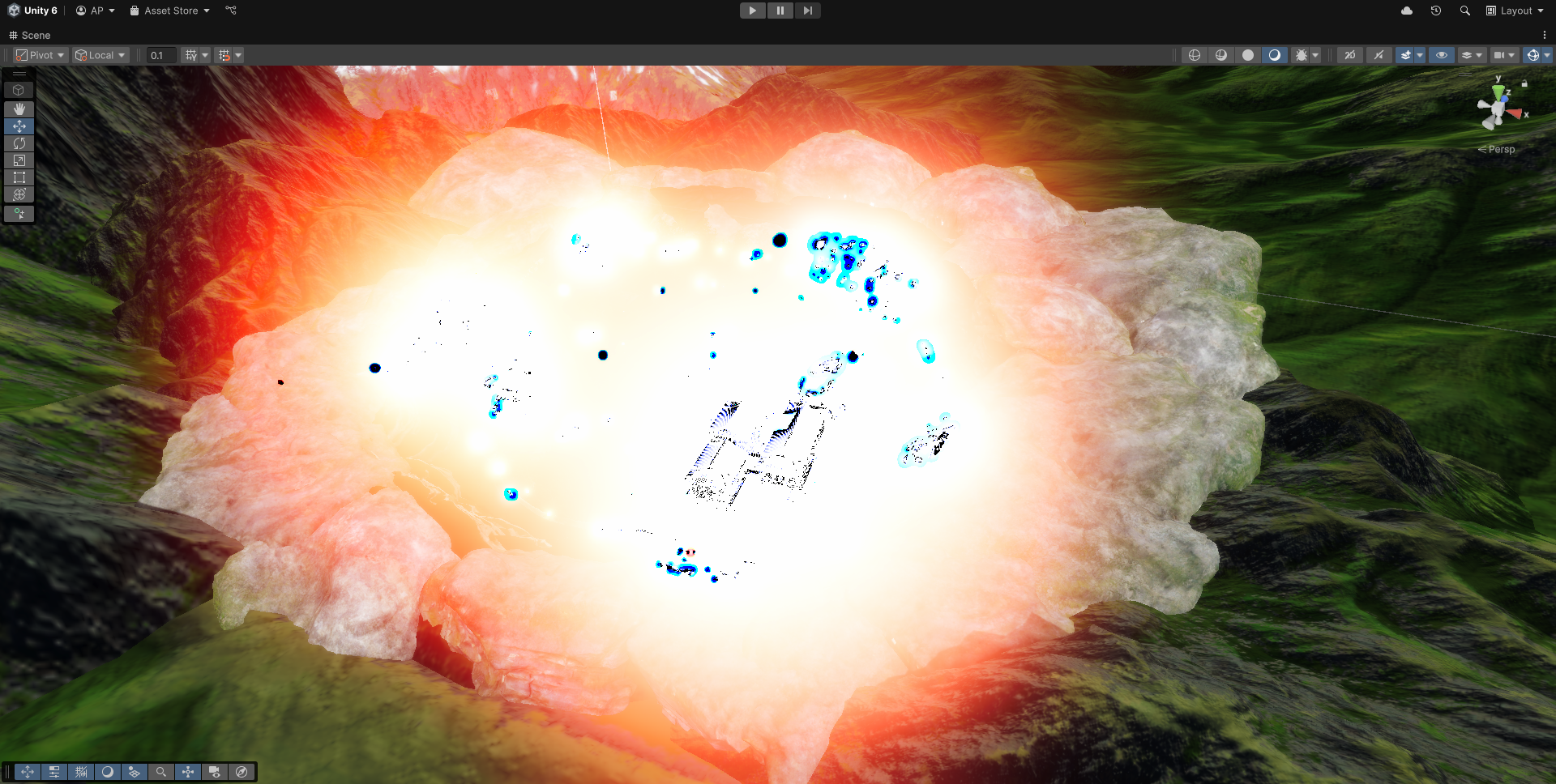
Artefacts after bake

AlexandrDm
polycounter lvl 3
Offline / Send Message
AlexandrDm polycounter lvl 3
Hello! I've encountered weird artefacts after light baking. I tried to bake it several times. First, I did test bakes at low settings for speed and noticed that usually the second bake produced these artifacts. To get rid of them, I had to discard the changes on github and start over. Now it seems that increasing the samples causes this problem too; however, I'm not entirely sure. 
Hope you can help me. 
Replies

  • Fabi_G
    Online / Send Message
    Fabi_G godlike master sticky
    Hi! I find it hard to tell what's going on in that screenshot. Do you have a screenshot of how it's supposed to look? Do any warnings or errors pop up in console when baking? If you are able to share the scene, I could try to reproduce the issue.
  • iam717
    Offline / Send Message
    iam717 ngon master
    This is generally just a bump, i do not no nor have i played with unity though i do want to come in an say one thing that could help idk if it will.  or you can also update the thread with the solution of what it was.

    But i've run into some funny "shader" issues where this black & blue look comes into play with highlights probably exceeding their thresh holds under the Nodes [ Add / Softlight ].

    Where the highlights turn into these "Artifacts" on my end anyway inside of blender. NOT Unity but i figured this seems to be a "Highlighted", situation so i thought to post an attempted option to look into while you waited for an actual answer.
  • Eric Chadwick
  • iam717
    Offline / Send Message
    iam717 ngon master
    Yeah @Eric Chadwick it seems to be a white on white issue, which does look pretty cool tbh.

    I've run into all sorts of really bad to really neat stuff this month playing around wayyy too much with shaders, cause idk wtf i am doing but its been working out, i probably should eventually read up on all the sites explaining these things.  (not trying to do things the hard way it just want to get to the solutions "my way", instead of copying 1:1 someone else's which is the reason i am doing things on a difficult path... :( )

    I remembered you wanted to see this i suppose so i managed to do it again and made a gif for you.
  • Eric Chadwick
    Thanks. Well, it sounds to me like "fuck around and find out" kind of problem lol.

    If I'm mucking around with shaders, but don't understand the math that I'm actually implementing, then I can get all sorts of wonky visual behavior. The problem here is probably something goofy in your node chain. 
  • richkid
    Offline / Send Message
    richkid polycounter lvl 19
    @iam717 what does it look like when you do "Clamp Result"? This looks like the information is blowing out or over exposing. And what are the factors the factor slider is lerping between?
  • richkid
    Offline / Send Message
    richkid polycounter lvl 19
    for @AlexandrDm
    Hard to say from the image, I would guess you are not working to scale and everything in the world is very tiny so the lights feel gigantic. Try creating a default Unity box in the scene. Those are 1Mx1M and you can check your scale through that. SOMETHING is causing your lights to be super intense
Sign In or Register to comment.