The Bi-Monthly Environment Art Challenge | January - February (100)

quad damage
Happy New Year and a big milestone for the Bi-Monthly
Environment Art Challenge as we kick off number 100 for the months of January and February!
This
challenge is a way for real-time 3D artists to test their skills and
create a piece of work based on concepts provided. It's open to those of
all skill levels and we do our best to provide meaningful feedback
along the way so everyone can come away from the challenge with
actionable points on which they can improve their craft!
- ENVIRONMENTS -
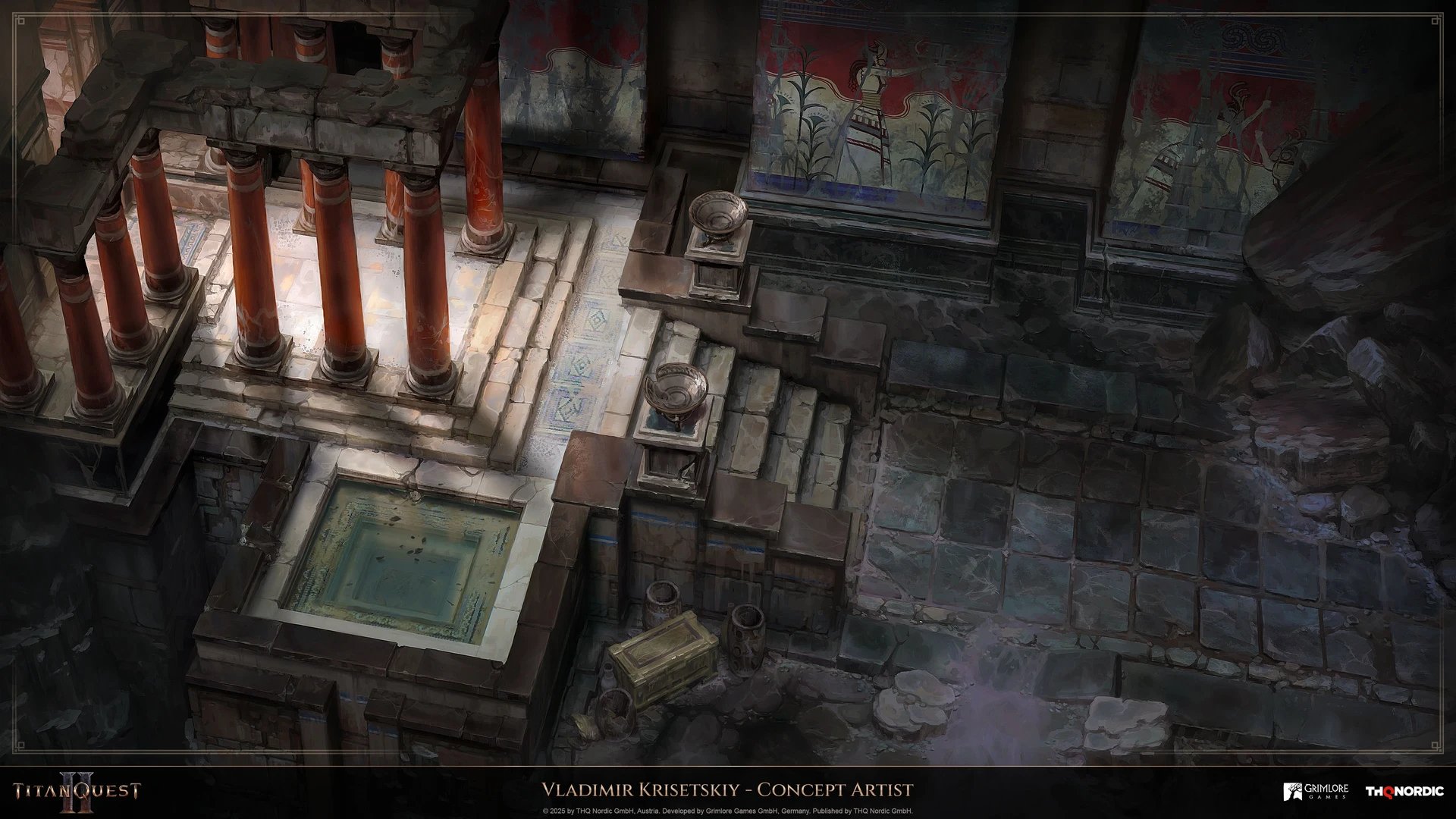
HARD SURFACE ENVIRONMENT:
Titan Quest 2 - Environments Exploration by Vladimir Krisetskiy
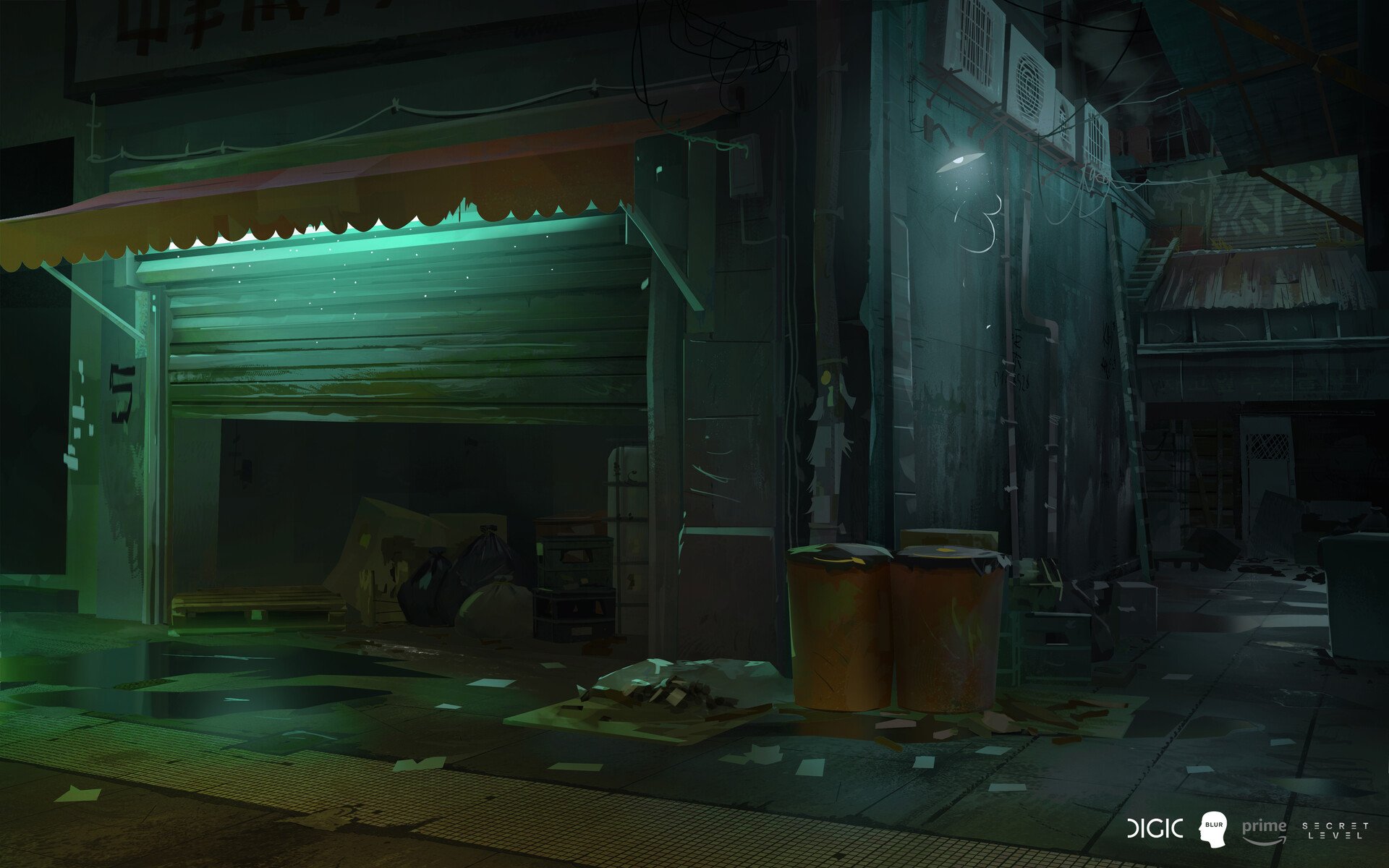
STYLIZED ENVIRONMENT:
Secret Level Sifu: It Takes a Life by Clément Dartigues
- PROPS -
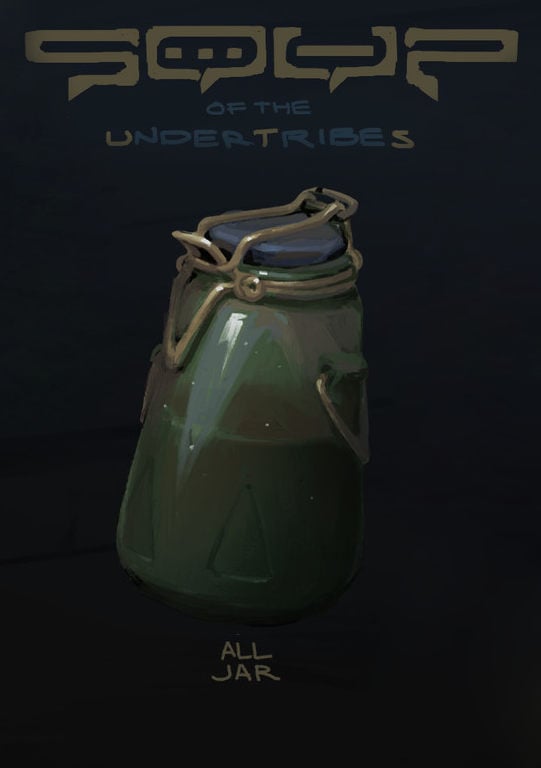
HARD SURFACE PROP:
SOUP - Items by Georgi Simeonov
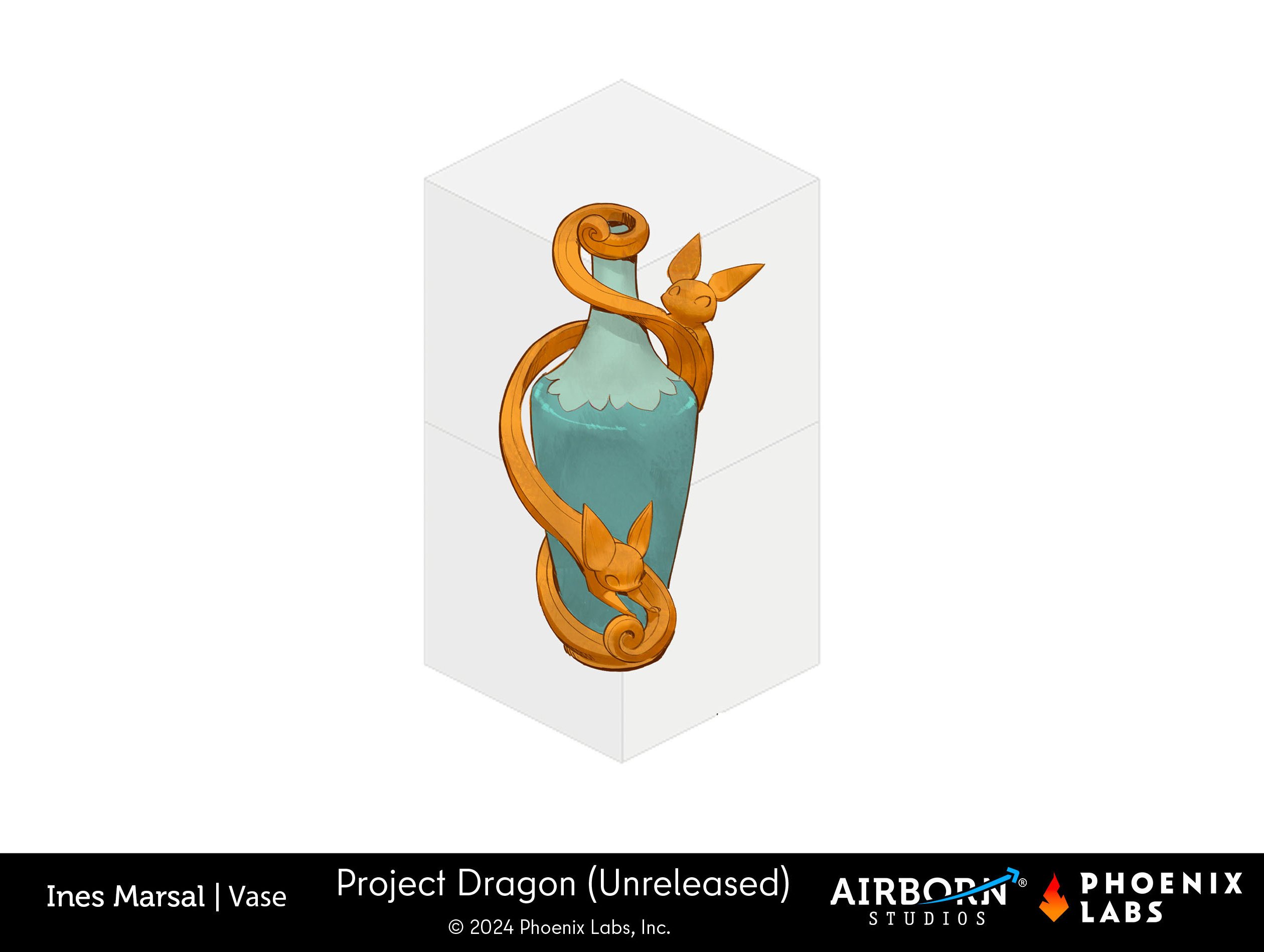
STYLIZED PROP:
Project Dragon - Misc Furniture & Props 2 by Airborn Studios
- RULES -
Please read all the rules before starting:- Try to post at least one critique for every post that you make. This will make for a better learning environment and help us all grow as artists.
- Try your best to finish as much as you can in the time frame provided, but remember even if you don't finish by the end of the challenge we encourage you to keep pushing and finish your piece!
- Post what you are working on in this thread so that way it's a more centralized place for advice and critique. Please avoid creating a new thread as we don't want to spam out the forums.
- It is recommended to use a game engine to present your work. Unreal Engine, Unity, and Godot are very common engines that can be used but feel free to use any alternatives that you want.
- 3D Viewers (Sketchfab, Marmoset Viewer, etc) are welcome, but please note that their contents can be stolen by those who know how. Please ensure you're comfortable with this potential before using one.
- Feel free to change up your chosen concept a bit if you want! Interpret these concepts to your liking, especially if your aim is to add storytelling elements.
- If you finish your project and decide to post it to something like Artstation, make sure you give credit to the concept artist in the form of a link to their profile. Additionally, it is recommended to ask a concept artist for their permission to post a 3D piece based on their work before doing so.
- RECOMMENDATIONS -
- When you are just starting out making a scene, it can seem complicated or imposing. Take your time planning and blocking out, it will set you up for success later on.
- Think about how you can re-use assets, re-use textures, break it down as simple as possible and plan it out. A lot of people will break it down in their own way when they start out their challenge. Gather some reference images as well for different parts of the scene, don't be afraid to make it your own.
- We strongly encourage you to go and look at other games and see how they make their assets as well as get concept art to give it your own feel.
- The goal is to learn and grow both artistically and in your ability to both give and receive critique, but don't stress about it and remember to have fun!
Replies
Here is a mostly non-destructive blockout in Blender with quick shaders. There are a few edges that can only be adjusted once the modifiers are applied, and I'm going for quads to sculpt imperfections in multires later.
I'm better at judging proportions in colors, and it felt important to think about how to make the glass feel like in concept right away, hence the basic shaders instead of just clay. The real challenge will be creating a nice glass with the same feel in UE, never did it before.
Instead than blindly matching the concept I adjusted the proportions to preserve the height and width relationship feel in more than one POV. I have an entire pet theory on why it's so common to find multiple focal lengths in a single artwork 😂, which has to be accounted for when turning it into 3D.
The shapes and proportions of the jar lend themselves very well to stylization, I'm planning to add a bit of handpainting and artistic wear to go with not-really-realistic-but-convincing lighting and shaders.
Despite the light speckles in the concept being likely reflections and/or surface glitter I chose to interpret them as particles inside the glass because I can. I can't see how the locking mechanism for the lid from the concept could possibly work, so I changed it based on a real jar, but I'm feeling too lazy right now to take photos of it and post them.
Oh, and I'm tampering with the normals as part of the stylization.
I found myself in the same boat, not much time on my hands, but thought that jar would make for a short project. In particular, I was interested in making the liquid surface move, in memory of the vomit jar featured in Left4Dead2. @SimonT documented this here on his cool website: Left4Dead2 - Puke. Using this as a reference, I weighted the liquid surface to a joint and in Unity added a swinging physics objects which rotation is being transferred to the liquid surface joint using a parent constraint. Hopefully this video capture shows:
It breaks easier with a jar of this shape, but possibly just works well enough. Surely something similar could be achieved with shader.
Here is a web build too Jar. Left mouse button will add an impulse to the jar, and it collides with the player capsule. R will reload the scene.
Have a great week
I love the simplicity of the technique, thanks for sharing that post and your approach!
(Edit to avoid double posting)
It flies!
Rigged the locking mechanism and crudely animated it to check if I positioned the hinges correctly so it's capable of opening.
As an extra idea, I want to add some vivid element involving the pond. By the time, I sketch a little cascade path. I will explore a couple of ideas that aren't too flashy, since I don't want the pond element to fight the visual attraction of the main exit structure. ヾ(@⌒ー⌒@)ノ
@fadam Nice work!
Should you decide to return to it, I think it would be cool to have some more material definition for the ornament/ frame. For this kind of ornamental shape, it could well be some kind of metal. I think when viewing the bottle from the back the ornamental frame looks a tad uneven, but I imagine making this look equally good from all angles is challenging.
Cool to see some hard surface environments in progress! I think the blockouts look solid. Possibly that chest element and/ or steps could be used to gage dimensions. Or walking around the blockout in engine and check whether it feels good. I think a question would be whether this passage should feel monumental or more like regular path.
@elfennani Good start
I think depending what you want to focus on you could go down different paths. If your looking to practice creating stylized props, you could pick some that are present in the scene and make them. Perhaps some are a good fit for unique textures, while others might work well with a trim atlas approach or a combination. Or you could continue blocking out the scene. In that case I would try to get all elements in as simple shapes (to be refined later) and get the lighting closer to the concept. Perhaps you can supplement those two (?) light sources visible in the concept with a hdri to get some diffuse light from an urban environment. Much success!
To push it further, could break up straight edges and detail silhouettes. Looking at pillars, shape could be widened towards bottom? Some grouts/ texture details read a bit too faint in my opinion and as a result, the structure visually becomes one continuous piece. Lighting-wise, could try get in some more diffused fill-light, countering direction of the main light source?
General questions: What software/ engine did you use for rendering? Which parts did you end up sculpting? Any use of trim sheets? Any special shaders/ materials being used?
Keep it up!
First challenge I pushed myself towards completing and quite possibly first piece completed ever without giving it the usual treatment of "saving and forgetting about it".
With this one playing around with berzier curves for the wires and experimenting with materials was a lot of fun, plus I wanted to vertex paint by hand some roughness maps which I have done for the body, cap and on the wires where the friction might take place once opened. I have found out that mixing those hand painted roughness maps with noise texture ends up looking very cool although I don't think I've given it a proper balance yet between the two.
Also, lighting isn't my strongest suit so I don't know what I was doing lol.
Done in blender.
So... this is my 2nd year trying to finish an enviro Challenge, hope this is the one I finish. So far I've more or less matched the perspective and proportions of the reference (I just started working on the 1st of Feb)
I made a couple of trash bags and trash cans to feel some progress (not textured yet).
The overall proportions of the scene feel off but I don't know how could I improve them.
@dspi Congrats on finishing the asset, I think it looks good. A note I have is that the edge of the liquid is pops out a bit much, at first I thought there might be a sorting issue. I know the struggle of lighting too well, looking at paintings or photos of jars might give you ideas of cool lighting situations to try. And welcome to polycount!
@jaaaks Welcome! Curious to see what you created so far, but it seems like you didn't attach any images?
@StarbirdUlt Looks like a solid start, though I would note the shadowed area is quite dark, making it hard to read. looking forward to the next update. Any ideas what techniques your going to use and for which elements? Keep it up!
Looking forward to see that trim-sheet applied to some geometry. To that point, I recommend previewing it applied to different situations while working on it. Also at distances the final renders will be - at greater viewing distance, you might want to exaggerate some (Edge Thickness). I find it often helps to have some wider 45 degree bevels at the trim-dividing edges. Those work well with 90 degree angles and the bevel-width can be adjusted somewhat by scaling the UVs. Here is a section in the wiki that contains links and examples: Trim Sheets. The Modular environments section might be of interest too.
Keep it up!
Greetings
Not sure how much more I should push the geometry as I'd like to see what I can get away with via textures.
https://polycount.com/discussion/238326/the-bi-monthly-environment-art-challenge-march-april-101