Pinching after displacement

polycounter lvl 3
Hello! I want to make cobblestone floors for my project, and to achieve a more detailed look, I thought to displace it. However, the base of the stones is pinched after the displacement. The map is done in the designer . Hope you can help me figure out the problem.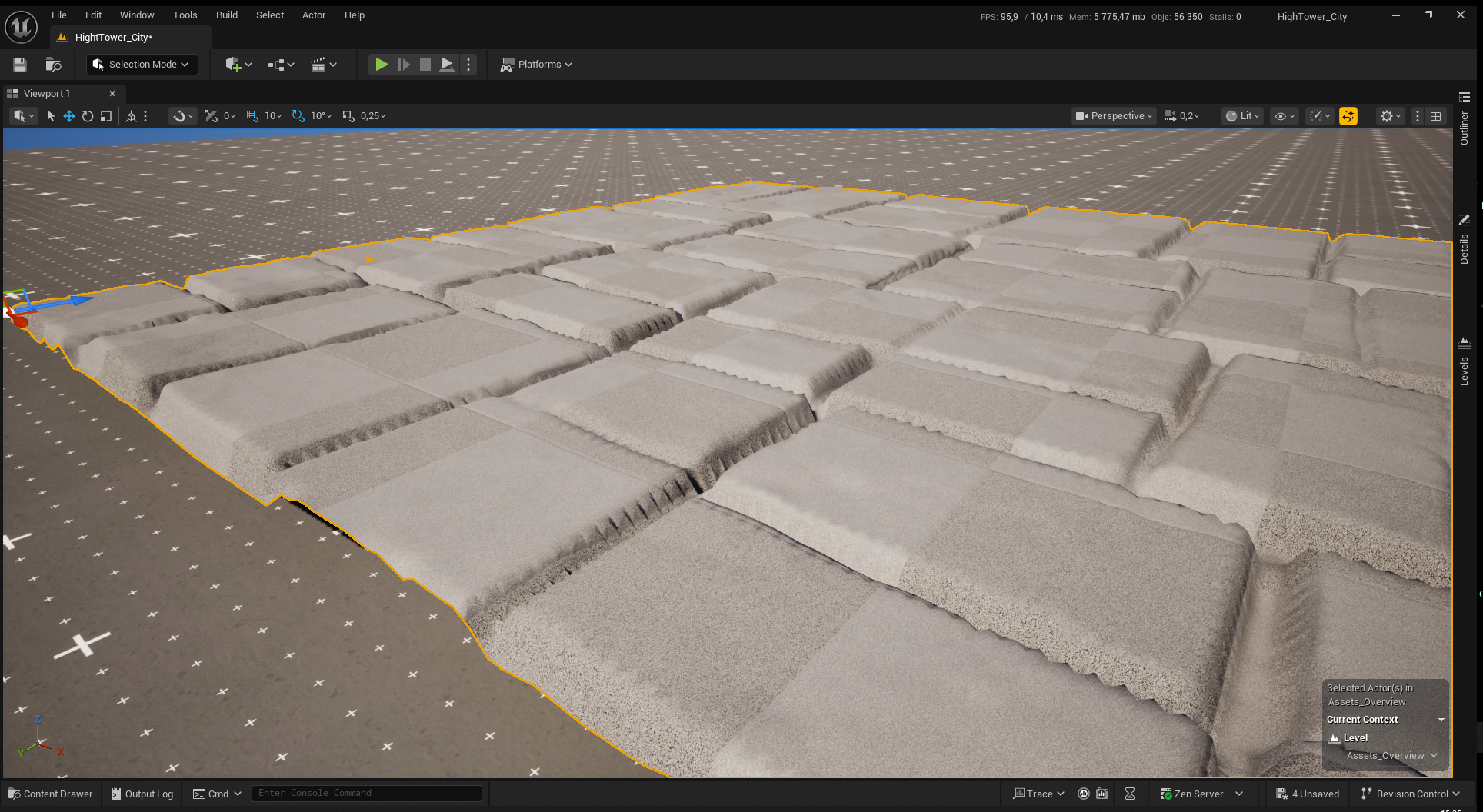
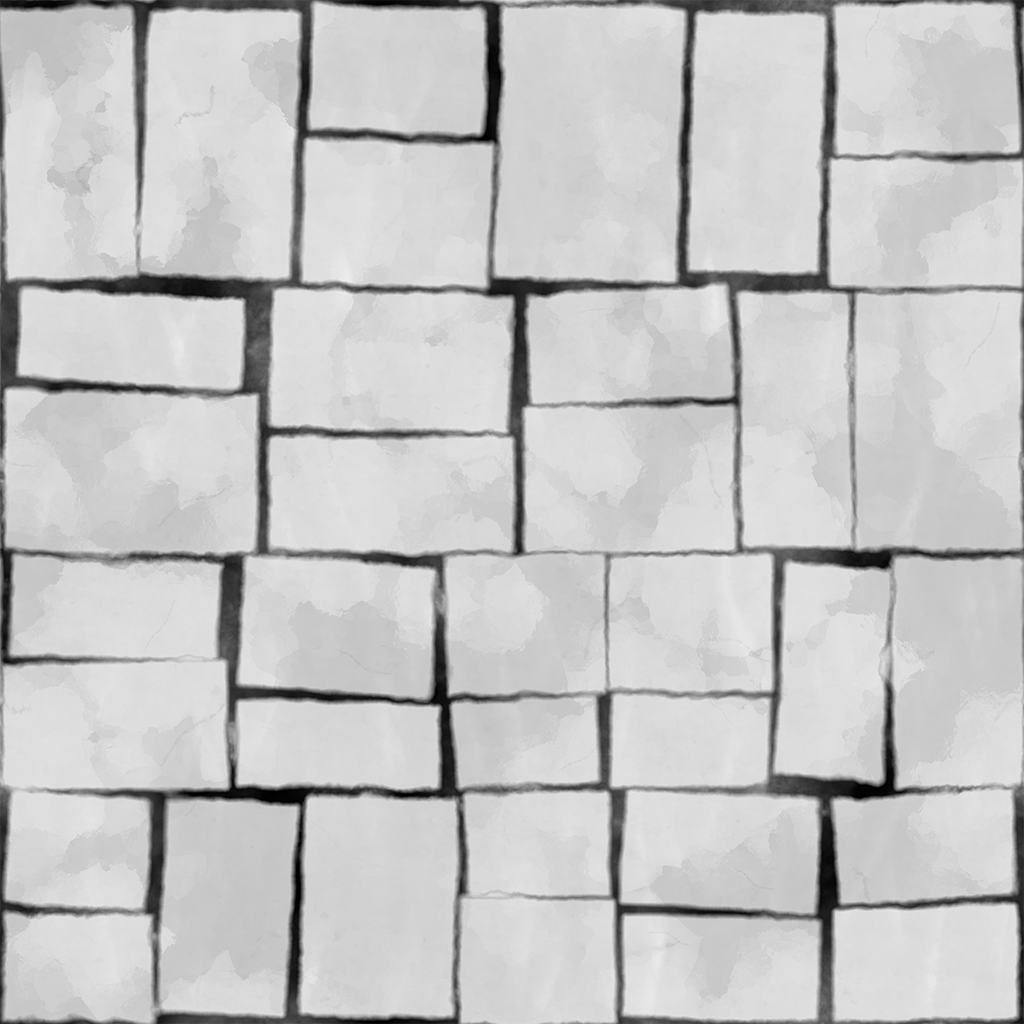
 . Hope you can help me figure out the problem.
Replies
Suppose you could work against the stepping by adjusting your content to have a bit more rounded-off stones (leading to a wider gradient), perhaps some irregularities so it's more forgiving. I recommend looking for similar assets and dissect how they're made.
Assuming this is the issue, I would also ask myself if the environment going to be looked at from that distance/ angle. I think if looked at close-up lots of real-time environments it will start breaking.
The approach to take also depends on what you are aiming to create. Another, low-tech option would be having a couple of floor modules to place around, those can be as detailed as you like. Further breakup/ variance can be added through detail meshes and the shader.
Only reason to use not pre-baked displacement I can think off at the moment would be the blending of different surfaces.
http://wiki.polycount.com/wiki/TilingRockWallBeyer
there's a couple of areas where I'd expect to see some sort of spike but nothing that would cause the sort of gap seen in the last image assuming a 1:1 ratio of faces:pixels - unless one of the meshes was rotated relative to the others.
I'd put this down to there being less geometry than pixels or a really bad method used for displacement.
bigger gaps between tiles at the edge of the texture would probably help