Home Adobe Substance

Baking Artifacts That Disappear When Moving the Mesh

Offline / Send Message
Pinned
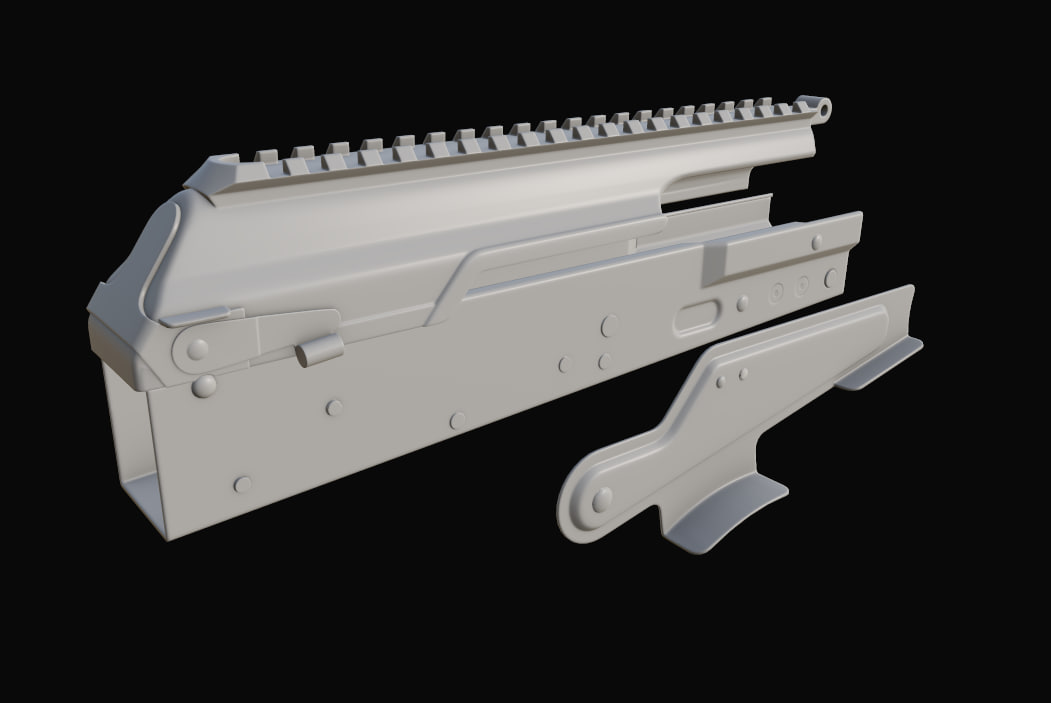
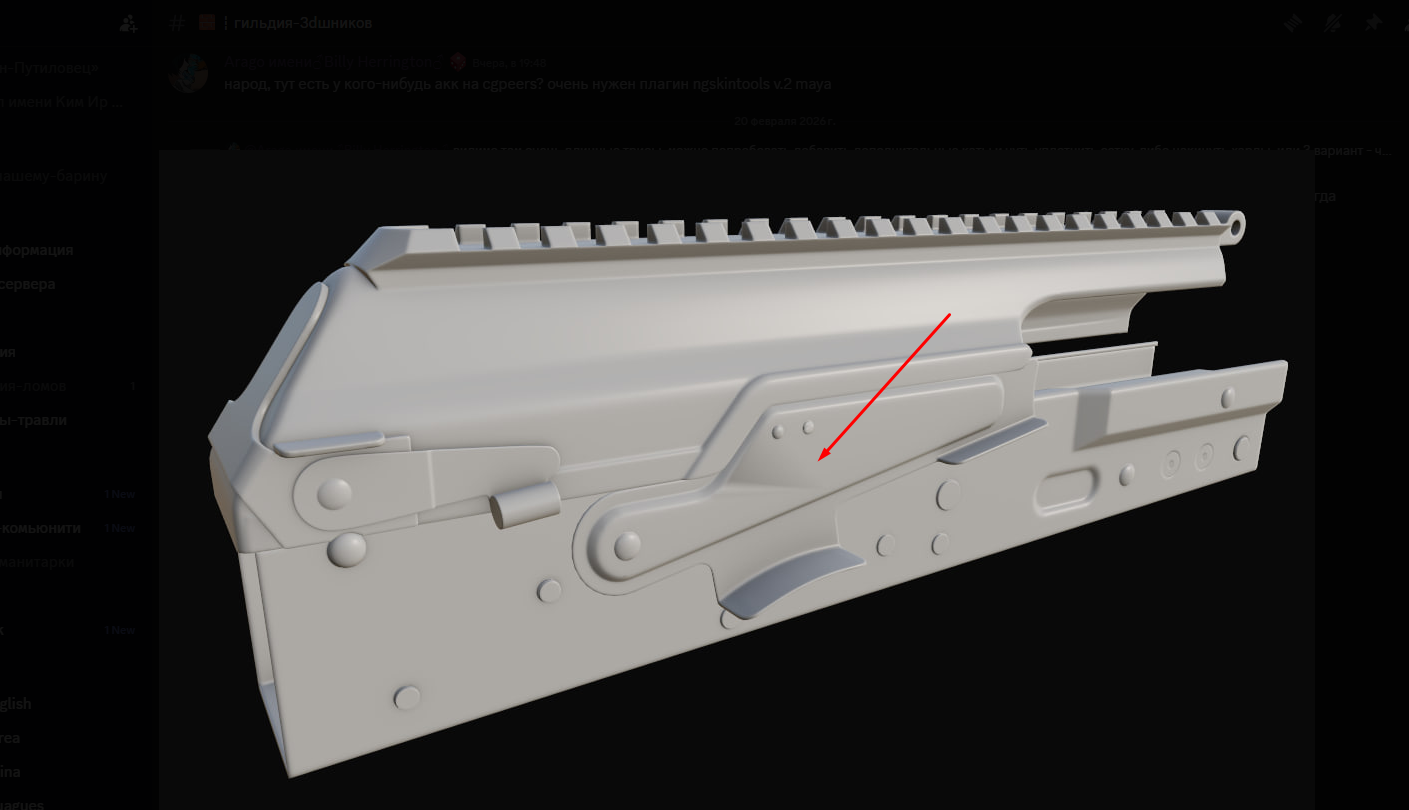
Hi everyone. I’m getting strange shading artifacts after baking maps. When I move part of the model, the artifacts disappear, but when I move it back to its original position, they appear again.
I tried marking sharp edges and adding supporting edge loops. I also tried fixing the normals in Photoshop, but that didn’t help. Now I've no idea how to fix it.
Replies

  • Eric Chadwick
    Post your model here so people can take a look? You can attach a ZIP file here.
  • Kartraid
    Sure, it's already done.
  • Fabi_G
    Offline / Send Message
    Fabi_G godlike master sticky
    When I import the fbx I don't see any mesh, tried with Toolbag and Blender. Does importing work for you @Kartraid ?

    Did you triangulate the model before baking? 
  • Kartraid
  • Fabi_G
    Offline / Send Message
    Fabi_G godlike master sticky
    Hi! I see a mesh now. But just the low poly is too little context to identify where the issue lies. Clearly it has some shading gradients in that area. If the shading of the mesh you baked with was any different, I would expect the shading of this mesh with normal map applied will no longer look correct. Do you have both low poly meshes so one can compare, and the baked normal map?
  • Kartraid
    @Fabi_G you mean both low poly and high poly? With high-poly file is too big, I can't upload ir here, but  I attached Normal map.
  • Fabi_G
    Offline / Send Message
    Fabi_G godlike master sticky
    Hi @Kartraid, where did you attach the normal map? I can't see it.

    But yes, the normal map will be useful. And the other mesh that looked fine with normal map applied. Basically all that's neccessary to re-produce the situations you shared in your original post. I don't think the high poly is neccessary for that. 
  • Kartraid
    @Fabi_G The normal map is in the original post.
    Now I understand what you mean. It’s actually the same mesh — the only difference is that I moved one part of it. Mesh that looked fine with normal map applied was uploaded firstly, now I attached the wrong version.
  • gnoop
    Offline / Send Message
    gnoop sublime tool
    I assume  this long triangle shading   gradient isn't in hi poly mesh . But it could be if its sub-div  model . Most probably although it's low poly model .  Easy fix would be just fixing vertex normals/ split normals or whatever they are called in your  software.


    Here I fixed  the gradients by just putting Weighted normals modifier .    It not always do what you want  and often not very  good on cylindrical things  but whatever it did  with vertex normals you could do or fix  manually too.  The idea is pushing  differently directed  normals  from big flat  co-planar  surfaces to small bevel  stripes the way co-planar  keep their normals parallel .   On cylindrical parts  you can  have a simple perfectly shaded cylinder and transfer/borrow vertex normals to your model vertexes .

    A right way to model anything is keep  earlier stages of all simple shapes/ basic primitives   before you do cuts and screw holes,  before shading artifacts is appearing .  That way you could later  transfer correct normal directions to a final mesh.


    and for sake of LODs  its even better to keep all those extra bolt heads  and profiles  out of vertex normals shading  like here .  All vertex normals  are frontal  so you don't see the geometry while it's  actually still there.   That way all the shading will happen due to normal map only and when geometry would switch to low res LOD you would still see  bolts heads  and curved profile .

  • Kartraid
    @gnoop I tried using Weighted Normals on both the low poly and the high poly meshes, but it didn’t help.
    What I’ve noticed is that the appearance of the artifacts in Substance Painter seems to depend on the distance between parts of the mesh.
    However, I’m not sure what to do about that.

  • gnoop
    Offline / Send Message
    gnoop sublime tool
    Well , the weighted normals works just fine for me in Blender if set respecting your sharp edges .  You can do  several modifiers working each   for specific  vertex group there.  Same in 3d max I believe .      If its on hi poly  + sub-D you need to check quad flow there.  Weighted normals  are useless on sub-D  meshes , all shading control is procedural there . You can't directly control it other than by mesh tessellation .  

    That angular shading thing is not ray distance related I think    but a good practice  to keep both hi res and low res  things split to parts  each heaving matching low hi suffixes . that way  you  fire selector wouldn't  catch normals from wrong surface.  
  • Kartraid
    @gnoop I also think it is not related to ray distance but why do the artifacts disappear when I move fire selector apart from mesh?
  • gnoop
    Offline / Send Message
    gnoop sublime tool
    I am not sure . Perhaps it's connected to bounding  box changes . 

  • Kartraid
    @gnoop I separated the selector into a different object with  prefix, and it seems to have fixed the issue!
    It was that simple all along. Thanks for your time!
Sign In or Register to comment.