Term 1 - Development Projects Progress

node
Hey everyone!
I’m starting this thread to share my progress for my term development project. I’ll be posting regular updates as I build the environment.
It would be great to get your feedback, critiques, and suggestions along the way.
I’ve started working on both of my development projects, but for now I’m focusing more on my second one. This is my initial blockout and composition.
Replies
Do you have a set of inspirations and references you are using? If so you should post them here, to give us an idea of what you're aiming for.
If you don't, then you really need to do this reference-gathering step, before proceeding any further. References as a must-have.
This Week's Update.
I have added a few more elements to my composition blockout in UE5.7 to push the layout and overall feel a bit further.
For the inspiration, the environment is heavily influenced by an artwork I came across on ArtStation. I will drop the link to the artist’s page below. I am aiming for the same kind of dramatic mood, especially in terms of lighting. That is actually the main thing I want to get right, the atmosphere, moodiness, and the way the light interacts with the gothic shapes and silhouette.
Artist's Artstation Link - https://www.artstation.com/artwork/ZloN9G
Not sure if you're planning this way, but it usually helps to model & UV & texture single repeatable elements. So at this point you would only have 1 window modeled, and be iterating on that. Rather than having multiple copies of the window. Then once that window is done, you can duplicate it around to place wherever needed. Same with doors, columns, any repeated element.
For the block out though, It feels a little bit like you are rushing it. I would recommend spending another couple of hours trying to push the framing and composition of the block out, aim your sun and do a rough pass on just getting your overall color values and big shapes in place.
Having your block out in place is fantastic, so well done on that, but pushing it just a little bit further will grant you a visual quality that is very hard, close to impossible to win back later. By just pushing and pulling some elements in your your scene and enhancing some elements we get a bit more interesting visual hierarchy.
Try and do this in black and white, it gets a bit easier to see the elements and separate them properly.
If you look at your source material, Jacopo, his framing and composition is very distinct, almost on the nose.
And it is very prevalent even in his first blockout. He does not stick to his initiall blockout 1 to 1, and he does not become a slave to it, but the overall shape is already here.
This stage is done with a very fast and loose, hack and slash kitbash methodology which is very good way to work. In the end, everything will be replaced by his content any way, so doing it like this is a very fast way to start understanding which elements will need the most time put into them.
If you want feedback on your modeling - it looks great, I am very convinced this phase will not be an issue for you.
Thanks a lot for the detailed feedback, really appreciate you taking the time. @fredriklars
That’s fair criticism on the blockout. I did move a bit fast through this phase because I was eager to start exploring the main structure, but I agree that pushing the composition and framing more now will save me trouble later. I will see this as a good point to pause and spend a bit more time refining the big shapes, visual hierarchy, and overall read before moving forward.
Doing a black and white pass is a great suggestion as well. I know a really good artist, Zachery Allen, who also suggested the same thing on my previous project. So I will definitely keep that in mind.
And for the blackout part, I’ll approach the next iteration with more of that fast kitbash mindset and focus on getting the overall silhouette and framing stronger.
Also, thanks for the reassurance on the modeling side.
To clarify my approach here, I’m using world-aligned / world-projection textures in UE5 for the house kit, so I am not doing traditional UVs for these modular pieces.
Just a couple things I've learned over time, may not apply to your situation.
Weekly Progress Update
This week, I focused mainly on locking down the main building and pushing my material workflow a bit further.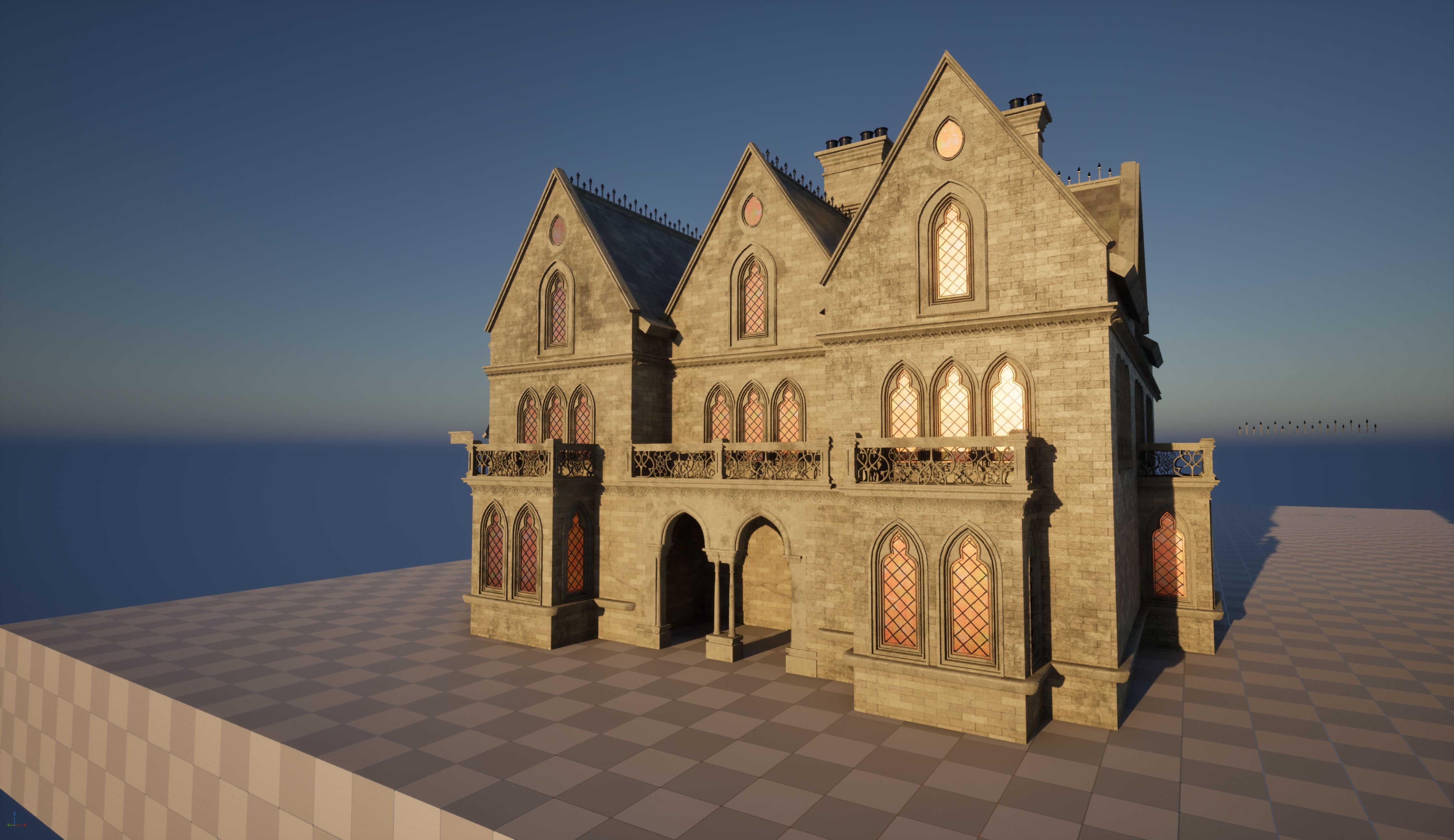
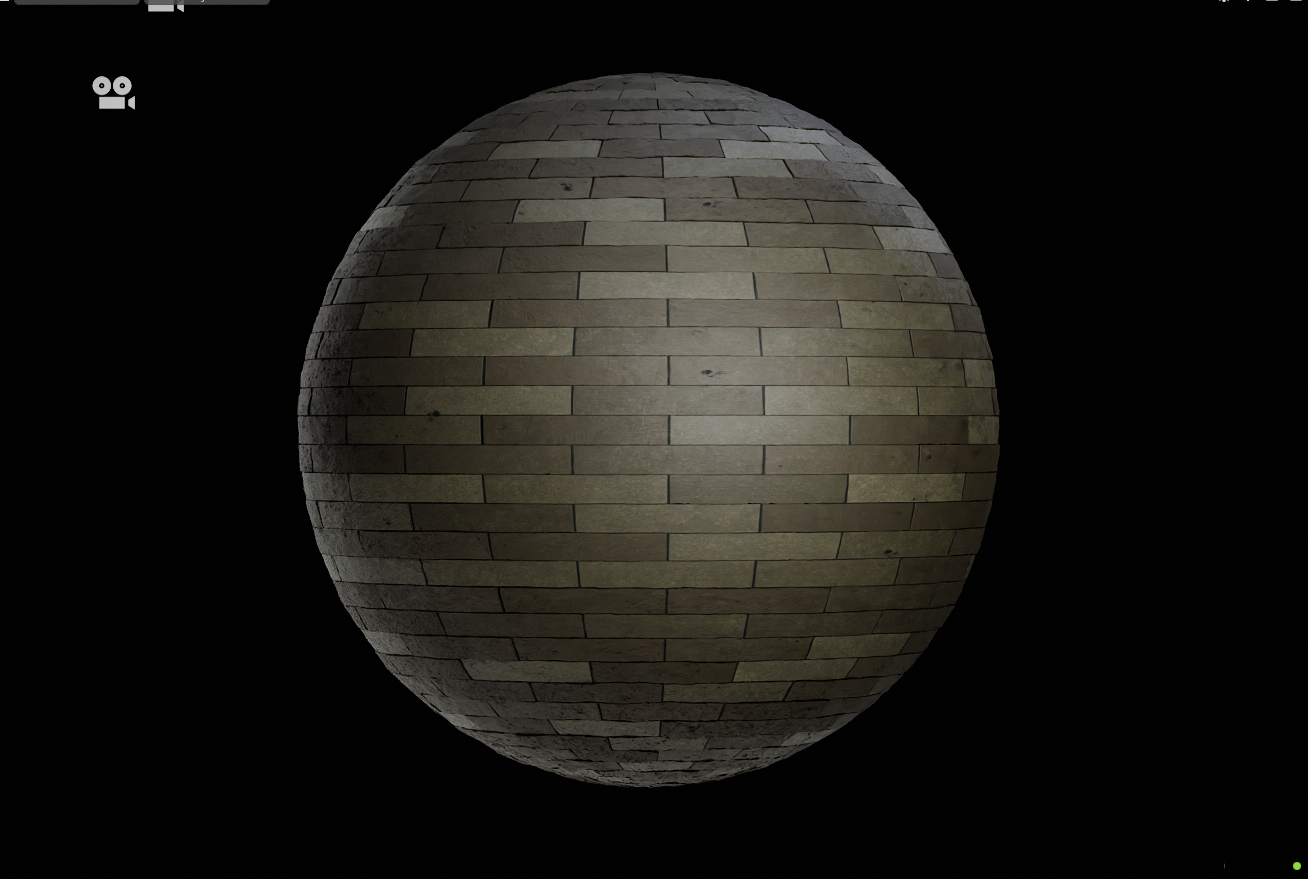 At the current camera distance, I don’t feel the building needs much more surface detail. If I do decide to push it further later on, I’ll most likely rely on decals rather than increasing texture complexity. There are still a few things I want to revisit, like some wall corners, window glass, and a few smaller details, but overall,I feel the house is in a pretty solid state now.
Alongside the building, I also worked on a muddy path material for the main pathway. It’s finished on the material side but hasn’t been applied in UE5 yet.
I also started adding some supporting assets to help populate the scene. So far I’ve completed a wooden coffin/casket and a simple wooden bench. Both of these are also using RGB mask overlays in UE5 to add extra grime, wear, and subtle variation so they don’t feel too clean or repetitive.
Before moving too far ahead, I’ll also revisit and iterate on my composition and blockout to make sure the overall framing, scale, and readability are working as well as they can.
Feedback is always welcome.
The good thing is that most of the bottom part will be covered by foliage and other stuff. Walls will also be covered in Ivy, so I guess it can help to hide those brick imperfections