Can you bake and texture in 1024x2048?

polycounter lvl 6
I'm using Marmoset Toolbag as my primary texturing tool and I am very pleased with it. However, since I make game assets, I want to experiment with making my trim sheets in a rectangular textures rather than square as 1024x2048 to save on the number of texture files used.
I attempted to set this up when baking, but all that I accomplished was one half of the bake that would be 1024x1024 squished/stretched in one ones axis so the one half of what I wanted to bake was distorted into 1024x2048.
Is this something that Marmoset is capable of? If so, is it perhaps that I didn't set up the UVs or something correctly in blender prior to export?
Also, is there a way to change the orientation of the green channel of the normal map? When I export my textures to either Blender or Unity, I end up having to flip the green channel, but it would be nice to know if I can flip it within Marmoset. I assume you can, but I'm probably just ignorant.
I've attached a couple of screenshots to illustrate what I mean.
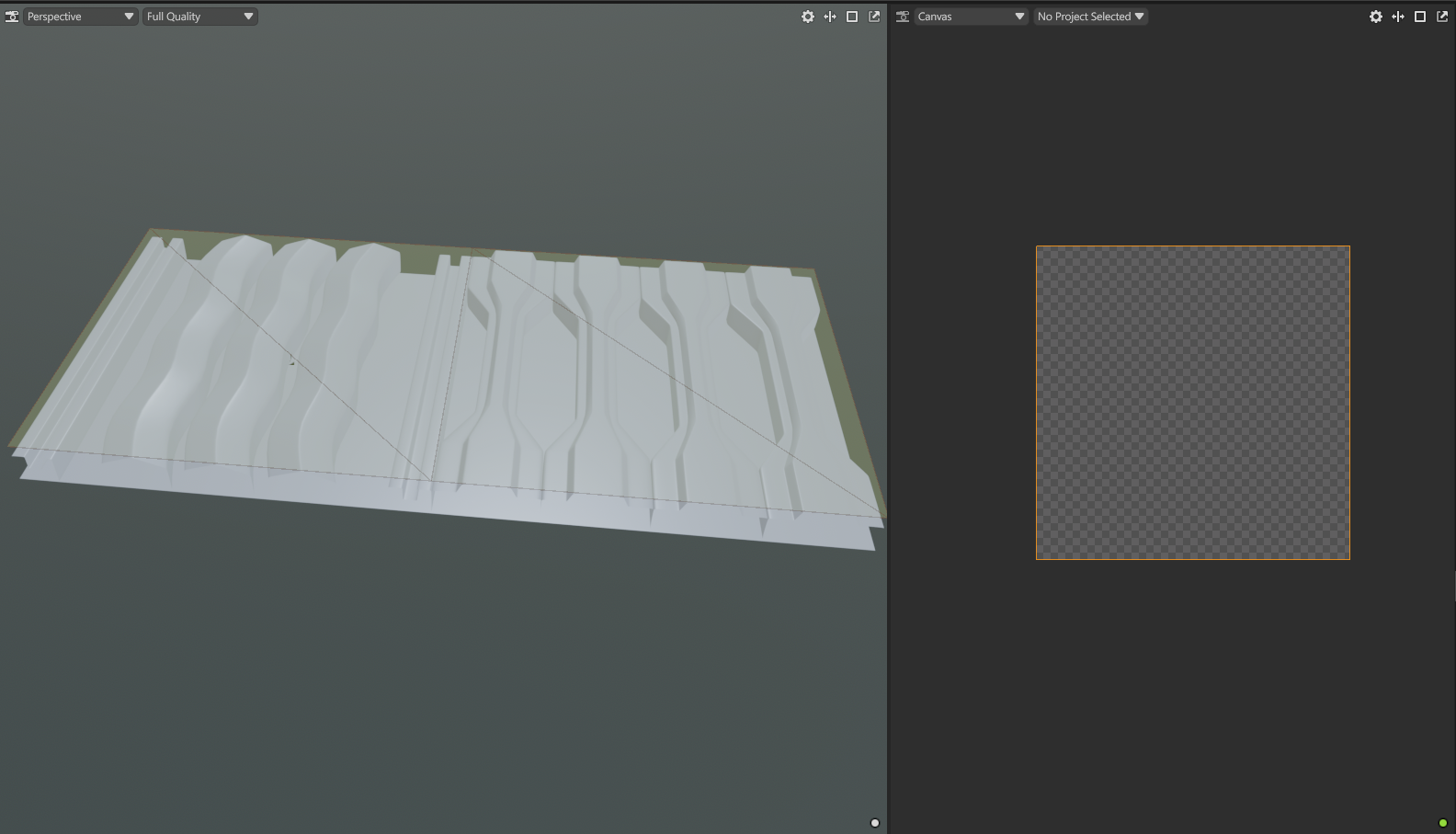
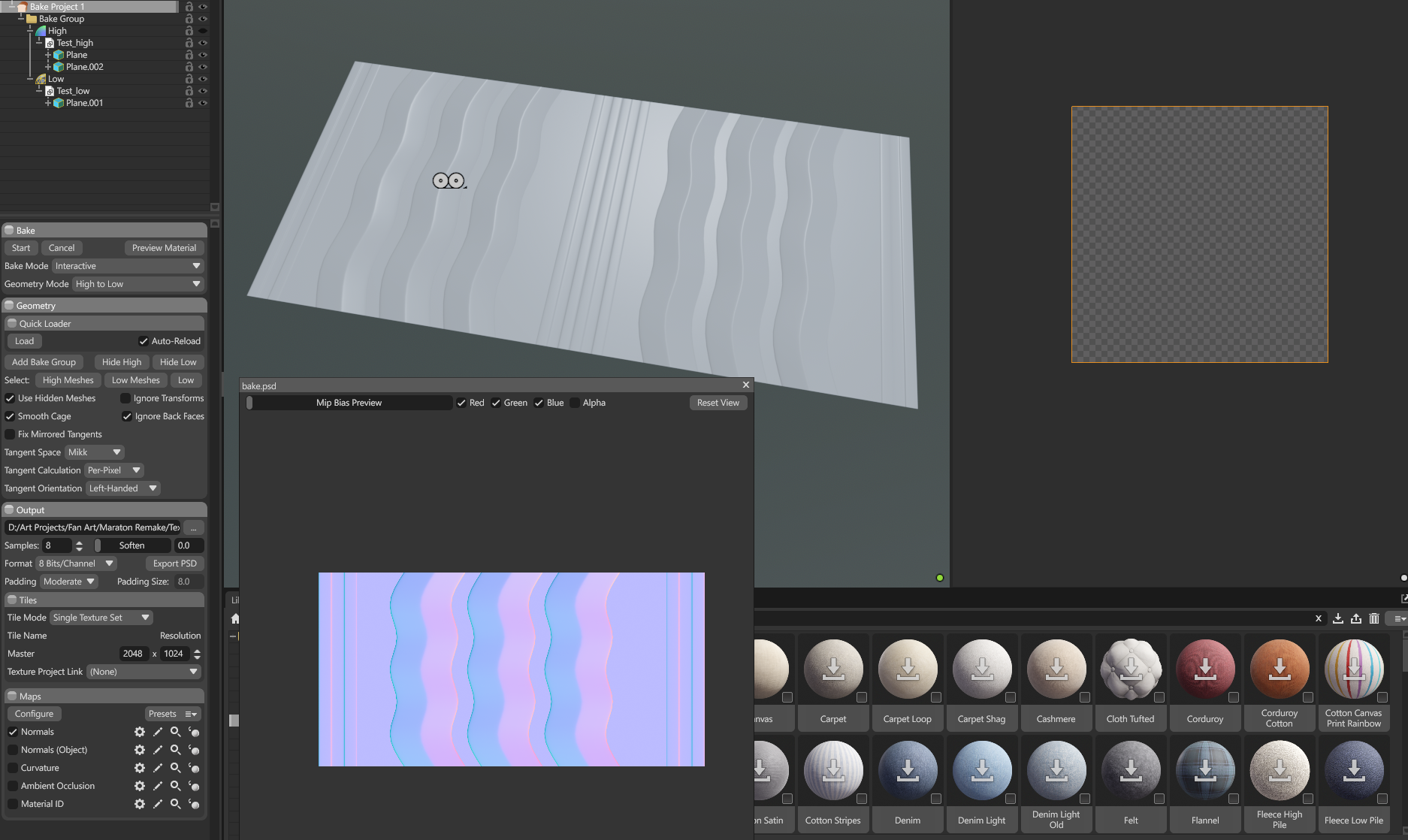
I attempted to set this up when baking, but all that I accomplished was one half of the bake that would be 1024x1024 squished/stretched in one ones axis so the one half of what I wanted to bake was distorted into 1024x2048.
Is this something that Marmoset is capable of? If so, is it perhaps that I didn't set up the UVs or something correctly in blender prior to export?
Also, is there a way to change the orientation of the green channel of the normal map? When I export my textures to either Blender or Unity, I end up having to flip the green channel, but it would be nice to know if I can flip it within Marmoset. I assume you can, but I'm probably just ignorant.
I've attached a couple of screenshots to illustrate what I mean.
Replies
Y should be green unless you're mistaken. Please be patient while I practice my gas lighting effects.
As for the idea itself of using non-square textures generally, TIL it's no longer a bad idea to do as long as you stick with values that are power of two.
511 is bad, 512 is good. 512*2048 is fine.
If not Power of Two, potoo for short, mipping can be impossible for some hardware. Compression algorithms can fail if you're doing very thin very long textures, like 1x1024.
Back in the day we were warned about all non-square textures, TIL that was due to Ogl/DX having issues filling them into texture slots on the GPU, but this hasn't been a hindrance for a WHILE.
Like a decade. Time flies when you're having fun't.
The non-squarity of the texture you kinda have to set up "before" unwrapping your model in whatever software you made UVs in.
Apparently TexTools can do it ezpz: https://www.youtube.com/shorts/XSAxnqpS9HA
IDK at all when it comes to blender, but in Max I'd just make a new square plane which would fit exactly half of the Highpoly.
Planes come with free UVs covering the entire U*V space perfectly. Then I'd grab the verts hovering over the middle of the Highpoly and snap them to the end. That would give me complete coverage of the UV space, on a rectangular plane.
In max I can change my scaling tool to only do U or V axis. I can then input percentagy values in what look like coordinate input slots.
Ooh since it's just a plane with 4 verts I can also lock three verts at a time, set top-left and bottom left 'area' as origin, then scale all verts by 50% on all axisi.
Heh, guess I have three ways to fix your problem in max that probably won't help you. Can't you do like just an average projection that'll fill the entire UV slot with your plane?
https://en.wikipedia.org/wiki/Potoooooooo