It starts May 12, and ends Oct 17. Let's see what you got!
https://polycount.com/discussion/237047/the-brawl²-tournament
The Polycount Newsfeed
Re: [WIP] DaYong | Real-time Environmental Model | Chinese Style
Week Fifteen
Day 1- Work Day
Day 2- I watched some tutorials by Cat Yang about SpeedTree and gathered references and needed vegetation textures from Bridge.
Environment Production - Part 5 - Tree Production Using SpeedTree
Day 3- I started to work in SpeedTree. Below is the tree that I’m aiming for first.


Day 4- This is what I have so far.
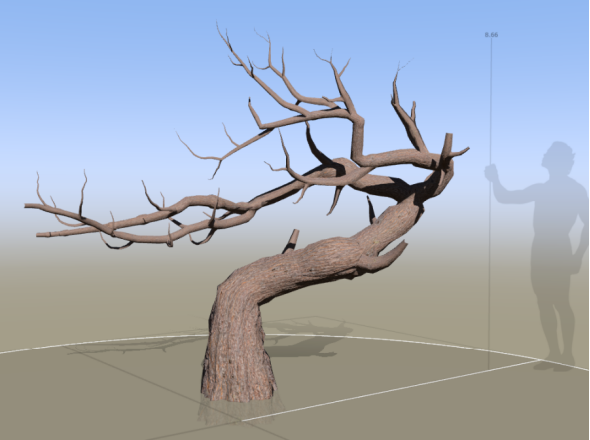
Day 5- Work Day
Day 6- I applied the leaf material onto the truck, but its outcome could have been better.


So I reworked the truck and added more branches to it.

It looks better after applying a different leaf material to it. However, it doesn’t have the round shape as the concept art. I will leave it like that until I find a way to fix it, and I might need to watch more tutorials.


Day 7- Work Day
Summary: This week’s work progress is a little slow because there were several redos on the tree truck. I will need to work on it again to achieve my desired shape. I never thought creating a bonsai tree would take me so long. Part of the reason is that I haven’t got to know enough tools in SpeedTree that are helpful to achieve the effect. Also, there are not many direct tutorials that taught me to create a bonsai tree in SpeedTree. I would give myself three more weeks to work on SpeedTree and see how it goes.
 KayHuang
Re: Brutal Knights - Game Project/Learning Experience
Alright, calling the textures on this guy done for now.
I got some great feedback from my buddies Roddie Reed and Patrick Morrison on the texturing.
Also on my artstation: https://www.artstation.com/artwork/xD3oB2


Updated the textures in the rig file as well
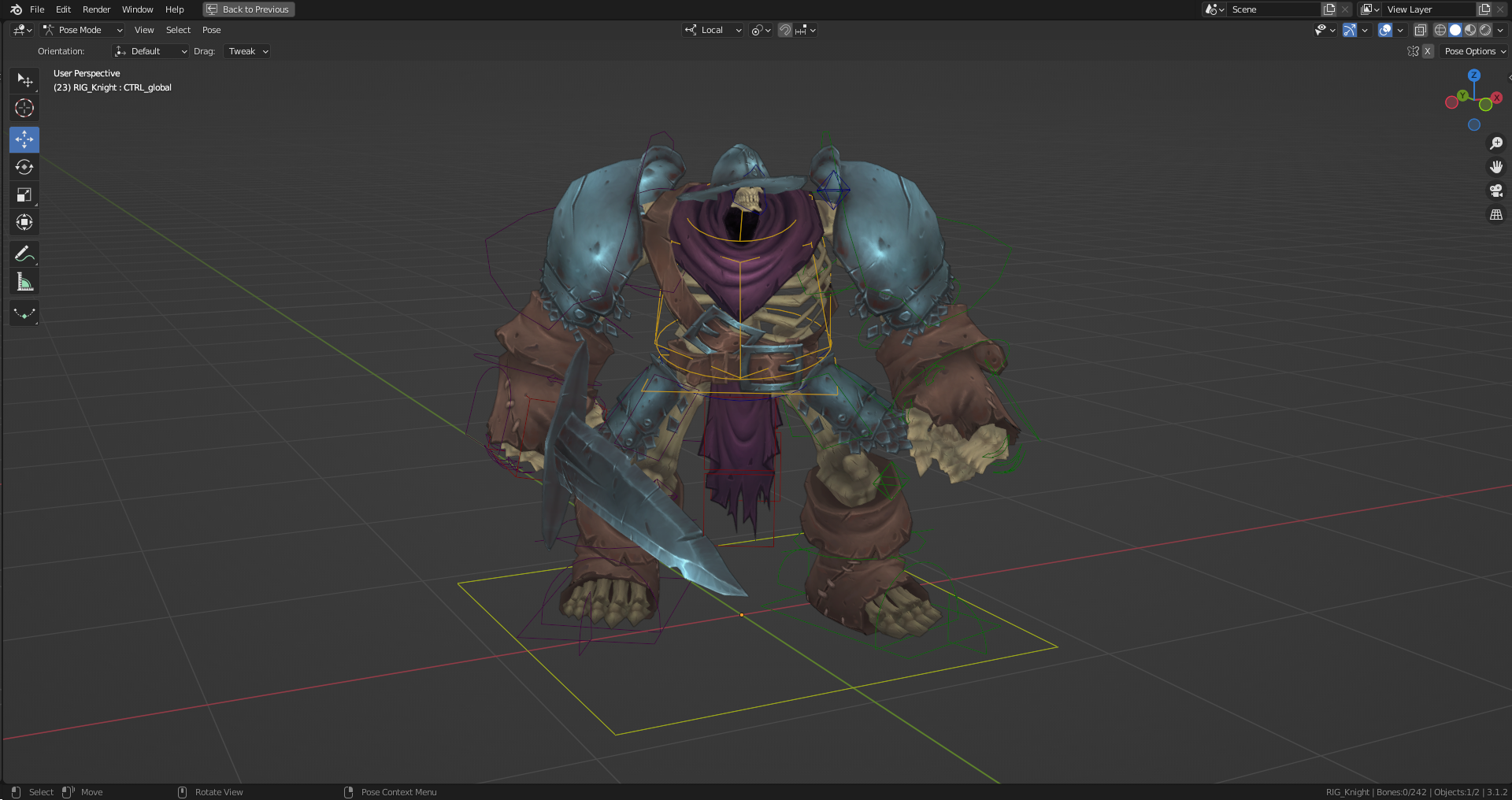
And a little Idle gif for fun.

Looking forward to getting everything updated in Unity and I think I'm going to play around with a subtle cube map on the metals.
 Bolovorix
Polycount is 25 years old today!
Polycount was birthed April 1 1998. So we usually do something funky on April 1, and this year is no exception. We're trying on a new forum theme.
It's gonna be rough, it's gonna get bumpy, hold onto your butts. Let us know what you like, and what's borked.
Thanks to everyone for making this community great, helping each other out and learning new stuff together. This is what's always made this place great.
Some blasts from birthdays past... 2022, 2021, 2020, 2019, 2018, 2017
 Eric Chadwick
Re: Project: Infinitesimals - An Indie Game Art Development Log
This thread has languished for a while. We're still alive! Have a teaser trailer...
cubitstudios
Re: Show your hand painted stuff, pls!
I present you Pablo, my latest handpainted project. Still a WIP at the moment
Feel free to comment and give feedbacks : )

 CamBlum
Re: Anyone still has Maya ZHCG Polytools script ?
https://mega.nz/file/nVoGhIIS#hcdC6wQOpuOHytMWJ-uQyGauf5zyHXFGbt6YeIzHVDI

I think I got everything working with my terrible python. Let me know if you find anything broken. Thanks
Install:
Copy zhcg_polyTools.py to your "My Documents\maya\your version\scripts" dir.
add to your userSetup.mel:
python("import maya.cmds as mc; import zhcg_polyTools");
Start Maya, "zhcg_polyTools" menu appeared in maya main menuBar.
BBQcake
Sketchfab Spotlight | March 2023

A collection of the latest and greatest pieces from Sketchfab users
 Sean VanGorder
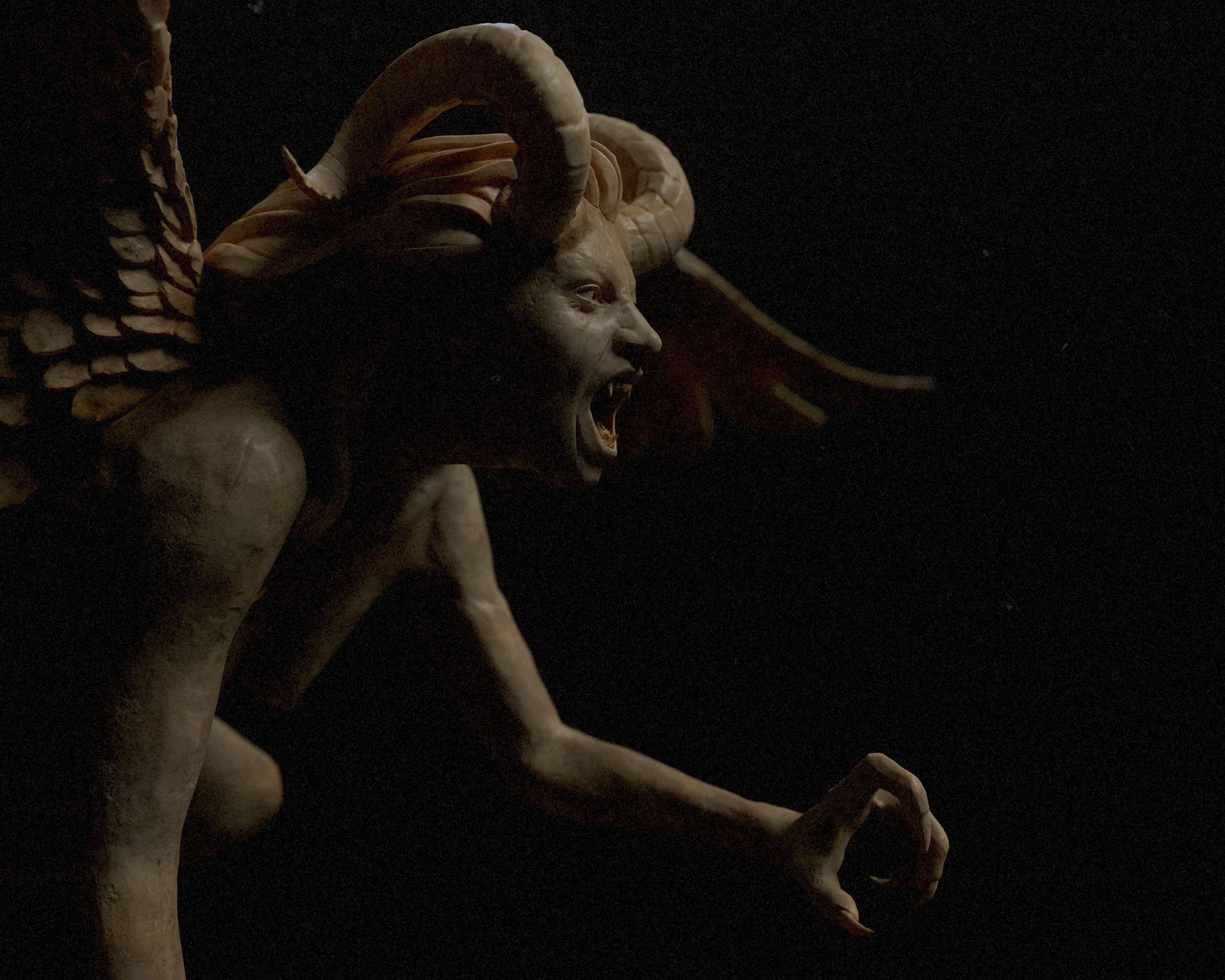
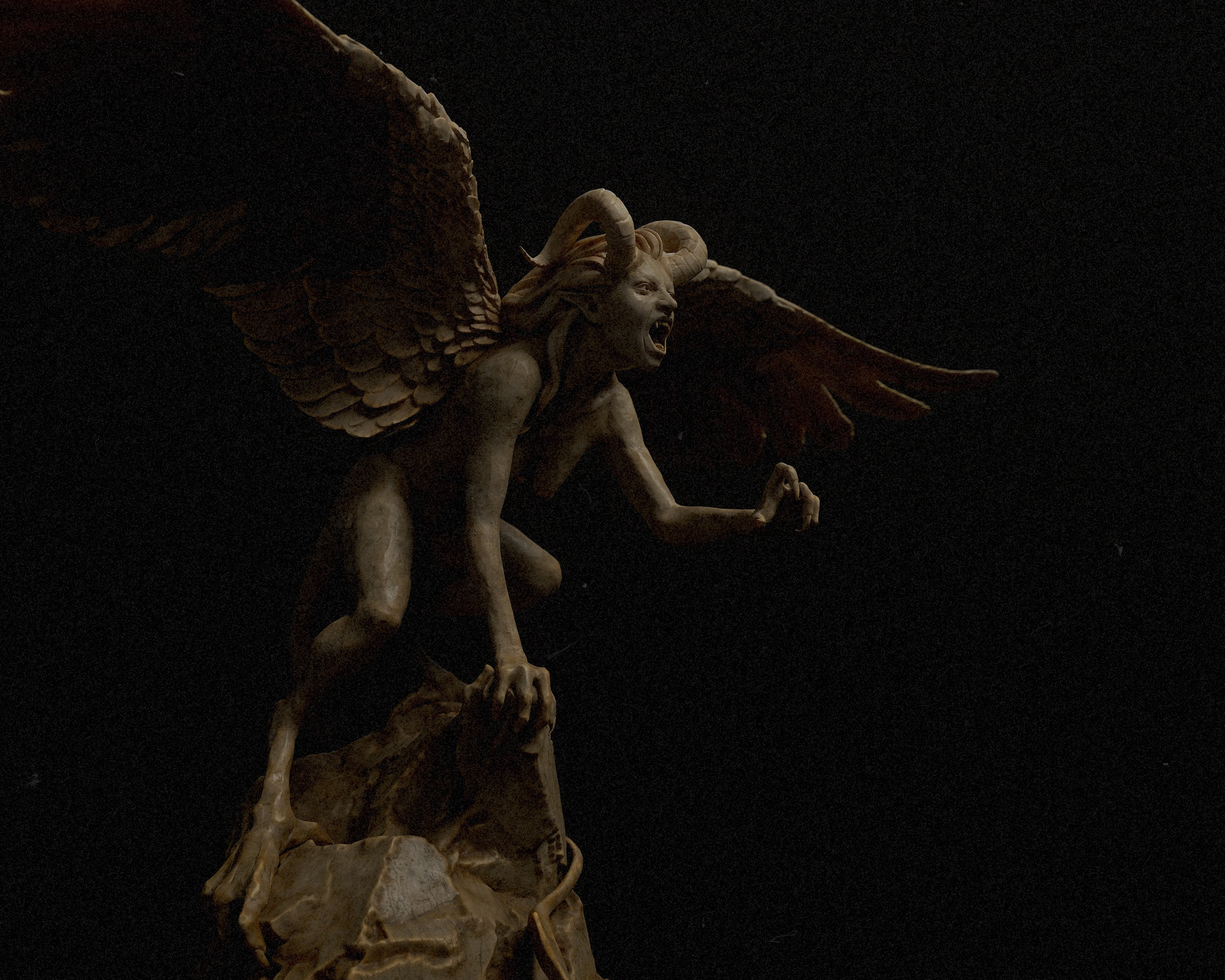
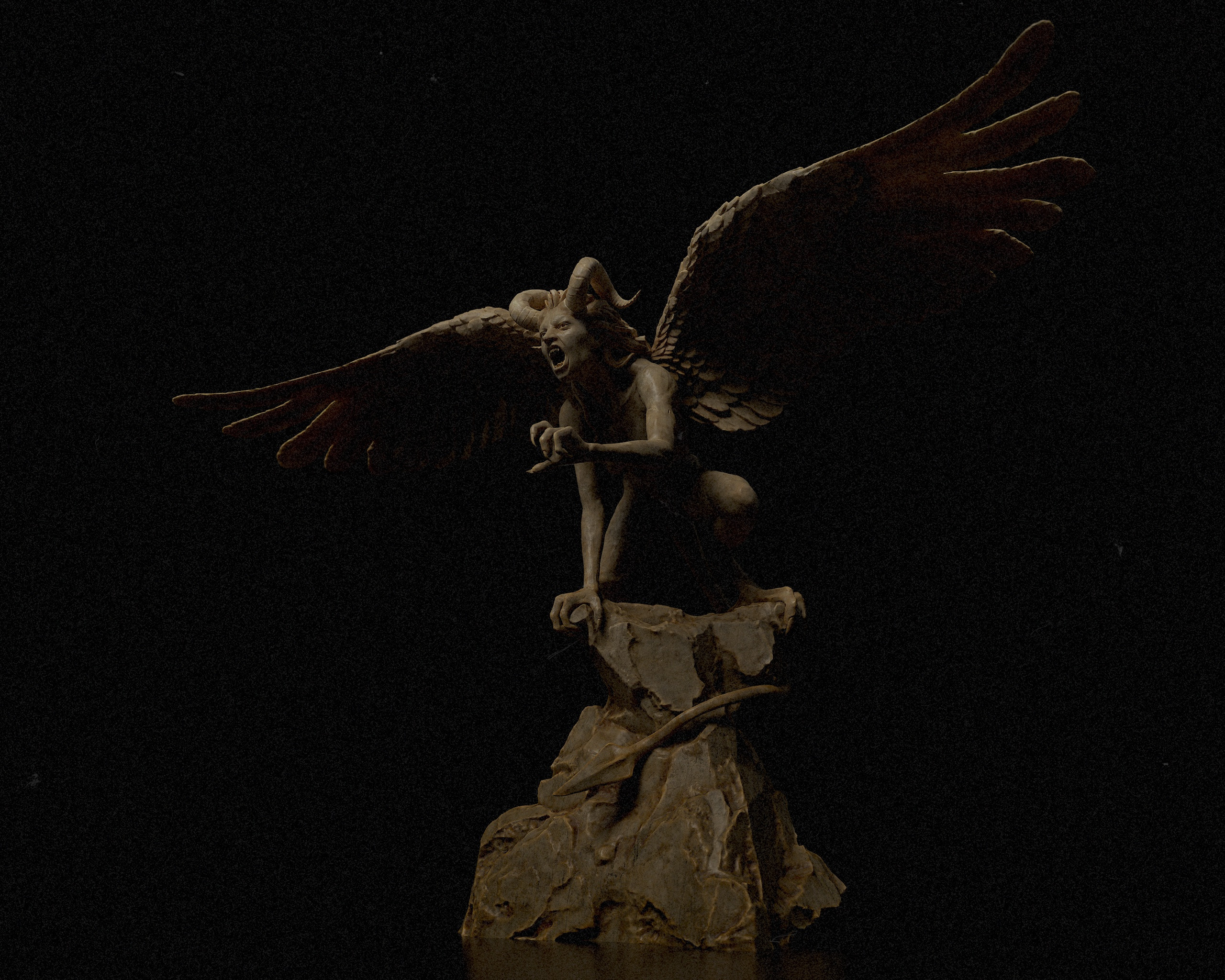
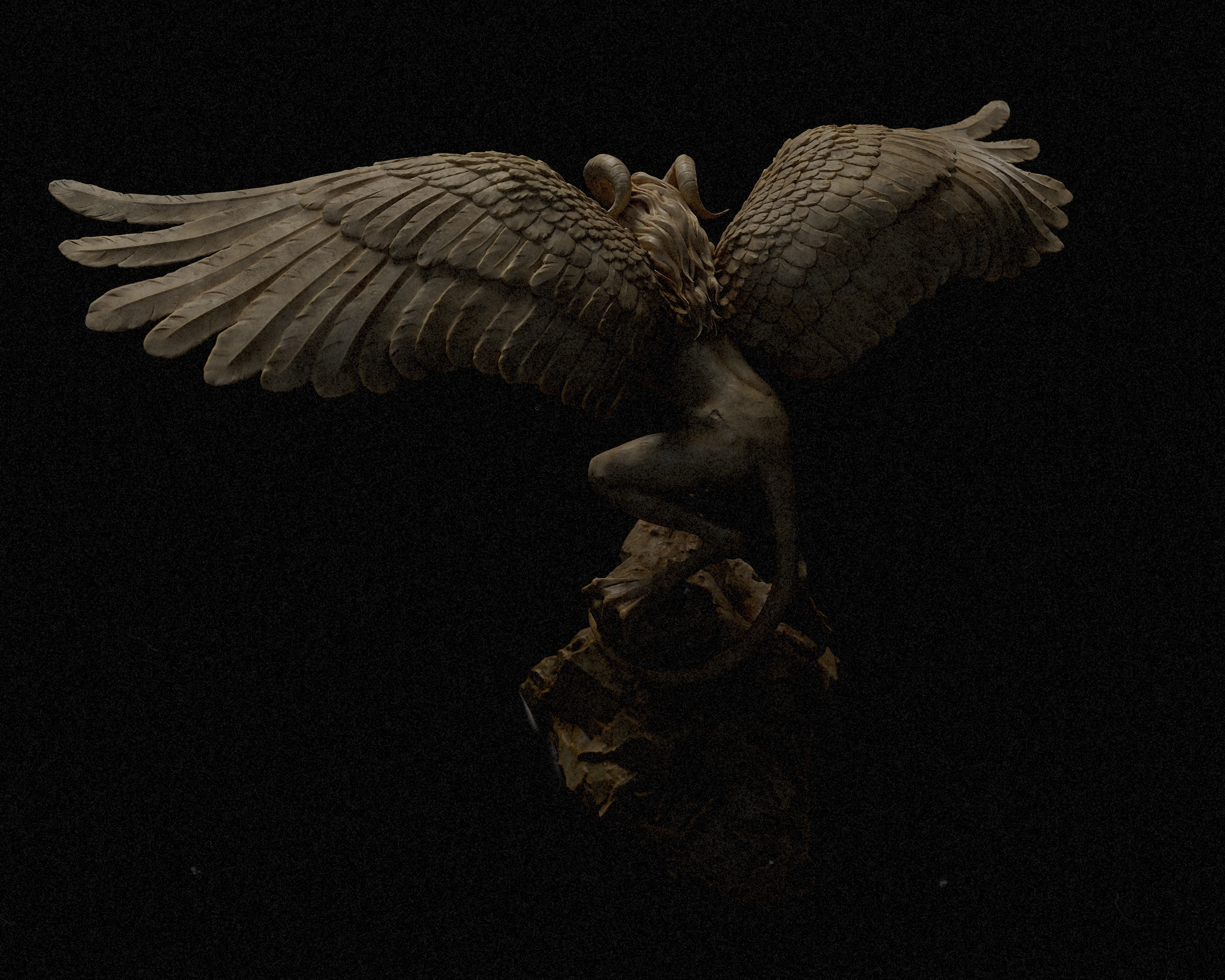
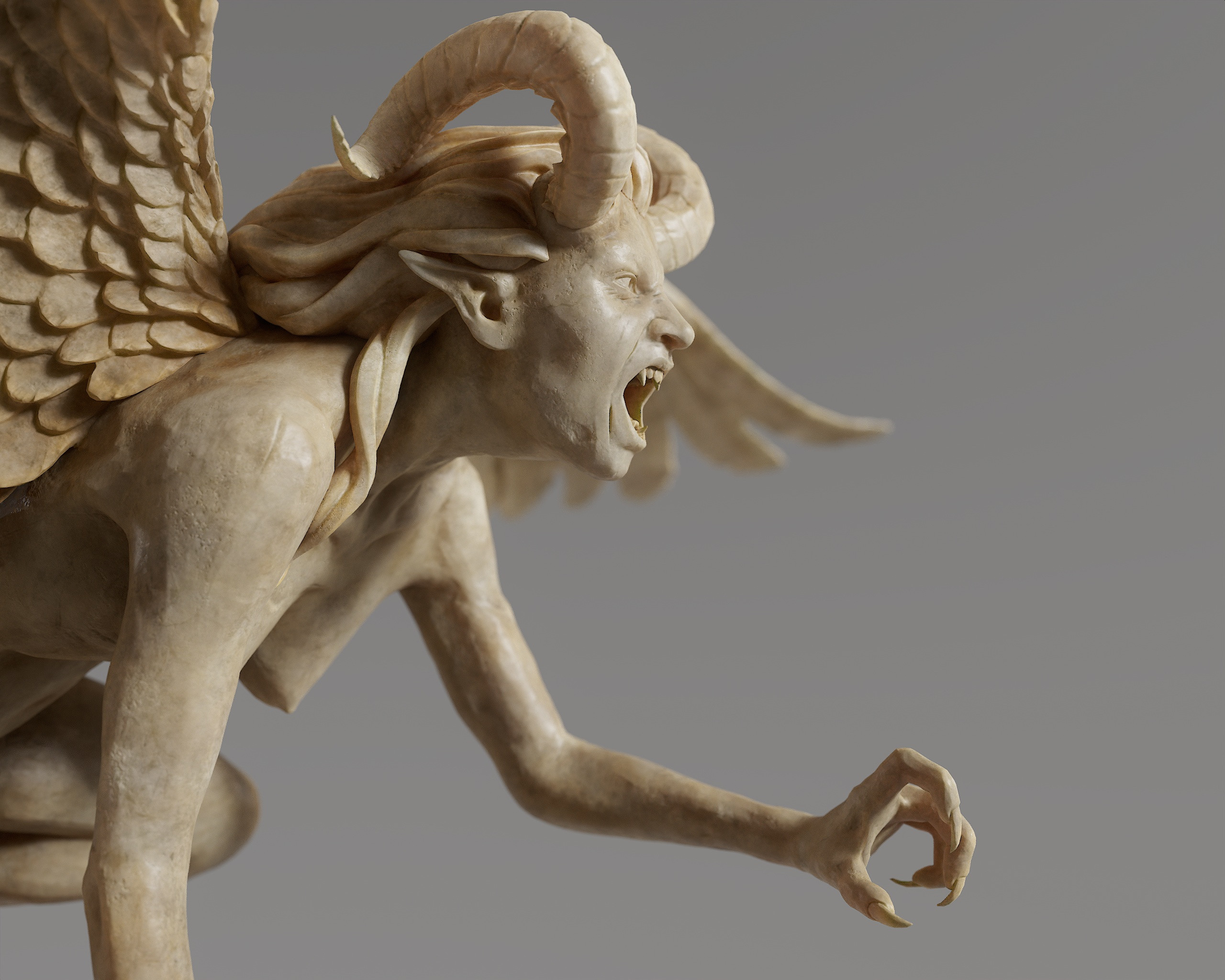
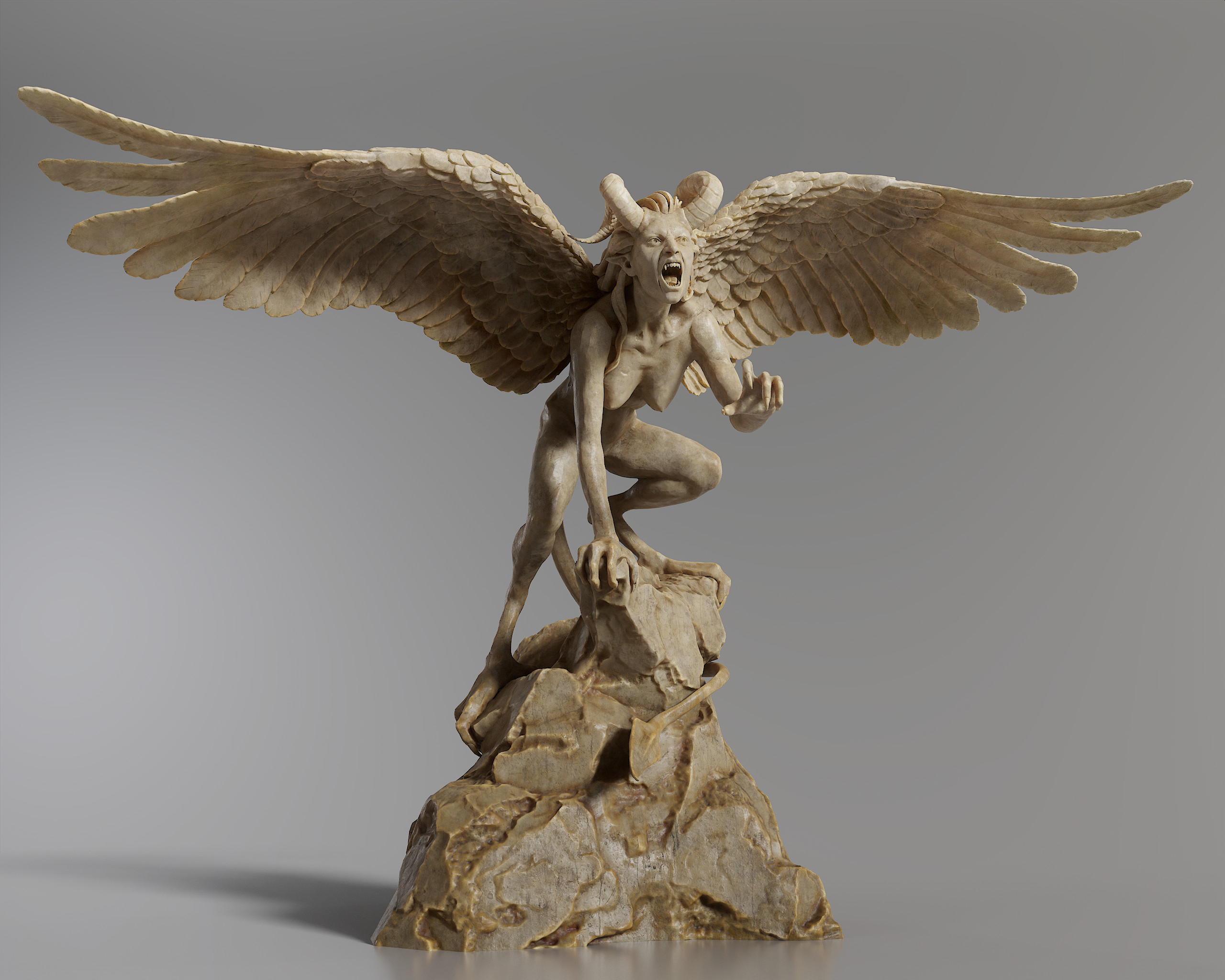
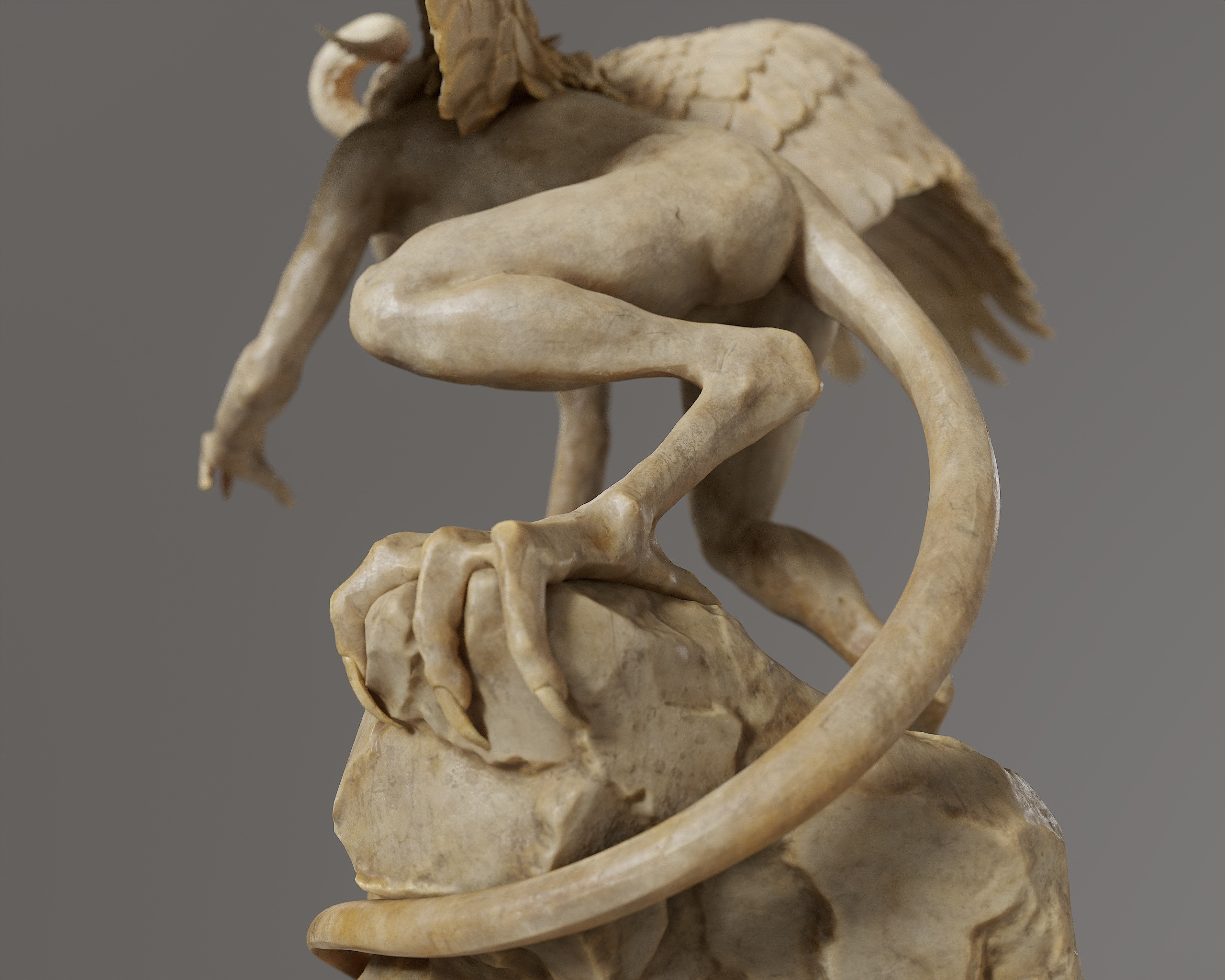
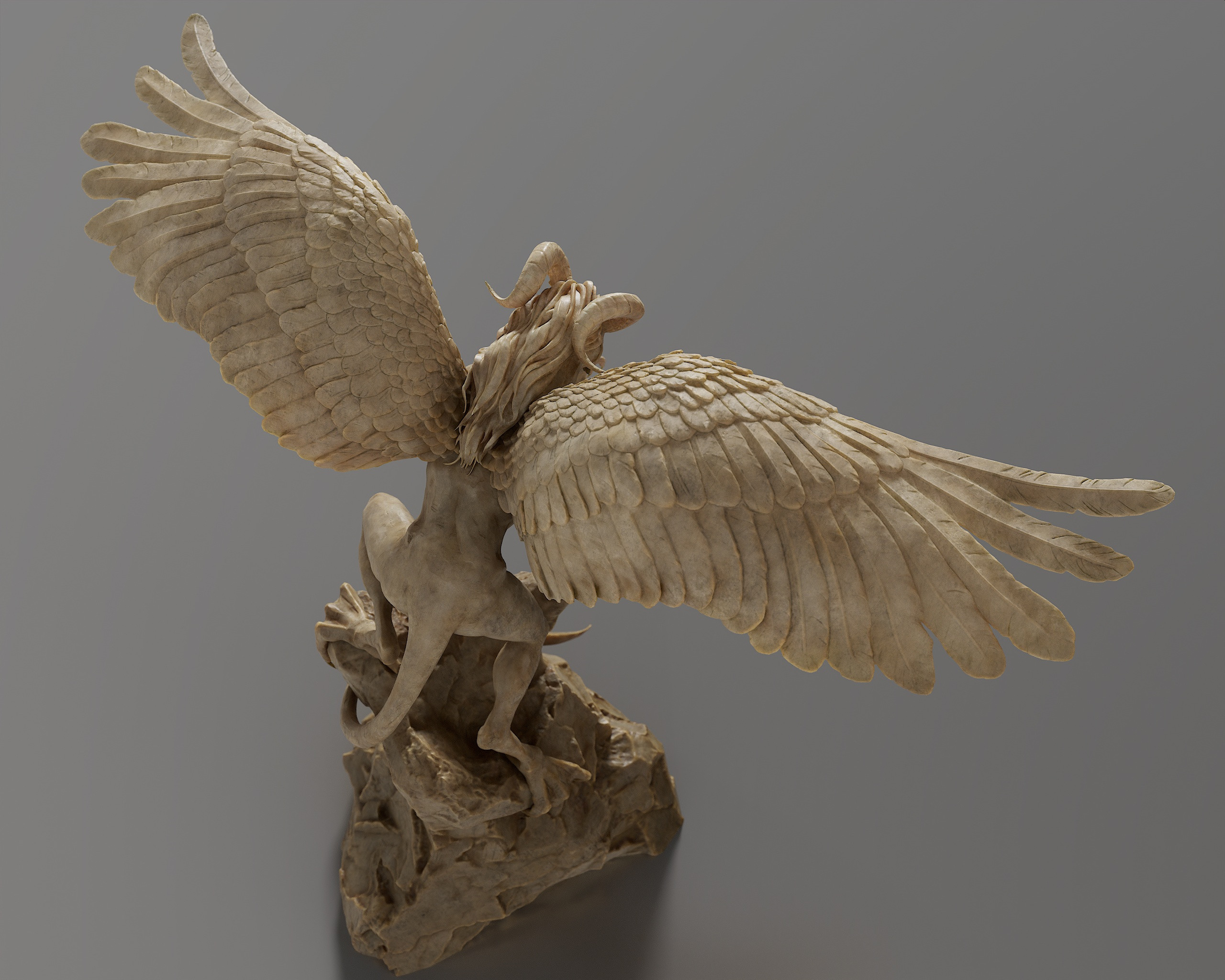
Demon statue - game asset
I've finished this demon statue the other day.
After doing retopo and blockouts for a while on stream I felt the need to sculpt for a bit and ended up doing this statue. It was supposed to be a harpy initially but kinda turned more into a demon at the end..
More images and videos on Artstation: https://www.artstation.com/artwork/yDJAz5
As usual the whole process was streamed on twitch:
https://www.twitch.tv/nimlot26
and will be available on my Patreon:
 nimlot26
Re: What Are You Working On? (3D) 2023
naaaaah, considering how little time spend on personal projects, that thread will likely be tumbleweed county for the most part.
atm i just put everything in real world scale, which i should have done from the beginning but zbrush isnt the best here...
did a retopo for the head to have a clean mesh to work with and added a few more things. will block out the entire body next to get a better feeling of overall proportions

 Neox
Neox
Re: Sketchbook: thomasp
I've continued to style a bit and finally have converted my model from curves to geometry and optimized all the low-hanging fruit away. As a result it's now edgy in certain places, sitting at 38k prior to any proper manual optimization (my threshold for these hair meshes is 45k for the more complex ones like this one, so plenty of flesh to re-add).
Marmoset output looks like this currently -

Next step is to import this into an engine (UE5 in this case) and be devastated at how much tweaking is still required to the main forms. Then I'll be adding hairline and finer details like flyoffs.
 thomasp