Search
-
Pedro's Super Smart Create for Blender

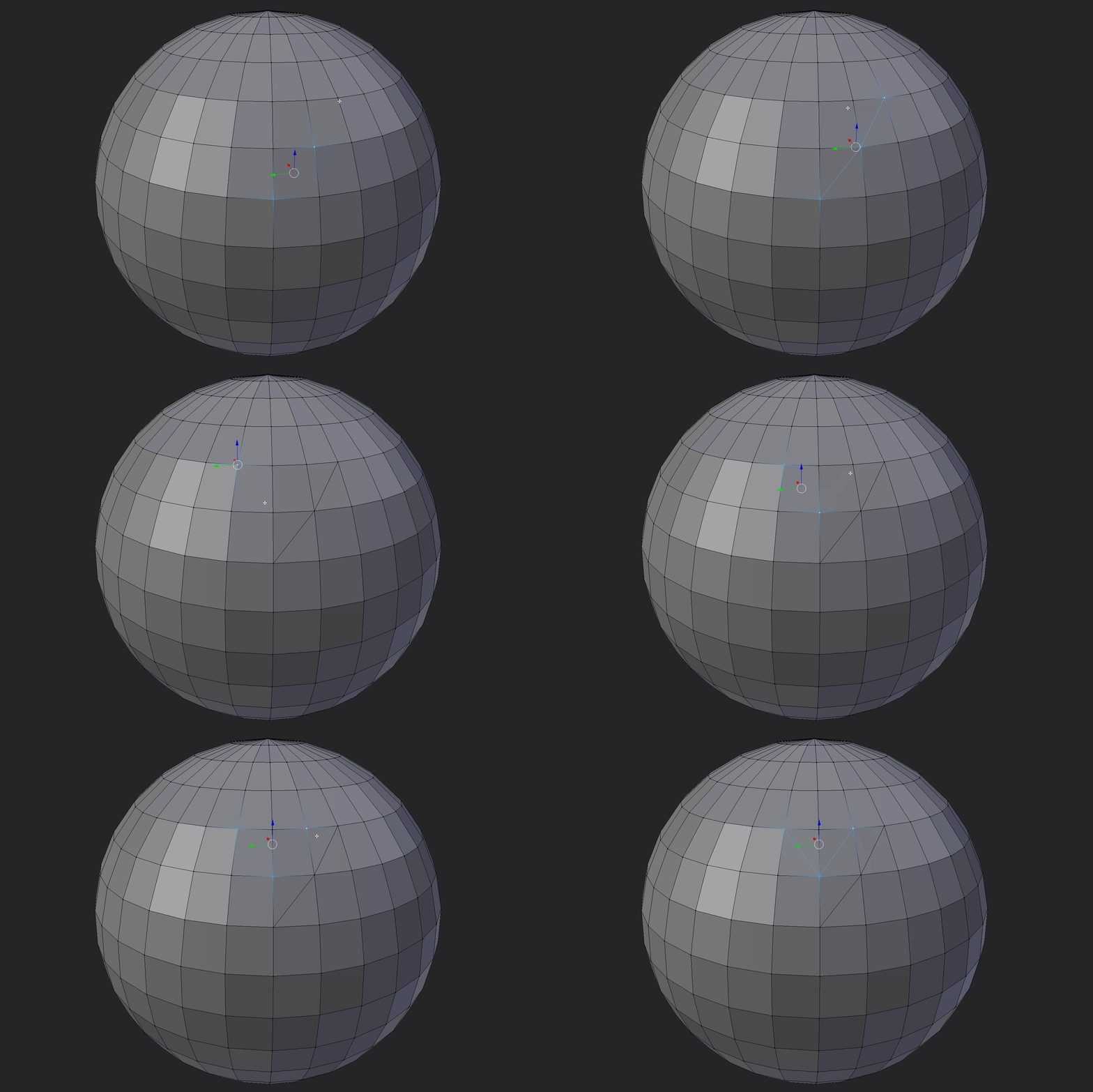 Hey Guys, I have been playing around with blender and some scripting lately. I decided to port Pedro's excellent super smart create script I am really new to Blender and my python coding skills are not the finest, so please if you find any better way to do stuff or if i'm making any stupid shit just let me know. Anyways,…
 -
Re: MaxScript Help needed.
 Define 'Something' there are lots of things you can select in max. for nodes which i guess your talking about. To work on selected objects you use the 'selection' collection so That code will loop through the whole selection, pulling out a node at a time and letting you work with it. If you want to tell if a node is in the…
 -
Re: [Blender] MESHmachine: Hard Surface focused Mesh Modeling

 v0.6.8 for Blender 2.80 is out now Gumroad If you are an existing MM customer on gumroad, check your email for a 100% discount. MESHmachine 0.6.8 is a separate product now. If you have not received an email, please reach out to me directily at mesh@machin3.io About 0.6.8 The 0.6.8 release is the first MESHmachine for…
 -
Re: Offsetting UV islands - how do _you_ do it?
 I use Maya but still might be useful for workflow discussion. I turn on shaded uvs so I can tell where the overlaps are. I then click to select a vertex on an overlapping group of shells which selects 1 vertex from 1 shell, then I hold shift and marquee select that same vertex which deselects the vertex I had selected, and…
 -
Re: How you model dem shapes 44sided cylinder with cap?
 maybe like this? make a cylinder, make a sphere, set to 44 snap the center of your sphere to the top of the cylinder delete the bottom half of the sphere and top cap of the cylinder. combine the sphere and cylinder. select the verts where they should connect and weld them. select the top cap of the sphere/cylinder that…
 -
Re: Bake only hard edges in a UV texture.
 I looked today into this and I might be able to script something in maxscript that would render selected edges with aliasing, so the lines would not be smooth just like a regular UV screen grab in max. I found some script snippets that select hard edges (smoothing group wise),- once those edges would be selected the script…
 -
Pedro's Super Smart Create for Maya
Having to learn Maya coming from Max I was really missing the super smart create script Pedro made So I'm trying my best to recreate it, being pretty new to Maya and python I'm sure this things can be done way more efficient and the functionality could be improved, so please feel free to post suggestions. I have developed… -
Re: Maxscript query
 Can't use Physique, cos then I'd be popping in between the two. And physique is guff. Anyway, I've come up with a possible solution, which is a work in progress...I'll explain it after ranting Basically, what I want cannot be done - maxscript has holes. The solutions posted are the same as the one I have already - select a…
 -
Re: First full-featured 3d-modeling software for Android tablets
 Nice to try a bit of editing at vertex level. Between the two halves, one can see the seam that makes the red surface appear sharp. If you want to get rid of that and smooth the final result : - select your two halves. In the ribbon modifier, tap "make unique" : no more instance. - in the ribbon modifier, tap "combine" :…
 -
Re: Switching from Max to Modo - Tips?
 1. Turn on snapping and do pretty much the same thing (grab the axis handle and mouse over the vertex you want to snap to). 2. Enable "Multi Slice" in the edge slice tool's properties. 3. There's currently no select by angle built in :/ 4. Drag the item you want to align to the item you want to align it to (either in the…
>15387 results