Search
-
Re: Maya Re-targeting Animation Issue
 Hey Ricky! i'am very familiar with this workflow and I think I can help you. Using humanIk is pretty much straight forward. The first thing to know is that humanIK is designed to work with T-pose skeletons. So, grab your mocap data and put in a Tpose. How? Easy! First, select your Root joint of the mocap. Then, select the…
 -
Re: New Maxscript - Poly Magic
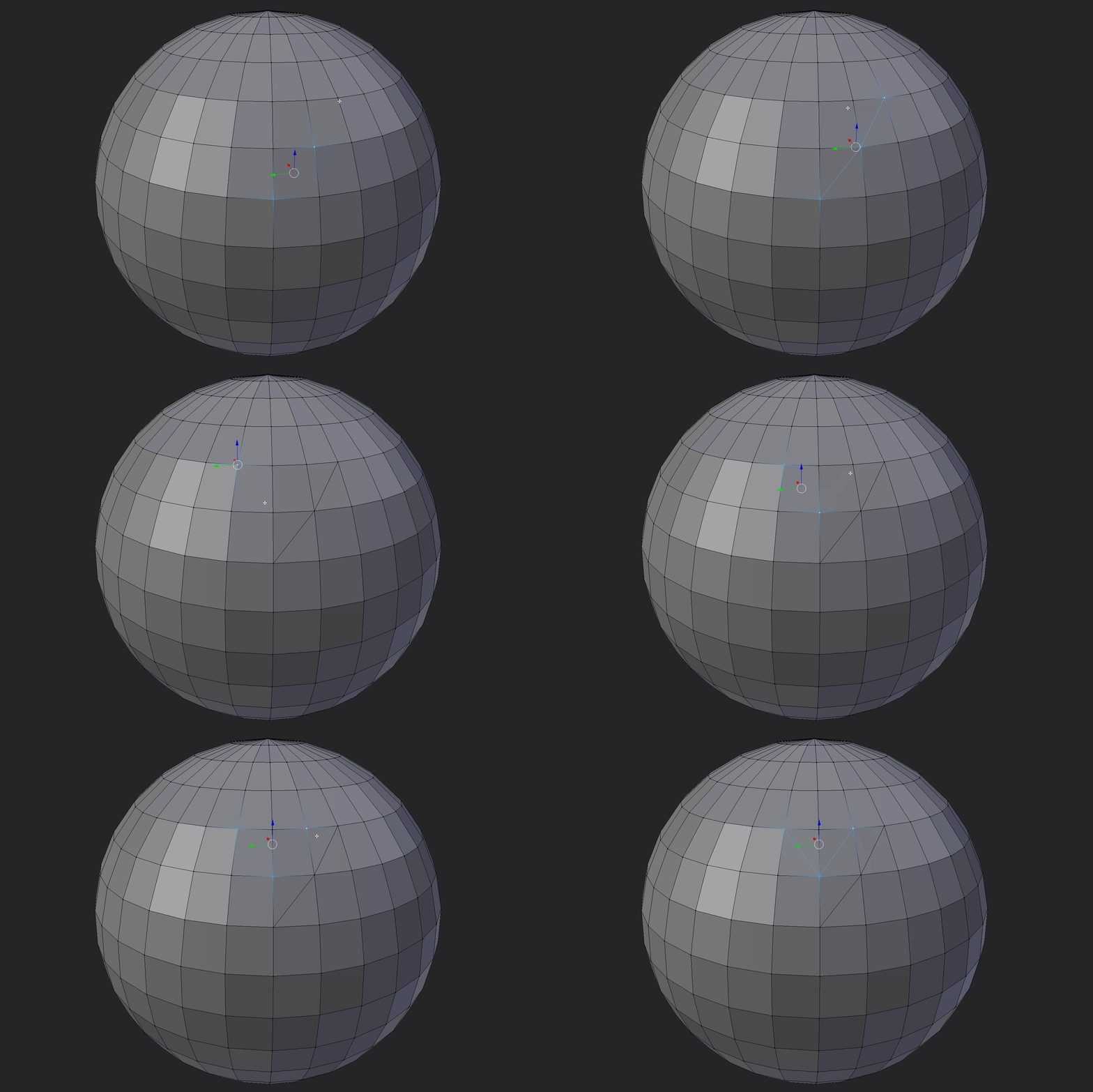
 [ame] http://www.youtube.com/watch?v=JSlzFaZwEi4[/ame] that's how they handled it in blender, if you wanted to maybe implement an edge select clockwise/counterclockwise selection as well as your 3 quad selection. as you can see it's a 2 quad selection or 1 edge selection, but either requires you to select rotation…
 -
Re: 101 Photoshop tips in 5 minutes
 transcript : Time: 00:00.00 #1: Wanna copy a layer? I say jump it: Ctrl+J. You a Mac user? Awesome. #2: When I say Ctrl, press Cmd, the one with an apple on it. #3: For a new layer, press Ctrl+Shift+N (Cmd-Shift-N on the Mac). #4: To delete a layer, get the move tool and press Delete (or Control-Delete). #5: Every letter…
 -
csWorkPlane v1.52 - Align Workplane to FaceSelection

 This script only works on Mesh Faces. How to add Poly Faces? Unfortunately, I don’t know coding, I will be grateful if you could help me. Thank you! <br/><br/>macroScript AlignWorkplaneToFaceSelection category:"csTools" tooltip:"AlignWorkplaneToFaceSelection" ( macros.run "csTools" "RemoveWorkPlane" fn…
 -
Matrix Find Rotationpoint through translationdata
 Hey guys I have a bunch of keyframed points that translate over time. They translate according to the rotation of a fixed point (think of facialanimation tracker moving with a headbone), from those points i would like to find the original rotationpoint since i don't have that data. My math skills arn't what they should be…
 -
Pedro's Super Smart Create for Blender

 Hey Guys, I have been playing around with blender and some scripting lately. I decided to port Pedro's excellent super smart create script I am really new to Blender and my python coding skills are not the finest, so please if you find any better way to do stuff or if i'm making any stupid shit just let me know. Anyways,…
 -
Re: MaxScript Help needed.
 Define 'Something' there are lots of things you can select in max. for nodes which i guess your talking about. To work on selected objects you use the 'selection' collection so That code will loop through the whole selection, pulling out a node at a time and letting you work with it. If you want to tell if a node is in the…
 -
Re: [Blender] MESHmachine: Hard Surface focused Mesh Modeling

 v0.6.8 for Blender 2.80 is out now Gumroad If you are an existing MM customer on gumroad, check your email for a 100% discount. MESHmachine 0.6.8 is a separate product now. If you have not received an email, please reach out to me directily at mesh@machin3.io About 0.6.8 The 0.6.8 release is the first MESHmachine for…
 -
Re: Offsetting UV islands - how do _you_ do it?
 I use Maya but still might be useful for workflow discussion. I turn on shaded uvs so I can tell where the overlaps are. I then click to select a vertex on an overlapping group of shells which selects 1 vertex from 1 shell, then I hold shift and marquee select that same vertex which deselects the vertex I had selected, and…
 -
Re: How you model dem shapes 44sided cylinder with cap?
 maybe like this? make a cylinder, make a sphere, set to 44 snap the center of your sphere to the top of the cylinder delete the bottom half of the sphere and top cap of the cylinder. combine the sphere and cylinder. select the verts where they should connect and weld them. select the top cap of the sphere/cylinder that…
>15392 results