Search
-
Gifts of King Ceph - Naga Siren Armor Set
-
Re: ZBrush - Hypothetical ultimate feature list
 mmm, well I've had lights breaking when trying to use the mats customize utility to setup a scene once or twice, if that could never happen that would be great, it used to also get "lost" behind that preview sphere (you could click) to put the light behind the object, which kind sucked the 1st few times. Forget why i had…
 -
My first army character let's see where this goes

 I'm sculpting it by free design just throwing at her anything that I think would look good. If you have an idia what would be nice to add just tell me and I will definatly think about it ! Let's see what this project ends up looking !
 -
choosing uv set to paint on 3D Coat
So I'm painting on my models for something in UDK (with 3D-Coat) and I realize that it's painting on the lightmap uv set. Anyone know how to choose which uv set to use? If I have to I could just make my uv's the same for lightmap and textures, but that would be kind of a pain to do for all my models. Thanks in advance for… -
Re: 3ds max how to properly set background on landscape scenes?
 What's your renderer? VRayLight has a dome feature that automatically adds it to the background. You could perhaps add your map in the Environment Background slot (see help file). It will automatically set the UV type in the Bitmap node to Screen, but you should change it to Spherical if you're using a proper latlong…
 -
Re: Unreal Engine, looking for feedback, thanks : )
 I think what you have is already a solid image. The lighting and atomosphere are lovely. I like the centered composition but have 2 suggestions to imrpove without totally rethinking it. 1 move the camera down a bit and tilt up. See more trees/sky and get a more interesting vanishing point (this clip from 'The Fablemens'…
 -
[3DS Max] Persistent settings for Edit Poly modifier?
 Is there an easy way in Max to set up Edit Poly and it's various tools (extrude, bevel, etc) with the settings I want to use by default and have it remember those between sessions? Or is this "write a script" time?
 -
3Ds Max 2017: Jumping animation; only updating mesh when reaching a set keyframe

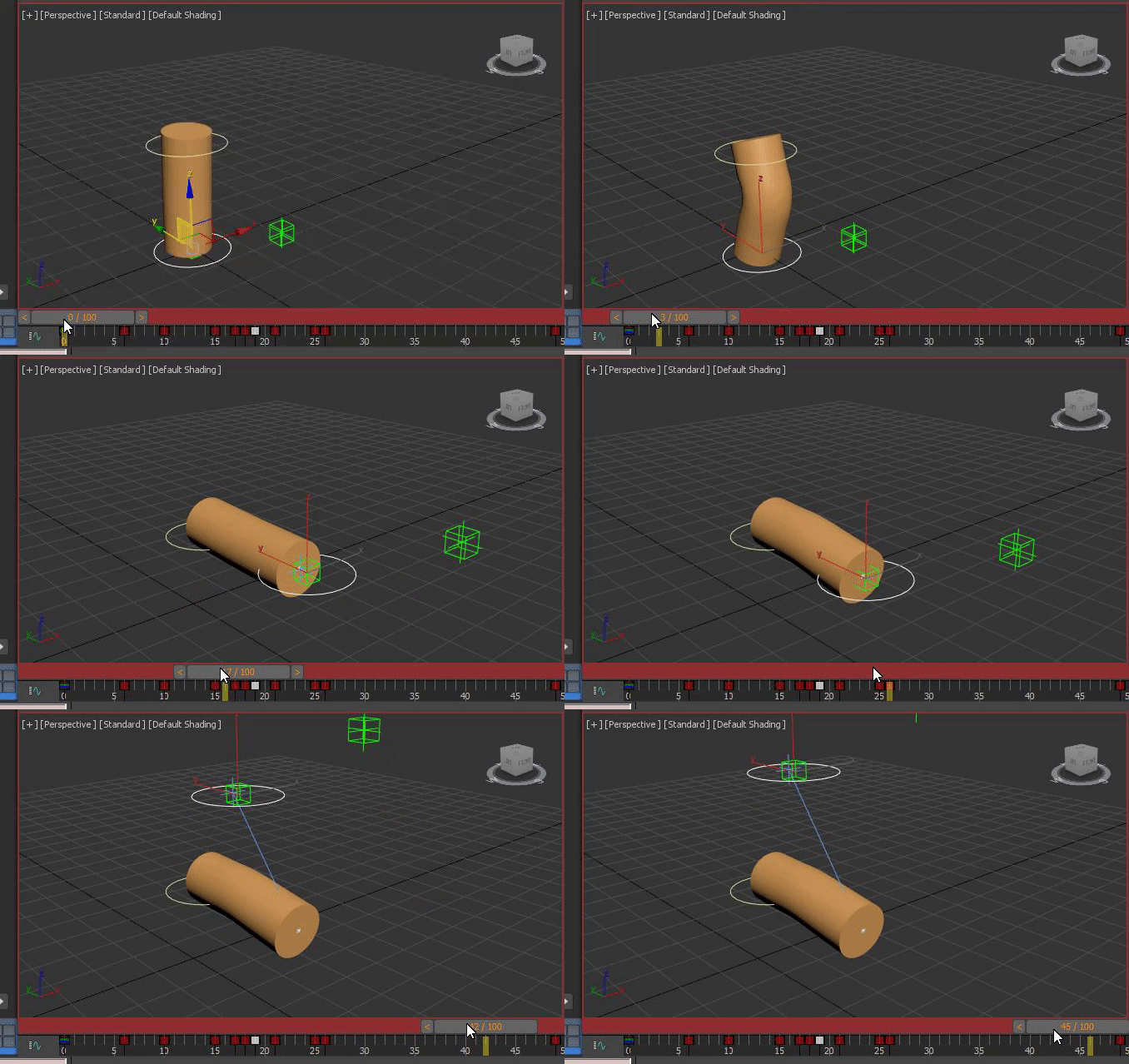 Hello everybody. I was a modeler all along, but I wanted to practice animation now as well, so I created a very simple rig for a cylinder. I'm animating the cylinder with a shape that's linked to a point helper, which is linked to the IK end effector. As you can see in the gif below, the frames from 0-26 work perfectly…
 -
Free Unreal Engine Themes
 Hey! I've been posting some free content at times here, and here is another one. You can get 15 themes that we have made for Unreal Engine for completely free: https://eliaswick.com/products/editor-themes. The current Unreal Engine theme is honestly pretty great as it is, but if you have a favourite color and prefer the…
 -
Crop and setting up images planes.
Hey guys, i really need your help. I am trying to set up images planes in photoshop, and then set up inside in 3D max 2012 for modeling. I am trying to crop and line up this image reference from the blueprints site T17E1 Staghound Armored Car…

>122246 results