Search
-
Re: Daves Maya Qstns- (another one of "those"threads)
 *Append Poly is your Maya connect. Now that they've got the loop and ring stuff in there you shouldn't need MJ Poly Tools at all. Probably *I'm fairly sure you're stuck with Maya's navigation. You'll get used to it pretty quickly, its not that different. *I haven't used silo, but you can highlight different kinds of…
 -
Looking for a way to edit Vertex Normals with falloff or soft selection in Maya LT... or Substance!

 So I'm looking for a workflow to use on countless terrain meshes that meet up and create seams, show in an idealized/simplified version here: I knew it probably wouldn't work, but I tried anyways: Gives this result, which is indeed removing the seam, but of course creates two new seams that are softer but of course worse…
 -
Re: XSI questions
 i = paint select edges (no selecty the back face) u = paint select faces (no selecty the back face) extruding along normal is the same as moving a face on long its local axis. Set the axis of your manipulator to local. On the side panel thing under s t r stuffs. Or if you right click with translation turned on in the…
 -
Re: Creating a smooth-edged deboss area without making an inset first?

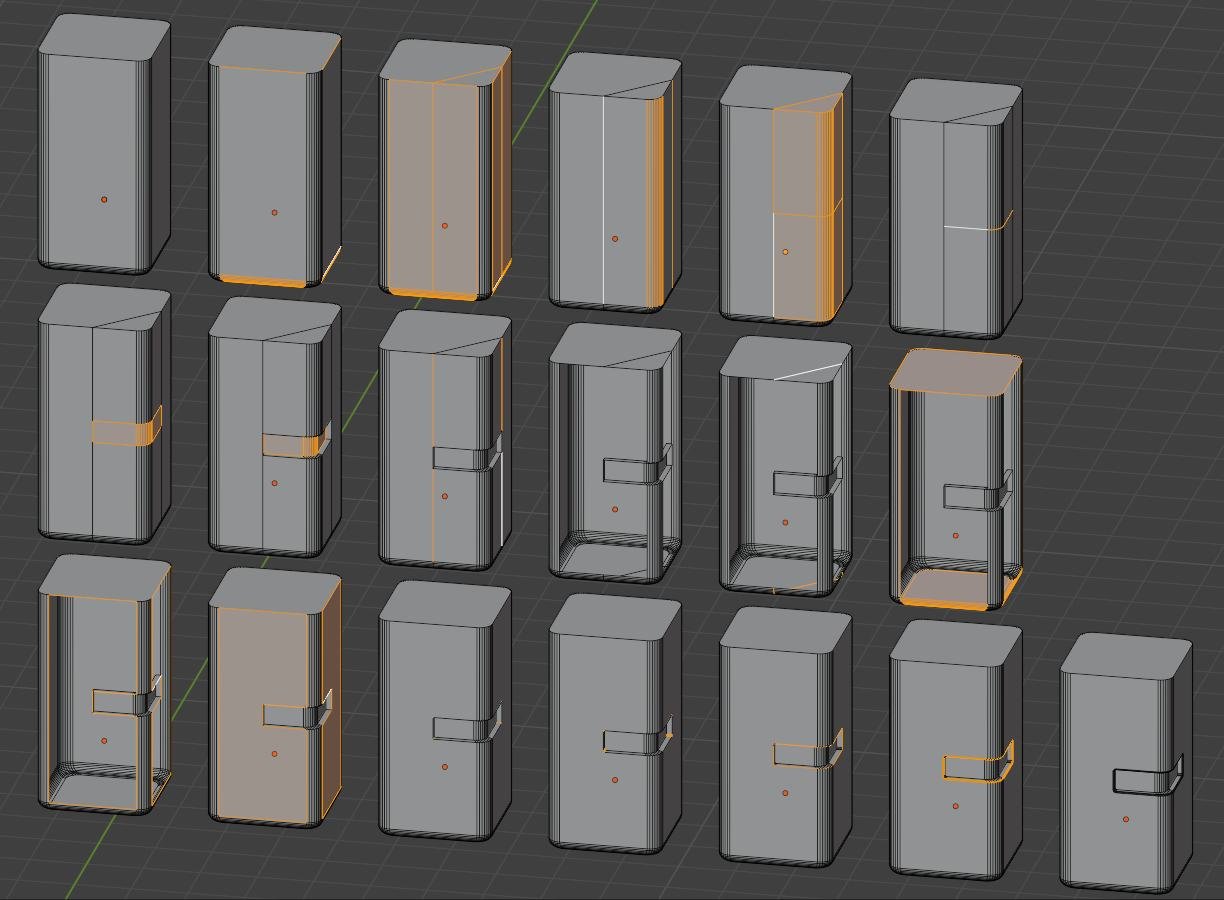 Maybe it's easier to make this inset first and "repair" this later... also depending on the tool.. here in blender: I start with the partly chamfered cuboid (like asked in the other thread).. So because the top and bottom are n-gons a loop/ring select (i always mix the names for the directions up :sweat_smile: ) a…
 -
Re: UV mapping curved trunk
 Here's how I do it when I can't find my MAX dvd: I've deleted any faces at the top and bottom of the cylinder - Planar map the trunk (try z-axis) - Select an edgeloop along the length of the trunk - In the UV window, click the cut/separate UV button ignore the other buttons and my child-like writing for now - With the…
 -
Re: Normal Map Problem
 Select the object then look for the "UV Editing" workspace tab at the top. Press "A" to select all geometry. We want to see the UVs that'll appear on the left. In case there's no image under the UV you can select it from the header in the UV Editor or click on it from a Shader Editor and it'll appear automatically, but in…
 -
Non square texture workflow - Unwrap modifier options
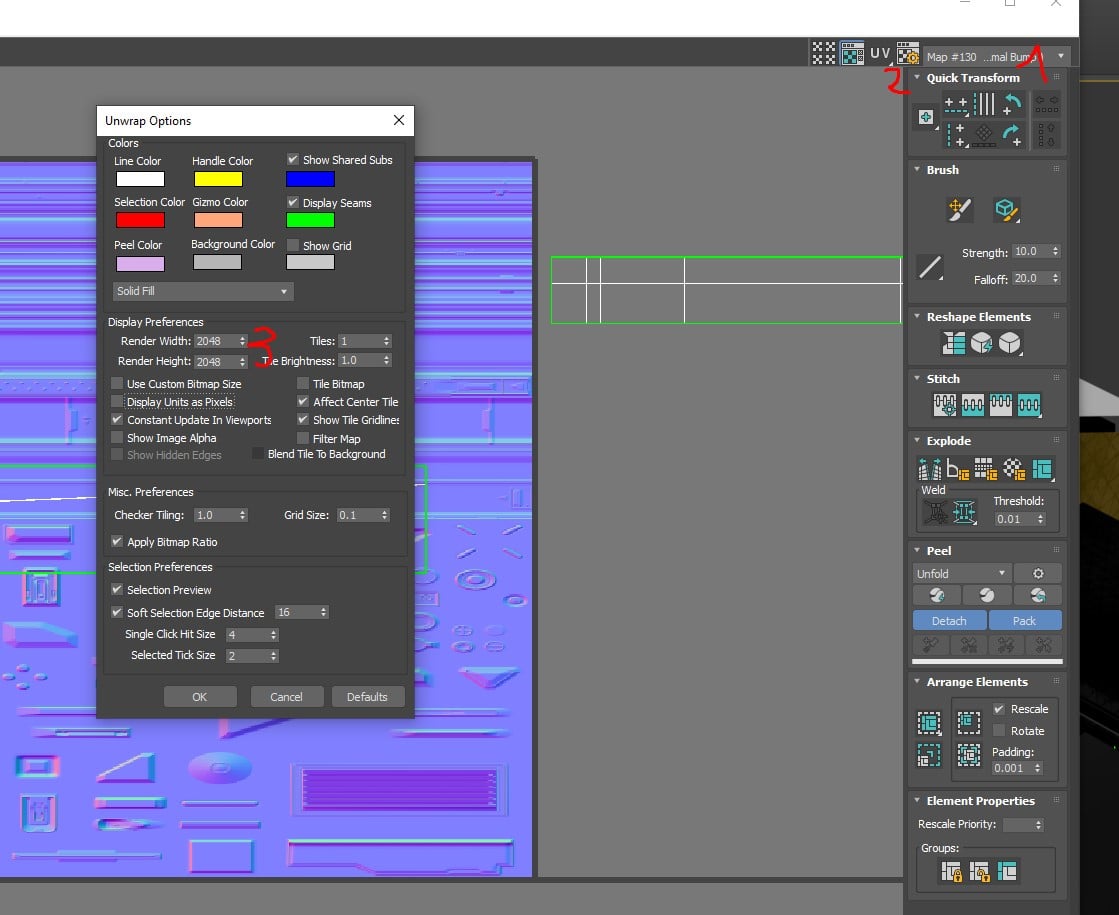 Hey :) I'm working with a non square texture ( for some reasons, I have my trim + decals on 1 texture 2048*4096 ) However, each time I want to place a strip on my trim, I have to go in the modifier Unwrap UVW > select my texture in the list > go to the Options > specify 2048 * 4096 Is there a way to be faster ? Is there an…
 -
Marvelous Designer. Some noob questions...

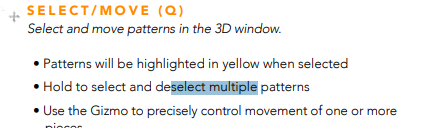 Hi! I recently started learning marvelous designer, and I'm already got stuck on basic controls. I can't for the life of me figure out how to drag and select multiple objects in 3d view! It says right here in the manual: But no matter what I try, it doesn't work. Selection rectangle doesn't appear. I can only click on…
 -
transform gizmo in photoshop 27.2?
I have been not very interested in Photoshop for a while and now see it got a mesh deform of a sort where you can add vertical or horizontal loops . Once you add a loop it makes its vertexes selected with a small thin frame. Is there any oprtion to not only move/translate those selected vertexes but also rotate those… -
Re: maya - learning
coming from max i found these scripts to be handy.. Target Weld: [ QUOTE ] - if you cant see pnts on your mesh at any pnt, like if you return to the tool via 'last tool'/y or in toolBox rather than by a targetWeld call, simply RMB->vrts them back to visibility. - if your on running prior to 4.5, you'll need to comment out…
>15391 results