Search
-
Re: I cant see normal maps in the 3ds Max Viewport

 In the top left corner of the viewport click on the center label (yours says high quality), go down to materials and turn on "realistic materials with maps".
 -
Re: Alley Way Environment
 thanks! yeah i was planning on adding some extra detail to the ladders but accidentally left it out when finishing it off. Thanks for the crit :D
 -
Re: Maya vertex / Edge / Face position (Noob question)
 If you click any of the handles on your manipulator, coordinates will appear at the bottom left corner of the Maya window, just below the MEL command line.
 -
Re: (UE 4 ) underwater facility (Artstation Challenge)

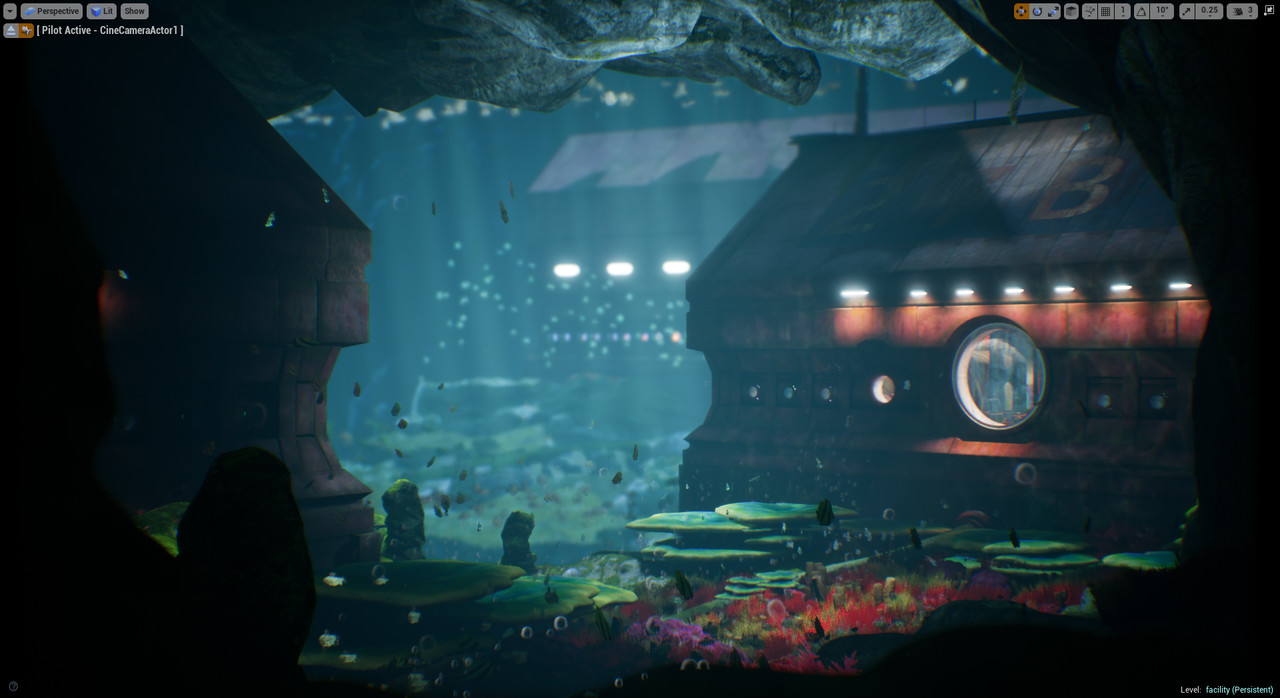 Some lighting progress i took screenshots of changes i made still some tweaks are left then i will do the final production render .
 -
Re: Tyr Handplane - Finished
 Thanks man :D . Yeah, I definitely need to get better at that. So much space left over still :P. Thanks for the critique!
 -
Re: Answered: Brush selection is very slow
 It's not possible to scale the brush panel yet. You can switch between brush categories by dragging the title bar of the brush tabs left and right.
 -
Re: pilot chick with a nose problem.
 cut the nose in half vertically and mirror just the nose, on the unwrap the uvs will fill the gap left by the missing half and give you little distortion
 -
Re: Congrats to Matt "Empty" Taylor
 Long time coming and HIGHLY deserved. My best friend works at Blizzard! WOOOO!!!! Inserting embarrassing pic of Matt --- he's the one on the left.
 -
Re: PETROL/BLOOD - AzzaMat
 Still got some tweaks left on this guy, Will give him a bandage on his hand,a few plasters maybe, small cape and then its on to texturing!
 -
Re: [Riot Art Contest] Irelia redesign
 Reply by AlexKola · · Home› Contests & Challenges Archives› Riot Art Contest› Riot Art Contest - IllustrationI'm liking this so far. Nice thumbnails, I think I like the bottom left one the most but there are other solid ones in there too.
>42855 results