Search
-
Re: marketing your name
 So...just add Z to the end of your name. Well, if I go with the first letter of my first name, J, and the first letter of my alias, I, and end with a Z, I get...jiz... perhaps I'll just stick with my alias for now -.-
 -
FGO Minamoto no Raikou - Real-time Character
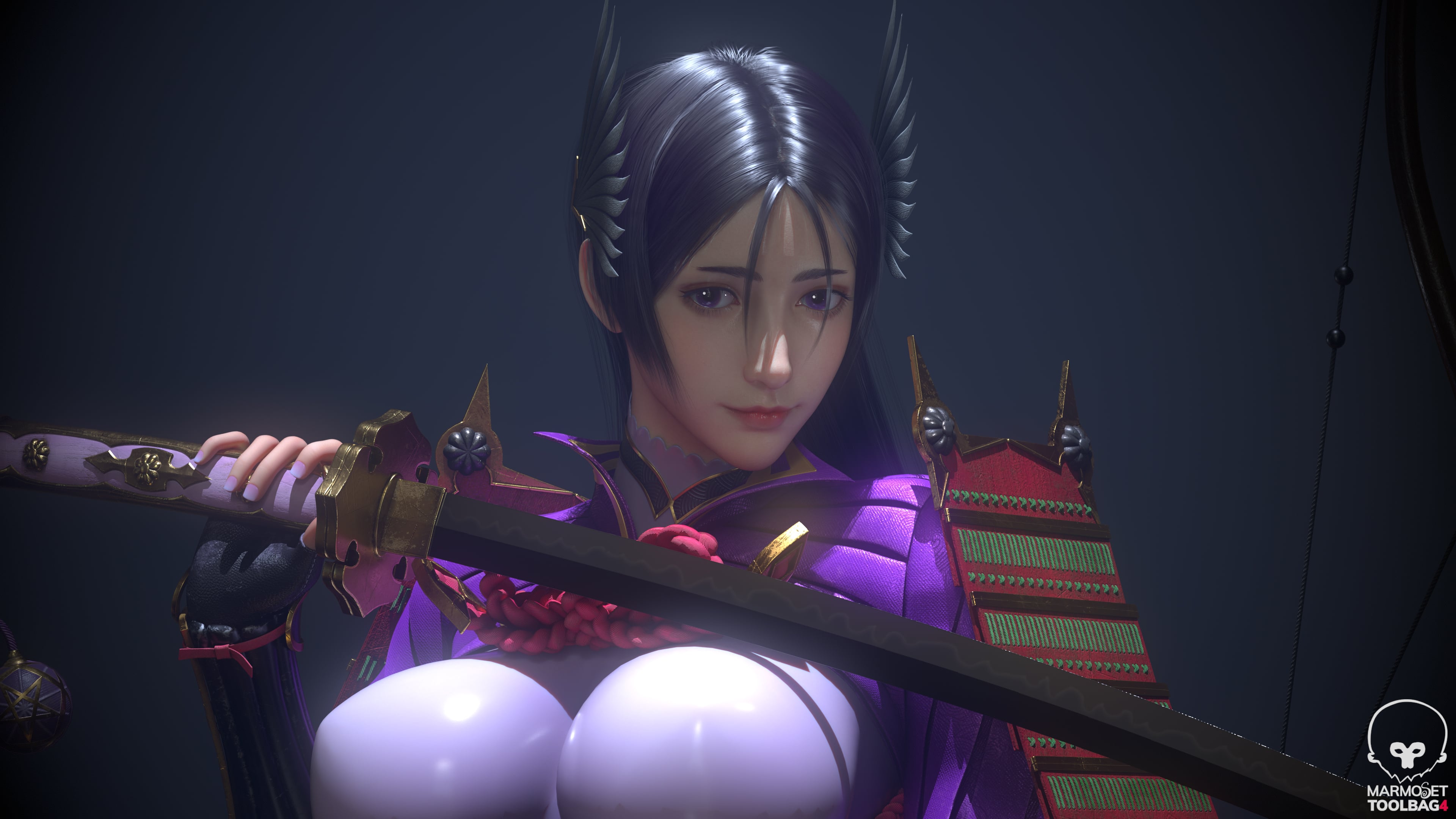 Software: Maya / ZBrush / Substance 3D Painter / UE5 Fan art of Minamoto no Raikou from Fate/Grand Order. Rendered in toolbag Feedback and critiques are welcome.
 -
Re: Translucent material pass behind distortion.
 Looks like a sorting problem. Not sure how UDK handles this, but typically to solve this you'll want to force the renderer to draw the triangles in the order you want. Try disabling Z-write and/or Z-read in your materials.
 -
Re: Starcraft II
 I was playing 2v2 with my brother, we do Z&Z and it seemed like every protoss pair we played massed zealot, its funny how easily roaches kill them off, or blings.
 -
Re: Viewport
 Programs are usually much worse with the z-buffer than games, in my experience anyway. I don't know max, but I would try scaling the model up, or looking for an option to increase the z-buffer accuracy.
 -
Re: FAQ: How u make dem mats? Hands-on mini-tuts for making materials and texturing
 Yeah that's exactly it. The normal map is a direction, because each channel holds a component. Generally R is X, G is Y, and B is Z. If you happen to have a copy of UDK around, open up a texture. There are sliders for RGB Min and Max. You'll notice if you open a normal map the RGB mins are all set to -1. When you combine…
 -
Little Buddha Monk Statue

 Hello guys I created this statue in z brush and textured in substance painter. hope you like it . sculpted in z brush, rendered by Iray for Substance painter. suggestions are always welcome. thanks for more render visit here - https://www.artstation.com/artwork/OL6qg
 -
Re: Horse Model
 Thanks MoP. I tried many different things in both Max and Z but Guruware's OBJ exporter was the only thing that worked. Here's my map and a render. For the map I used Z, blurred it a bit in Photoshop, then added a noise filter. Thanks ahead for the c&c.
 -
Re: 3DS Max CAT Rig Animation?
 Ah, those clips were made with the rig using the bone length axis set to Z. Create a new rig and set the axis to z and it should load. If you need to, you could then capture the animation on a different rig.
 -
Re: What are you working on? 2017
 Hey guys. Just made this quick vid showing how to sample colours from concepts in Zbrush without having to use spotlight, the dreaded Z,C,Z combo. Hope you dig it. https://vimeo.com/211472221
>45474 results