Search
-
Re: PC-CSGO | Cube MP9
 Might be a bit late, but here it is. It's a very simple thing, very simple process, so yeah it's very quick. http://imgur.com/q8x0LAn I don't know why I can't add image here. I can use "attach image/file" but there is no "OK" button or something to confirm. Any recommendation?
 -
Re: Exterior Wall Mounted Fire Extinguisher

 Hey everyone! This week I made some changes, realized I missed a button in marmoset that helped fix a problem and also modeled my home! (joking, it's a dumpster) as always hope you enjoy and feedback is always welcomed! As always, thanks for your time and I hope you have a great one!
 -
Re: female fighter
 wow looks really really good! if i had to complain about one thing, it'd be that the circular button things on her skirt just look tacked on. also, you're in mudbox right? what's your process for doing the stitches, i haven't really found a way i'm happy with, compared to zbrush.
 -
Re: bake vertex color to vertex alpha channel?
Your info. helped me a lot. I wanted to convert vertex alpha to vertex color and I did it with copy/paste in Tools>ChannelInfo rollout. After that I just had to change colors in vertex paint mod. (adjust color tab)(click on "condence to single layer" button before use) -
Re: Viewport 2.0 and Nvidia Graphics Cards.
I don't know about integrated graphics but usually theres a toggle to turn it off in the bios options, when your booting up press whichever button it prompts you usually delete or f8 and take a look around for bios for anything that says graphics or gpu or integrated graphics or somesuch and turn that off. -
Re: Transfer or Project Normal/Height to High Poly Mesh possible?
 In zbrush you can convert a displacement map to geometry. Pretty simple, you just have to have enough subdivisions and then its a one button click. If you have a height map, that may work, or at least get you kind of started... i don't know about converting a normal map to geometry.
 -
Re: Futuristic Soldier - Second Attempt.
 Okay guys, still using the base mesh to really push it to its limits (finger slowly edging towards the subdivide button now) but its still at 30'000 tris. Attempted to get the most of the form now and hopefully finalise the proportions before going into the next pass of detail. Again, all opinions welcomed.
 -
Re: Photoshop CS4 vs Windows7 + Classic (XP) Theme
 I just use the Win2000 look and it works for me, obviously adobe has a spastic GUI every now and then (sometimes buttons from windows are visible even though their makeup should cover it, sometimes GUI refresh issues, slow responses,...) but that was on XP the same so I think its supposed to be that way.
 -
Re: Props for unity game.
 I think you're overcomplicating things. Control panels are usually made to be as simple and understandable as possible. Here's a quick idea based on your global shapes, might be a bit -too- simple though: Bonus: you would only have to make a couple of buttons which you copy/paste and save time.
 -
Re: [3Ds Max] [CAT] The ankles are messed up. How to fix?

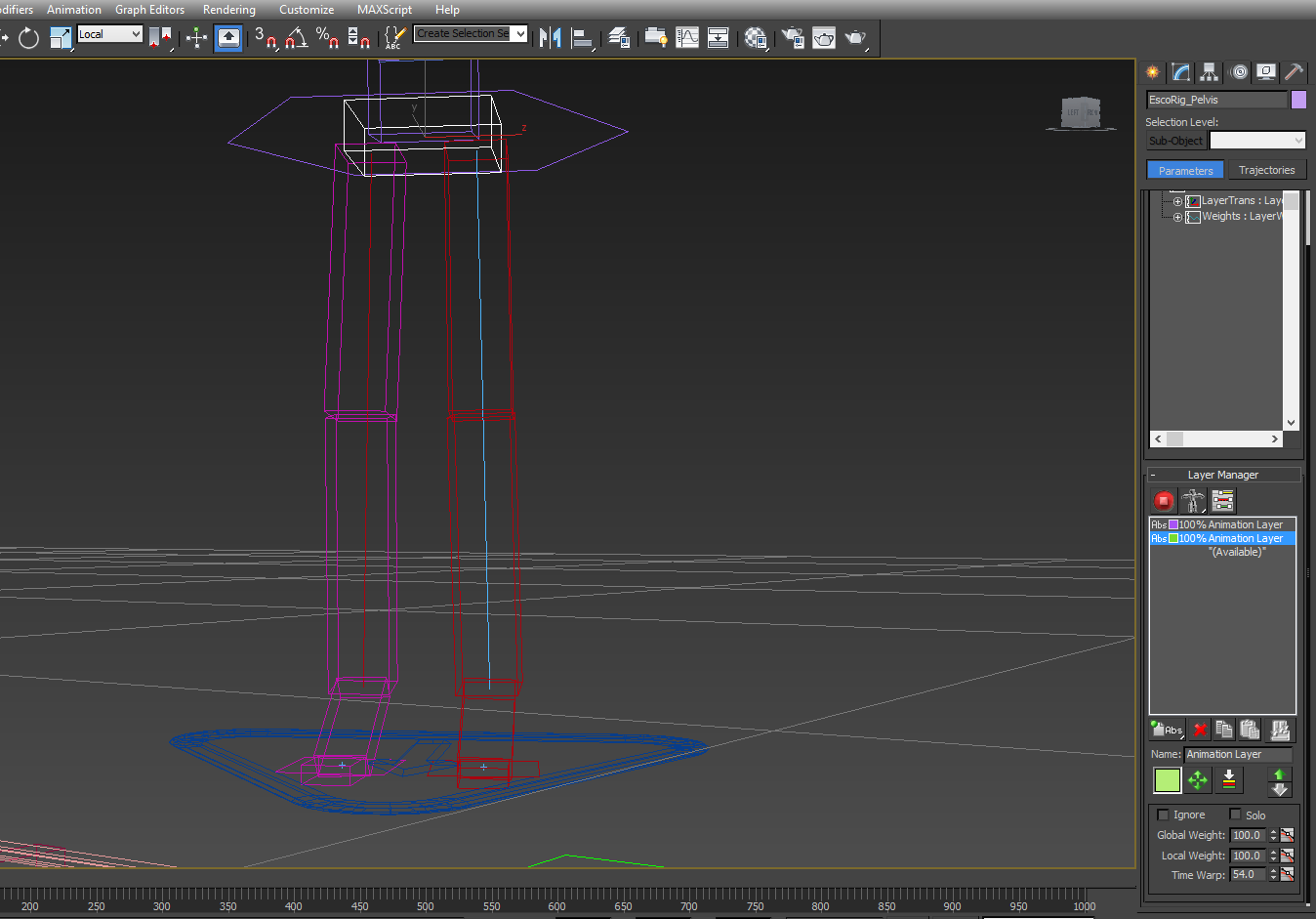 To elaborate, this is not the ankle twist bug, when using FK/IK sliders in CAT, but it happens by just hitting the Animation Mode Button in CAT. In set up Mode: Set up mode Animation Mode: animation mode So if anyone has a solution to this error, i would be eternally grateful. Thanks Scott
>10228 results