Search
-
Re: After years of Neglect. . . I updated my website!
 Wut Wut in the butt Nick, this is looking nice. Easy to navigate, easy to view pieces (I like how the entire gallery is linked so you just keep on pressing the next button and it cycles through everything). Nice nice :)
 -
Re: [Rant] Tutorials
 Was wondering when someone would mention this... it's a sad fact that far too many don't realise (read that as "not interested") that knowing why you do something is as fundamental to 'doing' as doing it. Can't... seem... to find... the make art button... damn it!
 -
Re: Reproject details on new Topology in Z Brush.
 If you have a new topology that you made in an external app, load the high poly and the new low poly, divide the low poly, then hit the project all button in the subtools palette. This should give you the result you're looking for.:)
 -
Re: Mechanical SUB-D tips and tricks
 well, if u need it for real-time use i guess its kinda bad to have floating bits all over your model As for the secret "make high-res art" button its a max only feature malcolm
 -
Re: Enough. Shooting.
 rick - flight sims are "shooting" games. Look, it says so up there. It doesn't matter about the incredibly detailed simulation or the arena you're placed in - it's basically a load of stuff bolted around a red trigger button did you not know that?
 -
Re: Try it if you dare ! Maya selection issue
 Try selection the upper or lower edge, hold ctrl and press the right mouse button. Now select to faces. You now have the 2 faces that share this edge selected. Deselect the unwanted face by holding ctrl while selecting.
 -
Rotate an HDRI Blender 2.8 addon
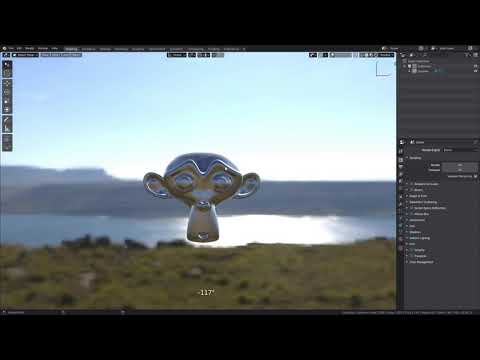 Addon allows you to rotate HDRI with the mouse in the style of “Marmoset toolbag” . Supports LookDev HDRI and World Environment Texture. Default hotkey <Ctrl+Alt+Left Mouse Button> it can be changed in the addon settings. https://youtu.be/MgPN7rsq-uE Download: https://gum.co/XQYEl
 -
Q: Does anyone recognize the name of this apps?
I was watching free tutorial from other forum, and OP used it to show both mouse buttons and keyboard strokes as he demonstrates tutorial. It looks very useful, and I wish to try it, but not sure how to start to search on it... Thanks for your help in advance~ Rybeck -
Unreal for casual game- UI fx question
 I have a client requesting UI fx like sparkles, button hiccups, etc. stuff we'v done in Unity but need to quickly adapt to doing the same in Unreal. Anyone here experience with that workflow and can point me in the right direction on either tuts or consulting?
 -
Max 2010 - Bitmap Reload Bug?
 For some reason the "Reload" button in my material editor isn't finding the new images. I'm making changes in photoshop, saving them out, and Max doesn't see the change until I relaunch. Is there a way to fix this? Having to reload every 20 minutes is REALLY obnoxious.
>10228 results