Search
-
lady girl thing

 been doing mostly chunky hand painty stuff at work. wanted to play around with doing something not that. been working on the face mainly. roughed in a body but have no idea where im going with it. was thinking of maybe keeping it simple doing a few blend shapes and practicing expressions.
 -
Clean height/normal bump in a new layer?

 I want to make a new material above what i already have and want it to have some height information, but without affecting the layers below. Tried some different blending modes but couldn't make it work, how can i achieve that?
 -
Re: The Bi-Monthly ENVIRONMENT ART Challenge | March - April (71)

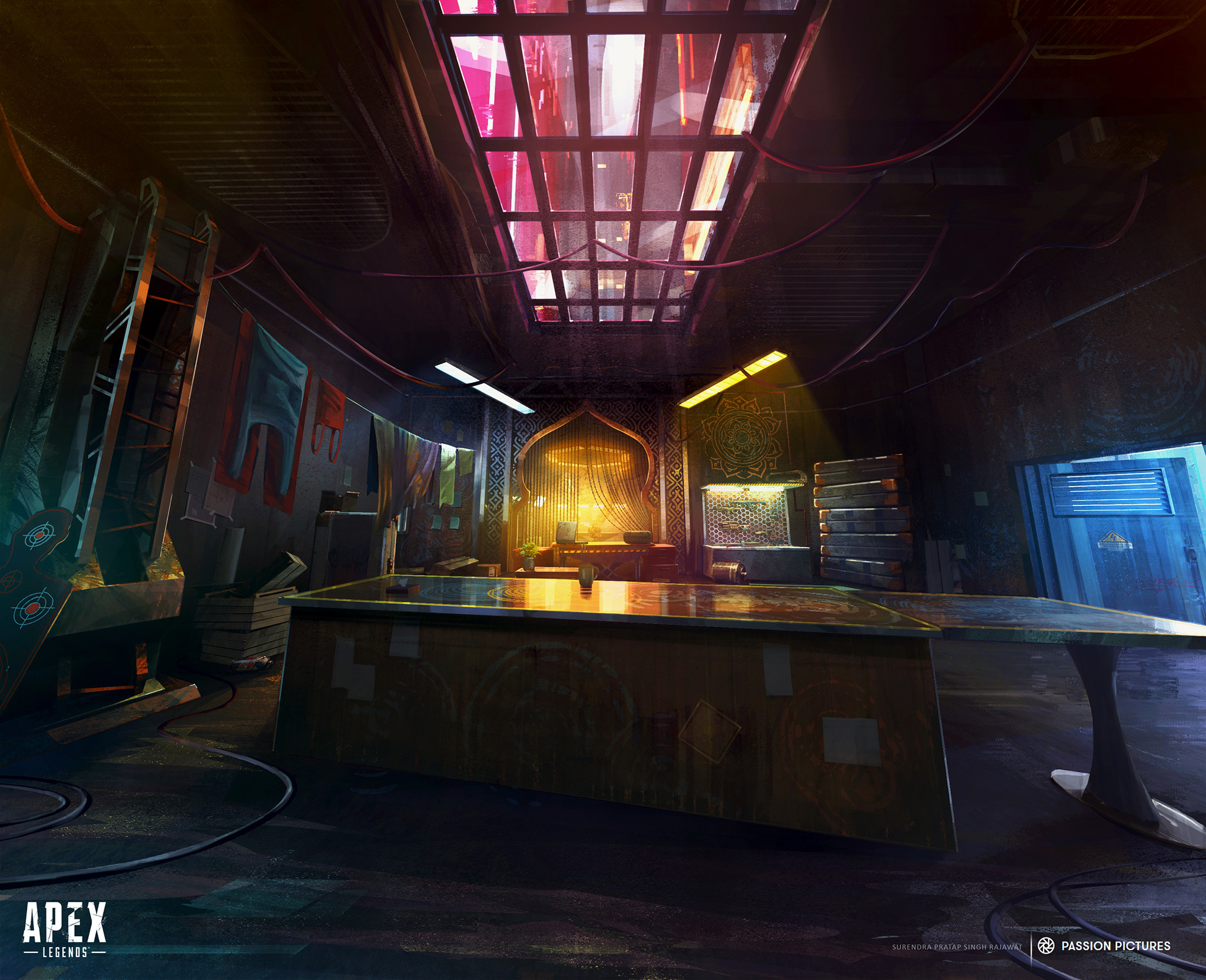 Hey all. Just gonna throw this one in as late suggestion for a hard surface env. I found this piece very interesting with its lighting, glass ceiling and blend of architectural styles. Surendra Rajawat https://www.artstation.com/artwork/48agAq
 -
Re: Abandoned German Coffee Shop

 UVs and most of the building textures are done now and I also made a height-based blending shader. I'll refine the vertex painting later, but will now move on to modeling a bit of the surrounding area. Would love some C&C!
 -
Re: Bad render in the distance UE4
 Could try a couple of approaches: Tile at different rates and then blend between those based on camera distance. Add a fresnel to your roughness so the glancing angle becomes less glossy. Play around with lighting and colour grading, etc.
 -
Re: One texture with different color tints

 actually I have resolved this. I just had to change the background to black in the lerp nodes and then blend them all with screen . But I am sure this is not the best way to do it and i would really like to hear your suggestions.
 -
Re: Layered Materials - Opacity Mask Not Working

 From what I see, the explanation and the error is this: You plugged the opacity mask into the mask that drives where to change the opacity(mask). This isn't used to tell the actual opacity of the material, but it tells where it will be blended. I could be wrong though.
 -
Re: Need Advice on Snow Techniques, MHostly in Unity
 I recently made a snow environment in Unity, I used different techniques to blend object in. For example I used a shader that would at snow based on normals. you can see the environment here: https://www.artstation.com/artwork/RlwxE
 -
Re: Overwatch - Efi
 gotta agree with @Magihat, she is looking a bit flat. would love to see some more spec here and there, also try to differentiate the the leather and her skin a bit, they are both looking a bit gray and blending together a bit to much.
 -
Re: Transparency/glass in Marmoset viewer
 It looks like you're using the dither blending mode, this is generally for things like hair that are opaque but have fuzzy edges. Try the refraction model instead: https://marmoset.co/posts/getting-to-know-toolbag-3-ep-7-refraction/
>11468 results