Search
-
Re: Stromberg's Gameart book
 the wood on the cannon looks a little too yellow for it to be something old. I would like to see more ware on the wheels and dirt on the side from being exposed to the elements for so long.
 -
Re: 3dsmax 2014 normals bug
 I think i've had this bug, if you select you mesh in edit poly mode, make a copy as an element, then delete the original. It should fix, if not then that's a separate max bug... of many...
 -
Re: Particles???
 Break down the scene into the different particle elements, then use maya fluidfx or the 3dsm equivalent to build particle setups to render out as flipbook animations, build your final effect in UDK.
 -
Re: [Riot Art Contest] - "What is the name of a song?" Jax
Reply by FacelessAsh · · Home› Contests & Challenges Archives› Riot Art Contest› Riot Art Contest - Character ArtUpdate. I've blocked out basic proportions, also did some like placeholders for future clothes to see overall look of elements, that i've been interested in. Enjoy, comment, subscribe. -
Re: [Riot Art Contest] - Stephane Fontaine
 Reply by FemCharles · · Home› Contests & Challenges Archives› Riot Art Contest› Riot Art Contest - Environment ArtYeah possibly slightly too big. I'm having the same thoughts about mine. Maybe you could try taking some elements and making it a smaller less detailed version of it?
 -
Re: hard 90 degree corner
 Sometimes I do wonder why I bother, but, select one side, detach to element, rotate, slice, delete excess, weld. Or for a smooth corner, as kurt mentioned, more geo.
 -
Re: funky_AO glitchs. Why causes the likes of ?
 yep, does that also, the low poly will cast shadows on the high unless you go down to Element or Poly mode and hide them. One of the lamest bugs I've ever run into...
 -
Re: Survivor's attic - University Project
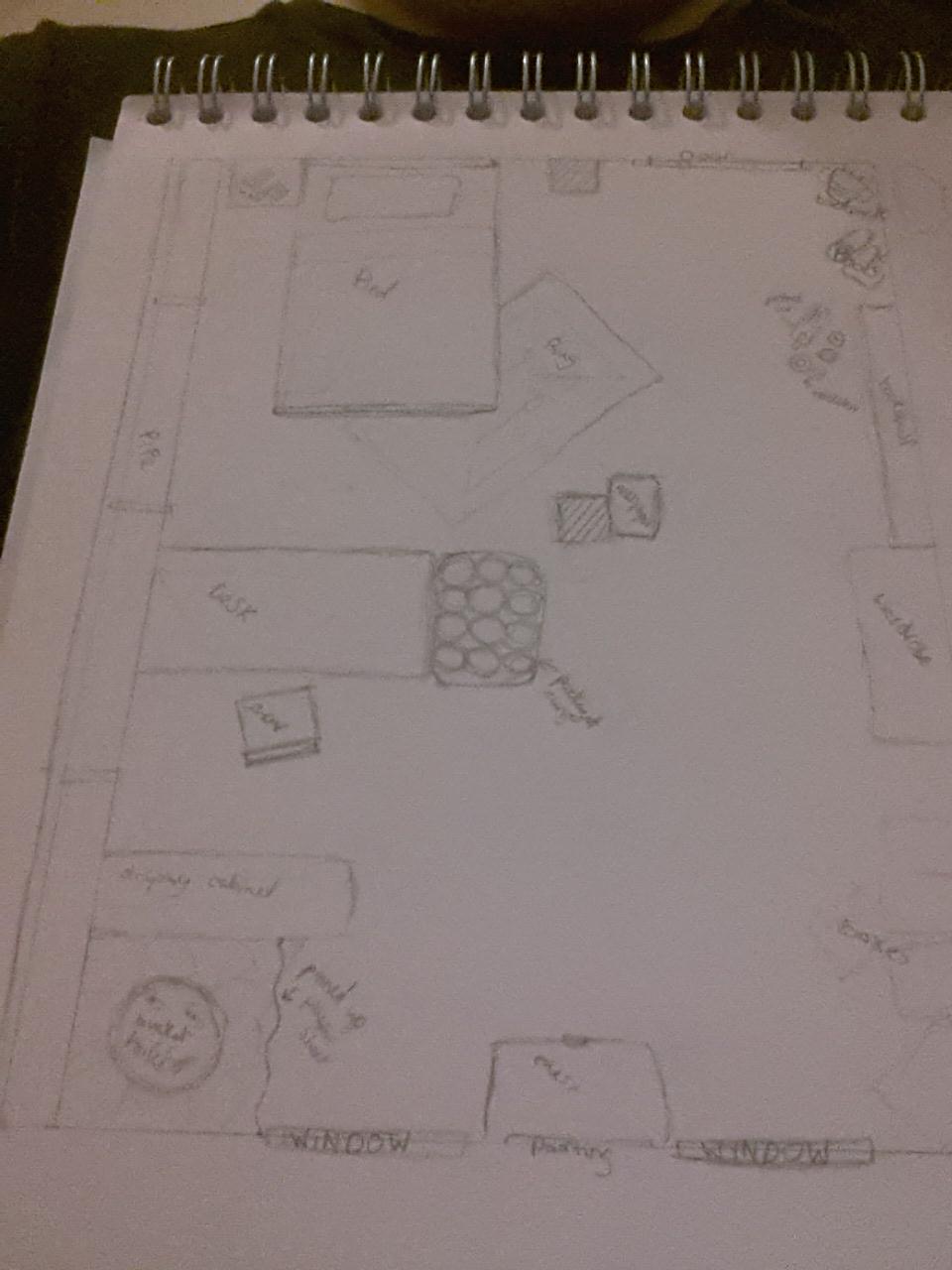 So i started out planning my scene on paper. apologies for poor quality and unreasonable size of pictures. Also listed a few things i wanted to include for storytelling elements.
 -
Re: Vert Align - 3Dsmax
 Illusion catalyst's IC.Shape has a tool called "Axis Project" that will let you align selected verts/edges/faces to any other element of your choosing in any axis/normal.
 -
Re: More baking maps problems..
 Can you show a screenshot of what you mean by waviness? For the floating geometry, does your cage fully cover the floating elements? Are the floaters selected in the highpoly mesh list in RTT?
>11041 results