Search
-
Re: Noob Question
 Can we see your normal maps please? I'm curious if there isn't some artifact hiding there, since you mentioned that the default material does not display this issue.
 -
Re: 3DO Display Error
 I have the same thing.What helps for me is when its doing this,hit space for UI then switch to any of the default meshes,then back to custom mesh again.Hope it helps.
 -
Re: [WIP] - Historical - Soviet Guards Tank Army
 I like the color on your T-34. I'm not a big fan of the default green they start with. Look forward to seeing more pics! Nice work so far.
 -
Re: ANSWERED: Questions about buying
 The Megascans Starter Kit is the default set of materials included in the Suite, IIRC. If you buy the Suite as it stands, yes, it will get upgraded for free when the beta testing is over.
 -
Re: Vertex color question for maya
 My vertex is weird. I don't know how or what it's called but how do I make it to the default color (Yellow with blue)? Picture: http://imgur.com/shPkefc
 -
Re: Mudbox compared to Zbrush
Yeah, in Mud the default Sculpt brush is not very useful at all until the later stages. Wax is basically mandatory. I do like me some Z though. -
Re: custom pool
 Once I got past the utterly bizarre choice for view controls, i enjoyed the presentation. Alot of functions seem to point at a default set tho, is this still incomplete?
 -
Re: Discover a tool to generate a game asset in one click (free!)
 Try the version from Blender.org, you can extract it where you want just set the startup.blend as your default launch scene: File -> Save Startup File.
 -
Re: Wiki haaaaalp!
 A custom polycount skin would be awesome, but it's also worth noting that you can get a dark version of the default skin easily, as an option. http://www.mediawiki.org/wiki/Skin:Darkvector
 -
Re: [MAYA] My ShaderFx Uber Shader

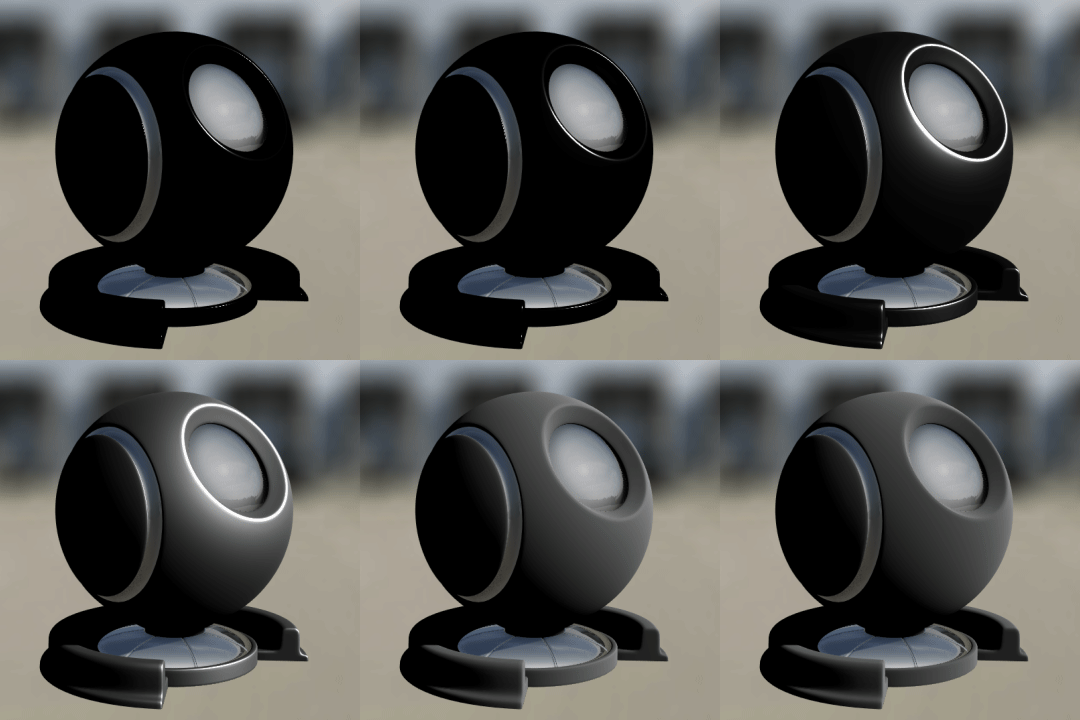 Alpha 002 release. ALPHA_002 Added GGX specular method. Please take special notice in the SPECULAR MENU area of the documentation. Set shadow taps default to 10
>10519 results