Search
-
Re: sci fi hangar bay
 Looking pretty awesome! Not every edge needs to be scratched exposed metal. You can highlight and pronounce edges in other ways. A slightly lighter diffuse edge with slightly brighter spec works great. When you have ever edge damaged not only does it stop making sense, but it starts to become noisy. A good way to do damage…
 -
Re: Advice for finishing this up
 Coming along nicely! Actually kinda reminds me of some of the classic Unreal environments (in a good way). A few quick things: Beware of letting it get too dark overall. The outer rocks are looking like a good brightness, but see about getting your key features, steps, etc. a tad brighter. Small local touch lights could do…
 -
Re: first character model (female - WIP) -- looking for crits and help
 Triangles are perfectly fine, but avoid having too many edges meet at the same vertex. If the shape looks right and it's deforming okay in your tests then it's probably good enough. You'll learn more about what you should and shouldn't do with more experience. It's better to complete it and move on as there's nothing…
 -
Re: Modeling Help Needed Please
 sacboi's advise is really, really important and you will see that if you stick to it you can pretty much model everything in just 3ds max. This is how I would do it in Maya. Im pretty sure you can do the exact same things in 3ds max though: Get a cubed, non polarized sphere and use ffd on it to nail the primary round…
 -
Re: [Technical Talk] - FAQ: Answers to common 3D software issues
 Reset X-form is your friend. (Max) Max: -FFD box looking weird? Reset X-form! -Selection Box/outline out of wack? Reset X-form! -Exporting to game/SDK? Reset X-form! -Mirrored part of a mesh turns inside out once exported? Reset X-form (and then check and correct flipped triangles)! :D -How do you carry over a selection…
 -
Re: Sketchbook: thomasp
 This post totally slipped under my radar. Apologies. Anyway these are the control curves with profiles assigned, so in a way, yes you can use lines (poly curves) and convert them to haircards. Edge loops can be converted to Blender-native poly curves and back without data loss. So you can poly model shapes with edge loops…
 -
Question about baking and uv unwrapping
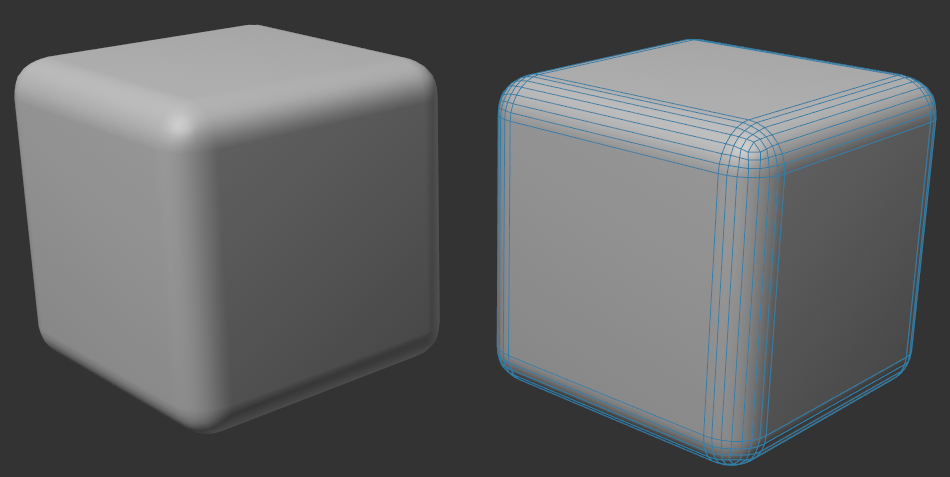 Hello, so i ve read the guide for uv unwrapping and baking. it says where u have hard edges in your mesh, you need a uv border. but how do you unwrap a mesh for baking that has no hard edges at all ? an oversimplified example of a mesh without hard edges: kind regards
 -
Re: Alternative to Quixel Suite ?
 In the open source area is: Gimp has under: Filters -> Generic -> Normal Map.. with some "simple" settings. Krita has under: Filter -> Edge Detection -> Height to Normal Map.. with "some more" options. There is also this "simpler tool" https://github.com/normal-map-gen-group/normal-map-generator with an online version…
 -
Re: Normal Map Gradients
Thank you very much for the quick response. Being a noob with this I am not entirely sure if I understand everything. Your example of non-split surfaces at 90 degree like cube, resulting in a gradient that is exactly what I mean. I get best results when unwrapping to, I guess this is called, one island. Meaning there is… -
Re: Simple Rocks | Looking for crits
 right now overall it seems like the edges of the rock are too uniform, and could benefit from some variation. each face seems to come to a thin edge, that edge can be broken up into smaller flat faces. and as it is right now, each face is pretty flat. id experiment around by taking a buildup brush and just going nuts ontop…
>27984 results