Search
-
Re: extrude pixels around uv seams?
 theres an option for 'edge padding' in the render to texture dialog in max. bump that up how ever much you want it. Remember: the rtt image that you see in the render window is NOT the same as the one that gets outputted to your 'save to' folder.
 -
Re: Slimy Shader problem
 I agree with MoP. Do you have any examples you can show us of what you have attempted so far? that's an awsome image btw, so much so, I saved it to my inspiration folder. :)
 -
Re: Chakan
 FUCK YES. I didn't have a Genesis and was always jealous of Sega owners for getting this game. I just loved the character design and the whole package and you did a great job transitioning it to 3d. Straight into my inspiration folder.
 -
Re: ripping out the windows "start" key
 Hm, I never use win+E, I have loads of shortcuts in my task bar that open windows in the most commonly used directories (e.g. my work directory, the directory BitTorrent dumps into, the folder with the smaller games).
 -
Re: Anatomy critique
 Thanks! I added them to my reference folder. First one looks perfect for arm reference. For today, I kinda get bored of sculpting base human male so I tried to sculpt a female character in a dynamic pose.
 -
Re: Painter Tool Brush bug
 what if the layer I'm painting on is normal only? Height does not override the normal channel. the problem actually is only with tools, infact in the substance painter "hardsurface" folder there are a lot of normal with alpha that is totally fine to paint. I think this is a huge limitation
 -
Re: TOWER Art Nouveau Room chyslns

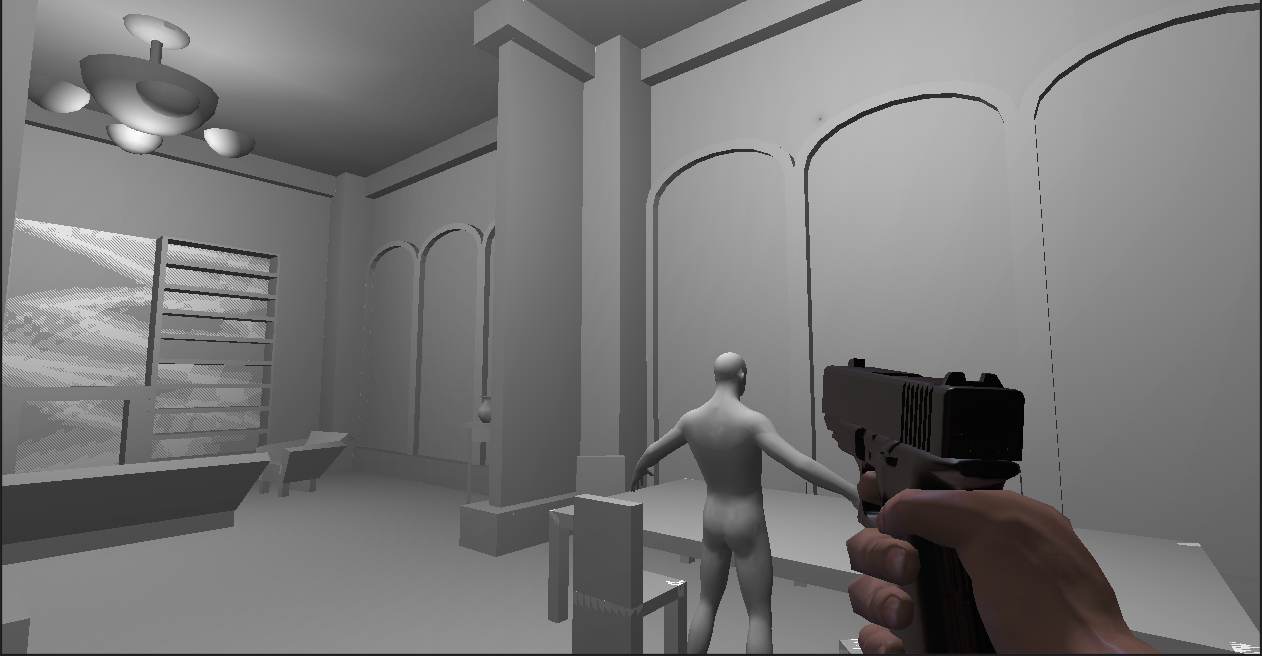 Decided to not let this one perish in the unfinished projects folder, so I started today blocking out spaces, shapes, and some furniture. This is today's progress: Ignore the pistol, I was just testing that is fully walkable and you won't get stuck.
 -
Re: 3Ds max UI loadup problems
 Nope its still happening... Deleted the entire Auto desk folder at that location and they still pop-up. I was met with the welcome screen which was rather alien at first but no changes. Rebinding keys now ;') Any other possibilities/ suggestions people?
 -
Re: Tutorial - "Holy Crap! I lost all my work!!"
it would take the fun out of recovering files? :P well when maya crashes its most likely that it saves a copy of the file in your temp folder... 80% of the time it works for me... but using our inhouse autoback to ensure safety :) -
Re: image Manipulation Tool
well ti be easier for the artist if they had a visual way of doing it. i was thinking like after affects does it. you set some parameters and there is a phase or sequence that can be looped together easily. This is saved to a folder to be used however the artist wants.
>11637 results