Search
-
Re: Zbrush Decimation Master causing black areas in 3DsMax?
 Ok, so I used the ProOptimizer modifier in 3DsMax which didn't give me any issues. Though I still find the situation I described a bit odd.
 -
Re: Need help!
 @Manta丶 Welcome to Polycount. Consider checking out the forum information and introduction thread. There's also a dedicated modeling thread in the technical talk section. Which has a lot of great examples provided by community members. This is a great place to ask questions and look for answers about how to solve modeling…
 -
Re: Sketchbook: Celosia

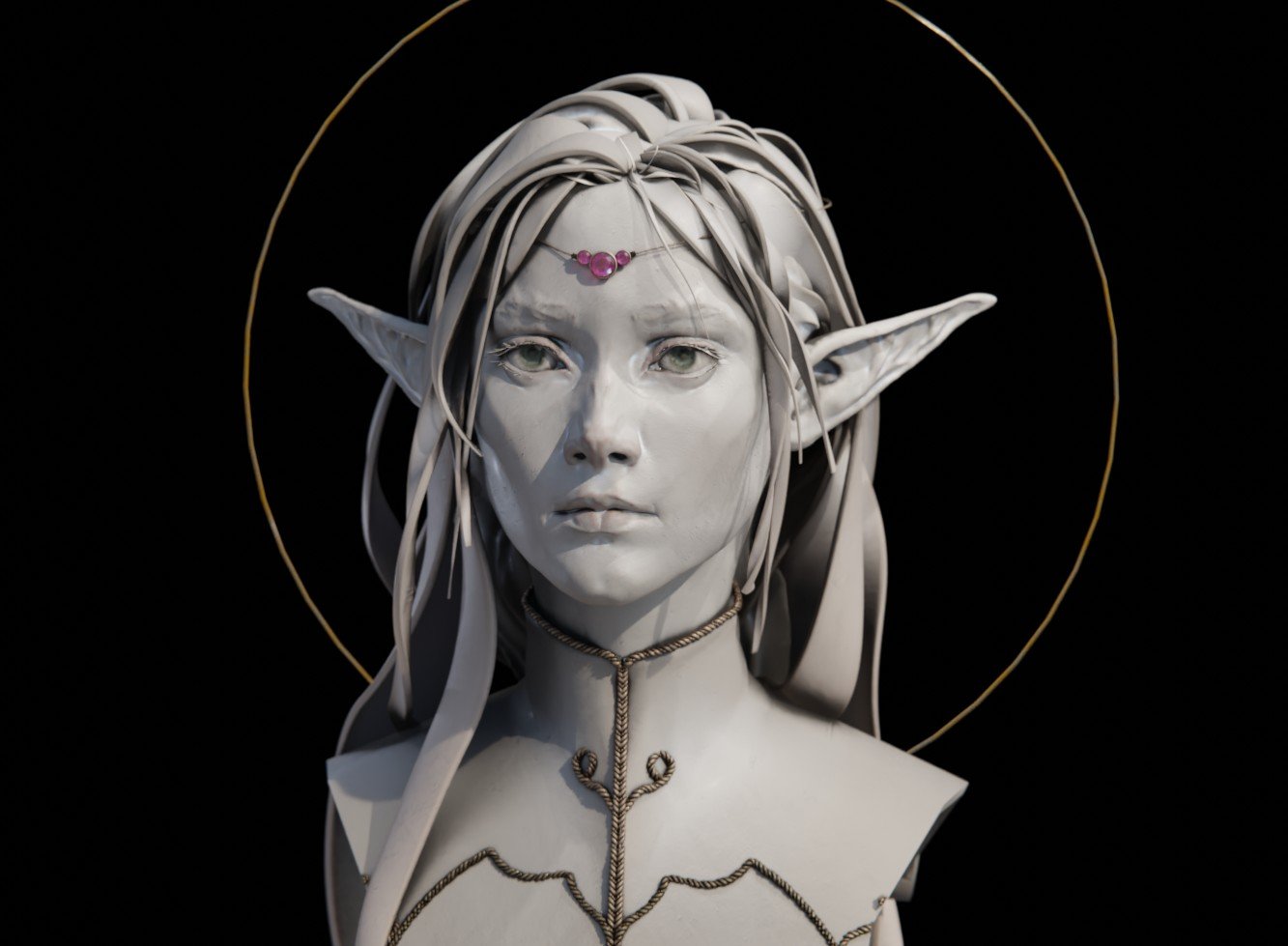 To kickstart the thread, a sketch from a while back. It's fanart from an old anime, Lodoss. Dynotopo sculpt from scratch in Blender, I used it to figure out how to use curves for hair for this kind of clay bust, also to come up with a quick and flexible way to setup the base material so these busts look pretty. Blender…
 -
Re: Methods for texturing large background objects to be used in game levels.
THanks for posting that breakdown Ace. A fellow Canadian eh? ACE. In your workflow, how would you go about getting the nice boxy crack details in the model? Would you sculpt it or just paint it in the texture? To mortalhuman. I plan to have the rock pillars about as far away as in this screen shot's pillar.… -
Re: 3ds Max Retopology - viewport wireframes
 There is an offset option built into the retopo tool in the graphite modeling tools. It will push the retopo away from the surface. You can then use a push modifier with a negative value to shrink it back a bit once you're finished. You can also animate the transparency of the material that is applied to the reference…
 -
Re: XoliulShader 2
 I have an interesting issue.. The conditions are specific so I'll try to be as through as possible. I have an unwrapped mesh with 3 UVW channels collapsed down to an Editable Poly. I stick a UVWunwrap modifier on it, go to edit the UVWs, then collapse it back down to an Editable Poly. I click Hold/yes on the dialogue…
 -
Re: [3DSMAX] Maxscript Selecting Remove/Copy/Inst in Proboolean panel
 Yeah the new UI is done in QT. So some of the panel names have changed. "Modify Task" changed to a generic "QWidget". I had to add "return OK" to because of the more generic panel name. ( fn proboolean_Extract_pressRadioButton rbName state = ( local properRb = false local BN_CLICKED = 0 -- clicky message ID local…
 -
Re: Claw Hammer- Learning PBR Workflow
 Hi Smilingmountain, I meant both. Where it curves to make that "U" shape and where the claws taper. You have the right idea with the geo, it's tough to completely eliminate pinching especially on a curving surface. There are a couple ways I know, off the top of my head, to remedy that. (I'm not sure if you're using Max or…
 -
Re: Some help with my normal mapping
 I would probably do the text in Photoshop with the NVidia filter anyway, since it tends to be faster than trying to make text in Max bevelled/outlined correctly, plus you tend to end up with a better idea of how it's going to look since you're making the text directly onto the texture rather than baking it down (since at…
 -
Re: Roadkill, 3DSMax 2009 - 2010 script updated
 holy mother of jesus, I got it working :D I am extremely pleased, will try to find a way this weekend to implement it to TexTools with a easy hook in way to add roadkill. I noticed though that your newest version has the ini switch of:setINISetting iniPath_exportSettings "Geometry" "TextureCoords" "0" which should be a 1…
>11680 results