Search
-
Re: Advice with secondary forms

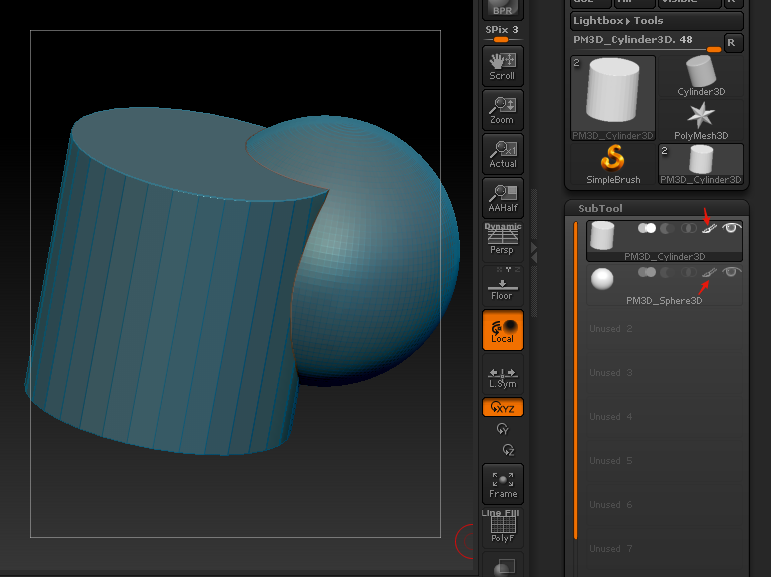 Apparently this is how you turn off that highlight. Just so you are comparing apples to apples. That face study is fairly good! This might just be a case of needing to just grind out a lot of studies, and ratchet your intuition up.
 -
Re: The Monthly CHARACTER Challenge | October 2014 | the Soothsayer
 @taglol I love the subtle purple in his skin tone. And I think you actually captured the boney fingers he has as one of the best I've seen. You have to work on the rest of your anatomy though. Look at the concept and notice how massive his arms are, they are freaking huge! The face also needs quite a bit more work, it…
 -
Re: Maya 2014 finally gets a huge update to its modeling tools!
 yeah...so if you create a cube and select one face then press the little green isolate selected button on the top of the viewport it hides all the faces that you havent selected and you can no longer click on those hidden faces? what happens to me is that those hidden faces come up as red polys floating in space when I…
 -
Re: Metal Gear Solid 1 - Snake and Liquid
 the things killing this for me are: * the lack of expression in his face in the posed shots. * his bandana looks like just folds centered above the nose, not like his trademark frown in the cloth. * the hands seem unposed in all shots. * you've gone for a very heavy anime face shape, but haven't followed through on the…
 -
Re: sketchup for modelling?
 One tip I can give is to watch the front/back faces if you're exporting/importing from SketchUp to Max (or whatever). SketchUp has an option to set them as different colors so you can keep up with them (you don't want the back faces facing out). I've done a pretty good bit of exporting from SketchUp and most of the time…
 -
Re: Modelling

 Begin easy, start with learning to modell the face properly. Edgeflow, needs to be correct. The modell need to smooth better. Understand the faceplanes of the faces. Anatomy of the face comes in handy, so pick up a couple of black and white pictures of the face to understand how to pull the edges and polys. Try to take the…
 -
Re: [Maya script] Max style turn edge
 .in polygon options turn on face triangles. .go in to turn edge mode. .turn the triangulation of a quad. .exit turn edge mode. And the face triangle display still shows the triangulation of a quad reverting back to it's original state? edit: and if not reverted ( face triangle ), the face is instead triangulated to fit (…
 -
Re: PBR Changes to UV Mapping Best Practices
 Hi fractyja, Quixel's dDo has no problems with overlapping faces in your uv. But if you want to use a world-space-normalmap for your dDo workflow, you have to unwrap your model without overlapping faces, otherwise your rendered world-space-normal is useless. For the ambient occlusion map. You can offset your overlapping…
 -
Re: Quad Chamfer Max vs Polybevel Maya
 Just so you know how to do this, since Crease+ isn't something you'll always want to use. You can select that ring of faces and bevel (click a face, then shift double click an adjacent face). Another nice thing to know is converting faces to border edges (ctrl+rmb north > to edge perimiter). I typically use that to get…
 -
Re: The Sexy Witch
 I'm sorry to say, but it's not my kind of sexy. Looks too masculine to me. I'd personally try to accentuate some femine traits in both the face and body proportions. I think the face could technically work as a womans face but the body feels too massive for me so my brain swings the perception of her face towards the…
>40185 results